
Email marketing remains one of the most effective digital communication tools, but even well-crafted messages can vanish into the dreaded spam folder. When your emails land in spam, open rates plummet, conversions stall, and brand trust erodes. The root cause often lies not in your message content alone, but in your sender reputation — a hidden score that email providers use to determine whether you're trustworthy. Understanding what triggers spam filters and how to rapidly rebuild credibility is essential for anyone relying on email outreach.
How Email Providers Judge Your Sender Reputation
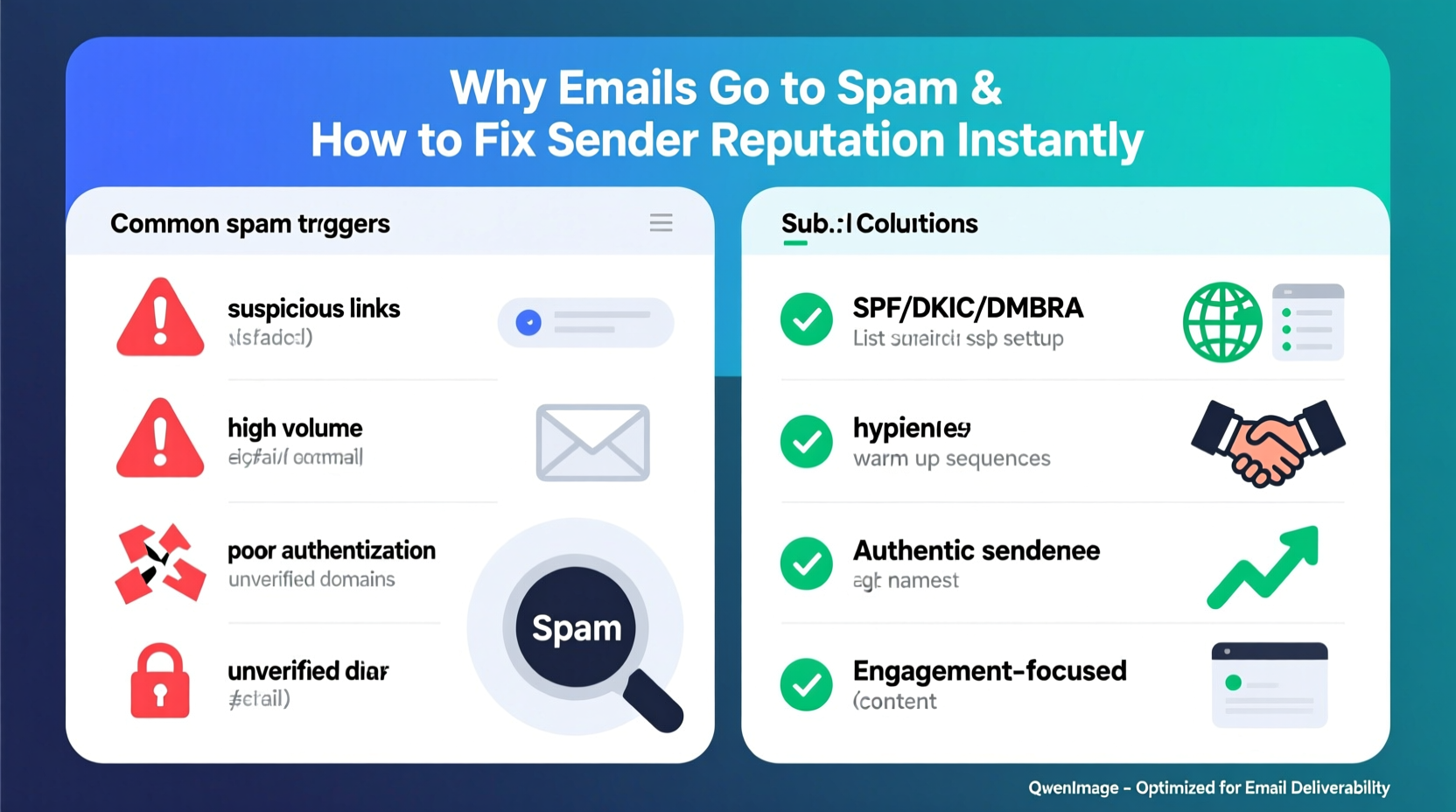
Email service providers (ESPs) like Gmail, Outlook, and Yahoo use complex algorithms to protect users from unwanted or malicious messages. At the core of these systems is the concept of sender reputation — a dynamic score based on historical sending behavior, user engagement, technical setup, and compliance with email standards.
This reputation isn’t static. It evolves with every campaign you send. High complaint rates, low engagement, or poor authentication practices drag it down. Conversely, consistent, relevant, and technically sound emails build trust over time.
Sender reputation operates at multiple levels:
- IP address reputation: Based on the server from which emails are sent. Dedicated IPs require careful warming but offer full control.
- Domain reputation: Tied to your sending domain (e.g., company.com). This is increasingly more important than IP reputation.
- Content reputation: How recipients interact with your messages — do they open, click, delete, or mark as spam?
“Your domain reputation now outweighs IP reputation in major ESPs. A compromised domain can ruin deliverability across all sending sources.” — Sarah Lin, Deliverability Engineer at Return Path
Common Reasons Emails Land in Spam
Even if your intentions are legitimate, several factors can trigger spam filters. These range from technical misconfigurations to behavioral red flags picked up by machine learning models.
1. Missing or Misconfigured Authentication Protocols
Without proper email authentication, ESPs have no way to verify that you’re truly the sender. Three key protocols are non-negotiable:
| Protocol | Purpose | Impact of Misconfiguration |
|---|---|---|
| SPF (Sender Policy Framework) | Authorizes which mail servers can send emails on behalf of your domain. | Fails SPF check → higher spam likelihood. |
| DKIM (DomainKeys Identified Mail) | Adds a digital signature to prove message integrity. | No DKIM = untrusted content, even if SPF passes. |
| DMARC (Domain-based Message Authentication, Reporting & Conformance) | Tells receivers what to do if SPF/DKIM fail and enables reporting. | Lack of DMARC = vulnerability to spoofing and poor reputation signals. |
2. Poor Engagement Metrics
ESP algorithms watch how real users treat your emails. If few people open or click, and many mark as spam or ignore your messages, the system assumes your content is unwanted.
Key warning signs include:
- Open rates below 15–20% for warm audiences
- Click-to-open rates under 5%
- Spam complaint rate above 0.1% (1 in 1,000 emails)
- High bounce rates (especially above 2%)
3. Spammy Content Triggers
Certain words, formatting choices, and design elements raise red flags. While no universal “spam word list” exists, patterns like excessive exclamation points!!!, ALL CAPS HEADLINES, or phrases like “Free Money Now!” are known to trigger filters.
Other issues:
- Image-heavy emails with little text
- Hidden text or misleading hyperlinks
- Attachments in bulk emails (rarely used professionally)
- Using free domains like @gmail.com or @yahoo.com for business outreach
4. Sending from Shared or Blacklisted IPs
If your email platform shares IP addresses among multiple senders, one bad actor can damage the pool’s reputation. Similarly, using an IP previously flagged for spam will hurt your initial deliverability until proven otherwise.
Tools like MXToolbox or Spamhaus allow you to check if your domain or IP appears on public blacklists.
How to Improve Sender Reputation Instantly: A Step-by-Step Guide
While long-term reputation building takes consistency, there are immediate actions you can take today to reset and stabilize your standing.
- Verify and Fix Authentication Records
Log into your DNS settings and confirm SPF, DKIM, and DMARC records are correctly published. Use free tools like dmarcian or Google Admin Toolbox to validate configuration. - Remove Inactive Subscribers
Delete contacts who haven’t opened an email in 6–12 months. Sending to disengaged users increases spam complaints and hurts metrics. Segment your list and re-engage only those who show interest. - Clean Up Your List Immediately
Remove invalid, role-based (e.g., info@, admin@), and disposable email addresses. Use a verification service like ZeroBounce or NeverBounce to scrub your list before your next send. - Send a Re-engagement Campaign
Launch a targeted message asking subscribers if they still want to hear from you. Example subject: “We miss you — stay subscribed?” Include two buttons: “Yes, keep me updated” and “No thanks.” Suppress or remove anyone who doesn’t respond within seven days. - Warm Up New Domains or IPs Gradually
If starting fresh, begin with small sends (100–200 emails/day) to your most engaged users. Increase volume by 20–30% daily while monitoring inbox placement and spam complaints. - Monitor Feedback Loops and Reports
Register for feedback loops (FBLs) offered by major ISPs. These notify you when a recipient marks your email as spam, allowing you to remove them immediately and investigate patterns.
Actionable Checklist: Boost Deliverability in 48 Hours
Follow this checklist to make measurable improvements in less than two days:
- ✅ Verify SPF, DKIM, and DMARC are configured and passing
- ✅ Check domain/IP against Spamhaus, Barracuda, and SORBS
- ✅ Remove hard bounces and invalid emails from your list
- ✅ Delete subscribers inactive for 6+ months
- ✅ Send re-engagement campaign with clear opt-in/opt-out
- ✅ Avoid spam-trigger words in subject lines and body copy
- ✅ Test email placement using seed lists or tools like GlockApps
- ✅ Ensure unsubscribe link works and is clearly visible
Real Example: How a SaaS Company Recovered From 78% Spam Placement
A mid-sized SaaS startup noticed their product update emails were landing in spam for Gmail users. Despite having clean content and a double-opt-in signup process, deliverability dropped suddenly after switching to a new email service provider.
An investigation revealed two issues:
- Their new provider used shared IPs that had been abused by another client.
- DKIM was misconfigured during migration — the selector record didn’t match.
The team took immediate action:
- Switched to a dedicated IP and began a 14-day warm-up sequence.
- Fixed DKIM alignment and validated all authentication via dmarcian.com.
- Launched a re-engagement campaign to prune inactive users.
- Sent test emails to internal teams across Gmail, Outlook, and Yahoo to confirm inbox delivery.
Within 72 hours, inbox placement improved from 22% to 89%. Over the next month, complaint rates fell below 0.03%, and domain reputation stabilized.
“We assumed our clean list and good content were enough. But without proper authentication and IP hygiene, even perfect emails get blocked.” — Jamal Reed, Head of Growth at NexaFlow
Best Practices for Long-Term Sender Health
Instant fixes restore access, but sustainable deliverability requires ongoing discipline. Adopt these habits to maintain strong sender reputation:
Maintain List Hygiene
Regularly purge inactive contacts. Consider automating suppression rules: after three consecutive campaigns with no opens, move the contact to a re-engagement stream or remove them entirely.
Segment and Personalize
Targeted messages generate better engagement. Segment by behavior (e.g., past purchases, link clicks) rather than just demographics. Personalization beyond “Hi {First Name}” — such as referencing recent activity — increases relevance.
Track Key Metrics Weekly
Monitor these indicators religiously:
- Inbox placement rate (target: >95%)
- Spam complaint rate (target: <0.1%)
- Bounce rate (target: <2%)
- Unsubscribe rate (benchmark: <0.5%)
- Click-through rate (industry average: ~2.5%)
Use a Professional Sending Domain
Avoid sending from generic domains like @gmail.com. Instead, use a subdomain specifically for email (e.g., news.company.com or mail.company.com). This isolates email reputation from your primary website domain.
Frequently Asked Questions
How long does it take to improve sender reputation?
Initial improvements can happen within 48–72 hours after fixing authentication and cleaning your list. However, full recovery — especially after being blacklisted — may take weeks of consistent, responsible sending. Domain reputation rebuilds faster than IP reputation in modern ESPs.
Can I improve sender reputation without reducing email volume?
It depends. If your current sends are damaging your reputation (high complaints, low engagement), continuing at the same volume will worsen the problem. Temporarily reduce volume, fix the root causes, then scale back up gradually. Prioritize quality over quantity.
Does using an email service provider guarantee inbox delivery?
No. While platforms like Mailchimp, SendGrid, or Klaviyo provide tools and infrastructure, they don’t guarantee inbox placement. You’re still responsible for list quality, content, and authentication. Some providers offer deliverability consulting, but enforcement is on you.
Take Control of Your Email Destiny
Email deliverability isn’t magic — it’s a combination of technical precision, audience relevance, and consistent behavior. When your messages land in spam, it’s not always about the content; it’s about whether the system trusts you. By fixing authentication, pruning poor-performing segments, and proving value through engagement, you signal legitimacy to both algorithms and humans.
The steps to recover are within reach. Many organizations see dramatic improvements in just days by addressing basic flaws. Don’t wait for another campaign to fail. Audit your setup today, apply the fixes outlined here, and start rebuilding trust with every send.




 浙公网安备
33010002000092号
浙公网安备
33010002000092号 浙B2-20120091-4
Comments
No comments yet. Why don't you start the discussion?