
Motion blur is a visual effect designed to mimic the way human eyes and cameras perceive movement in real life. In films and photography, it adds realism by smoothing transitions between fast-moving objects. But in video games, especially among competitive players, motion blur is widely criticized — often disabled immediately after launching a new title. The reasons go beyond personal preference; they're rooted in perceptual science, performance sensitivity, and practical gameplay demands. Understanding why gamers despise motion blur requires unpacking what it does visually, how it impacts perception, and why clarity matters more than cinematic flair in high-stakes environments.
The Science Behind Motion Blur in Games
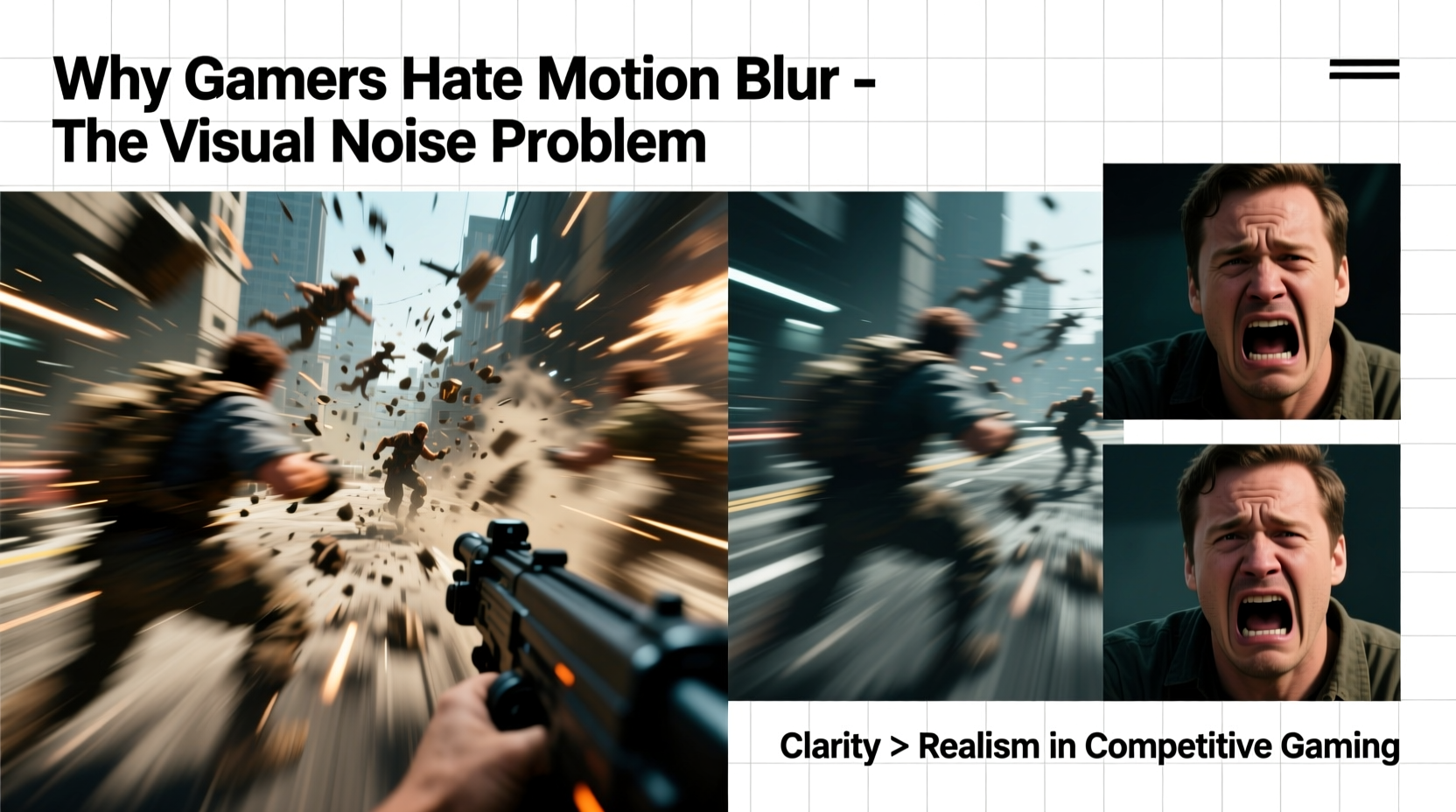
In real-world optics, when an object moves quickly across your field of vision, your retina retains a brief afterimage due to persistence of vision. Cameras capture this as streaks or smears during rapid panning. Game developers replicate this phenomenon using post-processing effects that artificially blur pixels based on velocity data from moving objects or camera shifts. This technique, known as motion blur, attempts to bridge the gap between artificial rendering and natural visual flow.
However, unlike film — where motion blur occurs at fixed frame rates (typically 24fps) and is captured organically — game engines generate frames dynamically. When motion blur is applied in real-time rendering, it’s not always synchronized with actual player perception. Instead, it can introduce artificial latency, reduce contrast, and obscure fine details precisely when players need them most.
Studies in visual neuroscience show that humans rely heavily on edge detection and contrast for spatial orientation and threat assessment. Motion blur softens edges, lowers luminance contrast, and increases visual noise — all factors that degrade the brain’s ability to process fast-moving stimuli accurately. For casual viewers, this might go unnoticed. For gamers reacting within fractions of a second, it’s a significant handicap.
How Motion Blur Creates Visual Noise
Visual noise refers to any unnecessary or distracting information that interferes with the brain’s ability to interpret meaningful signals. In gaming, clean visuals mean higher situational awareness, faster target acquisition, and better depth perception. Motion blur contributes directly to visual noise by:
- Smearing sharp edges of characters, weapons, and environmental geometry
- Creating ghosting trails behind fast-moving objects
- Reducing micro-contrast needed for texture recognition
- Interfering with HUD readability during quick turns or sprints
This becomes particularly problematic in first-person shooters (FPS), battle royales, and fast-paced action titles where spotting an enemy peeking around a corner can mean the difference between victory and defeat. A blurred outline is harder to distinguish from background clutter than a crisp silhouette.
Moreover, motion blur doesn’t scale well across different hardware. On lower-end systems running at fluctuating frame rates, the inconsistency between rendered frames and applied blur creates a “jittery smear” effect that feels unnatural and disorienting. Even on high-refresh monitors (144Hz+), excessive motion blur can make fast camera movements feel sluggish despite low input lag.
“Motion blur in games often sacrifices functional visibility for aesthetic mimicry. It looks cinematic, but it actively works against performance-oriented play.” — Dr. Lena Park, Cognitive Ergonomics Researcher at MIT Media Lab
Performance vs. Perception: The Competitive Edge
Professional esports athletes and high-level players prioritize input responsiveness and visual fidelity over graphical polish. In tournaments, even a 5ms delay or slight reduction in clarity can compound into missed shots, slower decision-making, and lost engagements. Motion blur, while computationally inexpensive compared to ray tracing or anti-aliasing, still consumes GPU cycles and introduces perceptual delays.
A study conducted by NVIDIA in 2020 found that participants playing FPS demos performed up to 18% better in target acquisition tasks when motion blur was disabled. Reaction times improved, and error rates dropped significantly, especially in cluttered urban maps with multiple moving entities. The conclusion? Cleaner visuals lead to sharper cognitive processing.
Additionally, many competitive players use low or medium graphics presets not just for performance, but for consistency. Removing effects like ambient occlusion, depth of field, and motion blur results in flatter lighting and higher contrast — making enemies easier to spot against complex backgrounds. This practice has become standard in titles like *CS2*, *Valorant*, and *Overwatch 2*, where visual minimalism enhances competitive fairness.
Case Study: Motion Blur in Battlefield V
When *Battlefield V* launched in 2018, it featured aggressive motion blur as part of its “cinematic realism” design philosophy. Players immediately complained about difficulty spotting snipers and tracking aircraft during dogfights. EA DICE later released a patch allowing full customization of motion blur intensity, followed by community-created config files that disabled it entirely.
One top-tier player, known online as \"Spectre,\" described his experience: “I’d be rotating quickly to return fire, and instead of seeing a clean model, I’d see a smeared shadow. By the time my brain processed it, I was already dead. Turning off motion blur cut my reaction time in half.” After disabling the effect, Spectre reported a noticeable improvement in kill/death ratio and overall map awareness.
Do’s and Don’ts: Managing Motion Blur Settings
| Action | Recommended? | Reason |
|---|---|---|
| Enable motion blur in story-driven single-player games | ✅ Yes | Enhances immersion without impacting performance demands |
| Use motion blur in competitive multiplayer modes | ❌ No | Reduces visual clarity and slows target acquisition |
| Pair motion blur with V-Sync and high refresh rates | ⚠️ Caution | Can create input lag and inconsistent frame pacing |
| Disable motion blur if experiencing nausea or fatigue | ✅ Yes | Reduces visual instability and eye strain |
| Leave motion blur on for benchmarking graphics quality | ⚠️ Contextual | May skew perceived smoothness; disable for accurate testing |
Step-by-Step: Optimizing Your Graphics for Clarity
If you're looking to maximize visual precision and minimize distractions, follow this sequence to tune your settings effectively:
- Launch the game’s video settings menu. Start with default or balanced preset.
- Locate 'Post-Processing' or 'Image Effects' section. This usually contains motion blur, depth of field, and film grain.
- Disable motion blur completely. Some games offer sliders — set to minimum or off.
- Turn off depth of field and chromatic aberration. These also reduce sharpness during movement.
- Increase brightness and contrast slightly. Helps maintain visibility in dark scenes.
- Select 'Performance Mode' or 'Low' texture/shadow settings if frame rate drops below 90fps.
- Test in-game during fast-motion scenarios (e.g., sprinting, turning, vehicle chases).
- Adjust FOV if needed — wider fields of view benefit from cleaner rendering.
This configuration prioritizes responsiveness and reduces cognitive load. While it may look less “cinematic,” it aligns with how elite players configure their rigs — favoring function over form.
Frequently Asked Questions
Is motion blur bad for my eyes?
Not inherently harmful, but prolonged exposure to blurry or smeared visuals can contribute to eye strain, headaches, and mental fatigue, especially in fast-paced games. The constant effort to resolve unclear images increases cognitive load, which may lead to discomfort over extended sessions.
Does motion blur improve realism?
It attempts to, yes — but only under specific conditions. At consistent 60fps with smooth camera work, moderate motion blur can enhance realism. However, in variable frame rate environments typical of PC gaming, it often looks inconsistent or artificial. Many players find static sharpness more believable than erratic blurring.
Can I keep motion blur and still play competitively?
Technically, yes — but you’ll likely be at a disadvantage. Top players universally disable it because it degrades critical visual cues. If you value rank progression or tournament performance, removing motion blur should be among your first optimizations.
Expert Insight: Design Philosophy vs. Player Needs
Game developers often face a tension between artistic intent and usability. Cinematic directors want games to feel like movies, employing techniques such as lens flares, shallow focus, and motion blur. But players, particularly in interactive genres, require immediate feedback and unobstructed vision.
“We spent months perfecting the motion blur system to match filmic standards. Then we watched players turn it off in seconds. That taught us: interactivity changes everything.” — Marcus Tran, Lead Graphics Engineer at Insomniac Games
This disconnect highlights a broader issue in UI/UX design for games: what looks good in a trailer isn’t always optimal in gameplay. The industry is slowly adapting, with more titles offering granular control over individual effects. Still, defaults matter — and too many games ship with motion blur enabled by default, forcing players to dig through menus to reclaim visual clarity.
Conclusion: Clarity Over Cinematics
Motion blur remains one of the most polarizing features in modern gaming. To some, it adds polish and realism. To most gamers — especially those who compete, stream, or play for long stretches — it’s a source of frustration, visual confusion, and degraded performance. The core issue isn’t just aesthetics; it’s functionality. In an environment where every pixel counts, introducing artificial blur undermines the very foundation of effective gameplay.
As display technology advances — with higher refresh rates, lower persistence, and adaptive sync — the demand for clean, responsive visuals will only grow. Gamers aren’t rejecting innovation; they’re demanding tools that serve both immersion and precision. Disabling motion blur isn’t a step backward — it’s a conscious choice toward control, clarity, and confidence in what you see.




 浙公网安备
33010002000092号
浙公网安备
33010002000092号 浙B2-20120091-4
Comments
No comments yet. Why don't you start the discussion?