
Virtual reality (VR) offers immersive experiences that transport users into digital worlds, whether for gaming, training, or exploration. Yet, for many, the thrill comes with an unwelcome side effect: dizziness, nausea, and disorientation. If you’ve ever removed your headset feeling unsteady or queasy, you’re not alone. This phenomenon—commonly referred to as VR motion sickness—is a real physiological response rooted in how our brain processes sensory input. Understanding why it happens is the first step toward enjoying VR without discomfort.
The Science Behind VR Motion Sickness
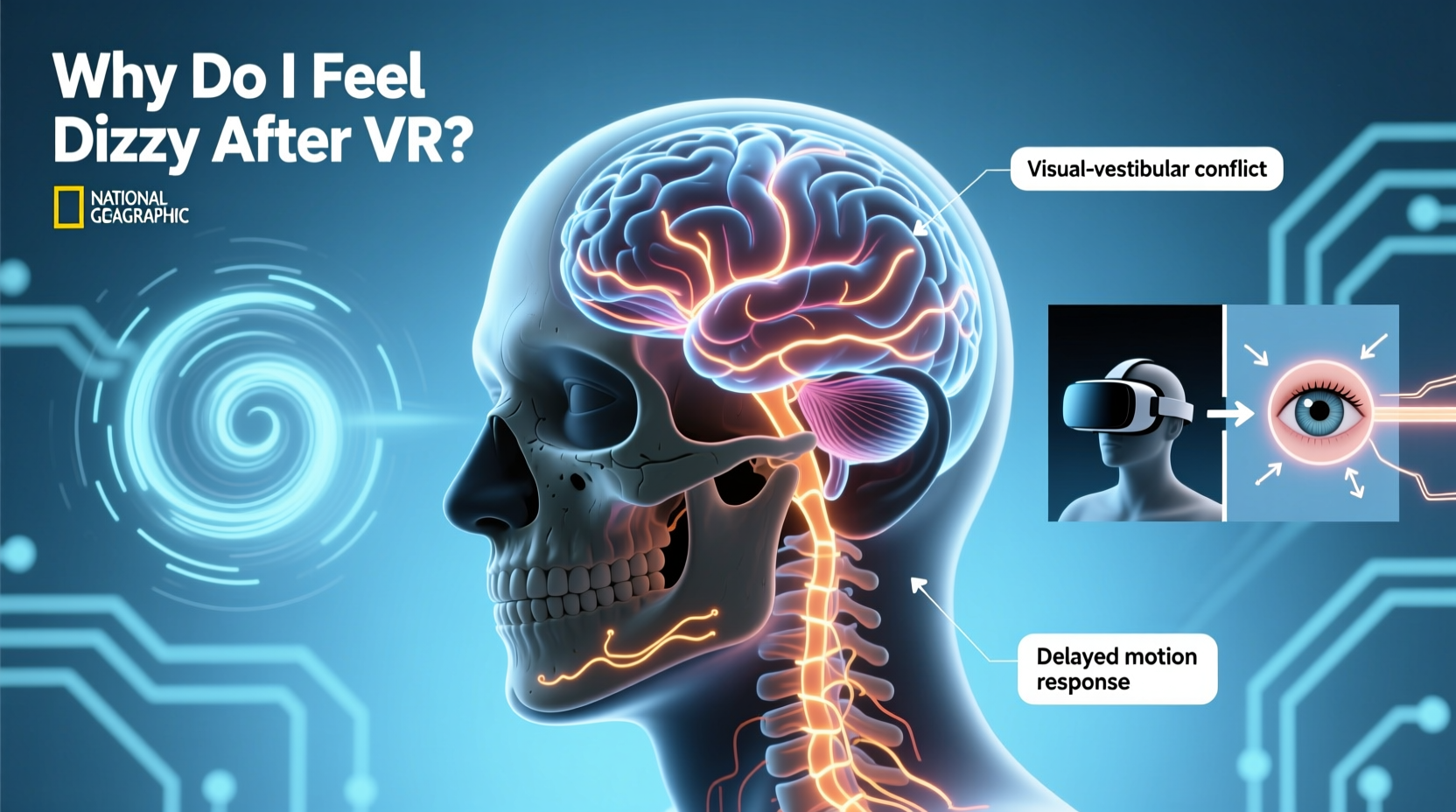
VR motion sickness arises from a sensory mismatch between what your eyes see and what your body feels. In the physical world, movement involves coordinated signals from your eyes, inner ear (vestibular system), and muscles. When you walk forward, your visual field shifts, your inner ear detects acceleration, and your muscles contract—all in sync. In VR, this harmony breaks down.
When you move in a virtual environment—say, sprinting through a battlefield or flying over a cityscape—your eyes perceive rapid motion. However, your body remains physically still. Your vestibular system reports no actual movement, creating a conflict the brain struggles to reconcile. This neurological dissonance triggers symptoms similar to motion sickness experienced in cars or boats.
“VR-induced motion sickness occurs because the brain receives conflicting signals: the eyes say ‘moving,’ but the inner ear says ‘still.’ The result is dizziness, nausea, and fatigue.” — Dr. Sarah Kim, Neuroscientist at the Human Sensory Research Lab, Stanford University
This sensory conflict theory explains why some people are more susceptible than others. Individuals with highly sensitive vestibular systems or those prone to car sickness often report stronger reactions in VR. Age, hydration levels, and even prior exposure to VR also influence tolerance.
Common Triggers of VR Dizziness
Not all VR experiences provoke motion sickness equally. Several design and technical factors amplify the risk:
- Artificial locomotion: Using thumbsticks or buttons to move through a virtual space (e.g., teleportation or smooth walking) increases sensory mismatch.
- Low frame rates: Frame drops or stuttering visuals disrupt immersion and confuse the brain’s perception of motion.
- Poor tracking: Delayed or inaccurate head and hand tracking make movements feel unnatural.
- Narrow field of view: A restricted visual window can heighten disorientation, especially during fast turns.
- Excessive screen flicker or brightness: Harsh contrasts or flashing lights may trigger headaches or nausea in sensitive users.
Who Is Most Affected?
While anyone can experience VR motion sickness, certain groups report higher sensitivity:
| Demographic | Risk Level | Reasons |
|---|---|---|
| Children under 12 | High | Developing vestibular systems; less ability to filter sensory conflicts. |
| Women (especially during menstruation or pregnancy) | Moderate to High | Hormonal fluctuations increase nausea sensitivity. |
| Individuals with migraines or vertigo | High | Preexisting balance disorders amplify disorientation. |
| First-time VR users | Moderate | Lack of adaptation to virtual environments. |
| Frequent gamers with strong spatial awareness | Low | Better prediction of virtual motion patterns. |
Interestingly, repeated exposure often leads to habituation. Many users report reduced symptoms after several sessions as the brain learns to reinterpret VR cues. This adaptation varies widely—some adjust within hours, others take weeks.
Step-by-Step Guide to Reducing VR Dizziness
If VR leaves you feeling off-balance, follow this structured approach to minimize discomfort and build tolerance:
- Start with short sessions: Begin with 10–15 minutes of gameplay. Gradually increase duration as your body adapts.
- Choose low-motion content: Opt for stationary experiences (e.g., puzzle games, art apps) before trying action titles.
- Optimize hardware settings: Ensure your headset runs at maximum refresh rate (90Hz or higher). Adjust IPD (interpupillary distance) for clear visuals.
- Use comfort settings: Enable options like vignetting (tunnel vision during movement), snap turning, or teleportation to reduce perceived motion.
- Stay grounded physically: Sit on a stable chair or use a platform that mimics movement. Physical feedback helps align senses.
- Take breaks every 20 minutes: Step out of VR, focus on a distant object, and breathe deeply to reset your vestibular system.
- Hydrate and avoid playing on an empty or full stomach: Dehydration and digestion affect nausea thresholds.
- Play in a well-ventilated room: Stuffy environments worsen dizziness and fatigue.
Mini Case Study: Recovering from Early VR Discomfort
Mark, a 34-year-old software developer, purchased a high-end VR headset excited to try immersive fitness apps. His first session lasted only eight minutes—he felt nauseous and had a lingering headache. Discouraged, he almost returned the device. Instead, he followed a gradual re-entry plan: starting with 10-minute seated meditation apps, then progressing to rhythm games with minimal movement. Over three weeks, he increased playtime while using snap turning and keeping the room cool. By week four, he completed a full 30-minute workout without symptoms. Mark now uses VR five times a week, attributing his success to patience and incremental exposure.
Do’s and Don’ts of VR Use for Sensitive Users
| Do | Don't |
|---|---|
| Begin with seated, non-moving experiences | Jump straight into rollercoaster or flight simulators |
| Adjust brightness and contrast to comfortable levels | Play in dim lighting with overly bright screens |
| Use built-in comfort modes (teleportation, snap turn) | Force yourself through nausea to “tough it out” |
| Cool the room and ensure good airflow | Play in hot, stuffy spaces |
| Take breaks and blink regularly to avoid eye strain | Play for extended periods without rest |
FAQ: Common Questions About VR Motion Sickness
Can VR cause permanent dizziness or balance issues?
No evidence suggests VR causes long-term balance problems in healthy individuals. Symptoms typically resolve within minutes to hours after stopping use. However, those with pre-existing vestibular conditions should consult a doctor before prolonged VR use.
Are some VR headsets better for preventing motion sickness?
Yes. Devices with higher refresh rates (90Hz or 120Hz), accurate motion tracking, and lower persistence displays tend to reduce discomfort. Headsets like the Meta Quest 3, Valve Index, and PlayStation VR2 are engineered to minimize latency and visual lag—key contributors to nausea.
Does age affect VR tolerance?
Generally, younger users adapt faster due to greater neural plasticity. However, children under 12 are more prone to immediate discomfort. Older adults may experience slower habituation but can still enjoy VR with proper pacing and ergonomic setups.
Building Long-Term VR Resilience
Like acclimating to altitude or sea travel, VR tolerance improves with consistent, mindful exposure. The brain gradually recalibrates its expectations of virtual motion. Some users develop strategies such as mentally “anchoring” themselves to a static point in the game (like a cockpit or dashboard), which reduces perceived movement.
Researchers are also exploring biofeedback techniques. For example, wearable devices that monitor heart rate variability or galvanic skin response could alert users when stress or disorientation begins, prompting timely breaks. While not yet mainstream, these tools highlight the growing understanding of VR’s physiological impact.
Game developers are responding too. Modern VR titles increasingly include comfort presets, dynamic FOV adjustment, and movement smoothing algorithms. Titles like Half-Life: Alyx offer multiple locomotion options so players can choose the method best suited to their sensitivity.
Conclusion: Enjoy VR Without the Dizziness
Feeling dizzy after VR isn’t a flaw in you—it’s a natural reaction to an artificial environment that challenges your body’s sensory logic. With the right knowledge and precautions, most users can overcome motion sickness and fully embrace the potential of virtual reality. Start small, prioritize comfort settings, listen to your body, and allow time for adaptation. As technology improves and user awareness grows, the gap between immersion and comfort continues to narrow.




 浙公网安备
33010002000092号
浙公网安备
33010002000092号 浙B2-20120091-4
Comments
No comments yet. Why don't you start the discussion?