
It starts subtly: you're scrolling through social media, checking messages, or watching short videos, and suddenly your head feels heavy, your balance wavers, or the room seems to spin. You’re not alone. Millions of people report dizziness after prolonged phone use—especially during fast-paced scrolling. While it might seem like a minor annoyance, persistent dizziness can affect concentration, mood, and daily functioning. Understanding the root causes and implementing practical solutions can make a dramatic difference in how you interact with your device—and how your body responds.
The Science Behind Screen-Induced Dizziness
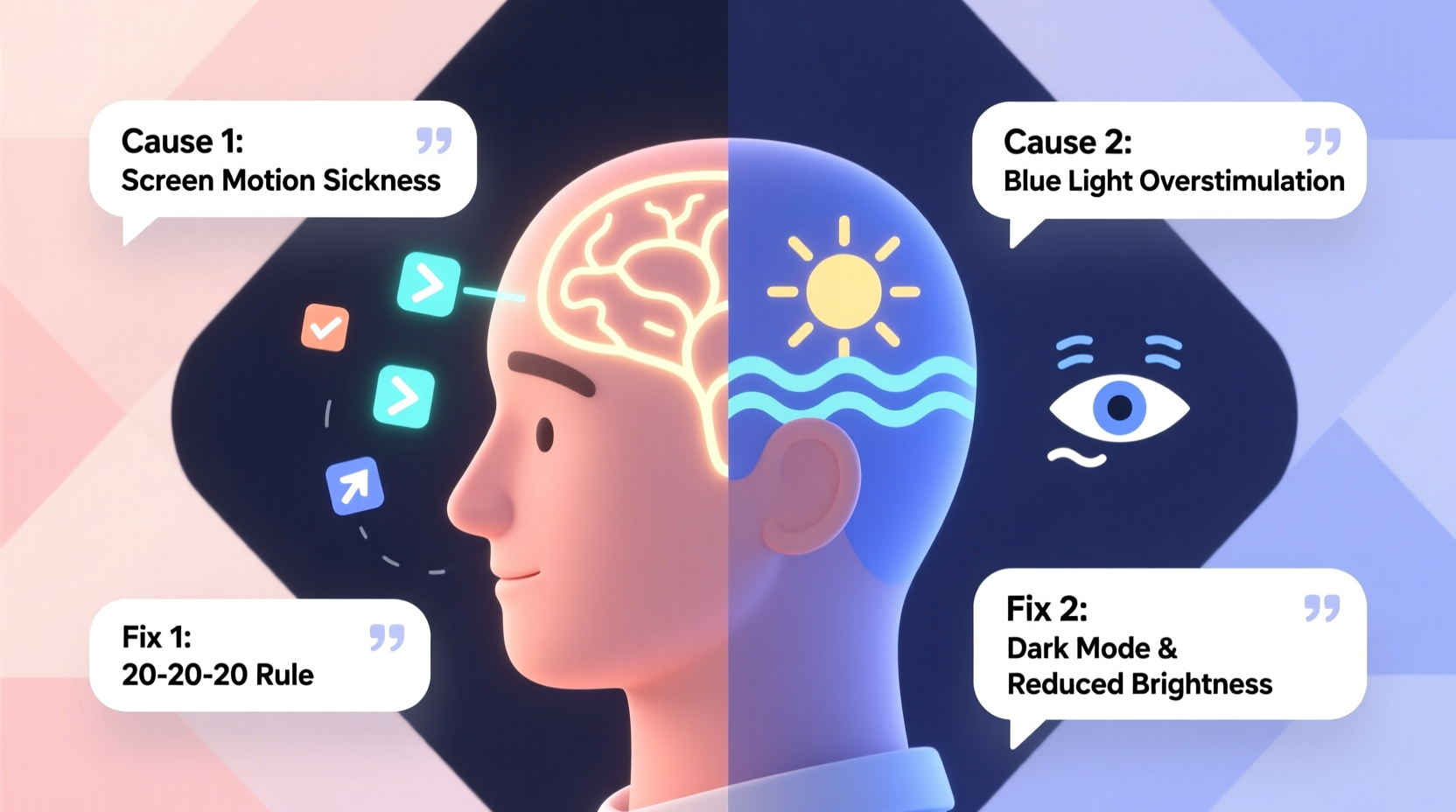
Dizziness after scrolling isn’t just \"in your head\"—it’s rooted in how your brain processes visual and sensory information. When you scroll rapidly, especially through content with motion effects, parallax backgrounds, or autoplaying videos, your eyes send signals to your brain that suggest movement. However, your inner ear—the vestibular system responsible for balance—detects no actual physical motion. This mismatch between what your eyes see and what your body feels is known as vection, a phenomenon that tricks the brain into thinking you’re moving when you’re not.
This sensory conflict activates areas of the brain associated with motion sickness, leading to symptoms like lightheadedness, nausea, blurred vision, and disorientation. The condition is sometimes referred to as “digital vertigo” or “cybersickness,” particularly common among users of virtual reality but increasingly recognized in everyday smartphone interactions.
“Visual-vestibular mismatch from rapid screen movement is a growing cause of dizziness, especially in younger populations who spend hours daily on mobile devices.” — Dr. Lena Torres, Neuro-Otologist at Boston Balance Clinic
Common Causes of Post-Scrolling Dizziness
Several factors contribute to this sensation. Identifying which ones apply to your habits is the first step toward relief.
1. Rapid Visual Motion
Fast vertical or horizontal scrolling, especially across dynamic content (e.g., TikTok, Instagram Reels), creates artificial motion cues. Your retina detects swift changes in light and position, prompting your brain to interpret them as real-world movement.
2. Poor Lighting Conditions
Using your phone in dim or uneven lighting strains your eyes. Pupils dilate and contract frequently, increasing visual fatigue. This strain contributes to headaches and dizziness over time.
3. Blue Light Exposure
Blue light emitted by screens suppresses melatonin production and disrupts circadian rhythms. While primarily linked to sleep issues, excessive blue light exposure during evening use can also impair cognitive processing and exacerbate feelings of imbalance.
4. Holding the Phone Too Close
Many users hold phones within 12 inches of their face. This forces the eyes to converge intensely, creating eye muscle fatigue. Over time, this leads to convergence insufficiency—a condition where the eyes struggle to work together, resulting in double vision, headaches, and dizziness.
5. Preexisting Sensory Sensitivity
Individuals with migraines, vestibular disorders (like Meniere’s disease), or anxiety may be more susceptible. Their nervous systems are already primed for heightened responses to sensory stimuli, making screen-induced dizziness more likely and intense.
Quick Fixes to Stop Dizziness Now
If you’re currently feeling unsteady after scrolling, these immediate actions can help restore equilibrium.
- Stop scrolling and look away. Fix your gaze on a stationary object at least 6–10 feet away. This helps re-anchor your visual system to real-world stability.
- Blink deliberately. Rapid blinking resets tear film and reduces ocular dryness, which can worsen dizziness.
- Take slow, deep breaths. Inhale for four counts, hold for four, exhale for six. This calms the autonomic nervous system and reduces vertigo sensations.
- Change your posture. Stand up slowly if sitting, or walk a few steps. Physical movement can help recalibrate your vestibular system.
- Hydrate with water. Dehydration amplifies dizziness. Even mild fluid deficit affects blood pressure and brain function.
Long-Term Prevention Strategies
Preventing recurrence requires adjusting both behavior and environment. These evidence-based practices reduce the risk of future episodes.
Adjust Screen Settings
Modern smartphones offer accessibility features designed to minimize visual stress. Enable them:
- Motion reduction: On iOS, go to Settings > Accessibility > Motion > Reduce Motion. On Android, disable animations in Developer Options.
- Dark mode: Reduces contrast strain, especially in low-light environments.
- Text size increase: Larger text reduces eye strain and improves readability.
Follow the 20-20-20 Rule
Every 20 minutes, look at something 20 feet away for at least 20 seconds. This breaks sustained focus and prevents accommodative spasm—a condition where eye muscles lock in near-focus mode, causing fatigue and dizziness.
Limit High-Motion Content
Be selective about apps and feeds that rely on rapid transitions. Consider muting autoplay videos or switching to static content platforms during vulnerable times (e.g., mornings or after meals).
| Do’s | Don’ts |
|---|---|
| Use matte screen protectors to reduce glare | Scroll while lying down or in moving vehicles |
| Keep phone at eye level to reduce neck strain | Use bright screens in complete darkness |
| Set app timers to limit usage | Ignore early signs of dizziness |
| Wear blue-light filtering glasses in evening | Hold phone closer than 16 inches |
Mini Case Study: Recovering from Daily Dizziness
Sarah, a 29-year-old graphic designer, began experiencing daily dizziness after starting remote work. Her routine involved checking emails, messaging clients, and browsing design inspiration—all on her phone before breakfast. Within weeks, she developed morning lightheadedness, occasional nausea, and difficulty focusing.
After visiting a neuro-otology clinic, she was diagnosed with visually induced vestibular disturbance. Her treatment plan included disabling motion effects on her phone, using a tablet stand to elevate screen height, and practicing daily gaze stabilization exercises. Within three weeks, her symptoms decreased by 80%. She now limits phone scrolling to 30-minute blocks and uses voice commands to reduce visual load.
Her experience highlights how cumulative screen habits—seemingly harmless individually—can compound into significant neurological discomfort.
Checklist: Prevent Phone-Related Dizziness
Use this checklist daily or weekly to maintain healthy screen habits:
- ☑ Enable “Reduce Motion” in phone settings
- ☑ Position phone at eye level, not below
- ☑ Take a 5-minute break every 30 minutes of use
- ☑ Avoid scrolling during meals or right after waking
- ☑ Use warm-toned lighting at night instead of cool white
- ☑ Practice balance exercises (e.g., standing on one foot) to strengthen vestibular function
- ☑ Monitor caffeine and sugar intake—both can amplify dizziness
When to See a Doctor
Occasional dizziness after heavy screen use is common. However, persistent or worsening symptoms warrant medical evaluation. Seek professional help if you experience:
- Frequent vertigo lasting more than 30 minutes
- Hearing changes or ringing in ears (tinnitus)
- Double vision or difficulty speaking
- Limb weakness or coordination problems
- Dizziness unrelated to screen use
These could indicate underlying conditions such as benign paroxysmal positional vertigo (BPPV), vestibular migraine, or even neurological concerns. A healthcare provider may recommend vestibular rehabilitation therapy (VRT), a specialized form of physical therapy that retrains the brain to process balance signals correctly.
FAQ
Can dizziness from phone use lead to long-term damage?
No evidence suggests permanent damage from typical screen-related dizziness. However, chronic visual stress may worsen preexisting conditions like migraines or anxiety. Early intervention prevents habituation to discomfort.
Is this the same as motion sickness?
Yes, it’s a digital form of motion sickness. Traditional motion sickness occurs when riding in cars or boats; cybersickness happens when your eyes perceive motion without corresponding body signals. Both stem from sensory mismatch.
Are certain phone models more likely to cause dizziness?
Not inherently. However, high-refresh-rate screens (e.g., 120Hz) may intensify visual flow, increasing vection effects. Users sensitive to motion may benefit from locking refresh rates at 60Hz.
Conclusion: Take Control of Your Digital Experience
Feeling dizzy after scrolling isn’t something you have to accept as part of modern life. It’s a signal—from your brain, your eyes, and your balance system—that your current digital habits are out of sync with your body’s needs. By understanding the triggers and applying simple, science-backed adjustments, you can reclaim comfort and clarity.
Start today: adjust your screen settings, reset your posture, and give your senses regular breaks. Small changes compound into lasting relief. Your phone should serve you—not leave you feeling off-balance.




 浙公网安备
33010002000092号
浙公网安备
33010002000092号 浙B2-20120091-4
Comments
No comments yet. Why don't you start the discussion?