
It starts subtly—a slight imbalance while scrolling through social media, a fleeting sense of motion when you look up from your phone, or even a full-blown wave of dizziness after prolonged screen use. If this sounds familiar, you're not alone. Millions report feeling disoriented, nauseous, or lightheaded after extended smartphone use. This phenomenon, often informally called \"digital vertigo,\" isn't just fatigue—it may stem from how our brains process visual stimuli in the digital age.
The human brain evolved to interpret movement based on physical cues: acceleration, gravity, and spatial orientation. But modern screens bombard us with rapid motion, simulated depth, and constant visual flow—none of which align with what our inner ears and muscles actually experience. The result? A sensory mismatch that can trigger dizziness, nausea, and disorientation. While not an official medical diagnosis, “digital vertigo” captures a growing health concern tied to our screen-saturated lives.
What Is Digital Vertigo?
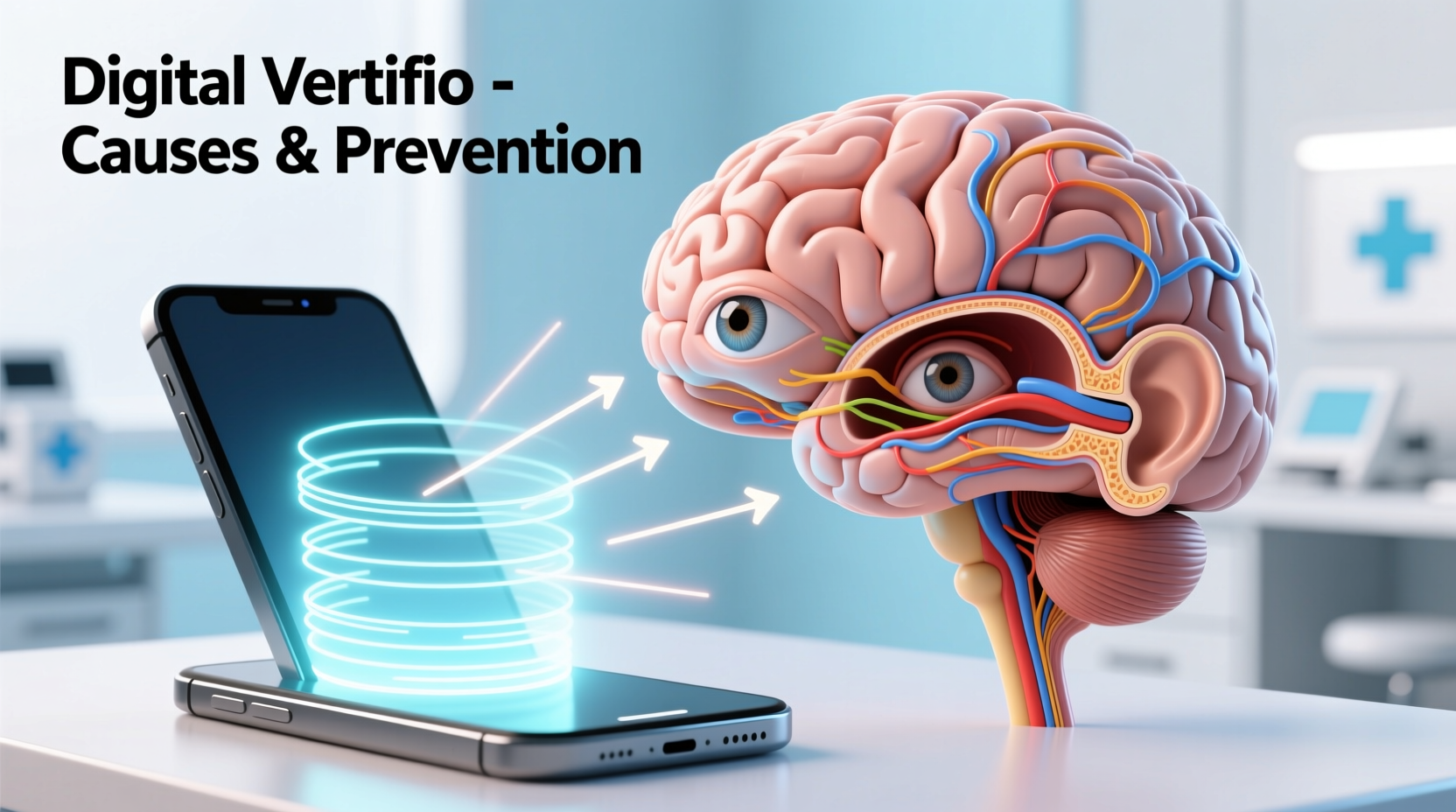
Digital vertigo refers to a sensation of dizziness, imbalance, or spatial disorientation caused by prolonged exposure to digital screens—especially smartphones, tablets, and fast-moving content like videos, animations, or endless scroll feeds. It’s not a standalone medical condition but rather a symptom cluster linked to visual-vestibular conflict.
The vestibular system, located in the inner ear, helps regulate balance and spatial orientation. When you move your head, this system sends signals to your brain about your body's position. Simultaneously, your eyes provide visual input. Under normal conditions, these inputs align. But when you’re stationary yet watching rapid lateral movements on a screen (like scrolling through TikTok or Instagram Reels), your eyes perceive motion while your body remains still. This disconnect confuses the brain, leading to symptoms resembling motion sickness.
“Visual motion without corresponding physical movement can destabilize the brain’s perception of space, triggering dizziness in susceptible individuals.” — Dr. Lena Patel, Neuro-Otologist, Massachusetts Eye and Ear
Common Causes of Dizziness After Scrolling
Several factors contribute to post-scrolling dizziness. Understanding them is key to prevention.
1. Visual-Vestibular Mismatch
This is the core mechanism behind digital vertigo. Your eyes see motion—pages sliding, videos panning, stories flipping—but your body feels no movement. The brain struggles to reconcile these conflicting signals, potentially activating areas associated with nausea and imbalance.
2. High-Speed Content and Parallax Effects
Many apps use parallax scrolling, zoom transitions, and auto-play videos. These effects simulate 3D depth and movement, intensifying the illusion of motion. The faster and more dynamic the interface, the greater the risk of sensory overload.
3. Screen Brightness and Flicker
Bright screens, especially in dark environments, strain the eyes. Some displays flicker imperceptibly due to refresh rates, contributing to visual fatigue and headaches—both of which can worsen dizziness.
4. Poor Posture and Neck Strain
Hunching over a phone alters spinal alignment and restricts blood flow to the brain. Cervicogenic dizziness—dizziness originating from neck dysfunction—is often exacerbated by prolonged forward-head posture during screen use.
5. Underlying Conditions
People with pre-existing vestibular disorders (like benign paroxysmal positional vertigo or Meniere’s disease), migraines, or anxiety are more prone to screen-induced dizziness. Even mild vestibular sensitivity can be amplified by digital stimuli.
Recognizing the Symptoms
Digital vertigo doesn’t always present as full vertigo (a spinning sensation). Symptoms vary in intensity and duration:
- Mild lightheadedness after using a phone for 15+ minutes
- A floating or ungrounded feeling when looking up from the screen
- Nausea or queasiness, especially with fast video content
- Head pressure or headache localized around the temples or base of the skull
- Difficulty focusing on real-world objects immediately after scrolling
- Increased sensitivity to light or sound following screen use
These symptoms typically resolve within minutes of stopping screen use. However, if dizziness persists, worsens, or occurs without screen exposure, consult a healthcare provider to rule out neurological or inner ear conditions.
Who Is Most at Risk?
While anyone can experience digital vertigo, certain groups are more vulnerable:
| Risk Group | Why They’re Vulnerable |
|---|---|
| Teens and young adults | High screen usage; developing nervous systems may be more sensitive to sensory conflict. |
| Individuals with vestibular disorders | Pre-existing balance issues make them more reactive to visual triggers. |
| Migraine sufferers | Visual stimuli like flashing lights or rapid motion can trigger aura or dizziness. |
| People with anxiety or panic disorders | Heightened bodily awareness amplifies minor dizziness into distressing episodes. |
| Frequent users of immersive content | VR, 360° videos, and high-motion games increase sensory mismatch. |
Real-Life Example: Sarah’s Experience
Sarah, a 28-year-old graphic designer, began noticing dizziness after her morning routine of checking emails and social media. She’d feel “off” for 10–15 minutes, sometimes needing to sit down. Initially dismissing it as dehydration, she later connected the pattern to her phone use. After reducing animations, switching to grayscale mode, and limiting Reels consumption, her symptoms decreased significantly within two weeks. A visit to an audiologist confirmed mild vestibular hypersensitivity—likely aggravated by her screen habits.
Her case illustrates how subtle changes in digital behavior can yield tangible relief, even without a formal diagnosis.
How to Prevent and Manage Digital Vertigo
Addressing digital vertigo involves both behavioral adjustments and environmental tweaks. Here’s a step-by-step guide to reclaim control over your screen-related dizziness.
Step 1: Audit Your Screen Habits
Track your daily screen time and note when dizziness occurs. Use built-in tools (iOS Screen Time, Android Digital Wellbeing) to identify high-risk apps—usually those with infinite scroll or autoplay video.
Step 2: Adjust Display Settings
Reduce visual strain by modifying your phone’s display:
- Enable “Reduce Motion” (iOS) or “Remove Animations” (Android)
- Use dark mode to minimize glare
- Lower brightness or enable auto-brightness
- Switch to grayscale to reduce visual stimulation
Step 3: Practice the 20-20-20 Rule
Every 20 minutes, look at something 20 feet away for at least 20 seconds. This reduces eye strain and gives your visual system a break from near-focus tasks.
Step 4: Improve Posture and Ergonomics
Hold your phone at eye level to avoid neck flexion. Use a stand or prop it up while reading. Sit upright with shoulders relaxed to maintain proper blood flow and spinal alignment.
Step 5: Limit High-Motion Content
Be mindful of apps that rely on rapid transitions. Consider muting autoplay videos or using browser extensions that disable animations on websites.
Step 6: Strengthen Vestibular Resilience
Vestibular rehabilitation exercises, such as gaze stabilization and habituation drills, can improve tolerance to visual motion. A physical therapist specializing in vestibular rehab can design a personalized program.
“Just as we train our bodies, we can train our brains to handle conflicting sensory input better. Consistent, gentle exposure paired with rest works best.” — Dr. Alan Zhou, Vestibular Physical Therapist
Checklist: Reducing Digital Vertigo Risk
Use this checklist daily to minimize dizziness triggers:
- ✅ Turn off unnecessary animations and transitions
- ✅ Use dark mode and reduce screen brightness
- ✅ Take a 20-second visual break every 20 minutes
- ✅ Hold phone at eye level to avoid neck strain
- ✅ Limit time on apps with fast-moving content (e.g., TikTok, YouTube Shorts)
- ✅ Avoid scrolling in moving vehicles or low-light environments
- ✅ Stay hydrated and well-rested—fatigue lowers symptom thresholds
- ✅ Consult a specialist if symptoms persist beyond screen cessation
When to See a Doctor
Occasional dizziness after scrolling is common and usually benign. However, seek medical evaluation if you experience:
- Dizziness lasting more than an hour after stopping screen use
- Frequent vertigo spells unrelated to phone use
- Hearing loss, tinnitus, or ear fullness
- Double vision, slurred speech, or limb weakness
- Loss of consciousness or falls
These could indicate underlying conditions such as vestibular neuritis, acoustic neuroma, or neurological disorders requiring prompt attention.
FAQ
Is digital vertigo the same as motion sickness?
No, but they share mechanisms. Motion sickness occurs when you’re physically moving but your eyes don’t see it (like reading in a car). Digital vertigo happens when your eyes see motion but your body is still. Both involve sensory mismatch, but the trigger direction is reversed.
Can children develop digital vertigo?
Yes. Children’s developing visual and vestibular systems are highly sensitive. Excessive screen time, especially with fast-paced games or videos, can lead to dizziness, fatigue, and attention issues. The American Academy of Pediatrics recommends limiting screen exposure for young children and encouraging active play.
Does blue light cause digital vertigo?
Blue light itself doesn’t directly cause vertigo, but it contributes to eye strain and disrupted sleep. Poor sleep lowers your threshold for dizziness. Using blue light filters may help indirectly by improving visual comfort and circadian rhythm.
Conclusion: Reclaiming Balance in a Digital World
Feeling dizzy after scrolling isn’t just a quirk of modern life—it’s a signal from your nervous system asking for recalibration. Digital vertigo reflects the growing tension between our evolutionary biology and the artificial environments we’ve created. By understanding the causes and making intentional changes, you can reduce symptoms and protect your long-term sensory health.
You don’t need to abandon your smartphone to find relief. Small, consistent adjustments—reducing motion effects, improving posture, taking visual breaks—can make a profound difference. Your brain and body weren’t designed for endless scrolling, but with awareness and care, you can navigate the digital world without losing your balance.




 浙公网安备
33010002000092号
浙公网安备
33010002000092号 浙B2-20120091-4
Comments
No comments yet. Why don't you start the discussion?