
It starts subtly: a dull pressure behind the eyes, a tightening at the temples, or a nagging ache across the forehead. By the end of back-to-back video meetings, many people find themselves rubbing their temples, squinting at the screen, or retreating to a dark room. If you've noticed that your headaches seem to spike on days packed with Zoom calls, you're not imagining it. Digital fatigue — and its frequent companion, post-call headache — has become a widespread issue in our hyper-connected work culture. The root causes are both physiological and psychological, but more importantly, they’re largely preventable.
The Hidden Triggers Behind Zoom Headaches
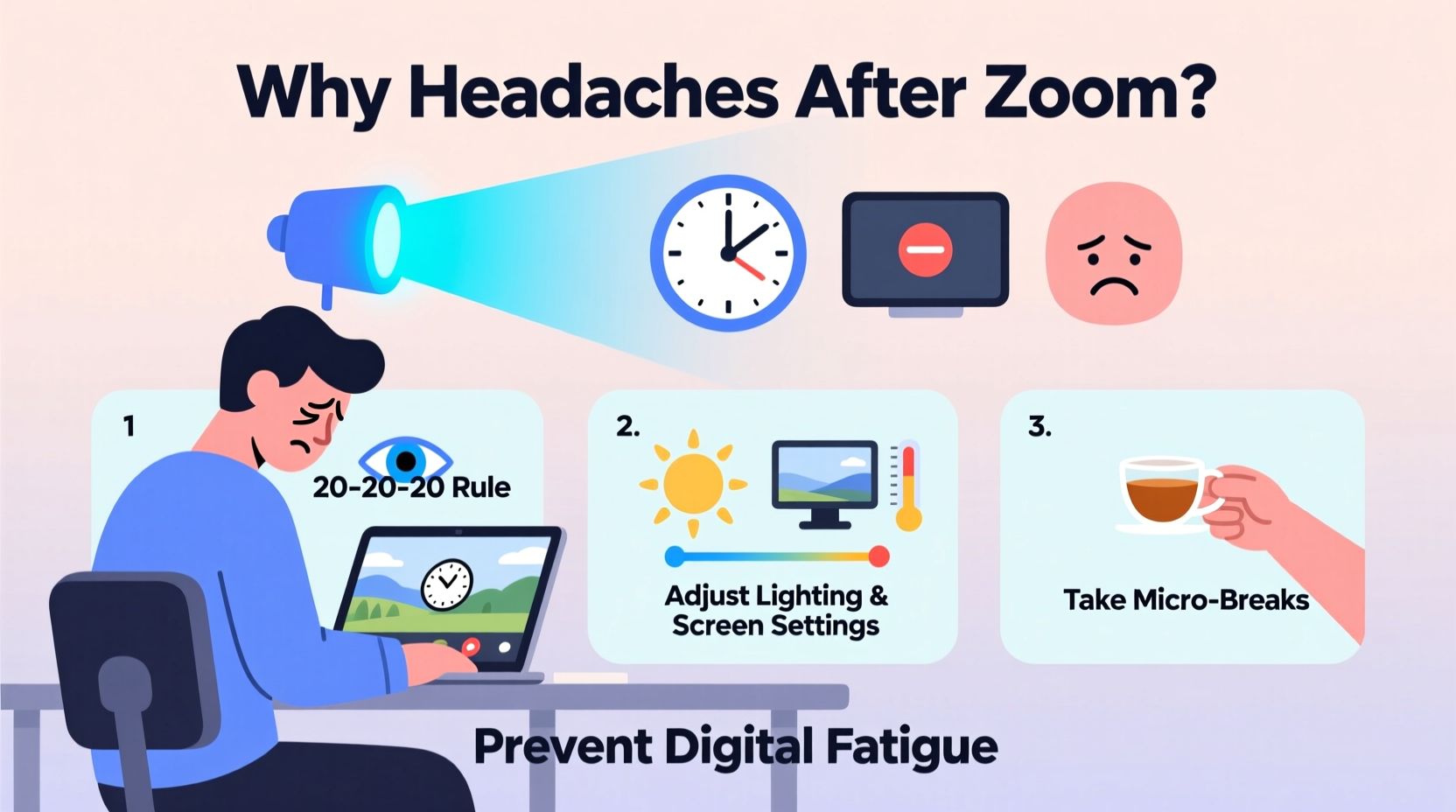
Headaches after Zoom calls aren’t just about “too much screen time.” They stem from a complex interplay of visual strain, cognitive load, poor ergonomics, and emotional stress. Unlike face-to-face conversations, virtual interactions demand heightened attention to compensate for delayed audio cues, frozen faces, and awkward silences. This constant effort to interpret nonverbal signals through a pixelated lens increases mental workload significantly.
One major culprit is **visual stress**. Staring at a bright screen for extended periods forces your eyes to maintain intense focus without natural breaks. The blue light emitted by screens can disrupt circadian rhythms and contribute to eye strain, especially in poorly lit rooms. Additionally, screen glare, incorrect font sizes, and rapid movements during shared presentations further tax your visual system.
Another factor is **postural strain**. Many people sit hunched over laptops or tablets during calls, leading to tension in the neck, shoulders, and upper back — areas closely linked to tension-type headaches. Poor monitor height, lack of lumbar support, or using devices on soft surfaces like beds or couches amplify this physical stress.
Cognitive Overload and the “Zoom Fatigue” Effect
Psychologist Dr. Gianpiero Petriglieri famously coined the term *Zoom fatigue* to describe the exhaustion caused by prolonged video conferencing. What makes virtual meetings uniquely draining?
- Hyper-vigilance: On camera, people feel observed constantly, prompting self-monitoring behaviors like checking facial expressions or adjusting posture.
- Reduced mobility: Unlike in-person meetings where you might shift positions or walk around, video calls often require you to stay still within frame.
- Social cue overload: Seeing multiple faces simultaneously (especially in gallery view) overwhelms the brain’s capacity to process social information.
- Delayed feedback loops: Audio lags and frozen screens disrupt natural conversational flow, forcing the brain to work harder to fill gaps.
A 2021 Stanford University study confirmed that sustained eye contact — simulated when everyone’s face fills your screen — triggers a low-grade stress response. In real life, we naturally break eye contact; on Zoom, unblinking grid views mimic confrontation, activating primal alertness systems.
“Video calls are more taxing than in-person meetings because they overload our brains with nonverbal data while restricting our natural movement responses.” — Dr. Jeremy Bailenson, Founding Director, Stanford Virtual Human Interaction Lab
Practical Prevention Strategies: A Step-by-Step Guide
Preventing headaches and digital fatigue isn't about eliminating technology — it's about redesigning how you use it. Follow this five-step plan to reduce discomfort and improve meeting efficiency.
- Optimize Your Visual Environment
Adjust screen brightness to match ambient lighting. Use matte screen protectors to reduce glare. Enable night mode or blue light filters two hours before bedtime — and consider wearing blue-light-blocking glasses during long sessions. - Follow the 20-20-20 Rule
Every 20 minutes, look at something 20 feet away for at least 20 seconds. This relaxes the ciliary muscle in your eye responsible for focusing. Set a silent timer or use browser extensions like EyeLeo to remind you. - Improve Posture and Workspace Setup
Sit in a chair with lumbar support. Keep feet flat on the floor, elbows bent at 90 degrees, and the top of your screen at or slightly below eye level. Avoid holding phones between shoulder and ear — use headphones instead. - Limit Camera Use Strategically
Turn off your camera during internal check-ins or listening-heavy segments. Encourage teams to adopt “audio-first” norms when visuals aren’t essential. This reduces performance pressure and visual clutter. - Schedule Recovery Time
Block 5–10 minutes between virtual meetings for stretching, hydration, or closing your eyes. Treat these as non-negotiable transitions, not times to jump into emails.
Dos and Don’ts of Virtual Meeting Health
| Do | Don’t |
|---|---|
| Use external keyboards and mice to keep arms relaxed | Hunch over a laptop on your lap for hours |
| Take walking breaks every hour | Skip breaks to “save time” |
| Dim overhead lights and use warm-toned lamps | Work under harsh fluorescent lighting |
| Hydrate consistently throughout the day | Rely on coffee or energy drinks to stay alert |
| Close unnecessary tabs and apps to reduce cognitive load | Keep email, Slack, and Zoom all open during calls |
Real Example: How One Team Reduced Headache Reports by 70%
A mid-sized marketing agency in Portland reported rising complaints of headaches and burnout among remote staff in early 2023. After conducting an internal survey, they found that employees averaged 6.2 hours of video meetings per week — with 68% saying they experienced headaches at least twice weekly.
The leadership team partnered with an occupational wellness consultant to implement changes:
- Moved routine status updates to asynchronous Loom videos or Slack summaries.
- Introduced default “cameras-off” policies unless presenting.
- Installed adjustable standing desks and offered ergonomic assessments.
- Launched a “Meeting-Free Wednesday” initiative.
Within three months, self-reported headaches dropped by 70%. Employee focus scores improved, and meeting durations shortened by an average of 22%. One employee noted: “I used to dread Tuesdays. Now I actually look forward to my calls — and I don’t need ibuprofen by noon.”
Expert-Backed Checklist to Prevent Digital Fatigue
Use this checklist daily or weekly to assess and improve your virtual meeting habits:
- ✅ Adjust screen brightness to match room lighting
- ✅ Position monitor at eye level (use a stand if needed)
- ✅ Take a 5-minute break after every 50 minutes of screen time
- ✅ Practice the 20-20-20 rule hourly
- ✅ Drink water before and after each call
- ✅ Stretch neck and shoulders between meetings
- ✅ Limit concurrent applications during calls
- ✅ Turn off camera when not actively speaking
- ✅ End meetings 5 minutes early to allow transition time
- ✅ Use noise-canceling headphones to reduce auditory stress
“The most productive remote workers aren’t those who spend the most time online — they’re the ones who design intentional pauses and protect their cognitive bandwidth.” — Dr. Gloria Mark, Professor of Informatics, UC Irvine
Frequently Asked Questions
Can blue light really cause headaches?
Yes, though the mechanism is indirect. Blue light suppresses melatonin production, disrupting sleep patterns. Poor sleep lowers pain thresholds and increases susceptibility to tension headaches. While blue light alone may not trigger a migraine in healthy individuals, chronic exposure — especially at night — contributes to overall neurological strain.
Are some people more prone to Zoom-related headaches?
Absolutely. Individuals with pre-existing conditions like migraines, dry eye syndrome, or anxiety disorders are more vulnerable. People who wear corrective lenses may also experience exacerbated symptoms if their prescription doesn’t account for intermediate screen distances (typically 20–26 inches). An optometrist can prescribe computer-specific glasses for such cases.
Is audio-only better than video for reducing fatigue?
In most cases, yes. Audio-only calls eliminate visual processing demands, reduce self-consciousness, and allow for light movement (like pacing or stretching), which supports circulation and mental clarity. Reserve video for collaborative brainstorming, relationship-building, or presentations where facial cues add value.
Conclusion: Reclaim Your Focus and Comfort
Headaches after Zoom calls aren’t an inevitable cost of modern work — they’re a signal that your body and mind are overloaded. By understanding the real causes of digital fatigue, from visual strain to cognitive burden, you gain the power to make meaningful changes. Small adjustments in setup, scheduling, and meeting culture can dramatically improve comfort, concentration, and long-term well-being.
You don’t need to abandon video conferencing to feel better. Instead, approach it with intentionality: protect your breaks, optimize your environment, and question whether every meeting truly needs to be on camera. When you treat your attention and energy as finite resources — because they are — you’ll not only reduce headaches but also enhance the quality of your work and relationships.




 浙公网安备
33010002000092号
浙公网安备
33010002000092号 浙B2-20120091-4
Comments
No comments yet. Why don't you start the discussion?