
Motion sickness while gaming is more common than many realize—especially in fast-paced first-person shooter (FPS) titles like Call of Duty, Apex Legends, or Counter-Strike. Yet, players often report no such issues when switching to role-playing games (RPGs) like The Witcher 3, Skyrim, or Final Fantasy. This discrepancy isn’t random. It stems from fundamental differences in game design, visual processing, and how your brain interprets movement. Understanding the science behind this phenomenon can help you manage symptoms, improve comfort, and continue enjoying immersive gameplay without nausea or dizziness.
The Science Behind Motion Sickness in Gaming
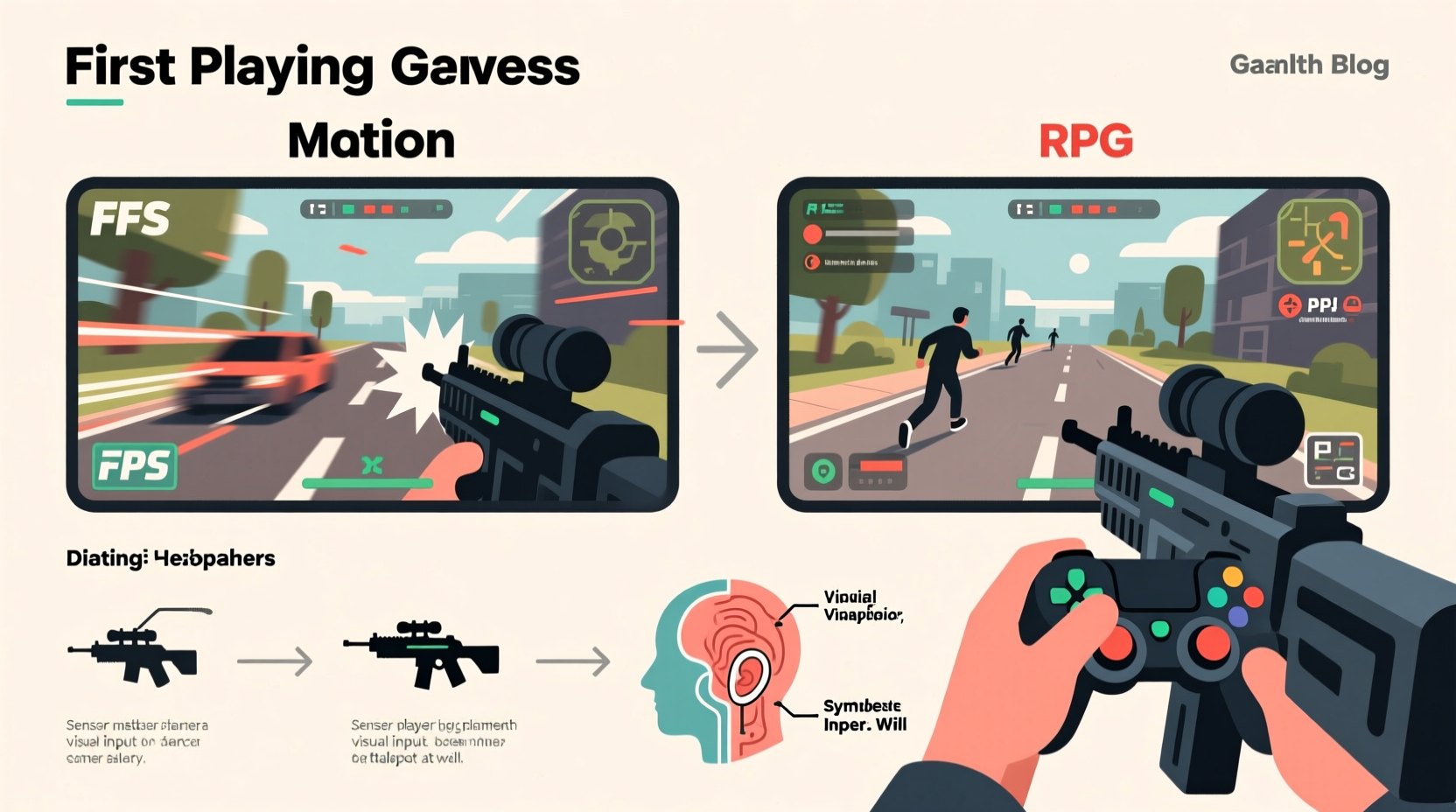
Motion sickness occurs when there’s a mismatch between what your eyes see and what your body senses. In real life, when you move, your inner ear (vestibular system), muscles, joints, and eyes all send consistent signals to your brain. But in virtual environments, especially those simulating rapid motion, your eyes detect movement while your body remains physically still. This sensory conflict tricks your brain into thinking you might be poisoned—a primitive survival mechanism that triggers nausea as a protective response.
FPS games are particularly prone to inducing this effect because they simulate movement from a first-person perspective with high-speed camera motion, frequent head bobbing, quick turns, and simulated recoil. Your visual system perceives acceleration and rotation, but your vestibular system reports no corresponding physical motion. This disconnect is less pronounced in most RPGs, which use slower pacing, third-person perspectives, and more stable camera behavior.
“Virtual motion without physical feedback creates a neurological conflict that the brain interprets as disorientation—commonly leading to fatigue, headaches, and nausea.” — Dr. Lena Torres, Neuroscientist & Human-Computer Interaction Researcher
Key Differences Between FPS and RPG Game Design
To understand why one genre causes discomfort while another doesn’t, it helps to compare core design elements:
| Feature | FPS Games | RPG Games |
|---|---|---|
| Perspective | First-person view only | Often third-person; optional first-person |
| Camera Movement | Directly tied to player head motion; shaky, reactive | Smooth, cinematic, often detached from character |
| Pacing | Fast, constant action and repositioning | Slower, narrative-driven exploration |
| Field of View (FOV) | Narrower FOV in some titles; sudden zoom effects | Wider default FOV; stable visuals |
| Head Bobbing | Common and exaggerated for realism | Rare or subtle; often toggleable |
| Acceleration Effects | Sprinting, jumping, recoil cause abrupt shifts | Gradual transitions; predictable animations |
This contrast explains why someone might feel fine exploring a fantasy world for hours but struggle after just 20 minutes in an intense multiplayer shooter. The visual load and perceived motion intensity are significantly higher in FPS titles, increasing the likelihood of sensory mismatch.
Why First-Person Perspective Amplifies Discomfort
The first-person viewpoint places the player directly inside the character’s eyes. Every turn, jump, or sprint feels immediate and personal. While this enhances immersion, it also means every visual cue mimics real-world motion cues—without the accompanying physical sensation.
In RPGs, even when played in first-person mode, the camera is often more stable. Developers prioritize clarity and readability over simulation realism. Additionally, many RPGs allow camera distance adjustment in third-person mode, creating a buffer between the player and the action. This spatial separation reduces the feeling of being “inside” rapid motion, making it easier for the brain to dismiss the visuals as artificial.
Moreover, FPS games frequently use techniques like screen shake, weapon sway, depth-of-field blur during sprints, and dynamic FOV changes to heighten tension. These effects, while effective for gameplay intensity, compound the cognitive strain on the visual system. Over time, this can lead to eye fatigue, dizziness, and nausea—classic signs of simulator sickness, a subset of motion sickness specific to virtual environments.
Practical Strategies to Reduce FPS-Induced Motion Sickness
You don’t have to give up on FPS games entirely. Many players successfully manage their symptoms by adjusting settings and habits. Here’s a step-by-step guide to minimizing discomfort:
- Adjust Field of View (FOV): Increase the FOV setting to 90 or higher. A wider FOV reduces peripheral distortion and aligns better with natural human vision, decreasing the sense of tunneling or artificial movement.
- Disable Head Bobbing: Turn off or minimize head bob and weapon sway. These animations contribute significantly to perceived motion without physical feedback.
- Stabilize the Camera: Use games with smooth camera damping and avoid titles known for erratic or twitchy camera behavior.
- Use a Monitor Instead of VR: Virtual reality intensifies motion sickness due to closer proximity and greater immersion. Stick to flat-screen monitors if you’re prone to nausea.
- Sit Farther from the Screen: Sitting at least an arm’s length away reduces visual dominance and lowers the chance of sensory overload.
- Enable Motion Blur Settings Sparingly: Motion blur can make movement appear smoother but may worsen disorientation for some. Try disabling it to test its impact.
- Take Frequent Breaks: Follow the 20-20-20 rule: every 20 minutes, look at something 20 feet away for 20 seconds to reduce eye strain.
Hardware and Environmental Adjustments
Beyond software settings, your setup plays a crucial role:
- Refresh Rate: Use a monitor with at least 60Hz, preferably 120Hz or higher. Smoother frame delivery reduces judder and visual stutter.
- Ambient Lighting: Keep room lighting consistent and avoid glare on the screen. High contrast between bright screen and dark room increases visual fatigue.
- Seating Position: Sit upright with good back support. Leaning too close or reclining excessively alters your balance perception.
Mini Case Study: Recovering an FPS Enthusiast’s Gameplay Experience
James, a 28-year-old graphic designer, loved competitive shooters but began experiencing headaches and nausea after just 15 minutes of play. He assumed he’d have to quit FPS games altogether. After consulting a vision therapist familiar with digital motion sickness, he made several adjustments:
- Increased his FOV from 80 to 105
- Disabled head bob and weapon sway completely
- Switched from a curved 32-inch monitor to a flat 27-inch at optimal viewing distance
- Started using blue-light filtering glasses during evening sessions
- Introduced mandatory 10-minute breaks every 30 minutes
Within two weeks, James was able to play for over an hour without symptoms. His performance even improved due to reduced mental fatigue. This case illustrates that with targeted changes, many people can tolerate—or even thrive in—FPS environments despite initial sensitivity.
Checklist: Optimize Your Setup to Prevent Motion Sickness
Use this checklist before launching any FPS game:
- ✅ Set FOV to 90 or higher
- ✅ Disable head bobbing and excessive camera shake
- ✅ Ensure frame rate is stable (minimum 60 FPS)
- ✅ Play in a well-lit room with minimal screen glare
- ✅ Sit at least 2–3 feet from the screen
- ✅ Turn off motion blur and depth-of-field effects
- ✅ Use a comfortable chair with proper posture support
- ✅ Limit session length initially; build tolerance gradually
Can You Train Yourself to Tolerate FPS Games?
Yes—many people develop increased tolerance over time through gradual exposure. The brain can adapt to repeated sensory mismatches, a process known as habituation. This is similar to how sailors eventually stop feeling seasick after days at sea.
Start with short sessions (10–15 minutes) in less intense FPS modes, such as aim trainers or single-player campaigns. Gradually increase duration and intensity as symptoms decrease. Avoid pushing through severe nausea, as this can reinforce negative associations and prolong adaptation.
Some players find success pairing gameplay with mild physical movement—like gently swaying or using a balance board—to reintroduce congruent vestibular input. While not scientifically proven for all, anecdotal evidence suggests it helps recalibrate sensory expectations.
FAQ: Common Questions About Gaming Motion Sickness
Why don’t I get motion sick from watching movies but do from FPS games?
Movies present passive motion—you observe movement but aren’t controlling it. In FPS games, your actions directly influence camera movement, increasing cognitive engagement and the expectation of physical feedback. This active control amplifies the sensory conflict.
Are some people naturally immune to gaming motion sickness?
Genetics and neurology play a role. Some individuals have a higher threshold for sensory mismatch due to differences in vestibular sensitivity or visual processing. However, environmental factors like screen size, lighting, and game settings still influence everyone to some degree.
Does playing RPGs help build tolerance for FPS games?
Indirectly, yes. Spending time in controlled, low-motion environments can help desensitize the visual system. However, direct exposure to FPS mechanics is usually necessary for full adaptation.
Conclusion: Reclaim Your Gaming Comfort
Motion sickness in FPS games—but not RPGs—is a predictable outcome of design choices that prioritize immersion over accessibility. By understanding the physiological roots of the issue, you gain the power to adjust both your environment and expectations. Small tweaks in settings, habits, and hardware can transform an unbearable experience into an enjoyable one.
Don’t assume your sensitivity means you’re excluded from competitive or immersive gaming. With informed adjustments and patience, most players can find a sustainable way to engage with FPS titles. Whether you’re aiming for esports glory or just want to enjoy a weekend match with friends, comfort is within reach.




 浙公网安备
33010002000092号
浙公网安备
33010002000092号 浙B2-20120091-4
Comments
No comments yet. Why don't you start the discussion?