
LED lighting has revolutionized home and commercial illumination with its energy efficiency, longevity, and crisp light output. But nothing undermines the modern appeal of LEDs faster than an annoying flicker. Whether it's subtle pulsing or obvious strobing, flickering LED bulbs can be more than just a nuisance—they can signal electrical issues, compatibility problems, or even health concerns like eye strain and headaches. The good news? Most causes are easy to diagnose and often require only simple adjustments. Understanding why your LED bulbs flicker is the first step toward a steady, reliable light.
Understanding LED Flicker: What’s Really Happening?
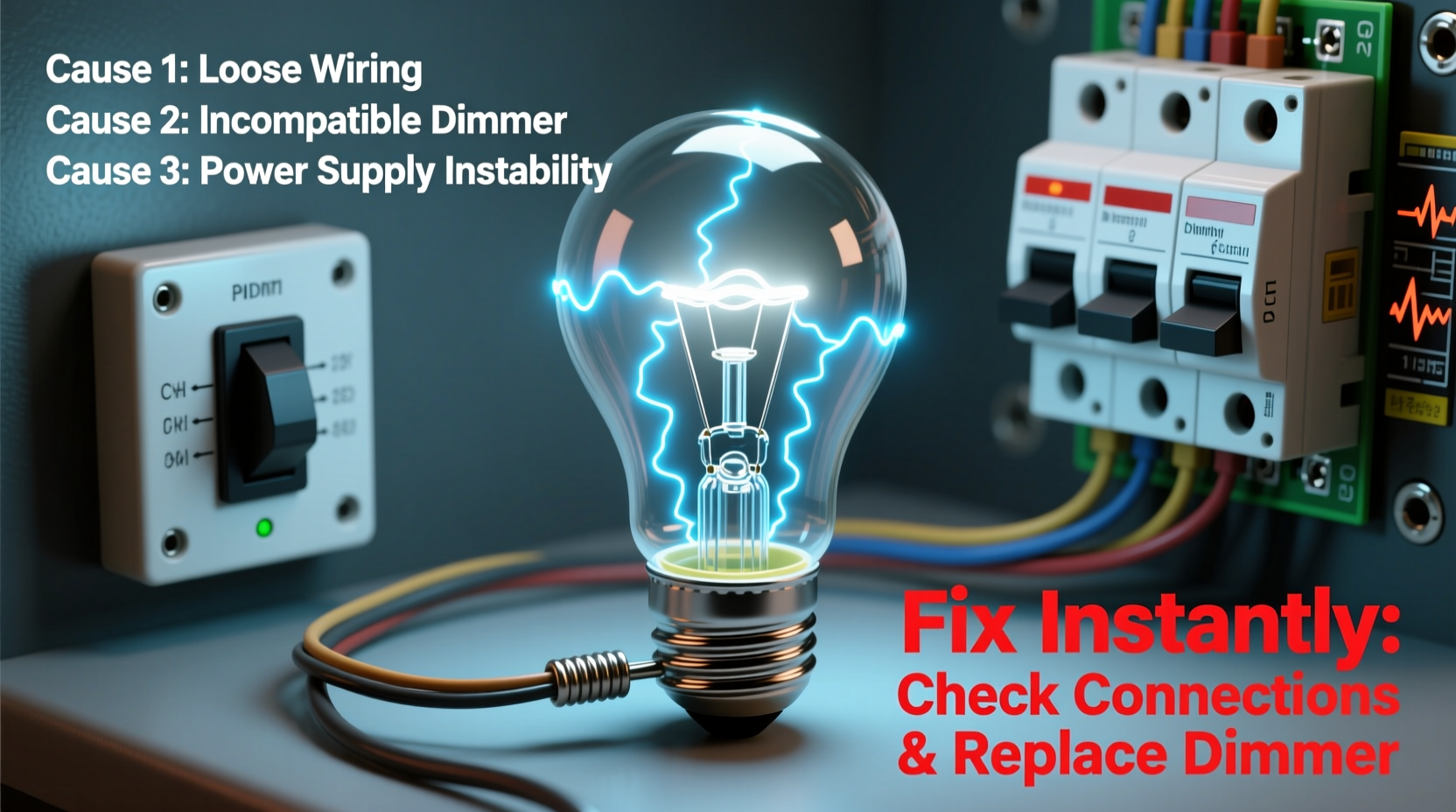
Unlike incandescent bulbs, which rely on a heated filament that glows continuously, LEDs use electronic drivers to convert AC power into low-voltage DC current. This conversion process happens rapidly—often thousands of times per second—and any instability in voltage, frequency, or driver performance can result in visible flicker.
Flicker may not always be obvious. Some flickering occurs at frequencies above human perception (typically above 80–100 Hz), but lower-frequency fluctuations can cause discomfort, especially under prolonged exposure. In fact, studies from lighting research organizations such as the Illuminating Engineering Society (IES) suggest that flicker rates below 75 Hz are more likely to trigger visual fatigue and migraines in sensitive individuals.
The root cause usually lies in one of three areas: incompatible dimmer switches, poor-quality drivers, or unstable power supply. Identifying which factor is responsible determines how quickly—and easily—you can fix the issue.
Common Causes of LED Flickering and How to Diagnose Them
Flickering isn’t random—it follows patterns based on when and where it occurs. By observing these patterns, you can narrow down potential causes without specialized tools.
1. Incompatible Dimmer Switches
Most homes built before the LED era use traditional leading-edge dimmers designed for high-wattage incandescent loads. When paired with low-power LEDs, these dimmers don't receive enough load to operate smoothly, causing erratic current flow and visible flicker, especially at lower brightness levels.
2. Poor-Quality or Failing LED Drivers
The internal driver regulates power to the LED chip. Cheap or poorly designed drivers may not filter incoming current effectively, allowing ripple effects from the mains electricity to pass through. Over time, heat stress or manufacturing defects can degrade driver performance, leading to intermittent flickering.
3. Voltage Fluctuations in Your Electrical System
If multiple lights flicker simultaneously—especially during appliance startup (like air conditioners or refrigerators)—the issue may stem from voltage drops across your circuit. This is common in older wiring systems or homes with overloaded circuits.
4. Loose Bulbs or Fixture Connections
A simple mechanical fault: if the bulb isn’t seated properly in the socket or there’s corrosion or wear in the fixture contacts, the connection becomes unstable. This leads to intermittent contact and flickering.
5. Smart Bulb Signal Interference
Wi-Fi or Bluetooth-enabled smart bulbs may flicker briefly during signal transmission or firmware updates. While occasional blinking is normal, persistent flicker could indicate network congestion or poor signal strength.
“Over 60% of reported LED flicker cases we see are due to outdated dimmer switches,” says Mark Tran, Senior Lighting Engineer at BrightPath Labs. “Replacing legacy dimmers with trailing-edge models tailored for LEDs resolves most residential flicker instantly.”
Step-by-Step Guide to Fix LED Flickering Instantly
You don’t need advanced electrical knowledge to resolve most flickering issues. Follow this systematic approach to identify and eliminate the source.
- Check the Bulb First
Remove the flickering bulb and reinstall it firmly. Clean the base with a dry cloth if oxidation is present. Test the bulb in a different fixture—if it works normally, the original fixture or switch is likely the culprit. - Isolate the Circuit
Turn off other lights and appliances on the same circuit. If flickering stops, voltage fluctuation caused by shared load is probable. Consider redistributing high-draw devices across circuits. - Test Without Dimmer
Turn the dimmer fully up to maximum brightness. If flickering disappears, the dimmer is incompatible. Try replacing it with an LED-rated dimmer (preferably trailing-edge). - Swap with a Known-Good Bulb
Use a non-dimmable LED known to work well elsewhere. If the problem persists, the issue isn’t the bulb itself. - Inspect the Fixture Wiring
Turn off power at the breaker. Remove the fixture cover and check for loose wires, corroded terminals, or signs of overheating. Reconnect any loose connections securely. - Try a Different Brand or Model
Some LED brands perform better with certain fixtures. High-quality brands often include better filtering and thermal management, reducing flicker risk.
When to Call an Electrician
If flickering affects multiple rooms, occurs with no pattern, or is accompanied by buzzing sounds, burning smells, or tripped breakers, consult a licensed electrician immediately. These symptoms may indicate serious issues like faulty grounding, neutral wire problems, or deteriorating insulation.
Do’s and Don’ts: Quick Reference Table
| Do’s | Don’ts |
|---|---|
| Use LED-compatible dimmer switches (e.g., ELV or trailing-edge) | Use old incandescent dimmers with LED bulbs |
| Choose bulbs labeled “dimmable” only if using with a dimmer | Assume all LED bulbs are dimmable |
| Check wattage equivalence and minimum load requirements | Install ultra-low-wattage LEDs on circuits requiring higher minimum loads |
| Clean bulb bases and sockets periodically | Ignore flickering that appears after months of stable operation |
| Buy bulbs from reputable brands with UL/ETL certification | Purchase the cheapest LEDs online without reviews or safety ratings |
Real-World Example: Solving Kitchen Light Flicker
Sarah, a homeowner in Portland, noticed her under-cabinet LED strips began flickering every evening around dinner time. The issue didn’t occur during the day. After testing individual components, she discovered the flicker coincided exactly with her refrigerator compressor kicking in.
Using a multimeter, she found a 12-volt drop across the kitchen circuit when the fridge started. The solution? She installed a dedicated low-voltage transformer for the LED strips, isolating them from the main lighting circuit. The flicker stopped immediately. This case highlights how appliance-induced voltage sags—common in older kitchens—can disrupt sensitive electronics like LED drivers.
Expert Fixes for Persistent Flicker
For stubborn cases, advanced solutions go beyond basic troubleshooting:
- Upgrade to Trailing-Edge Dimmers: Also known as electronic low-voltage (ELV) dimmers, these are specifically designed for capacitive loads like LEDs. They provide smoother control and reduce flicker at low brightness.
- Add a Dummy Load: In rare cases, circuits with very low total wattage (e.g., one 5W bulb) may not meet the minimum threshold of older dimmers. Installing a “dimmer companion” resistor can simulate additional load and stabilize operation.
- Use Constant Current Reduction (CCR) Drivers: Unlike pulse-width modulation (PWM), CCR adjusts brightness by regulating current rather than cycling power on/off. This eliminates perceptible flicker entirely, though it’s more common in commercial-grade fixtures.
- Install Dedicated Circuits for Sensitive Lighting: Critical areas like home offices or art studios benefit from isolated circuits to prevent interference from motors or large appliances.
Smart Home Integration Tips
If you're using smart bulbs (Philips Hue, LIFX, etc.), ensure your Wi-Fi signal is strong near the fixture. Weak signals cause frequent reconnection attempts, which appear as flickers. Place routers or extenders strategically, and avoid overcrowding the 2.4 GHz band.
Frequently Asked Questions
Can LED flicker cause health problems?
Yes. Prolonged exposure to low-frequency flicker (below 75 Hz) has been linked to eye strain, headaches, and even migraines in photosensitive individuals. In extreme cases, it may contribute to reduced concentration or dizziness. Choosing high-frequency, flicker-free certified LEDs minimizes these risks.
Why do my LED bulbs flicker when turned off?
This ghost flickering usually stems from induced voltage in wires running parallel to live cables. Even when switched off, small currents can leak into the circuit, charging the LED driver enough to flash briefly. Solutions include installing a bypass capacitor or using switches with illuminated indicators removed.
Are all dimmable LEDs compatible with every dimmer?
No. Compatibility varies widely. Always check the bulb manufacturer’s compatibility list. Brands like Lutron provide detailed guides matching their dimmers with specific LED models. Mismatches lead to flicker, limited dimming range, or premature failure.
Final Checklist: Stop LED Flicker for Good
- ✅ Ensure bulbs are tightly screwed in and contacts are clean.
- ✅ Verify the bulb is labeled “dimmable” if used with a dimmer switch.
- ✅ Replace outdated incandescent dimmers with LED-compatible ones.
- ✅ Match total fixture wattage to the dimmer’s minimum load requirement.
- ✅ Test bulbs in another fixture to rule out unit failure.
- ✅ Inspect for loose wiring or damaged sockets.
- ✅ Avoid mixing LED types on the same dimmer circuit.
- ✅ Choose high-quality bulbs with flicker-free certifications (e.g., IEEE 1789 compliant).
Conclusion: Take Control of Your Lighting Quality
LED flicker is rarely a mystery once you understand the underlying causes. From mismatched dimmers to unstable power, most issues are fixable with minimal effort and cost. Don’t tolerate flickering as inevitable—modern lighting should be both efficient and comfortable. By selecting compatible components, maintaining your fixtures, and upgrading outdated hardware, you can enjoy smooth, consistent illumination throughout your home or workspace.




 浙公网安备
33010002000092号
浙公网安备
33010002000092号 浙B2-20120091-4
Comments
No comments yet. Why don't you start the discussion?