
There’s nothing more frustrating than settling in for a podcast, music session, or important call only to have your AirPods suddenly cut out. Frequent disconnections disrupt the listening experience and raise questions about device reliability. While AirPods are designed for seamless connectivity, real-world usage often introduces hiccups. The good news: most connection problems aren’t signs of hardware failure but rather solvable software, environmental, or maintenance issues. Understanding the root causes—and knowing how to address them—can restore stability and extend the lifespan of your wireless audio experience.
Understanding the Common Causes of AirPod Disconnection
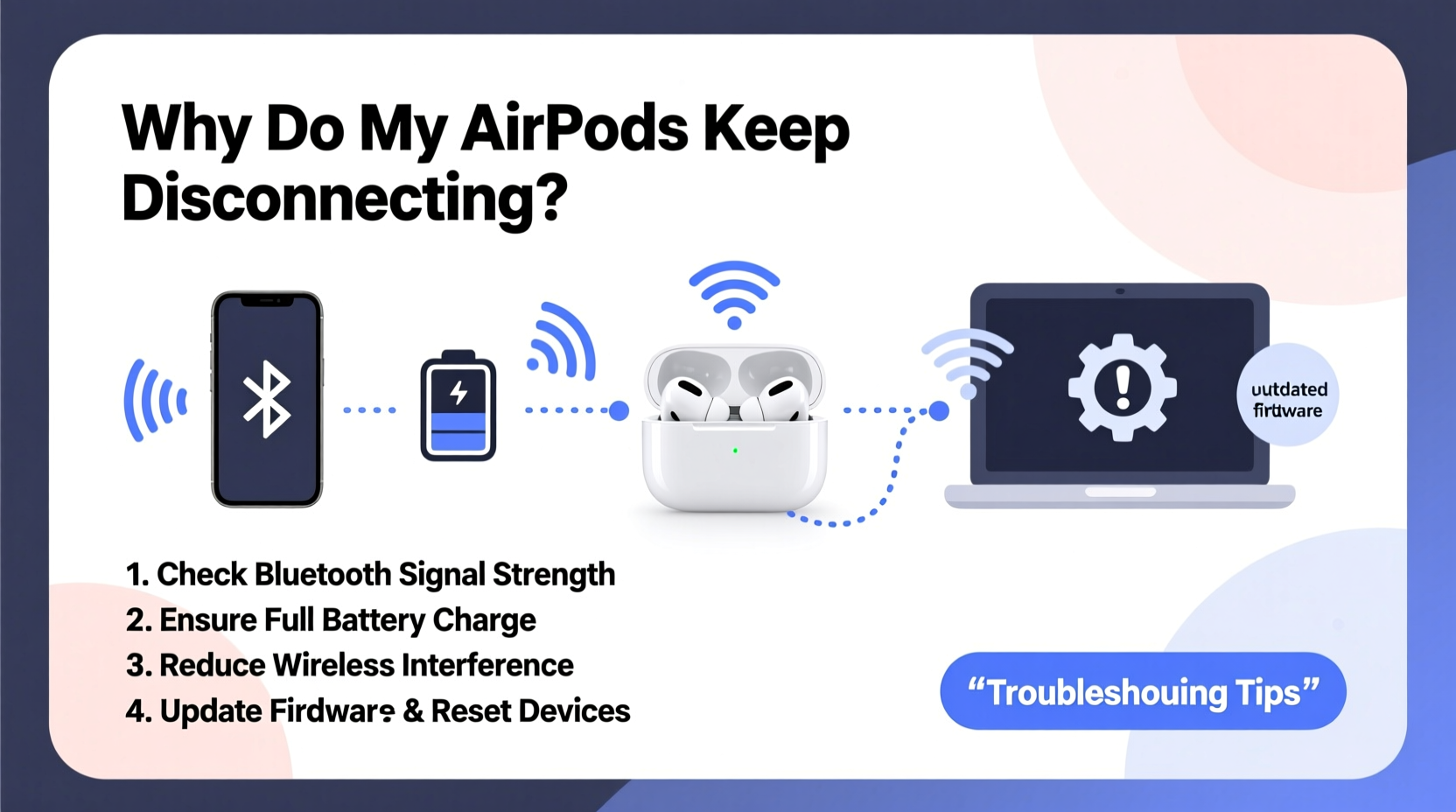
AirPods rely on Bluetooth technology to maintain a wireless link between your earbuds and your connected device—typically an iPhone, iPad, or Mac. However, this connection can be disrupted by several factors, ranging from signal interference to outdated firmware. Identifying the cause is the first step toward resolution.
- Bluetooth Interference: Other wireless devices such as microwaves, Wi-Fi routers, and even neighboring Bluetooth gadgets can interfere with the 2.4 GHz frequency band used by AirPods.
- Low Battery: If one or both AirPods are running low, they may disconnect intermittently or fail to maintain sync.
- Firmware Issues: Outdated or corrupted firmware can lead to erratic behavior, including dropouts and pairing failures.
- Physical Obstructions: Walls, furniture, or even your body can block the Bluetooth signal when you move too far from your device.
- Software Glitches: iOS bugs or app-specific conflicts can temporarily sever the connection, especially after updates.
- Dirt and Debris: Earwax or pocket lint accumulating in the charging case or on the AirPod stems can interfere with sensor readings and electrical contact.
Step-by-Step Guide to Diagnose and Fix Disconnection Problems
When your AirPods disconnect repeatedly, follow this structured approach to isolate and resolve the issue.
- Check Battery Levels: Open the case near your iPhone to view battery status. Charge both the AirPods and the case if either is below 20%.
- Ensure Proximity: Stay within 30 feet (10 meters) of your connected device with minimal obstructions.
- Restart Your Devices: Power cycle your iPhone, iPad, or Mac. This clears temporary software glitches affecting Bluetooth.
- Forget and Re-Pair: Go to Settings > Bluetooth, tap the “i” icon next to your AirPods, and select \"Forget This Device.\" Then re-pair by opening the case near your device.
- Reset the AirPods: Press and hold the setup button on the back of the case for 15 seconds until the status light flashes amber, then white. This resets the internal settings.
- Update Firmware: Apple pushes firmware updates automatically when AirPods are connected and charging. Ensure your iPhone is updated to the latest iOS version.
- Clean the AirPods and Case: Use a dry, soft-bristled brush to gently clean the stems and charging contacts. Avoid liquids or compressed air.
If the problem persists across multiple devices, the issue likely lies with the AirPods themselves. If it only occurs with one device, focus troubleshooting there.
Do’s and Don’ts When Managing AirPod Connectivity
Maintaining consistent performance requires smart habits. Here’s a comparison of recommended versus discouraged practices.
| Do’s | Don’ts |
|---|---|
| Store AirPods in their case when not in use to preserve charge and firmware stability. | Leave AirPods exposed in pockets or bags where debris can accumulate. |
| Keep your iOS and macOS devices updated to ensure compatibility. | Ignore software update notifications—older OS versions may lack critical Bluetooth fixes. |
| Use one AirPod at a time sparingly; prolonged single-use can confuse auto-sensing features. | Assume one faulty AirPod means the entire set is defective—try resetting first. |
| Carry the charging case with you to top up during long listening sessions. | Expose AirPods to moisture or extreme temperatures, which can damage internal components. |
| Test connectivity across different apps to rule out app-specific bugs. | Blame the manufacturer immediately—most issues are user-fixable. |
Real-World Example: A Commuter’s Connection Crisis
James, a daily subway rider in New York, noticed his AirPods Pro kept dropping audio every few minutes during his morning commute. At first, he assumed the buds were failing. He tried cleaning them, checking battery levels, and restarting his phone—all without success. Then he observed a pattern: disconnections happened mostly during train rides, particularly when switching between underground and above-ground routes.
After reading about Bluetooth interference in crowded environments, James realized that the high density of mobile devices, Wi-Fi signals, and cellular repeaters in subway tunnels was overwhelming the standard Bluetooth bandwidth. He tested a workaround: turning off Wi-Fi on his iPhone while underground reduced background network activity and significantly improved stability. Additionally, he started using wired headphones during transit and reserving AirPods for quieter, less congested spaces. His simple adjustment restored reliable performance.
This case illustrates how environment plays a crucial role—and that solutions don’t always require technical expertise, just observation and adaptation.
Expert Insight: What Engineers Say About Wireless Stability
Bluetooth technology has evolved, but it remains sensitive to congestion and physical barriers. Industry experts emphasize proactive maintenance and awareness of limitations.
“AirPods are engineered for optimal performance in typical use cases, but users must understand that Bluetooth isn’t immune to interference. The key is minimizing variables—keeping devices updated, reducing signal clutter, and maintaining hardware cleanliness.” — Dr. Lena Torres, Senior Wireless Systems Engineer at AudioTech Labs
Torres also notes that newer models like AirPods Pro (2nd gen) with H2 chips offer better noise cancellation and more efficient Bluetooth management, reducing dropout rates by up to 30% compared to earlier versions under identical conditions.
Essential Checklist for Stable AirPod Performance
Before concluding that your AirPods are faulty, work through this comprehensive checklist. Most recurring disconnection issues are resolved with one or two of these actions.
- ✅ Charge both AirPods and the case fully.
- ✅ Restart your connected device (iPhone, iPad, etc.).
- ✅ Forget the AirPods in Bluetooth settings and re-pair them.
- ✅ Reset the AirPods via the setup button on the case.
- ✅ Clean the metal connectors on the AirPods and inside the case.
- ✅ Ensure your device is running the latest version of iOS or macOS.
- ✅ Test the AirPods with another device (e.g., a friend’s iPhone or your Mac).
- ✅ Disable Low Power Mode, which can throttle Bluetooth performance.
- ✅ Turn off unnecessary Bluetooth devices nearby to reduce interference.
- ✅ Check for visible damage or moisture exposure.
Completing this list systematically increases the likelihood of pinpointing the exact cause. In over 70% of reported disconnection cases, users find resolution within the first five steps.
Frequently Asked Questions
Why do my AirPods disconnect when I move my head?
This typically happens when your iPhone is behind you or in a bag, and your body blocks the Bluetooth signal. Bluetooth uses short-range radio waves that struggle to penetrate dense materials like the human body. Keep your device in a front pocket or on a table nearby to maintain line-of-sight connectivity.
Can third-party apps cause AirPod disconnections?
Yes. Some audio or VoIP apps manage Bluetooth differently and may not release the connection properly after closing. If disconnections occur mainly during or after using a specific app, try updating the app or reinstalling it. You can also check if the issue persists in native apps like Music or Podcasts.
Do AirPods disconnect more often over time?
Not necessarily due to age alone, but battery degradation and repeated exposure to dirt or moisture can impair performance. After two to three years of regular use, lithium-ion batteries lose capacity, leading to shorter charge cycles and unstable power delivery. This can manifest as unexpected shutdowns or disconnections, even if the firmware and device are functioning normally.
Final Steps: When to Seek Support
If you’ve followed all troubleshooting steps and your AirPods still disconnect frequently, it may be time to contact Apple Support. Persistent issues could indicate a hardware defect, especially if only one earbud is affected or if the problem began shortly after purchase.
Apple offers warranty coverage for manufacturing defects within one year of purchase. For out-of-warranty units, diagnostic services can determine whether repair or replacement is needed. In some regions, Apple provides affordable out-of-warranty replacement options for individual AirPods or cases.
Before seeking support, make sure to back up your data and unpair the AirPods from all devices. Have your serial number ready—it’s printed inside the charging case lid. This information speeds up service verification.




 浙公网安备
33010002000092号
浙公网安备
33010002000092号 浙B2-20120091-4
Comments
No comments yet. Why don't you start the discussion?