
There are few modern frustrations quite as disruptive as a dropped phone call. Whether you're in the middle of an urgent work conversation or catching up with a loved one, losing connection unexpectedly can be more than just annoying—it can damage relationships and impact productivity. While it’s easy to blame your carrier or assume your phone is faulty, the truth is that call drops stem from a range of factors, some within your control and others influenced by external infrastructure. Understanding the root causes is the first step toward finding reliable solutions.
Common Causes of Call Drops
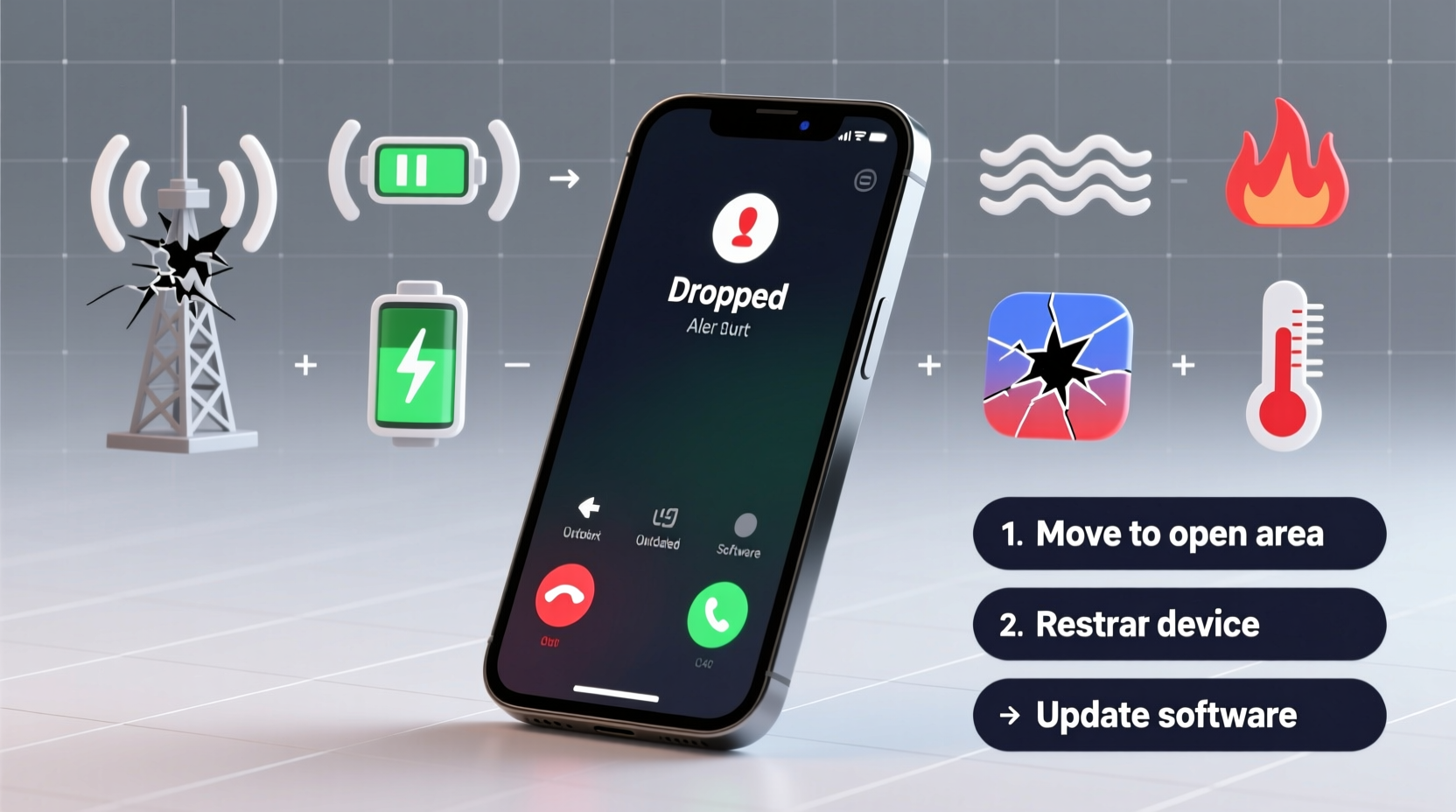
Call drops occur when a mobile device loses its connection to a cellular network during an active call. This interruption can happen for several technical and environmental reasons. The most frequent culprits include weak signal strength, network congestion, hardware issues, and software glitches.
Weak Signal Strength: If your phone shows only one or no bars, it's struggling to maintain a stable connection. Buildings, terrain, and even weather can interfere with signal transmission between your device and the nearest cell tower.
Network Congestion: During peak hours—such as rush hour in urban areas or large public events—too many users may be trying to access the same cell tower. This overload forces the network to drop less stable connections to manage bandwidth.
Outdated or Damaged Hardware: A cracked antenna, water-damaged internal components, or a worn-out SIM card can all degrade your phone’s ability to sustain a call.
Software Bugs: Operating system updates sometimes introduce bugs that affect voice calling functionality. Background apps consuming resources or interfering with network services can also play a role.
Environmental and Structural Interference
Physical surroundings have a major impact on signal quality. Materials like concrete, metal, and energy-efficient glass used in modern buildings can block or reflect radio waves, creating dead zones indoors. Basements, elevators, and underground parking lots are notorious for poor reception.
Rural areas often suffer due to limited cell tower coverage. Even if your carrier shows “full bars” occasionally, inconsistent tower placement can lead to sudden disconnections as you move between coverage zones.
Natural barriers such as mountains, dense forests, and large bodies of water can weaken signals over distance. In extreme weather conditions like thunderstorms or heavy snowfall, atmospheric interference may temporarily disrupt service.
“Signal penetration loss through walls can exceed 20 dB in high-rise buildings, effectively cutting off indoor connectivity.” — Dr. Lena Torres, Wireless Communications Engineer
Step-by-Step Guide to Diagnose and Fix Dropped Calls
Before contacting your carrier or replacing your phone, follow this systematic approach to identify and resolve the issue.
- Check Signal Strength: Look at your phone’s signal indicator. If it’s consistently low, try moving near a window or stepping outside to test improvement.
- Test in Different Locations: Make calls from various spots—indoors, outdoors, different floors—to determine if location is the primary factor.
- Restart Your Device: A reboot clears cached data and refreshes network settings, often resolving temporary software conflicts.
- Update Your Software: Ensure your phone’s OS and carrier settings are up to date. Carriers frequently release patches to fix connectivity bugs.
- Reinsert or Replace the SIM Card: Power off the phone, remove the SIM, clean it gently with a dry cloth, and reinsert it. If the card is old or damaged, request a replacement from your provider.
- Toggle Airplane Mode: Turn on Airplane Mode for 15 seconds, then disable it. This forces the phone to reconnect to the network afresh.
- Reset Network Settings: As a last resort, reset network settings (found under Settings > General > Reset). Note: This erases saved Wi-Fi passwords and Bluetooth pairings.
When to Consider Carrier or Phone Issues
If basic troubleshooting doesn’t help, the problem may lie with your carrier or device. Some carriers have stronger infrastructure in certain regions. For example, Verizon typically leads in rural coverage, while T-Mobile excels in urban density.
You can verify coverage using your carrier’s official coverage map. Enter your address to see expected signal strength. Third-party tools like OpenSignal or RootMetrics offer independent network performance data based on real user experiences.
| Issue | Signs | Solution |
|---|---|---|
| Carrier Coverage Gap | Drops occur in same locations across multiple devices | Switch to a carrier with better local infrastructure |
| Faulty Phone Antenna | Poor signal even in strong coverage areas; affects data too | Get phone inspected or repaired by authorized technician |
| Outdated SIM | Intermittent service, failed calls, slow data | Request a new SIM from your provider |
| VoLTE Not Enabled | Drops when switching between 4G/3G | Enable VoLTE in phone settings or contact carrier |
Mini Case Study: Resolving Chronic Call Drops in a Home Office
Sarah, a freelance project manager in Austin, Texas, struggled with dropped calls during client meetings from her home office. Her iPhone showed two bars, but calls would cut out after 30–60 seconds. She tested the same calls from her backyard—no drops. After ruling out software issues via updates and restarts, she realized the thick brick walls were blocking the signal.
She contacted her carrier, AT&T, and requested a free Cell Booster (a small signal repeater). Within two days of installation, her call stability improved dramatically. As a backup, she enabled Wi-Fi Calling, ensuring continuity even if the booster failed.
Sarah’s experience highlights how structural interference combined with lack of signal enhancement technology can cause persistent issues—even in cities with generally good coverage.
Quick Fixes Checklist
- ✅ Restart your phone daily or when noticing connectivity issues
- ✅ Ensure Wi-Fi Calling is enabled in settings
- ✅ Update your phone’s operating system and carrier settings
- ✅ Clean and reseat the SIM card
- ✅ Test calls in different locations to isolate the problem
- ✅ Use a signal booster or femtocell if indoors frequently
- ✅ Contact your carrier to verify coverage and request a new SIM
FAQ
Can a virus cause my calls to drop?
While true malware on smartphones is rare, malicious apps running in the background can consume system resources or interfere with network services. Stick to trusted apps from official stores and monitor battery usage for suspicious activity.
Does using a case affect signal strength?
Most standard cases don’t interfere. However, bulky metal-reinforced cases or those with magnetic mounts can block antennas, especially if they cover the phone’s edges where many antennas are located. Remove the case temporarily to test.
Why do my calls drop when I’m moving?
This is often due to “handoff failure,” where your phone fails to smoothly transition from one cell tower to the next while in motion. High speeds (like on highways) increase the likelihood. Poor tower spacing or weak overlapping coverage exacerbates this issue.
Conclusion: Take Control of Your Connection
Dropped calls don’t have to be an accepted part of mobile life. By understanding the interplay between environment, hardware, software, and network infrastructure, you can systematically eliminate the causes affecting your service. Start with simple fixes—restarting your phone, enabling Wi-Fi Calling, updating software—and progress to hardware checks or carrier upgrades if needed.




 浙公网安备
33010002000092号
浙公网安备
33010002000092号 浙B2-20120091-4
Comments
No comments yet. Why don't you start the discussion?