
Sitting with a tablet for hours might seem harmless—after all, it’s how we work, learn, shop, and unwind. But if you’ve noticed your eyes feeling gritty, tired, or unusually dry afterward, you’re not imagining things. This sensation is more than just fatigue; it’s a direct response to the way we interact with digital screens. Millions experience this daily, often without understanding the underlying causes or knowing how to address them. The reality is that extended screen time disrupts natural eye function in ways most people overlook—until discomfort sets in.
The root of the problem lies in how our visual system adapts to digital displays. Unlike reading a physical book or engaging in face-to-face conversation, staring at a tablet reduces blink rate, alters focusing patterns, and exposes the eyes to intense blue light—all contributing to dryness and strain. Over time, these habits can lead to chronic discomfort and even affect productivity and sleep quality. Understanding the mechanics behind this issue is the first step toward meaningful change.
The Science Behind Dry Eyes and Screen Use
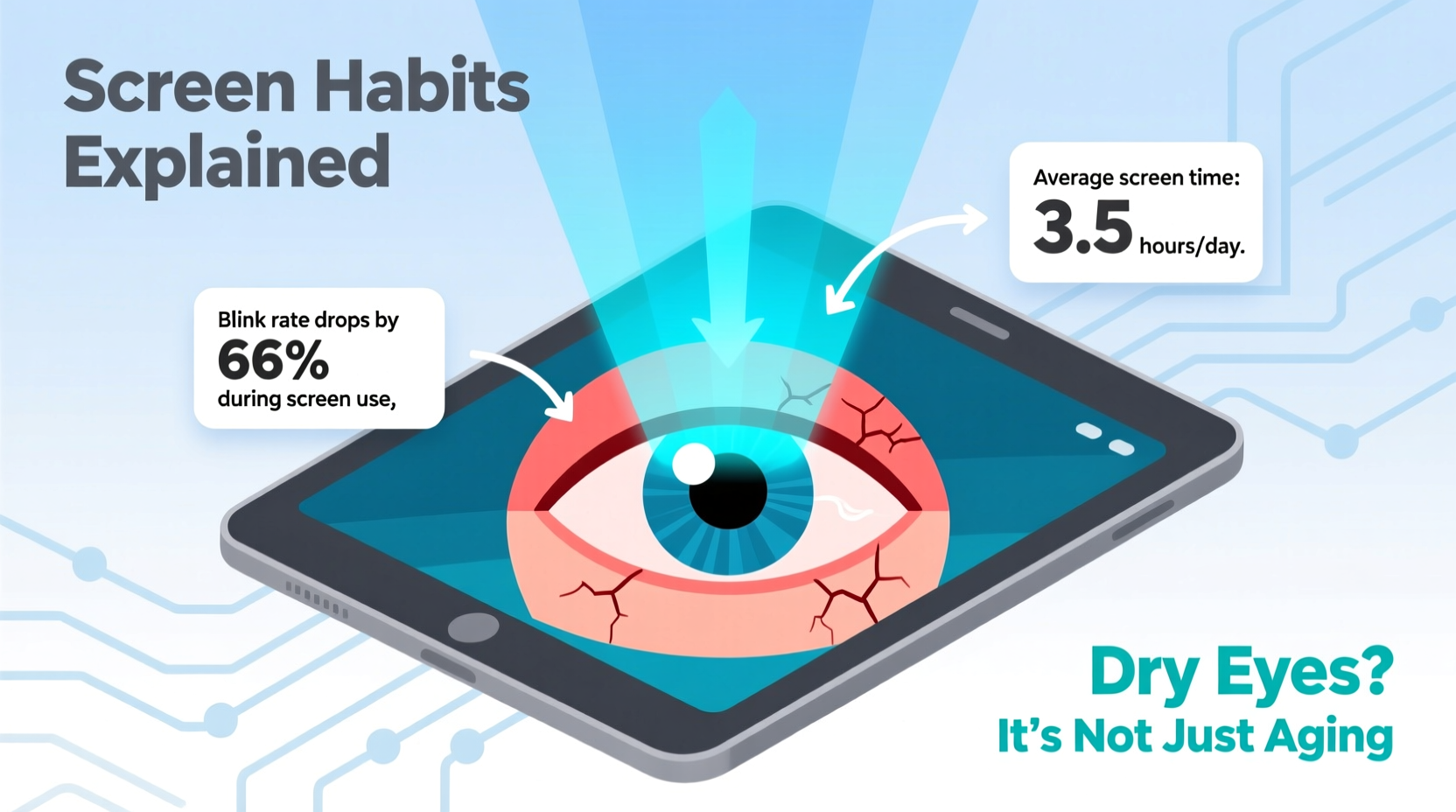
When you read from a printed page, your eyes naturally blink about 15 to 20 times per minute. Blinking spreads a thin layer of tears across the cornea, keeping the surface moist and clear. However, studies show that during screen-based tasks, blink rates drop by as much as 60%. Instead of blinking regularly, users enter a state of “visual fixation,” where they stare intently at the screen with minimal blinking. This allows the tear film on the eye’s surface to evaporate faster than it can be replenished.
The tear film consists of three layers: oil, water, and mucus. Each plays a role in maintaining eye comfort and clarity. The oil layer, produced by meibomian glands in the eyelids, prevents evaporation. Prolonged screen use can impair these glands due to reduced blinking and increased eyelid tension, leading to faster tear breakup and dry spots on the cornea.
Additionally, tablets emit high-energy visible (HEV) blue light, which scatters more easily than other wavelengths, forcing your eyes to work harder to maintain focus. This contributes to visual fatigue and exacerbates dryness symptoms. Dr. Lena Torres, an optometrist specializing in digital eye strain, explains:
“Patients who spend over four hours daily on screens often present with signs of meibomian gland dysfunction—even in their twenties. It's no longer just an age-related condition; it's a digital lifestyle consequence.” — Dr. Lena Torres, OD, FAAO
How Your Screen Habits Worsen Eye Dryness
It’s not just the screen itself—it’s how you use it. Common behaviors amplify the risk of dry eyes significantly:
- Extended uninterrupted sessions: Working or scrolling for hours without breaks depletes tear reserves.
- Poor posture and viewing angle: Looking down at a tablet in bed or on the couch strains neck muscles and narrows the eye opening, increasing exposure and evaporation.
- Low ambient humidity: Air conditioning or heating dries indoor air, accelerating tear evaporation.
- Glare and brightness mismatch: Excessive screen brightness or reflections forces pupils to constrict and increases visual stress.
- Nighttime usage: Using tablets in dim lighting boosts blue light impact and delays melatonin release, disrupting both sleep and ocular surface recovery.
A real-world example illustrates this well: Sarah, a 34-year-old project manager, began experiencing persistent dryness and occasional blurred vision after transitioning to remote work. She routinely used her tablet for video calls, document review, and evening entertainment—often exceeding eight hours a day. Despite using over-the-counter eye drops, her symptoms worsened. Only after a comprehensive eye exam did she learn that her blink rate had dropped to just five times per minute during work sessions, and her meibomian glands showed early blockage. Adjusting her screen habits—not just adding drops—was key to relief.
Effective Strategies to Prevent Dry Eyes from Tablet Use
Preventing dry eyes isn’t about eliminating screen time—it’s about optimizing how you use your device. Small, consistent changes can make a significant difference in comfort and long-term eye health.
Follow the 20-20-20 Rule Religiously
Every 20 minutes, look at something 20 feet away for at least 20 seconds. This simple habit resets your eye’s focusing muscle and encourages natural blinking. Set a recurring timer or use a screen wellness app to build consistency.
Optimize Your Environment
Control external factors that contribute to dryness:
- Use a humidifier if indoor air is dry, especially in winter.
- Avoid sitting directly under air vents or fans.
- Keep the room evenly lit to reduce screen glare.
Adjust Screen Settings
Tailor your tablet’s display to reduce strain:
- Lower brightness to match ambient light levels.
- Enable night mode or blue light filters in the evening.
- Increase text size to avoid squinting.
Blink Intentionally
Remind yourself to blink fully and frequently. Try placing a small sticky note near your screen with the word “BLINK” as a visual cue. Fully closing your eyes for two seconds every few minutes helps re-lubricate the surface and express oils from the meibomian glands.
“Blinking isn’t automatic when focused on screens. You have to retrain your brain to do it consciously.” — Dr. Rajiv Mehta, Cornea Specialist
Screen Habits Checklist: What to Do (and Avoid)
| Action | Do | Avoid |
|---|---|---|
| Daily Screen Time | Limit continuous use to 50-minute blocks with 10-minute breaks | Marathon sessions without pauses |
| Viewing Distance | Hold tablet 16–18 inches from eyes | Using it too close (under 12 inches) |
| Lighting | Ensure ambient light is soft and even | Using tablet in dark rooms or direct sunlight |
| Blinking | Practice full, slow blinks hourly | Staring without blinking for minutes |
| Night Use | Enable warm-toned night mode after sunset | Scrolling bright screens before bed |
Step-by-Step Guide to Healthier Screen Habits
Implementing sustainable change requires structure. Follow this seven-day plan to reset your relationship with your tablet:
- Day 1: Measure your current screen time using built-in digital wellbeing tools. Note when dryness occurs.
- Day 2: Adjust tablet position—place it on a stand or table at eye level. Remove lap use.
- Day 3: Activate blue light filter and set brightness to 50% in normal lighting.
- Day 4: Begin the 20-20-20 rule. Use a phone alarm or smartwatch reminder every 20 minutes.
- Day 5: Introduce a humidifier to your workspace or bedroom.
- Day 6: Practice “blink exercises”: close eyes for 2 seconds, open, repeat 5 times every hour.
- Day 7: Eliminate tablet use 60 minutes before bedtime. Replace with reading or journaling.
After one week, reassess your symptoms. Most users report noticeable improvement in eye comfort, reduced redness, and less reliance on artificial tears.
Frequently Asked Questions
Can dry eyes from tablet use cause permanent damage?
While occasional dryness is reversible, chronic neglect can lead to inflammation, corneal abrasions, or meibomian gland atrophy—conditions that may require medical treatment. Early intervention prevents long-term issues.
Are some people more prone to screen-related dry eyes?
Yes. Individuals with pre-existing dry eye syndrome, contact lens wearers, those over 40, and people with autoimmune conditions like Sjögren’s syndrome are at higher risk. Women are also more susceptible due to hormonal fluctuations affecting tear production.
Do artificial tears help, or should I avoid them?
Lubricating eye drops can provide temporary relief, especially preservative-free versions. However, they treat the symptom, not the cause. Overuse of preserved drops may irritate the ocular surface. Use them sparingly while correcting screen habits.
Conclusion: Take Control Before Discomfort Becomes Chronic
Dry eyes after tablet use aren’t inevitable—they’re a warning sign that your visual habits need adjustment. By understanding the physiological impact of screen time and making deliberate changes, you can preserve eye comfort, maintain focus, and protect long-term vision. The convenience of digital devices shouldn’t come at the cost of your well-being.
Start today: reposition your tablet, set a timer for breaks, and commit to mindful blinking. These small actions compound into lasting protection. Your eyes aren’t designed for endless digital consumption—but with smarter habits, you can enjoy technology without paying the price in discomfort.




 浙公网安备
33010002000092号
浙公网安备
33010002000092号 浙B2-20120091-4
Comments
No comments yet. Why don't you start the discussion?