
If you've ever noticed your LED strip lights flickering, shifting hues, or cycling through colors without input—especially when using wireless earbuds nearby—you're not imagining things. This isn't magic or a glitch in the matrix; it's electromagnetic interference (EMI) at play. As homes become more saturated with wireless devices, unintended interactions between electronics are becoming increasingly common. LED lighting systems, particularly smart or RGB variants, are highly sensitive to radio frequency signals emitted by Bluetooth-enabled devices like earbuds, smartphones, and speakers.
This phenomenon can be frustrating, especially when you're trying to set a mood with ambient lighting, only for it to shift unpredictably during a call or while listening to music. The good news is that this issue is both diagnosable and fixable. Understanding the root cause allows you to implement effective shielding strategies and prevent future disruptions.
How Wireless Earbuds Interfere with LED Lights
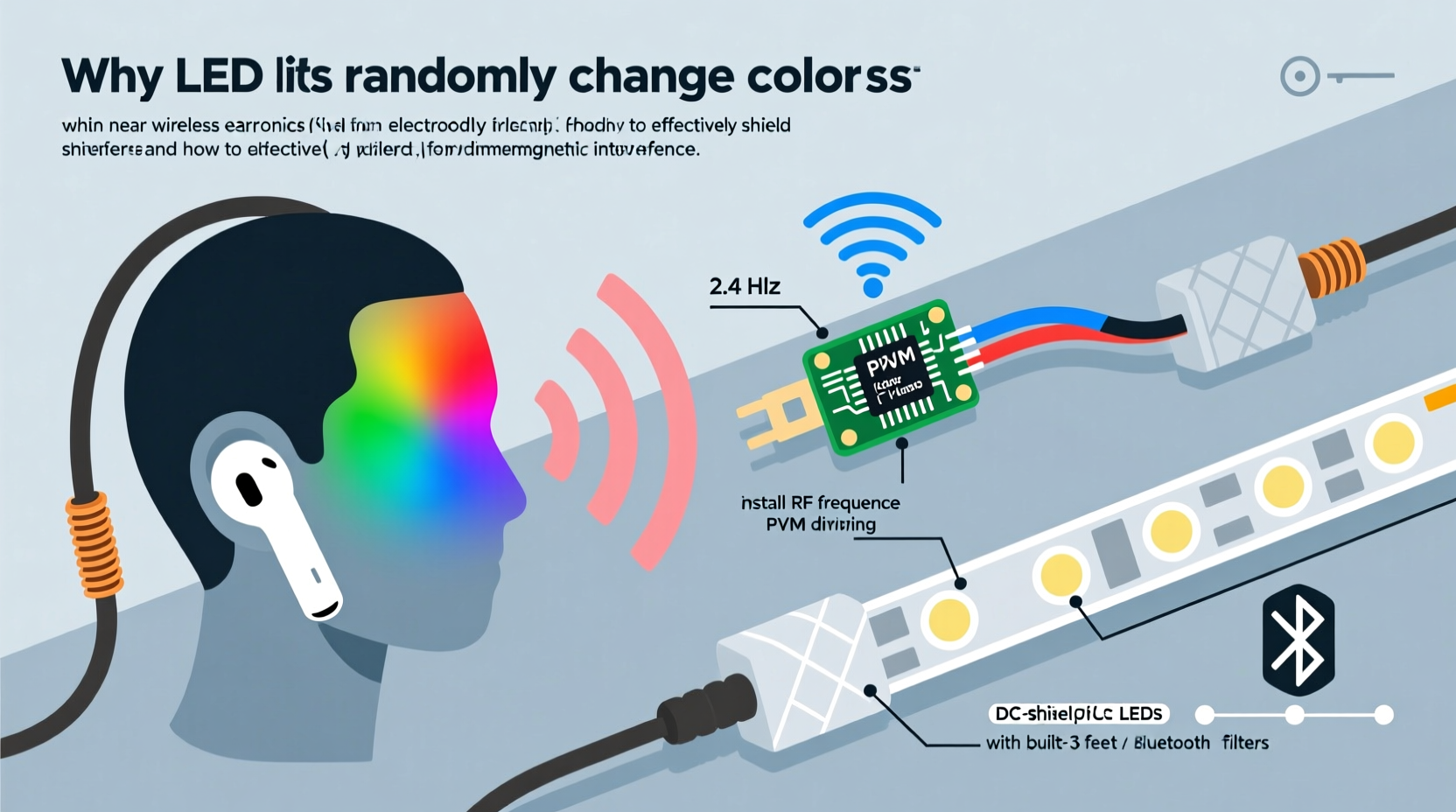
Wireless earbuds communicate with your phone or laptop via Bluetooth, which operates in the 2.4 GHz frequency band—the same range used by Wi-Fi, cordless phones, and many smart home devices. While designed to coexist, these signals can sometimes interfere with other electronics, particularly those with poorly shielded circuitry.
LED lights, especially addressable RGB strips like WS2812B (commonly known as NeoPixels), rely on precise digital signals to control color and brightness. These signals travel along thin data lines that can act as unintentional antennas. When strong RF emissions from nearby Bluetooth devices interact with these lines, they induce small electrical currents that the LED controller may misinterpret as legitimate commands. This results in random color shifts, flashing patterns, or complete loss of control.
The effect is most noticeable with:
- Long runs of unshielded LED strips
- Controllers placed near high-RF zones (e.g., desks with multiple wireless devices)
- Cheap or generic LED kits with minimal EMI protection
In technical terms, this is known as \"radiated susceptibility\"—a device’s vulnerability to external electromagnetic fields. While regulatory standards exist (such as FCC Part 15 in the U.S.), consumer-grade LED products often cut corners on shielding to reduce costs, making them prone to such interference.
Practical Shielding Solutions to Stop LED Light Interference
Shielding doesn’t require advanced engineering skills. With a few strategic modifications, you can significantly reduce or eliminate unwanted signal interference. Here are proven methods:
1. Use Ferrite Cores on Power and Data Lines
Ferrite beads or snap-on chokes suppress high-frequency noise on cables. Attach them close to the controller end of both the power supply and data lines. For best results, loop the cable through the core two or three times before snapping it shut.
2. Upgrade to Shielded Cables
Replace standard jumper wires with shielded twisted-pair cables for data transmission. Look for cables labeled “STP” (Shielded Twisted Pair)” with braided metal shielding grounded at one end. This drastically reduces antenna-like reception of stray RF signals.
3. Ground the LED Strip’s Shielding (If Available)
Some premium LED strips include a conductive backing or foil layer intended for grounding. Connect this to the negative terminal of your power supply using a short wire. This creates a Faraday cage effect, diverting interference away from sensitive components.
4. Relocate the Controller Away from RF Sources
Distance matters. Move the LED controller and power supply farther from your desk, router, or any area where earbuds are frequently used. Even a 12–18 inch separation can make a noticeable difference.
5. Add a Physical Barrier Using Aluminum Foil or Tape
Temporarily wrap the controller and data lines in aluminum foil, then ground the foil to the power supply’s negative terminal. While not aesthetically ideal, this acts as an instant test of whether shielding works. For permanent solutions, consider copper tape or conductive fabric enclosures.
“Electromagnetic compatibility is often overlooked in DIY lighting projects. A well-grounded shield can reduce interference by over 90%.” — Dr. Lena Park, Electrical Engineer & EMC Consultant
Step-by-Step Guide to Diagnose and Fix LED Interference
Follow this systematic approach to identify and resolve the issue:
- Isolate the Problem: Turn off all nearby wireless devices except your earbuds. Activate the lights and use the earbuds. If color shifts occur only with earbuds active, interference is confirmed.
- Test Distance: Move the earbuds closer and farther from the LED controller. Observe if interference increases with proximity.
- Apply Ferrite Cores: Clip ferrite beads onto the power and data cables near the controller. Re-test.
- Swap Cables: Replace existing data wires with shielded versions. Ensure the shield is grounded at one point only to avoid ground loops.
- Relocate Equipment: Move the controller to a less congested area—behind furniture, inside a cabinet, or lower on a wall.
- Ground the System: Connect any available metal shielding on the strip or housing to the DC ground line.
- Re-evaluate: After each step, retest under the same conditions. Keep notes on what reduces or eliminates the issue.
Do’s and Don’ts of LED Installation Near Wireless Devices
| Do | Don’t |
|---|---|
| Use shielded cables for data transmission | Run data lines parallel to power cords or near routers |
| Install ferrite cores on all input/output lines | Leave unused shielding ungrounded |
| Keep controllers at least 1 meter from Bluetooth sources | Use long, unshielded wires in high-RF environments |
| Ground metal housings and foil backings | Assume all LED kits are equally robust against interference |
Real-World Example: Solving Flickering Lights in a Home Office
Mark, a remote software developer, installed RGB LED strips behind his monitor and along his desk to improve focus and ambiance. However, every time he took a call using his AirPods, the lights would flash red, cycle through rainbow patterns, or dim unexpectedly. He initially assumed a faulty controller but replaced it twice with no improvement.
After researching online, Mark suspected RF interference. He tested by disabling Bluetooth on his laptop—immediately, the lights stabilized. To fix it permanently, he wrapped the controller in aluminum foil connected to the negative rail, added two ferrite cores to the data line, and rerouted the cable away from his USB-C hub. The problem disappeared entirely. He later upgraded to a professionally shielded LED kit and mounted the controller inside a grounded metal project box for long-term reliability.
His experience highlights how easily interference can mimic hardware failure—and how simple fixes can restore functionality without costly replacements.
FAQ: Common Questions About LED and Bluetooth Interference
Can Wi-Fi routers also cause LED lights to flicker?
Yes. Since Wi-Fi also operates in the 2.4 GHz band, strong signals from nearby routers can induce similar interference, especially if the LED controller lacks filtering. The solution is the same: shielding, grounding, and physical separation.
Will switching to 5GHz Wi-Fi help?
Not directly. While your router might support 5GHz, wireless earbuds still use 2.4GHz Bluetooth. However, reducing congestion on the 2.4GHz band can slightly improve overall signal clarity, potentially minimizing cumulative interference.
Are some LED brands less prone to interference?
Yes. Higher-end brands like Philips Hue, LIFX, and Nanoleaf design their products with built-in EMI suppression, including shielded drivers, filtered power supplies, and robust firmware. Budget strips may lack these protections, making them more vulnerable.
Checklist: Prevent LED Color Shifts from Wireless Devices
- ✅ Confirm interference by testing with earbuds on/off
- ✅ Install ferrite cores on power and data cables
- ✅ Replace data wires with shielded twisted-pair cables
- ✅ Ground any available metal shielding on the strip or enclosure
- ✅ Relocate the controller away from Bluetooth sources
- ✅ Avoid running data lines alongside AC power or USB hubs
- ✅ Consider upgrading to a commercial-grade LED system with EMI protection
Conclusion: Take Control of Your Lighting Environment
Random color changes in LED lights caused by wireless earbuds are not a mystery—they’re a predictable result of modern electronics sharing crowded frequency bands. But predictability means solvability. With a clear understanding of electromagnetic interference and access to simple, affordable tools like ferrite cores, shielded cables, and proper grounding techniques, you can reclaim full control over your lighting setup.
Don’t settle for flickering strips or erratic behavior. Apply these fixes methodically, document your results, and invest in better-shielded components where needed. Your lights should enhance your space—not react unpredictably to everyday tech. By treating your LED installation with the same attention to detail as your audio or network setup, you ensure reliability, longevity, and consistent performance.




 浙公网安备
33010002000092号
浙公网安备
33010002000092号 浙B2-20120091-4
Comments
No comments yet. Why don't you start the discussion?