
Programmable lighting systems—whether used for holiday displays, stage effects, smart homes, or architectural accents—offer precision, creativity, and automation. But nothing disrupts the experience like returning to find your carefully crafted sequences vanished after a brief power flicker. This frustrating reset isn’t random; it’s a symptom of how most lighting controllers handle memory, power loss, and firmware stability. Understanding the root causes empowers you to implement lasting fixes that preserve your settings through outages and surges.
Modern LED controllers rely on volatile memory, real-time clocks, and microprocessors—all of which are vulnerable when electricity behaves unpredictably. While a momentary brownout may go unnoticed by your refrigerator, it can be catastrophic for digital lighting logic. The good news is that with the right hardware choices, backup strategies, and protective measures, you can maintain sequence integrity regardless of grid instability.
How Power Surges and Outages Affect Lighting Controllers
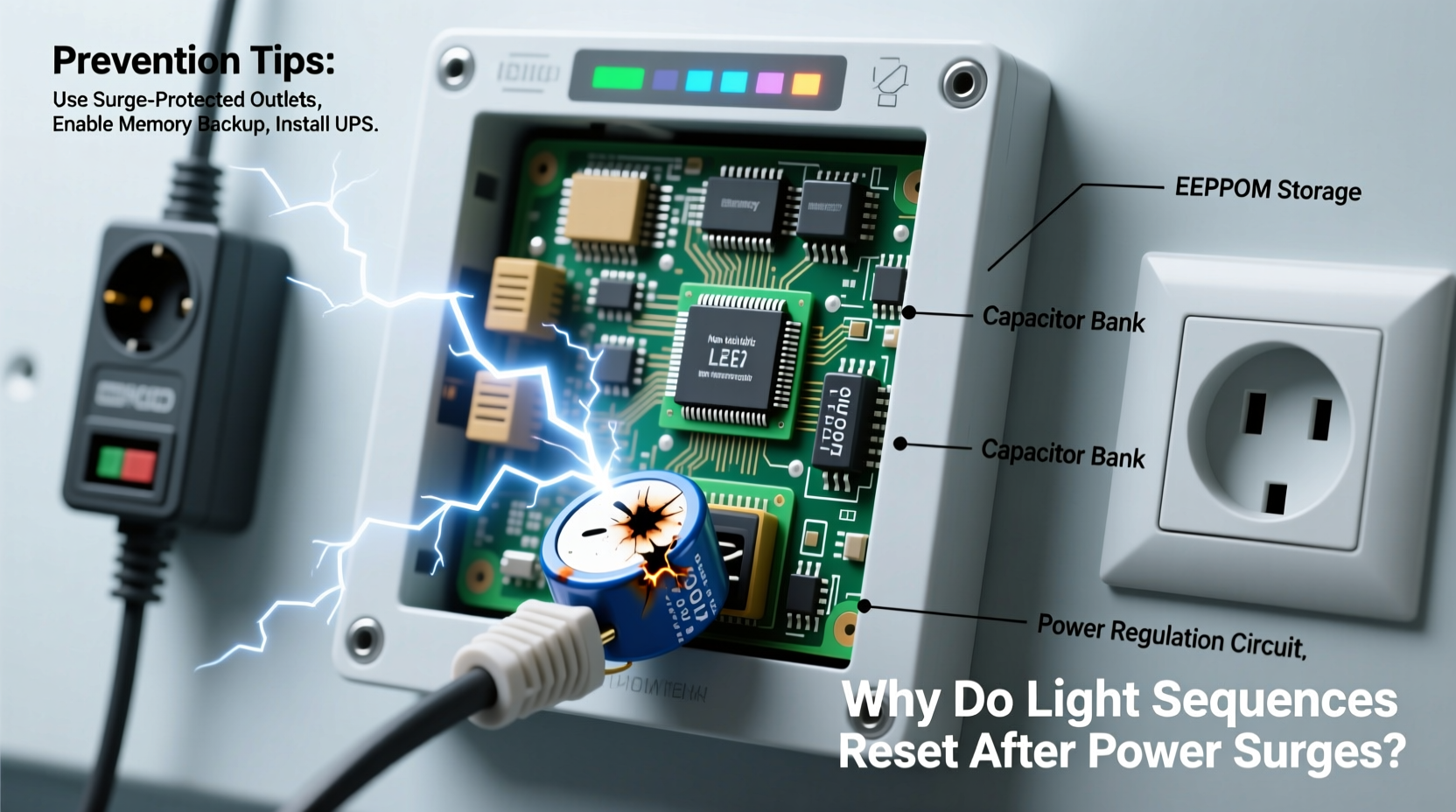
At first glance, a power surge might seem like just a spike in voltage. In reality, electrical disturbances come in several forms, each capable of disrupting programmable lights:
- Blackouts: Complete loss of power. Without a backup, controllers lose active state and stored programs if they rely on volatile memory.
- Brownouts: Voltage drops below operational levels. Microcontrollers may reboot or enter undefined states, corrupting memory writes.
- Sags and Swells: Short-term dips or spikes in voltage. These can cause erratic behavior even if the device doesn't fully shut down.
- Surges (transient overvoltage): Sudden high-voltage spikes from lightning, grid switching, or appliance cycling. These can physically damage circuitry or trigger soft resets.
Most consumer-grade lighting controllers use flash memory for program storage but depend on RAM and real-time clock (RTC) modules during operation. When power drops, the RTC often fails unless backed by a small battery. If the RTC resets, scheduled sequences lose their time reference. Similarly, if a controller was mid-write during a power cut, corrupted firmware or lost configuration files may result.
“Many low-cost controllers assume stable power. When that assumption breaks, so does reliability.” — Rajiv Mehta, Embedded Systems Engineer
The Role of Memory Types in Sequence Retention
Not all memory is created equal. How your lighting system stores data determines its resilience to power events.
| Memory Type | Persistence | Used For | Vulnerable to Power Loss? |
|---|---|---|---|
| Flash Memory | Yes (non-volatile) | Firmware, saved sequences | No — retains data without power |
| RAM (Random Access Memory) | No (volatile) | Temporary processing, runtime settings | Yes — loses contents instantly |
| EEPROM | Yes (non-volatile) | User preferences, calibration data | Rarely — designed for endurance |
| RTC with Battery Backup | Conditional | Timekeeping for schedules | Only if battery fails |
The problem arises when a controller uses non-volatile memory to store sequences but relies on volatile components for execution context. For example, a strand might remember its “chase wave” pattern in flash memory, but if the RTC resets due to missing battery support, it won’t know *when* to activate that sequence. Likewise, user-defined start times, fade durations, or conditional triggers may reside in RAM until committed—making them prone to loss during abrupt shutdowns.
Common Causes of Sequence Reset – And How to Diagnose Them
Before applying solutions, identify what’s actually causing the reset. Here’s a diagnostic framework based on observed symptoms:
- All sequences vanish completely: Indicates failure in non-volatile memory write or corruption. Could stem from poor-quality flash chips or interrupted firmware updates.
- Sequences remain but don’t run on schedule: Points to RTC failure. Likely no battery backup or dead onboard coin cell.
- Lights behave erratically post-outage: Suggests partial memory corruption or firmware crash. Often seen in budget controllers lacking error-checking routines.
- Only some zones reset: May indicate uneven power delivery or daisy-chained units drawing inconsistent voltage during recovery.
A telling clue is whether the issue occurs after every outage or only during storms. Frequent resets point to unstable power quality rather than one-off incidents. Use a plug-in voltage monitor or whole-house power logger to detect sags and surges invisible to standard breakers.
Mini Case Study: Festival Lighting Failure
A community arts festival used programmable RGB strips across an outdoor plaza. Each evening, synchronized light shows ran precisely at dusk. After two successful nights, a brief thunderstorm caused a 10-second blackout. Upon restoration, all controllers rebooted into default rainbow cycles, derailing the entire performance.
Investigation revealed that while sequences were saved to flash memory, the central scheduler relied on GPS-synced time signals. However, each node had no local RTC battery. During the outage, nodes lost time sync and defaulted to factory mode until manually reprogrammed. The fix? Replacing controllers with models featuring dual-time referencing (GPS + battery-backed RTC) and adding local UPS units. The following year, the show ran flawlessly—even through three minor outages.
7 Proven Ways to Prevent Sequence Resets
Prevention requires a layered approach combining hardware protection, intelligent design, and maintenance habits.
1. Use Controllers with Battery-Backed Real-Time Clocks
Ensure your lighting controller includes a CR2032 or similar onboard battery to maintain timekeeping during outages. High-end commercial systems often integrate this as standard; consumer models frequently omit it to reduce cost.
2. Install Uninterruptible Power Supplies (UPS)
A small line-interactive UPS for your control hub provides enough runtime (5–15 minutes) to survive short outages and ride through brownouts. It also filters noise and clamps surges.
3. Add Surge Protection at Multiple Levels
- Whole-panel surge protector: Installed at your breaker box, this defends against external surges (e.g., lightning).
- Point-of-use protectors: Plug strips with joule ratings above 1,000 absorb residual spikes.
- Data-line protection: If using Ethernet or RS-485 for control signals, use surge suppressors on data lines too.
4. Optimize Firmware and Save Habits
After programming new sequences, power-cycle the controller intentionally to test retention. Some devices only commit changes to permanent memory upon clean shutdown. Follow manufacturer guidelines for safe ejection or “save and exit” procedures.
5. Segment Your System
Instead of running all lights from one master controller, divide them into zones with independent controllers. This limits blast radius—if one zone resets, others continue normally. It also reduces strain on shared power rails.
6. Use Cloud or Network-Based Control Where Possible
Systems like Philips Hue, Loxone, or Art-Net over Ethernet can restore scenes automatically because settings live in the cloud or a central server. As long as the network recovers, devices re-sync their state.
7. Implement Watchdog Timers and Auto-Recovery Logic
Advanced users can deploy microcontrollers (e.g., ESP32-based setups) programmed with watchdog timers. These detect hangs or boot loops and force a controlled restart, then reload the last known good configuration from SD card or network.
Checklist: Protect Your Lighting Sequences
- ✅ Confirm your controller has battery-backed RTC
- ✅ Install a UPS for the main control unit
- ✅ Add surge protectors on both power and data lines
- ✅ Test sequence retention after manual power cycle
- ✅ Back up sequence files externally (SD card, cloud, PC)
- ✅ Update firmware regularly for improved stability
- ✅ Replace aging coin-cell batteries annually
- ✅ Document configurations in case full reprogramming is needed
Frequently Asked Questions
Can a power strip protect my lights from surges?
Basic power strips offer minimal protection. Look for ones labeled “surge protector” with a joule rating of at least 1,000 and indicator lights showing active protection. Even then, they’re secondary defense—pair them with a panel-level device for full coverage.
Why do my lights turn on after a blackout even when I turned them off?
This is typically a fail-safe behavior. Many controllers default to “on” or “demo mode” after reboot to ensure visibility during emergencies. Check your settings menu for options like “Power-On Behavior” and set it to “Last State” or “Off.”
Is it worth upgrading to industrial-grade controllers?
If you rely on consistent performance—such as in commercial installations, theaters, or public art—yes. Industrial models include better shielding, conformal coating on circuits, wider voltage tolerance, and longer firmware support. They cost more upfront but reduce downtime and maintenance.
Final Steps Toward Reliable Lighting Automation
Programmable lights should enhance your environment, not demand constant babysitting. The resets you're experiencing aren't inevitable—they're signals that your current setup lacks resilience. By addressing memory limitations, reinforcing power integrity, and adopting professional-grade safeguards, you transform fragile displays into dependable systems.
Start with the basics: check for RTC battery support, add a small UPS, and install proper surge protection. Then progress to segmentation and automated recovery methods as needed. Treat your lighting infrastructure like any other critical electronic system—because when executed well, it becomes part of your home’s or venue’s identity.
“Reliability in lighting control isn’t about avoiding problems—it’s about designing so that problems don’t matter.” — Lena Torres, Smart Infrastructure Consultant
Take Action Today
Don’t wait for the next storm to erase your work. Audit your current setup tonight: unplug a controller briefly and see if it resumes correctly. Identify weak points. Upgrade one component at a time. Share your findings with others facing similar issues—collective knowledge builds stronger systems.




 浙公网安备
33010002000092号
浙公网安备
33010002000092号 浙B2-20120091-4
Comments
No comments yet. Why don't you start the discussion?