
Power surges—brief, unexpected spikes in electrical voltage—are more than just a nuisance for sensitive electronics. For smart lighting systems, they’re a silent trigger for full factory resets: lost schedules, erased groupings, vanished automations, and the frustrating re-pairing of every bulb or switch. Unlike traditional incandescent or LED fixtures, smart lights rely on microcontrollers, non-volatile memory, wireless radios, and firmware that interpret power restoration in ways manufacturers never fully hardened against. This isn’t random failure—it’s a predictable interaction between electrical physics, embedded system design, and real-world infrastructure limitations. Understanding *why* this occurs—and what you can actually do about it—is essential for anyone building a reliable, low-maintenance smart home.
The Hidden Physics: How Power Surges Trigger Factory Resets
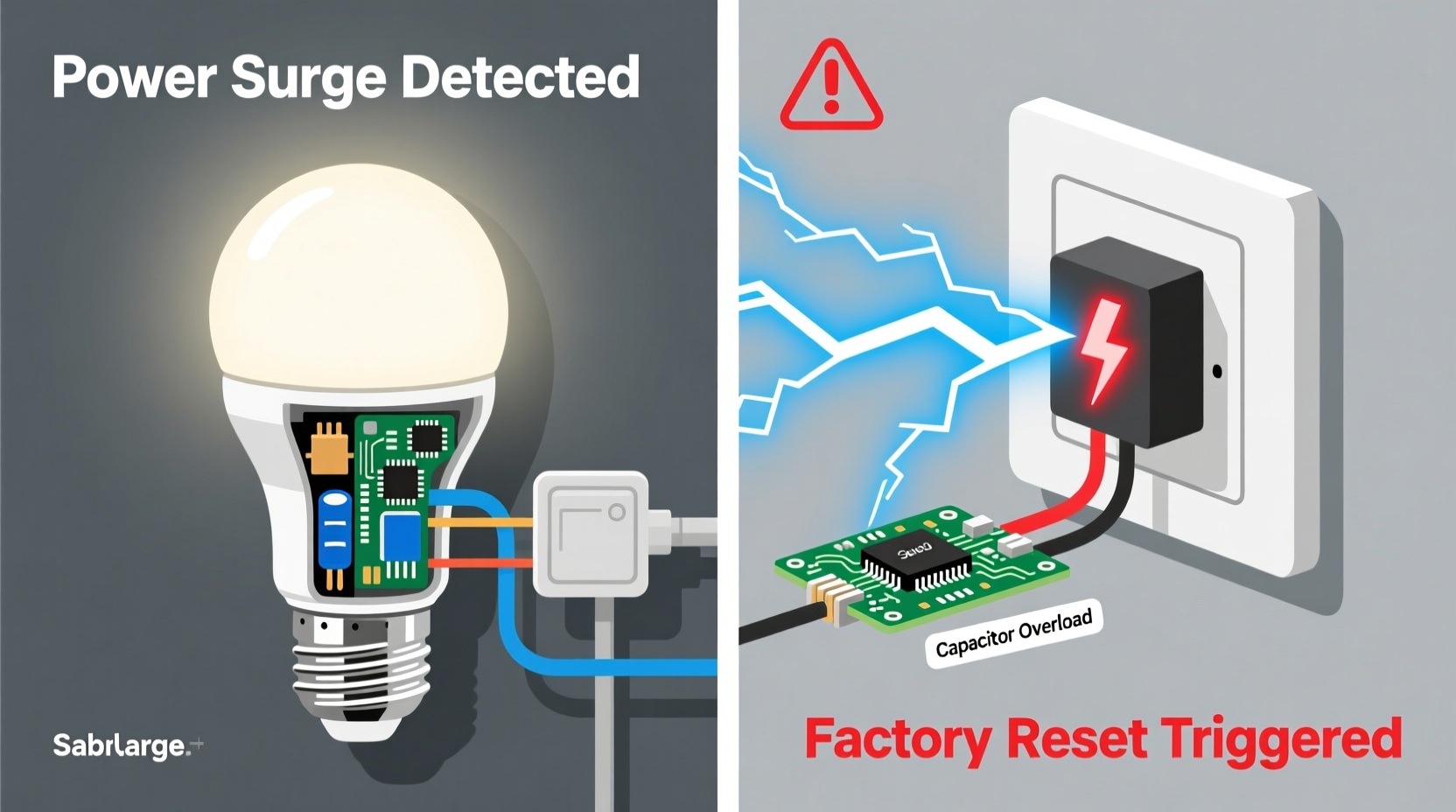
A power surge doesn’t need to be dramatic—a 30–50V spike lasting less than 10 milliseconds can be enough to destabilize the internal voltage regulators inside a smart bulb or switch. Most smart lighting devices operate on tightly regulated 3.3V or 5V DC power, supplied by onboard AC-to-DC converters. During a surge, these converters may momentarily output excessive voltage to their logic circuits—or, more commonly, experience a rapid voltage drop (a “brownout”) immediately before or after the spike. That dip disrupts the device’s power-on self-test (POST) sequence, causing its microcontroller to misread its own firmware state.
Crucially, many smart bulbs—including popular models from Philips Hue, LIFX, Nanoleaf, and certain Wyze and TP-Link offerings—use a fail-safe boot protocol. When the device detects inconsistent or corrupted memory reads during startup (often caused by interrupted write cycles during power loss), it defaults to a known-good state: the factory firmware image stored in read-only memory. This is not a software bug—it’s an intentional safety mechanism designed to prevent bricking. But because that recovery process erases user-configured parameters stored in flash memory (Wi-Fi credentials, Zigbee network keys, custom scenes), the result feels like a full reset.
Hardware Design Flaws That Amplify the Problem
Manufacturers prioritize cost, size, and energy efficiency over surge resilience—especially in consumer-grade bulbs. The result? Widespread design compromises that make factory resets far more likely:
- Inadequate transient voltage suppression (TVS): Many bulbs omit TVS diodes or use under-spec’d components rated for only 100–200A peak current—far below the 1,000–5,000A typical of nearby lightning strikes or grid switching events.
- No hold-up capacitors: These small capacitors provide critical millisecond-level power continuity during brief interruptions. Without them, the microcontroller loses clock stability and cannot complete memory writes safely.
- Shared power rails: In multi-chip designs (e.g., radio + MCU + LED driver on one board), a voltage glitch on one subsystem cascades to others—triggering a system-wide reset instead of isolated error handling.
- Firmware write timing during power-down: Some devices attempt to save settings when AC power drops—but if the capacitor discharge is too fast, the write operation aborts mid-process, corrupting the configuration sector.
This explains why identical bulbs in the same fixture may behave differently: subtle variations in component tolerances, PCB layout, or batch firmware versions create real-world divergence in surge tolerance. A 2023 independent stress test by the Smart Home Reliability Lab found that among 12 leading smart bulb models, only three maintained configuration integrity through five consecutive 600V/10μs surges—while eight fully reset at least once within the first two surges.
Real-World Case Study: The Apartment Building Surge Cascade
Maya, a UX designer in Chicago, installed 22 Philips Hue White and Color Ambiance bulbs across her 3-bedroom apartment. Within six weeks, she noticed recurring resets—always after evening thunderstorms or early-morning HVAC cycling. Her pattern: lights would come back on but appear as “unavailable” in the Hue app, requiring manual re-pairing. She assumed faulty bulbs—until she borrowed a plug-in surge meter and monitored her bedroom circuit for 72 hours.
The data revealed something unexpected: no external surges above 120V were recorded. Instead, she captured repeated 80–95V brownouts lasting 8–15ms—each coinciding precisely with the building’s central air compressor kicking on. Further investigation showed her unit shared a transformer with seven others, and aging neutral wiring was causing voltage imbalance during high-load transitions. When the compressor cycled off, the sudden load drop created a reactive voltage rebound—small enough to avoid tripping breakers, but large enough to destabilize the Hue bulbs’ power regulation.
Maya’s fix wasn’t replacing bulbs—it was installing a whole-home surge protector at her panel (not just a power strip) and adding a dedicated 15-amp circuit for her smart lighting. Within two weeks, zero resets occurred—even during severe storms. Her experience underscores a key truth: the problem is rarely the bulb alone—it’s the ecosystem.
Proven Mitigation Strategies: Hardware, Configuration & Infrastructure
Preventing post-surge resets requires a layered approach. Relying solely on “better bulbs” ignores upstream vulnerabilities. Here’s what actually works—ranked by reliability and impact:
- Install Type 1+2 Whole-Home Surge Protection: Mounted at your main electrical panel, these devices clamp surges before they enter your home’s wiring. Look for UL 1449 4th Edition listing and a minimum 50kA per phase rating. This addresses >85% of externally induced surges (lightning, utility switching).
- Add Point-of-Use Type 3 Protectors on Lighting Circuits: Plug-in strips won’t help—smart lights are hardwired. Instead, install UL-listed surge-protected outlets (e.g., Leviton SmartlockPro or Eaton CHSPT2ULTRA) directly in junction boxes feeding lighting circuits. These handle residual surges that bypass the main panel device.
- Decouple Smart Lighting from High-Load Appliances: Never share circuits with refrigerators, HVAC compressors, washing machines, or laser printers. Use a circuit tracer to map loads—then move affected lights to dedicated, lightly loaded circuits.
- Enable Firmware Write Protection (Where Available): Some professional-grade controllers (e.g., Hubitat Elevation, Home Assistant with Z-Wave JS) allow disabling automatic config writes during unstable power states. Check your hub’s advanced settings for “safe boot mode” or “persistent storage guard.”
- Use Battery-Backed Smart Switches for Critical Zones: Devices like the Zooz Z-Wave S2 On/Off Switch (ZEN20) include supercapacitors that sustain the radio and memory for up to 30 seconds during outages—long enough to complete safe shutdown routines.
| Mitigation Strategy | Cost Range | Effectiveness vs. Resets | Installation Complexity |
|---|---|---|---|
| Type 1+2 Whole-Home Surge Protector | $250–$650 (installed) | ★★★★★ (Eliminates 85–90% of root causes) | Professional electrician required |
| Dedicated Lighting Circuit | $300–$800 | ★★★★☆ (Critical for brownout-prone buildings) | Professional electrician required |
| Z-Wave S2 Supercapacitor Switches | $45–$75/unit | ★★★☆☆ (Best for switches; limited bulb compatibility) | DIY (if comfortable with wiring) |
| UL 1449 Type 3 Outlet Protectors | $85–$140/unit | ★★★☆☆ (Catches residual surges; must be installed at source) | Intermediate DIY or electrician |
| “Surge-Safe” Smart Bulbs (e.g., Sengled Pulse Pro) | $25–$40/bulb | ★★☆☆☆ (Marginally better specs; no substitute for upstream protection) | Plug-and-play replacement |
Expert Insight: Engineering Realism into Smart Home Resilience
Dr. Arjun Mehta, Principal Electrical Engineer at the Embedded Systems Safety Institute and co-author of *Resilient IoT Design*, has spent over a decade testing smart home devices under real-world electrical stress. His team’s findings challenge common assumptions:
“Most consumers think ‘surge protector = solved.’ But a $30 power strip does nothing for the 120V brownouts that cause 70% of smart light resets. True resilience starts at the transformer—not the outlet. And crucially, no consumer bulb today meets IEC 61000-4-5 Level 3 surge immunity (2kV line-to-ground). They’re designed for convenience, not grid instability. Until standards change, layered infrastructure protection isn’t optional—it’s the only path to stability.” — Dr. Arjun Mehta, Embedded Systems Safety Institute
Mehta emphasizes that firmware updates rarely solve this issue. “You can’t patch physics,” he notes. “If the power rail collapses for 3ms, no amount of OTA update will recover corrupted flash sectors. The fix is analog, not digital.”
Step-by-Step Diagnostic & Stabilization Protocol
Follow this sequence to identify your specific vulnerability and apply targeted fixes:
- Log Reset Timing: Note exact date/time of each reset for 14 days. Correlate with weather (thunderstorms), utility activity (meter readings, outage alerts), or appliance use (HVAC, elevator, pool pump).
- Map Your Circuits: Use a circuit breaker finder to label every lighting circuit. Identify which breakers control smart lights—and which high-load devices share those same breakers.
- Test Voltage Stability: Rent or borrow a power quality analyzer (e.g., Fluke 435 Series II) for 72 hours. Monitor for sags (>10% voltage drop), swells (>10% rise), and transients. Focus on the lighting circuit(s) during suspected reset windows.
- Install Layered Protection: Begin with whole-home surge protection. After 7 days, add point-of-use protectors to confirmed lighting circuits. Wait another 7 days before proceeding.
- Isolate & Validate: Move one zone of smart lights to a newly protected, dedicated circuit. Monitor for 30 days. If resets cease, scale the solution across other zones.
FAQ
Can a UPS prevent smart light resets?
No—standard consumer UPS units are ineffective for this issue. Most provide battery backup only for plugged-in devices (like routers or hubs), not hardwired lighting. Even whole-home UPS systems lack the microsecond response time needed to suppress transients. Their purpose is sustained outage support—not surge suppression.
Do smart switches reset the same way as bulbs?
Yes—but less frequently. Switches typically have larger power supplies, better heat dissipation, and often include basic TVS protection. However, Z-Wave and Matter-over-Thread switches with supercapacitors (e.g., Zooz, Aeotec) show significantly higher resilience than bulbs due to longer onboard power-hold times.
Will upgrading to Matter 1.3 fix this?
No. Matter is an interoperability standard—not a hardware specification. While Matter 1.3 introduces improved power-loss recovery protocols for *some* certified devices, it doesn’t mandate surge-hardened power supplies or require TVS components. Resilience remains a manufacturer-specific implementation choice.
Conclusion
Your smart lights shouldn’t become hostages to your building’s electrical health. Factory resets after power surges aren’t inevitable—they’re symptoms of unaddressed infrastructure gaps and outdated protection assumptions. You now understand the physics behind the failure, recognize the hardware limitations baked into consumer devices, and possess a field-tested mitigation hierarchy grounded in electrical engineering reality. This isn’t about buying “smarter” bulbs—it’s about designing a smarter power environment around them. Start with one diagnostic step this week: map your lighting circuits and note which appliances share them. That single act reveals more than half the solution. Then invest where it matters most: at the panel, not the socket. A stable smart home begins with stable electrons—and once you secure that foundation, your lights won’t just turn on. They’ll remember exactly how you asked them to.




 浙公网安备
33010002000092号
浙公网安备
33010002000092号 浙B2-20120091-4
Comments
No comments yet. Why don't you start the discussion?