
Solar-powered Christmas lights offer an energy-efficient, eco-friendly way to brighten the holiday season. But when they start flickering unpredictably—especially on overcast or cloudy days—many homeowners are left puzzled. What causes this erratic behavior? Is it a defect? Or is there a simple fix? The truth lies in understanding how solar lighting systems operate under variable sunlight conditions. This article explains the science behind the blinking, identifies key triggers, and provides practical steps to recalibrate and stabilize your lights for consistent performance.
How Solar Christmas Lights Work: A Quick Overview
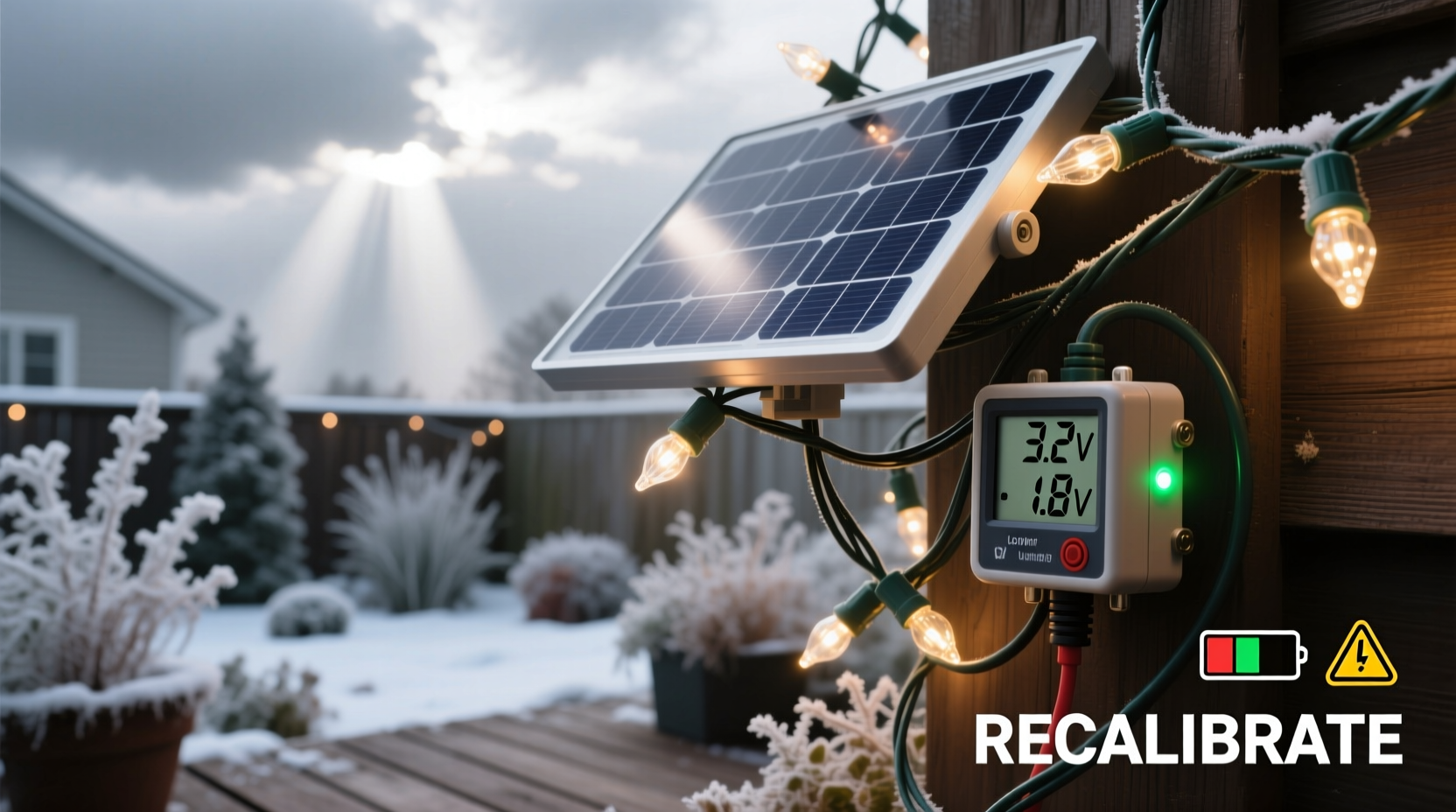
Solar Christmas lights convert sunlight into electrical energy using photovoltaic (PV) panels, typically located on a small control box attached to the light strand. During daylight, the panel charges a built-in rechargeable battery—usually NiMH or lithium-ion. At dusk, a light-dependent resistor (LDR) or photocell detects the drop in ambient light and automatically turns the lights on, drawing power from the stored energy.
The system is designed to be self-regulating. However, its performance hinges on three factors:
- Sunlight exposure: Direct sun yields optimal charging; indirect or limited light reduces charge capacity.
- Battery health: Over time, batteries degrade, reducing their ability to hold a full charge.
- Control circuit logic: Many models use pulse-width modulation (PWM) to manage brightness and conserve power when reserves are low.
When clouds block sunlight, the PV panel generates less power. If the battery isn’t fully charged, the internal controller may enter low-power mode, causing irregular blinking as it cycles on and off to preserve remaining energy.
“Solar lights aren’t just about light emission—they’re miniature smart systems balancing input, storage, and output. Cloudy conditions disrupt that balance.” — Dr. Alan Reeves, Renewable Energy Systems Engineer
Why Cloudy Days Trigger Erratic Blinking
Cloud cover doesn’t just dim the sky—it drastically reduces solar irradiance. On a clear day, sunlight delivers about 1000 watts per square meter (W/m²). Under thick cloud cover, that can drop to 100 W/m² or less. That means your solar panel might receive only 10% of its normal charging energy.
This deficit leads to several cascading effects:
- Incomplete battery charging: The battery enters nighttime with insufficient charge, prompting the controller to ration power.
- Voltage instability: As the battery drains, voltage fluctuates, confusing the light’s internal sensor.
- Faulty dark detection: Some controllers misinterpret changing light levels (e.g., passing clouds) as repeated day/night transitions, triggering false on/off cycles.
- Overheating protection: In rare cases, heat buildup in sealed units during intermittent sun can trigger thermal cutoffs that mimic blinking.
Step-by-Step Guide to Recalibrate Your Solar Christmas Lights
Recalibration resets the internal circuitry and ensures accurate light-sensing behavior. Follow this sequence carefully:
- Turn off the lights manually (if possible): Use the power switch on the control box. If no switch exists, disconnect the battery or cover the solar panel completely.
- Place the unit in total darkness for 48 hours: Put the control box in a drawer, closet, or opaque container. This simulates two full nights, forcing the photocell to reset its “nighttime” state.
- Expose to direct sunlight for 8+ hours: After the dark period, place the solar panel in unobstructed sunlight. Do not connect the lights yet. This allows the battery to charge fully while the sensor remains inactive.
- Reconnect and test at dusk: Once charged, reconnect the lights (or turn the switch back on) and observe behavior after sunset. They should illuminate steadily without flickering.
- Monitor for 3–5 days: Check performance daily, especially during variable weather. If blinking returns, repeat the process and inspect for physical damage.
This method works because it breaks the feedback loop between partial charging and erratic sensing. It gives both the battery and controller a clean slate.
Troubleshooting Checklist: Fix Blinking Fast
If your lights still blink after recalibration, use this checklist to identify and resolve common issues:
- ✅ Ensure the solar panel is clean and free of debris, snow, or bird droppings.
- ✅ Verify the battery is seated correctly and shows no signs of swelling or corrosion.
- ✅ Test the lights manually by covering the solar panel in daylight—if they don’t turn on, the sensor may be faulty.
- ✅ Replace old batteries (typically AA or AAA NiMH) every 1–2 seasons.
- ✅ Confirm the light mode setting (steady, twinkle, fade) hasn’t been accidentally changed.
- ✅ Inspect wiring for frays or water damage, especially near connectors.
- ✅ Try a different orientation—angle the panel southward (in the Northern Hemisphere) at a 30°–45° tilt for maximum exposure.
Do’s and Don’ts: Maintaining Reliable Performance
| Do | Don’t |
|---|---|
| Charge under direct sunlight for at least 6–8 hours daily during winter months. | Leave lights covered or shaded all day—even if it’s cold. |
| Use distilled water to gently clean the solar panel surface. | Scrub the panel with abrasive materials or harsh chemicals. |
| Store lights indoors during prolonged rainy or snowy periods. | Assume “weatherproof” means “maintenance-free”—most aren’t fully waterproof. |
| Replace outdated batteries with high-capacity, low-self-discharge (LSD) NiMH types. | Mix old and new batteries or use alkaline cells (they aren’t rechargeable). |
| Group lights with similar usage patterns and replace aging strands together. | Chain multiple solar strands beyond manufacturer recommendations. |
Real-World Example: How Sarah Fixed Her Flickering Roof Lights
Sarah installed a set of solar icicle lights along her roofline in early December. By mid-month, she noticed they blinked randomly—sometimes staying on, sometimes flashing like a strobe, especially after morning fog or afternoon clouds. Frustrated, she nearly removed them, assuming they were defective.
Instead, she tried the recalibration method: she disconnected the battery and placed the control box in a dark cupboard for two days. Then, she set the solar panel on a sunny windowsill for a full day. After reassembling, the lights worked perfectly for the rest of the season.
Her insight? “I didn’t realize how little light my north-facing roof actually gets in winter. Now I bring the panel inside during gray stretches and let it charge near a south-facing window. It’s a small effort for a big payoff.”
When to Consider Upgrading Your Lights
Not all solar Christmas lights are created equal. Older or budget models often lack advanced features like:
- Smart charge regulation
- Temperature compensation
- Deep-cycle battery protection
- Programmable timers
If you’ve recalibrated, replaced the battery, and optimized placement—but still experience blinking—it may be time to upgrade. Look for newer models with:
- Lithium iron phosphate (LiFePO4) batteries: Longer lifespan, better cold-weather performance.
- USB backup charging: Charge via power bank or outlet during extended cloudy periods.
- Dual sensors: Combine light detection with timers to prevent false triggers.
- Higher lumens per watt: More efficient LEDs mean longer runtime on partial charge.
Investing in higher-quality lights pays off in reliability, brightness, and longevity—especially in regions with frequent overcast winters.
FAQ: Common Questions About Solar Light Blinking
Can I leave solar Christmas lights out all year?
While many are marketed as weather-resistant, prolonged exposure to rain, snow, UV rays, and temperature swings shortens their lifespan. For best results, take them down after the holidays and store them in a dry, temperature-stable place. Reinstall them each season after a quick inspection and charge cycle.
Why do my lights work fine at first but start blinking later in the night?
This usually indicates a partially charged battery. The lights turn on normally at dusk but begin to flicker as the battery voltage drops below the controller’s operating threshold. Recalibration and full daytime charging often resolve this. If not, replace the battery.
Is it safe to replace the solar light battery myself?
Yes, in most cases. Open the battery compartment (often secured with screws), note the voltage and size (e.g., 1.2V AA), and replace with a compatible rechargeable cell. Always match chemistry—don’t substitute alkaline for NiMH. Wear gloves if there’s any leakage, and recycle old batteries responsibly.
Conclusion: Stable Lights Start with Smart Care
Erratic blinking in solar Christmas lights isn’t random—it’s a signal. It tells you the system is struggling to maintain balance between energy input and output. Cloudy days amplify existing weaknesses: poor placement, aging batteries, or uncalibrated sensors. But with a systematic approach, most issues are fixable.
Recalibrating your lights resets their internal logic. Proper maintenance preserves their efficiency. And upgrading when necessary ensures your holiday display shines brightly, regardless of the weather. These small actions transform frustration into festive joy.




 浙公网安备
33010002000092号
浙公网安备
33010002000092号 浙B2-20120091-4
Comments
No comments yet. Why don't you start the discussion?