
Solar lanterns are a reliable, eco-friendly lighting solution for homes, patios, and emergency use. But if you’ve noticed your lantern flickering when placed near aluminum window frames, you’re not alone—and more importantly, there’s a scientific explanation. This behavior isn’t random; it’s the result of electromagnetic interference, light reflection, and design limitations in low-cost photovoltaic systems. Understanding the root causes allows you to make informed adjustments that restore consistent performance.
Flickering can be frustrating, especially when you rely on these lights after dark. More than just an annoyance, persistent instability may shorten the lifespan of the internal battery or reduce charging efficiency over time. Fortunately, most issues are preventable or correctable with minor environmental or positioning changes.
How Solar Lanterns Work: A Quick Overview
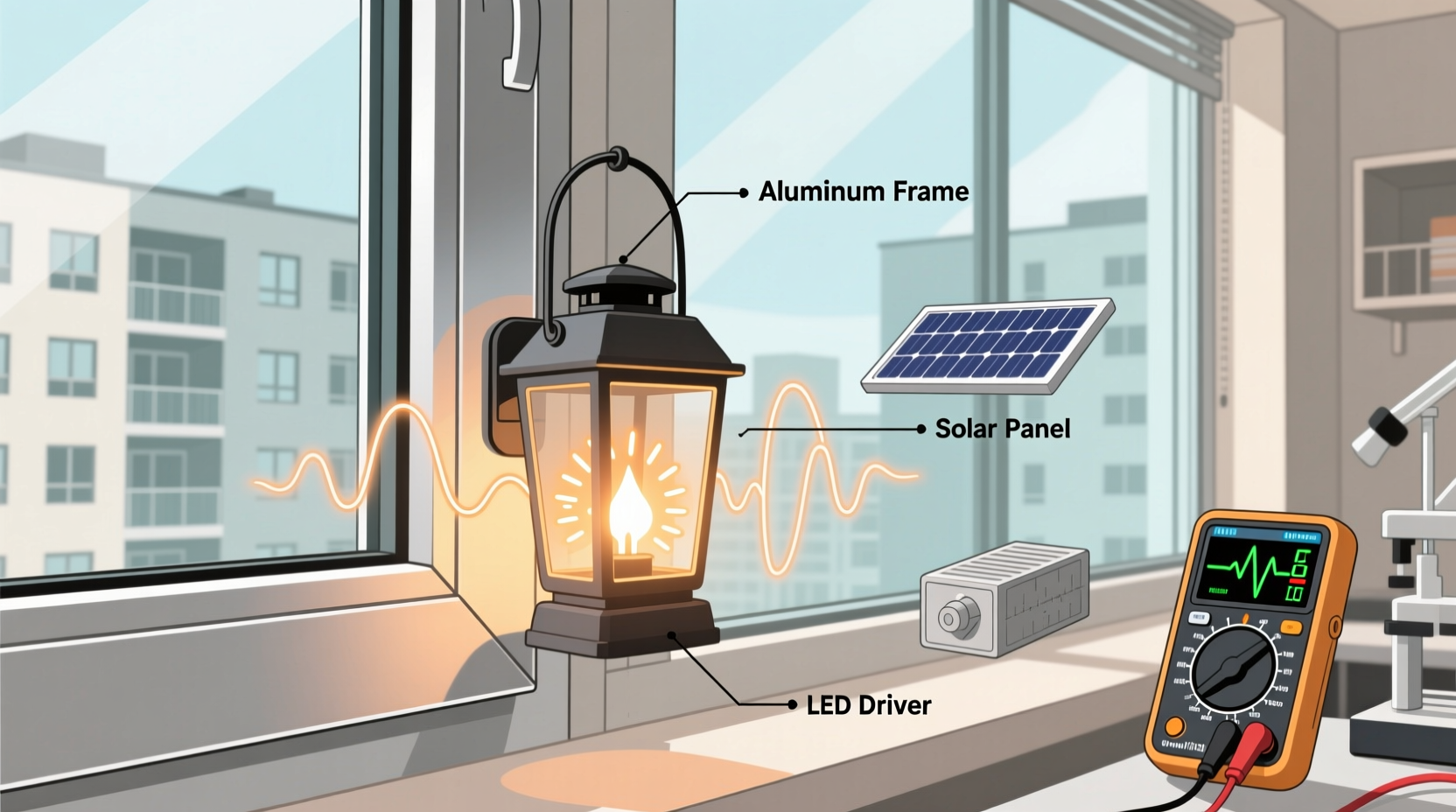
To understand why flickering occurs near aluminum frames, it helps to first know how solar lanterns operate. These devices rely on three core components:
- Solar panel: Converts sunlight into electrical energy during the day.
- Rechargeable battery: Stores the generated power for nighttime use.
- LED light and control circuit: Manages brightness, timing, and automatic on/off based on ambient light levels.
The control circuit includes a light-dependent resistor (LDR) or photodiode that detects surrounding brightness. When daylight fades, the sensor triggers the LED to turn on. Conversely, when sufficient light is detected—such as morning sun—the lantern shuts off to preserve battery charge.
This system works well under normal conditions. However, reflective surfaces like aluminum window frames can disrupt the sensor’s ability to read ambient light accurately, leading to erratic behavior including flickering.
Aluminum Frames and Light Reflection: The Hidden Trigger
Aluminum is highly reflective, especially when polished or anodized. During sunrise and sunset, angled sunlight bounces off window frames and onto nearby objects—including your solar lantern. This reflected light can trick the lantern’s photosensor into thinking it's still daytime, causing it to switch off momentarily. As the angle shifts slightly or clouds pass overhead, the reflection diminishes, the sensor detects “darkness,” and the light turns back on.
This cycle repeats rapidly, creating what appears to be flickering. The effect is most pronounced at dawn and dusk, when natural light levels hover around the activation threshold of the sensor.
Additionally, some modern aluminum windows have thermal coatings or tinted glass that selectively reflect certain wavelengths of light. While designed for energy efficiency, these coatings can amplify or focus reflections unpredictably, further confusing sensitive sensors.
Electromagnetic Interference from Metal Surfaces
Beyond visible light reflection, aluminum structures can contribute to electromagnetic interference (EMI), though this is less common in basic solar lanterns. Aluminum is conductive and can act as a passive antenna or shield, altering local electromagnetic fields. In rare cases, fluctuating EMI caused by nearby electrical wiring within walls—especially near metal window frames—can induce small currents in the lantern’s circuitry.
While high-end electronics include shielding against such interference, budget solar lanterns often lack robust protection. This makes them susceptible to signal noise that may cause microprocessors or voltage regulators to reset momentarily, resulting in flickering.
“Cheaply made solar devices often cut corners on electromagnetic compatibility. Placing them near large metal surfaces increases the risk of unstable operation.” — Dr. Rajiv Mehta, Electrical Systems Engineer, Sustainable Energy Lab
Though EMI is typically subtle, its effects compound when combined with optical confusion from reflected light. The dual stress on both sensor input and power regulation creates a perfect storm for inconsistent performance.
Step-by-Step Guide to Diagnose and Fix Flickering
Follow this structured approach to identify whether aluminum frame interference is responsible and take corrective action.
- Relocate the lantern temporarily: Move it at least 3–5 feet away from the window frame. Use it in another room or outdoor area for two evenings. If flickering stops, proximity to the frame is likely the issue.
- Test during different times: Monitor performance at full night versus twilight. Persistent flickering at midnight suggests internal faults; intermittent flickering only at dawn/dusk points to light sensing errors.
- Block potential reflections: Cover the aluminum frame with non-reflective tape or fabric temporarily. Alternatively, place a matte cardboard shield between the frame and lantern to test if blocking reflections resolves the issue.
- Inspect the solar panel orientation: Ensure the panel faces open sky, not the reflective surface. Even indirect bounce light from walls or floors can affect sensor accuracy.
- Clean the sensor lens: Dust, smudges, or insect residue on the photosensor can exaggerate sensitivity. Gently wipe with a dry microfiber cloth.
- Check battery health: After ruling out environmental factors, assess battery condition. A degraded battery may cause voltage drops that mimic flickering due to poor load regulation.
If all steps fail to resolve the issue, consider upgrading to a model with better sensor calibration or manual override settings.
Tips and Best Practices for Stable Operation
Preventing flickering starts with smart placement and awareness of your environment. Here are key strategies to ensure consistent performance.
- Avoid placing lanterns directly opposite shiny surfaces, including glass doors, mirrors, or metallic siding.
- Use lanterns with adjustable sensitivity settings if available. Some premium models allow you to set the lux threshold for auto-on/off.
- Charge lanterns outdoors during the day but bring them indoors for use at night to eliminate real-time sensor interference.
- Choose lanterns with physical switches so you can disable automatic mode and control lighting manually.
Mini Case Study: Resolving Flickering in a Coastal Home
In a seaside home in Fort Myers, Florida, homeowner Lisa Tran installed four solar lanterns along her lanai, each positioned near sliding aluminum-framed windows. Within days, she noticed erratic flickering every evening between 6:15 PM and 6:45 PM. The rest of the night, the lights operated normally.
After reading about reflection issues online, Lisa tested one lantern by moving it to a shaded corner away from the windows. The flickering ceased. She then used black craft foam to create baffles attached to the wall behind each lantern, blocking line-of-sight to the reflective frames. With this simple mod, all units stabilized.
“I didn’t expect something so low-tech to solve it,” Lisa said. “Now they turn on smoothly every night without blinking.” Her experience underscores how small environmental tweaks can yield significant improvements—without replacing equipment.
Comparison Table: Common Causes of Solar Lantern Flickering
| Cause | Symptoms | Solution |
|---|---|---|
| Reflected sunlight from aluminum frames | Flickers only at dawn/dusk; stable at full night | Relocate lantern or block reflections with shields |
| Degraded rechargeable battery | Flickers throughout the night; dim output | Replace battery or upgrade lantern |
| Dusty or obstructed light sensor | Inconsistent on/off cycles; delayed response | Clean sensor with soft cloth |
| Poor-quality internal circuitry | Random flickering regardless of location | Upgrade to higher-rated brand |
| Partial shading during charging | Short runtime, frequent dropouts | Ensure full sun exposure for 6–8 hours daily |
Checklist: Preventing Solar Lantern Flickering Near Metal Frames
Use this actionable checklist before installing or troubleshooting your solar lanterns:
- ✅ Confirm the lantern is not facing or near reflective metal surfaces
- ✅ Position the unit where it receives direct sunlight but operates in shade at night
- ✅ Clean the solar panel and light sensor weekly
- ✅ Test automatic shutoff function in low-light conditions
- ✅ Install physical barriers to block unwanted reflections
- ✅ Consider switching to manual operation mode if available
- ✅ Replace batteries every 1–2 years depending on usage
Frequently Asked Questions
Can aluminum really cause solar lights to flicker?
Yes. Aluminum itself doesn't emit interference, but its high reflectivity can bounce sunlight onto the lantern’s light sensor during twilight hours. This tricks the device into thinking it's still daytime, triggering repeated on-off cycles that appear as flickering.
Will painting the aluminum frame help reduce flickering?
Potentially. Applying a matte, non-reflective paint to the interior side of the frame may reduce glare. However, avoid covering drainage channels or violating warranty terms on windows. A simpler alternative is using removable fabric covers or遮光 panels during critical hours.
Are some solar lanterns immune to this issue?
Higher-end models often feature better-calibrated sensors, hysteresis logic (to prevent rapid toggling), and manual operation modes. Look for lanterns labeled with “anti-flicker technology” or those offering a switch to bypass automatic sensing entirely.
Final Thoughts and Action Plan
Flickering solar lanterns near aluminum window frames are a common yet solvable issue. The root cause usually lies in optical confusion caused by reflected light, though electromagnetic effects and aging components can contribute. By understanding how these systems interact with their surroundings, you can make intelligent placement decisions and implement low-cost fixes that restore reliability.
Start by observing patterns, testing relocation options, and applying simple shields. Most problems can be resolved without spending extra money. For long-term installations, invest in quality units with manual controls and durable build standards.




 浙公网安备
33010002000092号
浙公网安备
33010002000092号 浙B2-20120091-4
Comments
No comments yet. Why don't you start the discussion?