
Solar-powered outdoor lighting offers convenience, energy savings, and ambient charm. But many homeowners report a puzzling issue: their solar lights begin blinking unpredictably after a night of heavy fog, yet function perfectly during or after snowfall—even when both conditions reduce sunlight. This behavior seems counterintuitive. After all, snow covers panels, while fog only obscures the sky. So why would fog cause more erratic performance than snow?
The answer lies not in total light blockage alone, but in how solar sensors interpret ambient light under different weather conditions. Understanding this requires examining the interplay between photovoltaic charging, dusk-to-dawn sensors, battery health, and atmospheric optics.
How Solar Lights Determine Day and Night
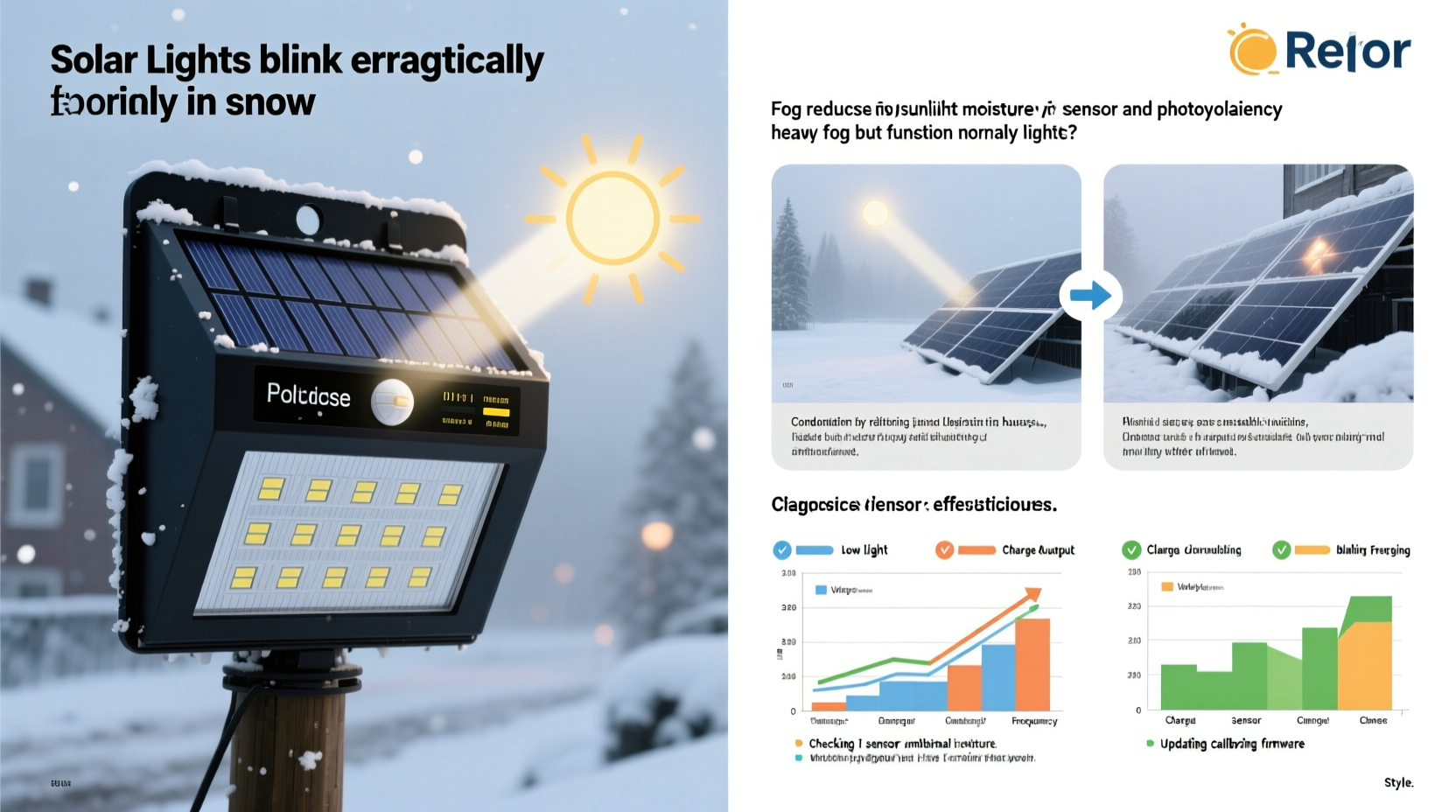
Most solar lights use a component called a photoresistor or light-dependent resistor (LDR) to detect ambient light levels. When daylight fades, resistance in the LDR increases, signaling the system to turn on the LED. At dawn, resistance drops, turning the light off. This cycle is meant to mimic natural day-night rhythms without user input.
However, this system assumes consistent transitions between day and night. Fog disrupts that assumption—not by blocking all light, but by scattering it unevenly. Unlike snow, which typically accumulates gradually and uniformly dims light over hours, fog can roll in rapidly and create fluctuating light patterns due to shifting density, wind movement, and moisture condensation on the sensor itself.
In technical terms, fog causes “light flicker” at the sensor level. As patches of thicker and thinner fog pass overhead, the LDR reads alternating high and low light levels—tricking the circuit into thinking it's repeatedly switching between day and night. The result? Erratic blinking as the light turns on and off multiple times per minute.
Snow vs. Fog: Why One Works Better Than the Other
At first glance, snow should be worse for solar lights. A thick blanket of snow can completely cover the panel, cutting off charge entirely. Yet users often find that their lights operate normally during snowy days or nights—sometimes even brighter than usual. Meanwhile, fog—merely a cloud at ground level—causes chaotic blinking.
The key difference isn’t just intensity of light reduction, but consistency and spectral quality.
| Condition | Light Transmission | Sensor Behavior | Battery Impact |
|---|---|---|---|
| Fog | Diffuse, scattered, fluctuating | Frequent false triggers; unstable on/off cycling | Drains battery through repeated activation cycles |
| Snow (on ground) | Reduced but steady; reflective surfaces may enhance ambient light | Stable detection; remains on if dark enough | Minimal drain if fully charged; charges slowly next day |
| Snow (covering panel) | Near-zero transmission | No charging; light operates normally at night if battery has charge | No recharge until cleared, but no erratic behavior |
Interestingly, fresh snow reflects up to 90% of sunlight, increasing diffuse sky brightness. This reflected light can actually help maintain a stable low-light signal at the sensor, preventing rapid toggling. In contrast, fog absorbs and scatters light non-uniformly, creating micro-fluctuations that destabilize the sensor’s readings.
“Fog is one of the most challenging conditions for photoelectric controls because it creates dynamic gradients rather than uniform dimming.” — Dr. Alan Reeves, Senior Engineer at Renewable Lighting Systems Inc.
Moisture Buildup and Sensor Interference
Another critical factor is physical moisture accumulation. During heavy fog, water vapor condenses directly onto the surface of the solar panel and sensor housing. Even a thin film of water can refract incoming light, causing lensing effects that magnify small changes in ambient brightness.
For example, droplets act like tiny lenses, focusing stray light onto the LDR intermittently. This amplifies minor fluctuations, making the system hypersensitive. The effect is similar to looking through a wet windshield at streetlights—the lights appear to pulse or shimmer even when steady.
Snow, on the other hand, rarely forms a continuous film. It either accumulates as granular layers or slides off angled surfaces. While it blocks light, it doesn't create the same optical distortions. Additionally, snow-covered surroundings often produce a more evenly diffused glow, reducing contrast shifts.
Step-by-Step: Diagnosing Fog-Induced Blinking
- Observe timing: Note whether blinking occurs only during or immediately after fog, especially at dawn or dusk.
- Inspect the sensor: Look for moisture, dirt, or debris on the top-facing surface near the LED.
- Test manually: Cover the sensor completely with your hand in daylight. If the light turns on instantly and stays steady, the sensor is functional—but may be oversensitive to partial shading.
- Check battery voltage: Use a multimeter to test the battery after a full charge. Below 3.7V (for Li-ion) or 1.2V (NiMH), replacement may be needed.
- Relocate temporarily: Move the light to an area less prone to fog pooling (e.g., higher elevation or open space) to see if behavior improves.
Environmental Factors That Amplify the Problem
Certain locations make fog-related blinking worse. Urban heat islands, valleys, near bodies of water, or areas with poor airflow tend to trap fog longer. Cold air drainage in low-lying gardens creates microclimates where fog lingers long after sunrise.
Additionally, nearby artificial lighting can compound the issue. Streetlights or porch lights shining on the solar sensor during foggy nights increase background illumination. Because fog scatters artificial light efficiently, the combined effect raises ambient brightness enough to confuse the LDR—triggering partial shutdowns mid-cycle.
This phenomenon explains why some solar lights blink only in certain parts of the yard. A unit placed under a tree or next to a wall might experience localized fog pooling and reflected light interference, while another identical model ten feet away works flawlessly.
Solutions and Preventive Measures
While you can't control the weather, you can optimize your solar lights to handle fog more gracefully. Consider these proven strategies:
- Upgrade to models with hysteresis circuits: Higher-end solar lights include hysteresis—a delay mechanism that prevents rapid toggling by requiring a sustained change in light levels before switching modes.
- Add a protective hood: Install a small roof-like shield above the sensor (not blocking the panel) to reduce direct exposure to moisture while allowing ambient light entry.
- Use waterproof sensor coatings: Apply a hydrophobic nano-coating spray designed for electronics to repel water without affecting light transmission.
- Maintain clean components: Regularly wipe down panels and sensors to remove dust, pollen, and salt residue that worsen fog adhesion.
- Replace aging batteries: Old batteries fail to hold charge and respond poorly to partial charging cycles common during foggy days.
Mini Case Study: The Lakeside Garden Fix
A homeowner in Portland, Oregon, reported persistent blinking in six path lights along a garden trail bordering a small pond. The issue occurred exclusively after foggy evenings, despite full functionality during rainy and snowy periods.
Upon inspection, it was found that the fixtures were mounted flush with the ground, allowing fog to pool around the base. Moisture condensed on the sensor lenses, and morning dew amplified flickering during fog dissipation. Nearby deck lighting also contributed to inconsistent triggering.
The solution involved three steps: raising each unit by 6 inches using extension stakes, installing clear polycarbonate hoods angled forward, and switching to bulbs with built-in hysteresis logic. After these changes, blinking ceased entirely—even during dense morning fog.
FAQ: Common Questions About Fog and Solar Light Performance
Can I disable the auto-sensing feature and run lights manually?
Some advanced solar lights offer manual override modes via buttons or Bluetooth apps. However, most budget models lack this option. Modifying internal wiring to bypass the sensor is possible but voids warranties and risks damaging the circuit.
Will covering the sensor during fog solve the problem?
No—this may worsen it. Covering the sensor tricks the light into staying on continuously, draining the battery overnight. By morning, the depleted battery won’t recharge effectively under foggy skies, leading to failure the following night.
Are LED failures responsible for blinking?
Rarely. True LED failure results in no light or constant dimness. Intermittent blinking tied to weather strongly points to sensor or power regulation issues, not the bulb itself.
Checklist: Optimize Your Solar Lights for Fog Resistance
- ✅ Clean solar panels and sensors monthly
- ✅ Elevate fixtures above ground-level fog zones
- ✅ Shield sensors from direct moisture (without blocking ambient light)
- ✅ Replace batteries every 1–2 years
- ✅ Choose models with hysteresis or delayed switching logic
- ✅ Avoid placement near artificial nighttime lighting
- ✅ Monitor performance after weather events and adjust positioning as needed
Conclusion: Smart Design Meets Smarter Maintenance
Fog-induced blinking in solar lights isn’t a defect—it’s a consequence of how basic photoelectric systems interpret unstable environmental signals. Unlike snow, which uniformly reduces light, fog introduces variability that challenges simple on/off logic. But with thoughtful placement, routine upkeep, and selective upgrades, this issue is entirely manageable.
The goal isn’t to eliminate fog—it’s to design around its effects. Modern technology gives us tools to build resilience into outdoor lighting, ensuring reliability regardless of weather. Whether you're illuminating a walkway, highlighting landscaping, or enhancing security, understanding the science behind your lights empowers better decisions.




 浙公网安备
33010002000092号
浙公网安备
33010002000092号 浙B2-20120091-4
Comments
No comments yet. Why don't you start the discussion?