
Programmable RGB lights have revolutionized home automation, gaming setups, and stage lighting with their vibrant color options and dynamic effects. However, a common frustration users face is inaccurate color output—where red appears pink, blue turns purple, or white looks yellowish. While this may seem like a software glitch or defective hardware, the root causes are often more nuanced. Understanding the interplay between electronics, firmware, calibration, and human perception reveals that color inaccuracies stem from multiple technical and environmental factors. This article breaks down the most frequent reasons behind incorrect color display in programmable RGB systems and provides practical solutions to restore accurate, reliable lighting.
Understanding How Programmable RGB Lights Work
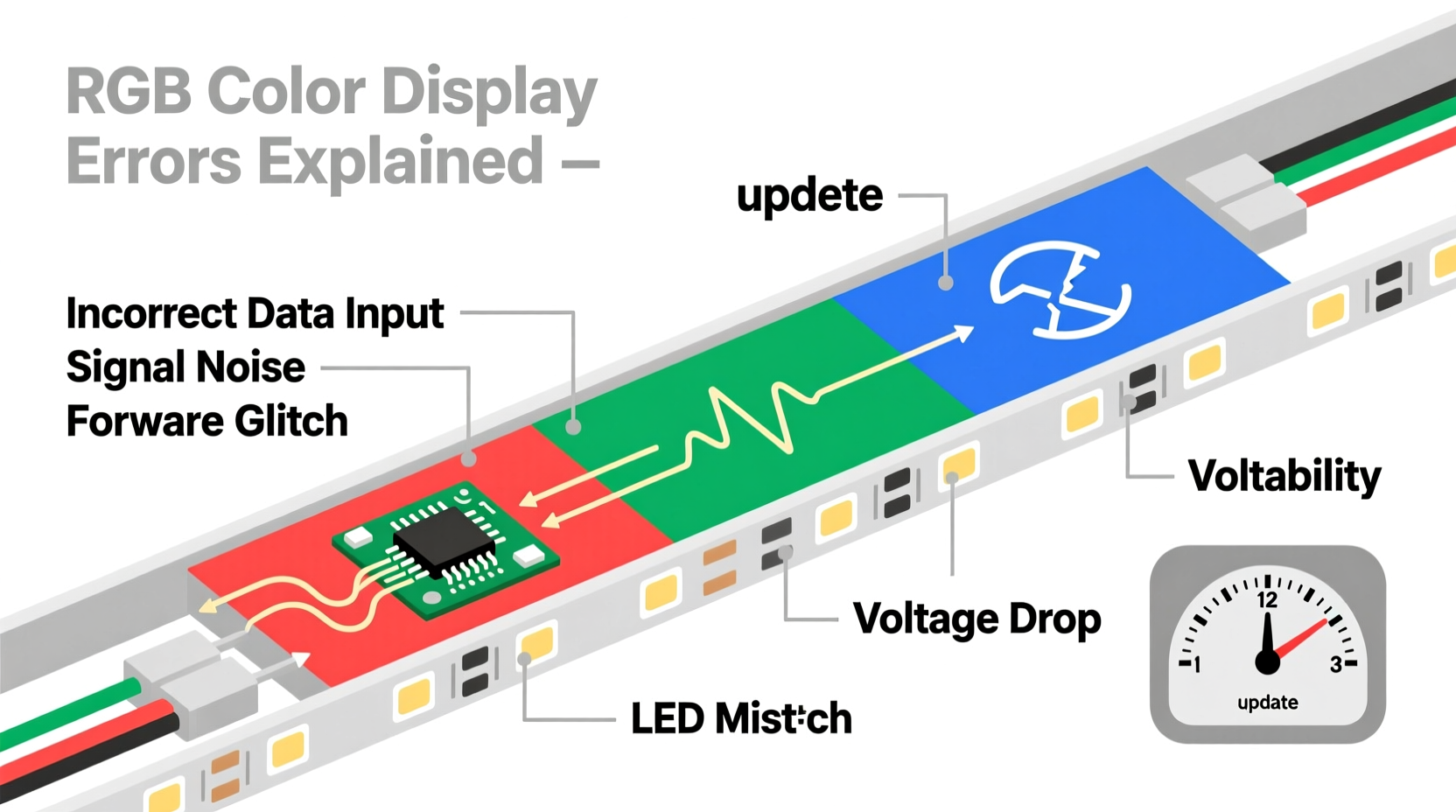
Programmable RGB LEDs, such as those based on WS2812B (NeoPixel), SK6812, or APA102 chips, use pulse-width modulation (PWM) to control the intensity of red, green, and blue diodes within each LED. By varying the brightness of each primary color, the LED can simulate millions of hues. The controller—whether an Arduino, Raspberry Pi, or dedicated smart hub—sends digital signals to set specific values for R, G, and B (typically 0–255 per channel).
Despite precise input commands, the actual light emitted may not match expectations. This discrepancy arises because theoretical color values don’t always translate perfectly into visible light due to physical limitations and system inconsistencies. For instance, two LEDs from the same batch might emit slightly different shades when given identical inputs due to manufacturing variances.
Common Causes of Incorrect Color Display
1. Inconsistent LED Manufacturing Tolerances
No two LEDs are perfectly identical. During production, slight variations occur in semiconductor materials, phosphor coatings, and binning processes. These differences affect luminous intensity and chromaticity. Even within the same reel, one red diode may be brighter or warmer than another. When scaled across dozens or hundreds of LEDs, these micro-variations compound, leading to noticeable color shifts—especially in whites and pastels.
2. Power Supply and Voltage Drop
Inadequate power delivery is a major culprit. RGB strips require stable voltage (usually 5V or 12V). As current travels along the length of the strip, resistance in the copper traces causes voltage drop, especially in longer runs. LEDs at the end receive less power, dimming their output and distorting color balance. Since red LEDs typically operate at a lower forward voltage than blue or green, they may remain relatively bright while blue dims significantly—resulting in a warm, orange-tinted appearance.
3. Signal Integrity Issues
Digital data lines transmitting color information can degrade over distance or due to electromagnetic interference. If the signal becomes corrupted, the controller may misinterpret color values, causing random flickering or incorrect hues. This is particularly common with long wires, poor solder joints, or lack of signal buffering.
4. Firmware or Software Mapping Errors
The way color data is interpreted by the microcontroller matters. Some RGB chips expect color data in GRB order instead of RGB. Sending data in the wrong sequence results in completely mismatched colors—for example, sending pure red (255,0,0) in RGB format to a GRB chip will activate only the green diode. Similarly, outdated libraries or incorrect pin mappings in code can lead to erroneous outputs.
5. Thermal Drift and Overheating
LED performance changes with temperature. As LEDs heat up during prolonged operation, their wavelength output shifts slightly. Blue LEDs tend to lose intensity faster than red ones under thermal stress, altering the perceived white point. Enclosed fixtures without proper ventilation exacerbate this issue.
6. Calibration and Gamma Correction Mismatch
Human vision perceives brightness non-linearly. A digital value of 128 does not appear half as bright as 255 due to gamma response. Without gamma correction, mid-tone colors look washed out or overly saturated. Additionally, many controllers don’t account for the differing efficiencies of R, G, and B diodes. Green is naturally brighter than red or blue, so uncalibrated systems often produce green-heavy whites.
“Color accuracy in RGB systems isn’t just about data—it’s about managing physics, electricity, and perception simultaneously.” — Dr. Lena Torres, Lighting Systems Engineer at Photon Dynamics Lab
Troubleshooting and Fixing Wrong Colors: A Step-by-Step Guide
Resolving incorrect color output requires systematic diagnosis. Follow this logical sequence to identify and correct the issue:
- Verify Data Order: Check the datasheet for your LED model. Confirm whether it uses RGB, GRB, BRG, or another byte order. Update your code accordingly using the correct pixel format (e.g.,
neopixel.GRBin Python). - Inspect Wiring and Connections: Ensure data lines are securely connected and shielded if running near power cables. Use a level shifter if driving 5V LEDs from a 3.3V microcontroller.
- Test Individual LEDs: Program a single LED to display pure red, green, and blue. Observe if colors match expected hues. Repeat across multiple points on the strip to check for consistency.
- Measure Voltage Along Strip: Use a multimeter to check voltage at the beginning and end of the strip. If voltage drops below 4.5V (for 5V strips), add supplemental power injection.
- Apply Gamma Correction: Implement gamma correction in software to make brightness perception linear. Libraries like FastLED offer built-in gamma adjustment functions.
- Calibrate White Balance: Manually adjust RGB ratios to achieve neutral white. For example, instead of (255,255,255), try (255,240,220) to compensate for excess blue/green.
- Cool Down System: Let the lights rest for 30 minutes, then retest. If colors shift after warming up, improve airflow or reduce duty cycle.
Do’s and Don’ts: Best Practices Table
| Do | Don't |
|---|---|
| Use power injection every 3–5 meters for long strips | Run long LED strips without additional power feeds |
| Confirm LED color order (GRB vs RGB) before coding | Assume all RGB strips follow the same data protocol |
| Implement gamma correction for natural-looking gradients | Ignore perceptual brightness curves when designing fades |
| Allow space for heat dissipation in enclosed installations | Install high-density strips in sealed enclosures without ventilation |
| Calibrate white and primary colors under real viewing conditions | Rely solely on monitor previews to judge LED color accuracy |
Real-World Example: Home Theater Ambient Lighting Failure
A homeowner installed a 10-meter WS2812B strip behind their TV for ambient backlighting. They programmed smooth color transitions using an Arduino and FastLED library. However, the displayed colors were consistently too green, and whites appeared cyan. Initial troubleshooting focused on code errors, but the issue persisted.
Upon inspection, two problems were identified: First, the data line was over 2 meters long without shielding, picking up noise from nearby AC wiring. Second, the power supply was connected only at the start of the strip, causing significant voltage drop at the far end. The blue and red channels dimmed disproportionately, leaving green dominant.
Solutions applied: A 12V-to-5V step-down converter with higher current capacity replaced the original supply. Power was injected at both ends and the midpoint. A 74HCT125 level shifter cleaned the data signal. Finally, the user recalibrated white balance using measured color temperatures and applied gamma correction. After these fixes, color fidelity improved dramatically, matching the intended cinematic ambiance.
Expert Tips for Long-Term Color Accuracy
- Batch Consistency: Purchase all LEDs from the same manufacturing batch when possible. Reels labeled with the same lot number exhibit closer color matching.
- Firmware Updates: Keep controller firmware updated. Manufacturers often release patches improving color handling and stability.
- Ambient Light Compensation: Use ambient light sensors to dynamically adjust white balance based on room lighting conditions.
- Use High-Quality Strips: Opt for reputable brands that specify tight binning tolerances (e.g., MacAdam steps ≤ 3) for critical applications.
FAQ: Frequently Asked Questions
Why does white look pink or blue on my RGB strip?
White imbalance usually stems from unequal output across red, green, and blue channels. This can be due to voltage drop (affecting blue most), incorrect RGB ordering in code, or lack of calibration. Try adjusting the RGB ratio manually—reducing green and increasing red often helps achieve neutral white.
Can I fix color inaccuracy without rewriting my code?
Yes. You can apply post-processing corrections using lookup tables or color transformation matrices. Tools like FastLED’s CFastLED::addLeds() allow specifying color correction profiles. Alternatively, use a hardware controller with built-in calibration features.
Are cheaper RGB strips more prone to color issues?
Generally, yes. Budget strips often use loosely binned LEDs and thinner copper traces, increasing variability and voltage drop. While suitable for decorative use, they’re less ideal for applications requiring precise color reproduction.
Conclusion: Achieving Reliable, Accurate RGB Lighting
Incorrect color display in programmable RGB lights isn’t usually a single-point failure but the result of overlapping technical challenges—from electrical design flaws to perceptual mismatches. By understanding the underlying causes and applying targeted fixes, users can achieve consistent, true-to-intent illumination. Success lies not just in selecting the right hardware but in fine-tuning the entire ecosystem: power delivery, signal integrity, firmware logic, and environmental adaptation.
Whether you're building a mood-lit living room, a professional photo backdrop, or an interactive art installation, taking the time to calibrate and maintain your RGB system pays off in visual quality and reliability. Start with verifying your data order, ensure clean power delivery, and don’t skip calibration—even small adjustments make a dramatic difference.




 浙公网安备
33010002000092号
浙公网安备
33010002000092号 浙B2-20120091-4
Comments
No comments yet. Why don't you start the discussion?