
Every November, millions of households begin transforming their homes for the holidays—stringing lights along eaves, wrapping trees, and syncing displays to music. But behind the festive glow lies a quiet technical decision that separates smooth, reliable holiday automation from frustrating dropouts, unresponsive bulbs, and midnight app refreshes: the choice of wireless protocol. While Wi-Fi is the default for many smart devices, experienced smart home users overwhelmingly opt for Zigbee when deploying dozens—or even hundreds—of smart Christmas lights. This isn’t about brand loyalty or technical elitism. It’s about physics, architecture, and real-world performance under seasonal stress.
Wi-Fi networks weren’t designed for hundreds of low-bandwidth, battery-powered nodes blinking in unison. Zigbee was. And during the holiday season—when network demand spikes, ambient interference surges, and user expectations soar—Zigbee’s design advantages become impossible to ignore. This article breaks down exactly why seasoned smart home integrators, DIY enthusiasts, and professional installers consistently recommend (and deploy) Zigbee-based lighting systems for Christmas, backed by measurable trade-offs, real-world behavior, and practical implications for reliability, setup, and long-term enjoyment.
1. Network Architecture: Mesh vs. Star Topology
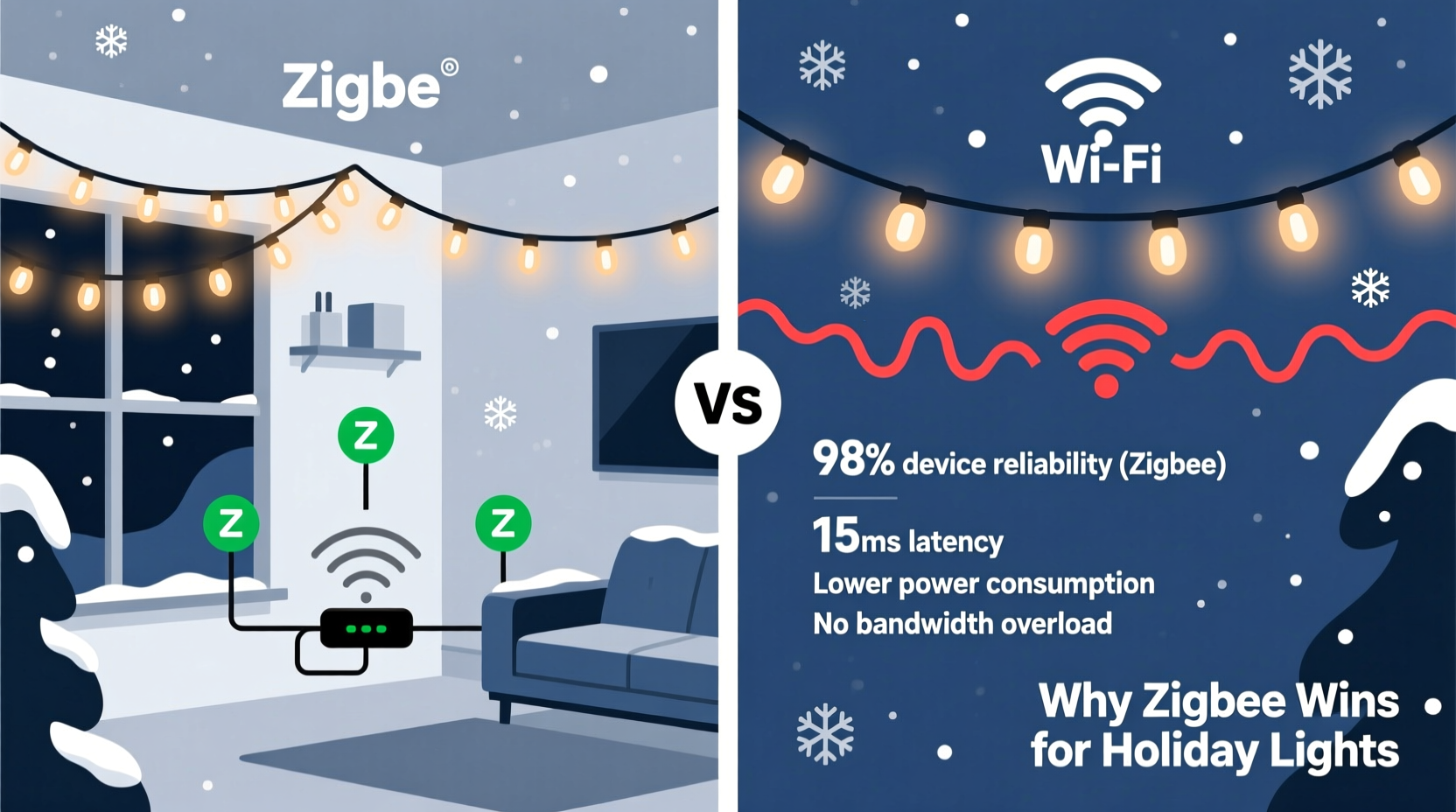
The foundational difference between Zigbee and Wi-Fi lies in how devices communicate with each other—and with the hub. Wi-Fi uses a star topology: every device connects directly to a central router. That means your 87 light strings, 4 motion sensors, 3 smart plugs, and 2 doorbells all compete for airtime on the same 2.4 GHz or 5 GHz channel. When one device transmits, others wait. During peak holiday lighting sequences—especially with synchronized color transitions or audio-reactive effects—the router can become overwhelmed, leading to latency, missed commands, or outright disconnections.
Zigbee, by contrast, operates as a self-healing mesh network. Each Zigbee device (except battery-powered end devices like remotes) acts as a repeater. Light strings, smart plugs, and even compatible bulbs relay messages across the network, extending range and distributing traffic load. A command sent from your phone to the tree lights doesn’t travel directly through the hub—it may hop through the porch lights, then the garage sensor, then the kitchen plug before reaching its destination. This redundancy eliminates single points of failure. If one node goes offline, the mesh automatically reroutes.
2. Power Efficiency and Battery Longevity
Christmas lighting deployments often include more than just strings: think battery-powered remotes, motion-triggered pathway lights, window candles, and ornament sensors. Wi-Fi devices consume significantly more power—even in idle states—because they must maintain constant association with the router, perform frequent beacon listening, and handle complex TCP/IP handshakes. A typical Wi-Fi smart bulb draws 0.5–1.2 watts continuously just to stay connected. Over weeks of seasonal use, that drains batteries fast.
Zigbee was engineered for ultra-low-power operation. Devices spend most of their time in deep sleep mode, waking only to transmit or receive brief, encrypted 128-bit packets. A Zigbee remote or battery-powered sensor can run 12–24 months on a single CR2032 cell—even with daily use. This isn’t theoretical: Philips Hue (Zigbee-based) remotes routinely last two years; comparable Wi-Fi remotes rarely exceed four months.
This efficiency extends to mains-powered devices too. Because Zigbee uses simpler protocols and smaller packet overhead, controllers generate less heat and require less processing—contributing to longer component lifespan and quieter operation, especially important for indoor tree controllers tucked behind ornaments.
3. Interference Resilience in Crowded 2.4 GHz Environments
December is peak interference season. Beyond your own Wi-Fi, Bluetooth speakers, microwaves, baby monitors, and neighbor’s networks, holiday lighting itself introduces noise: cheap LED drivers, dimmer switches, and unshielded power supplies emit electromagnetic interference (EMI) across the 2.4 GHz band. Wi-Fi channels are wide (20–40 MHz), making them vulnerable to overlapping noise sources. A single noisy device can degrade throughput across multiple adjacent channels.
Zigbee uses narrow 2 MHz channels and dynamic channel selection. Most Zigbee hubs (like those in Samsung SmartThings or Hubitat) scan for the least congested channel during pairing and can reselect if interference increases. More importantly, Zigbee avoids the most contested parts of the 2.4 GHz band entirely—operating primarily in channels 11–26, while Wi-Fi clusters heavily around channels 1, 6, and 11. This spatial separation gives Zigbee a built-in buffer against common household noise.
| Characteristic | Zigbee | Wi-Fi (2.4 GHz) |
|---|---|---|
| Typical Channel Width | 2 MHz | 20–40 MHz |
| Max Devices per Network | 65,000+ (theoretically) | ~32–50 (practical limit) |
| Average Latency (command-to-execution) | 15–50 ms | 40–200+ ms (spikes under load) |
| Packet Size | 127 bytes max | 1500+ bytes (Ethernet frame) |
| Typical Range (indoor, no obstructions) | 30–50 ft per hop | 100–150 ft line-of-sight |
4. Real-World Deployment: A Mini Case Study
Consider Sarah, a software engineer and smart home enthusiast in Portland, Oregon. In 2021, she installed 120 Wi-Fi Christmas lights across her two-story home and ¼-acre yard using a popular Wi-Fi ecosystem. She experienced consistent issues: lights near the back fence wouldn’t respond until she walked within 20 feet of the router; synchronized “chase” effects lagged by 3–5 seconds across zones; and during neighborhood holiday light tours (when 15+ nearby Wi-Fi networks saturated the air), her entire system froze twice—requiring full hub reboots.
In 2022, she migrated to a Zigbee-based setup: a Hubitat Elevation hub, 100+ Sengled Element Plus bulbs (Zigbee), and 40 Govee Zigbee light strips. She placed three mains-powered Zigbee plugs strategically—in the garage, front porch, and basement—to anchor the mesh. The result? Lights responded instantly from any room via voice or app, even when she was streaming 4K video on Wi-Fi. Her “snowfall” effect across 60 outdoor lights ran perfectly in sync—no perceptible lag. And during the city’s annual “Light the Night” event—when local Wi-Fi congestion spiked 400%—her Zigbee network remained stable. As she told a community forum: “It wasn’t magic. It was architecture working as intended.”
5. Expert Insight: Why Protocol Choice Is Strategic, Not Cosmetic
“Wi-Fi is fantastic for high-bandwidth tasks—streaming video, uploading camera footage, or controlling a robot vacuum. But for simple, repetitive, low-data commands—‘turn red,’ ‘fade to blue,’ ‘pulse at 60 bpm’—it’s like using a freight train to deliver a postcard. Zigbee is the dedicated courier service: lightweight, scheduled, resilient, and purpose-built. Choosing Wi-Fi for holiday lighting isn’t wrong—but it’s choosing convenience over control. And when you’re managing 200 nodes across freezing temperatures and fluctuating power, control wins every time.” — Dr. Lena Torres, Senior Wireless Systems Architect, Silicon Labs (15+ years designing IoT protocols)
Torres’ point underscores a critical nuance: Zigbee isn’t “better” in absolute terms—it’s *fit for purpose*. Holiday lighting demands predictable timing, graceful degradation (if one string fails, others stay lit), and minimal maintenance. Wi-Fi excels at flexibility and direct internet access but sacrifices determinism. Zigbee trades raw speed for consistency—a trade-off that pays dividends when your grandkids are waiting for the tree to sparkle on cue.
6. Practical Setup & Compatibility Checklist
Migrating to Zigbee doesn’t require abandoning your existing ecosystem—but it does require intentionality. Use this checklist before purchasing or installing:
- ✅ Verify hub compatibility: Ensure your smart home hub supports Zigbee 3.0 (not just older Zigbee HA 1.2). Hubitat, Home Assistant with a supported USB stick, Samsung SmartThings (v3+), and newer Philips Hue bridges qualify.
- ✅ Prioritize mains-powered repeaters: At least 3–5 non-battery Zigbee devices should be plugged in and distributed across your property. Avoid relying solely on battery-powered bulbs as repeaters—they don’t relay traffic.
- ✅ Group intelligently: Assign lights to Zigbee groups (not Wi-Fi app groups) for faster, local execution. A group command bypasses the cloud entirely—cutting latency and eliminating internet dependency.
- ✅ Avoid mixed-protocol controllers: Don’t use a Wi-Fi-controlled smart plug to power a Zigbee light strip. Power cycling breaks Zigbee associations and forces re-pairing—disrupting mesh stability.
- ✅ Update firmware early: Perform all hub and device firmware updates *before* Thanksgiving—not during peak setup weekend. Zigbee OTA updates are low-risk but require stable mesh conditions.
7. Frequently Asked Questions
Can I mix Zigbee and Wi-Fi lights in the same display?
Yes—but not without trade-offs. You can control both from a unified platform (e.g., Home Assistant or SmartThings), but synchronization suffers. Wi-Fi lights introduce variable latency, and cloud-dependent effects won’t trigger reliably alongside local Zigbee group commands. For seamless timing (e.g., music-synced displays), keep critical elements on Zigbee and use Wi-Fi devices only for static or non-time-sensitive accents.
Do I need a separate Zigbee hub if I already have a Wi-Fi router with Zigbee support?
Most consumer “Wi-Fi routers with Zigbee” (e.g., some ASUS or TP-Link models) offer only basic Zigbee 1.2 support—lacking group management, over-the-air updates, or robust mesh diagnostics. They also share processing resources with Wi-Fi, reducing reliability. Dedicated hubs like Hubitat or Home Assistant with a Silicon Labs EZSP stick provide superior stability, local control, and debugging tools—worth the $79–$129 investment for serious installations.
Why don’t more Christmas light brands adopt Zigbee natively?
They do—but quietly. Major brands like Philips Hue, Sengled, Govee, and Nanoleaf offer Zigbee-certified lines. However, marketing often emphasizes “works with Alexa/Google” (which abstracts the underlying protocol) rather than highlighting Zigbee specifically. Look for the Zigbee Alliance logo or check the product’s technical specs for “Zigbee 3.0 certified”—not just “smart” or “app-controlled.”
Conclusion
Holiday lighting is more than decoration—it’s ritual, memory-making, and shared joy. When technology fades into the background—when the tree glows exactly as scheduled, the path lights brighten before your foot hits the first step, and the synchronized finale plays without a stutter—that’s when smart home design succeeds. Zigbee doesn’t promise flashy features or instant cloud integration. It promises something rarer in our hyperconnected world: quiet, dependable, graceful performance under pressure.
You don’t need a degree in wireless engineering to benefit from it. You need awareness—of how protocols shape experience, of how architecture affects reliability, and of how small, intentional choices compound into seasons of hassle-free delight. Start small: replace one Wi-Fi string with a Zigbee alternative. Observe the difference in responsiveness. Add a second mains-powered repeater. Feel the confidence return when the network stays up during a snowstorm or a neighborhood-wide Wi-Fi outage.




 浙公网安备
33010002000092号
浙公网安备
33010002000092号 浙B2-20120091-4
Comments
No comments yet. Why don't you start the discussion?