
As holiday seasons roll around, millions of homes come alive with the glow of Christmas lights. For many, remote-controlled string lights offer unmatched convenience—turning displays on or off without stepping outside or climbing ladders. Yet, a common frustration surfaces every year: the remote works perfectly at close range but fails just a few feet away. Why does this happen? And more importantly, what can you do about it?
The answer lies in the physics of wireless communication, device design, and environmental interference. Understanding these factors not only explains the limitations but also opens the door to effective solutions. Whether your display is across the yard, mounted high on the eaves, or tucked behind dense foliage, boosting your remote’s signal is possible with the right approach.
Understanding How Christmas Light Remotes Work
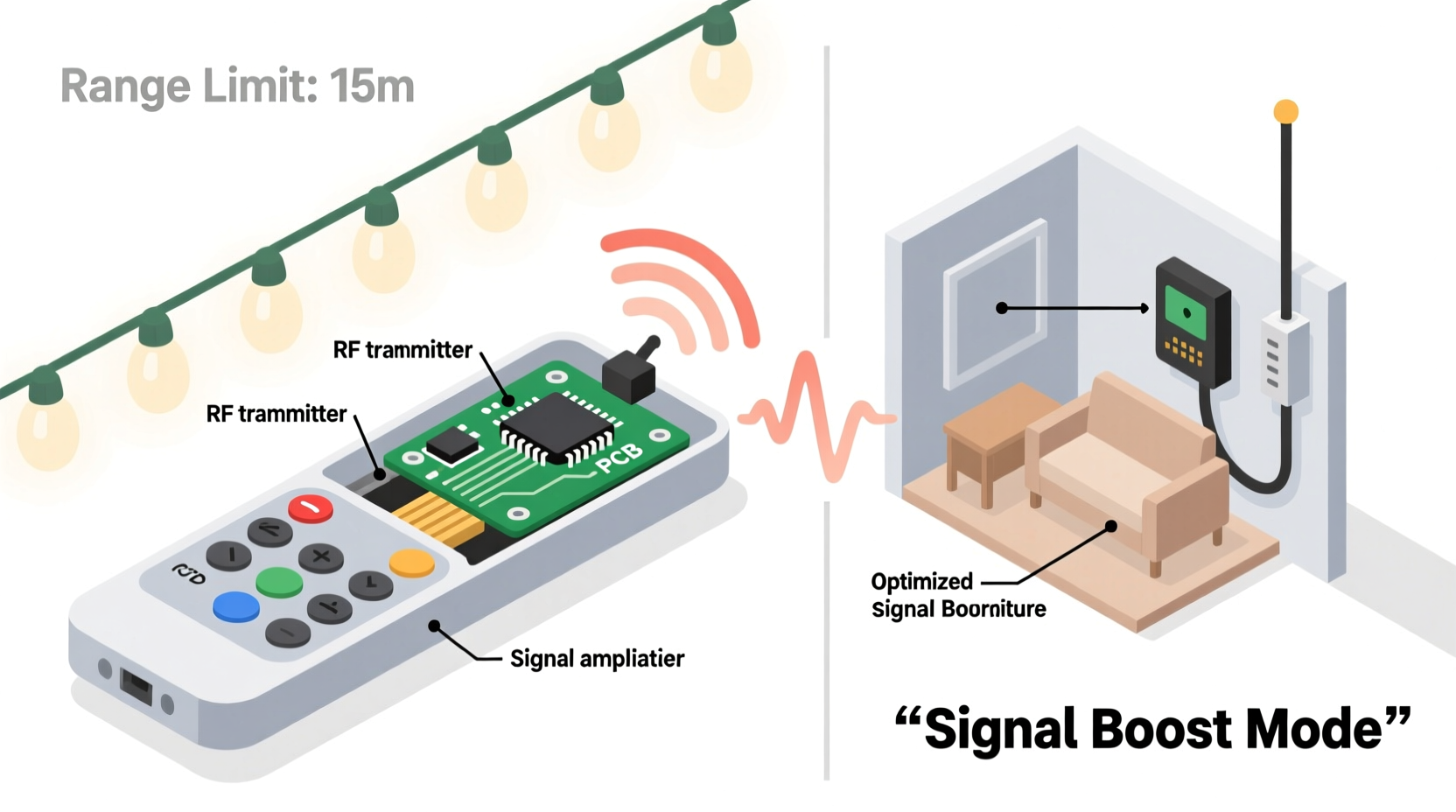
Most modern Christmas light remotes operate using radio frequency (RF) or infrared (IR) technology. While both allow wireless control, they differ significantly in performance, especially regarding range and reliability.
Infrared remotes require line-of-sight between the remote and receiver. They emit pulses of invisible light that must travel unobstructed to the sensor. Any physical barrier—a tree branch, wall, or even heavy snow—can block the signal. This makes IR remotes inherently short-range, typically effective within 10–15 feet under ideal conditions.
RF remotes, on the other hand, use radio waves (commonly at 315MHz or 433MHz frequencies) to communicate. These signals can penetrate walls, glass, and light obstacles, offering greater flexibility. However, even RF remotes often suffer from limited range—sometimes no more than 30 feet—due to low transmission power and compact receiver design.
Manufacturers often prioritize cost-efficiency over performance. Many budget-friendly light sets use small, low-power transmitters and receivers to keep production costs down. As a result, signal strength is compromised, leading to spotty performance in real-world settings.
Why Range Is Often Limited: Key Factors
Several technical and environmental elements contribute to poor remote signal performance. Recognizing these helps in selecting appropriate fixes.
Low Transmission Power
To conserve battery life and meet regulatory standards, most Christmas light remotes transmit at very low power—often below 10 milliwatts. While sufficient in open spaces, this weak output struggles when faced with distance or interference.
Signal Interference
Urban and suburban environments are saturated with wireless signals—Wi-Fi, Bluetooth, baby monitors, garage door openers, and more. When multiple devices operate near the same frequency, interference occurs. RF remotes using 433MHz are particularly vulnerable, as this band is widely used by consumer electronics.
Physical Obstructions
Walls, metal gutters, thick trees, and even wet snow absorb or reflect radio waves. The more barriers between the remote and receiver, the weaker the signal becomes. Metal components in roof flashing or siding can create Faraday cage-like effects, blocking signals entirely.
Battery Condition
Weak batteries reduce transmission strength. A remote with dying batteries may send a signal too faint to reach the receiver, even at short distances.
Poor Receiver Design
Many light strings integrate tiny, internal antennas into the controller box. These are inefficient compared to external antennas and struggle to pick up distant or obstructed signals.
“Even a well-designed RF remote can fail if the receiving antenna is poorly placed or shielded by metal. It's not always about power—it's about signal clarity.” — Dr. Alan Zhou, Wireless Communications Engineer
How to Boost Your Christmas Light Remote Signal
Improving remote performance doesn’t always require expensive upgrades. Several practical, low-cost methods can dramatically increase range and reliability.
Replace Batteries Regularly
Fresh alkaline batteries ensure maximum transmission power. Test with new batteries before attempting more complex fixes. Avoid rechargeable batteries unless specified by the manufacturer—they often operate at lower voltages (1.2V vs. 1.5V), which can reduce signal strength.
Upgrade to a Higher-Gain Antenna (If Possible)
Some advanced controllers allow antenna modification. Replacing the stock wire antenna with a longer one (¼ wavelength at 433MHz is ~17 cm) can improve reception. Ensure the replacement is properly tuned and insulated from moisture.
Use Signal Repeaters or Extenders
Dedicated RF repeaters can rebroadcast the remote signal, effectively extending its reach. Place the repeater midway between you and the lights. Alternatively, smart home hubs like certain Zigbee or Z-Wave controllers can act as intermediaries when integrated via compatible systems.
Relocate the Receiver Module
If feasible, move the light string’s receiver to a more exposed location—away from metal, dense foliage, or enclosed spaces. Even shifting it six inches outward from behind a gutter can make a noticeable difference.
Minimize Environmental Interference
Turn off nearby electronic devices during setup or troubleshooting. Identify potential sources of interference: LED drivers, dimmer switches, and switching power supplies often emit electromagnetic noise that disrupts RF signals.
Step-by-Step Guide to Maximizing Remote Performance
Follow this systematic process to diagnose and resolve range issues:
- Check the battery – Replace with fresh, high-quality alkaline batteries.
- Verify line of sight – For IR remotes, ensure direct visibility between remote and sensor.
- Test in open air – Move the light set temporarily to an open area to determine baseline range.
- Identify obstructions – Note any walls, trees, or metal structures blocking the path.
- Reposition the receiver – Mount it in a less shielded spot if possible.
- Reduce interference – Power down nearby electronics and retest.
- Add a signal booster – Use an RF repeater or consider upgrading to a Wi-Fi-enabled smart lighting system.
- Consider replacement – If all else fails, switch to a system with better range or app-based control.
Comparison: Infrared vs. Radio Frequency Remotes
| Feature | Infrared (IR) | Radio Frequency (RF) |
|---|---|---|
| Range | 10–15 feet | 30–100 feet (varies by model) |
| Line of Sight Required | Yes | No |
| Penetrates Walls | No | Yes, partially |
| Susceptible to Weather | Moderate (snow, fog block light) | Low |
| Interference Risk | Low | High (from other RF devices) |
| Best Use Case | Indoor or porch-mounted lights | Outdoor, roofline, or yard displays |
Real Example: Solving a Backyard Display Issue
Mark installed a large Christmas light display along his roofline and in his front yard trees. He used a popular RF remote system advertised for 50-foot range. However, he found he had to stand within 20 feet of the house for the remote to work—defeating the purpose of wireless control.
After testing, he discovered two main issues: the receiver was mounted inside a plastic enclosure attached to a metal gutter, and his outdoor Wi-Fi extender operated on a nearby frequency. By relocating the receiver to a wooden fascia board and turning off the extender during light operation, Mark restored full functionality. He later added a simple passive RF repeater in his garage, allowing him to control the display from anywhere in the neighborhood.
This case illustrates how small changes—guided by understanding signal behavior—can yield dramatic improvements without costly replacements.
When to Upgrade: Smart Lighting Alternatives
If traditional remotes continue to underperform, consider upgrading to smart Christmas lights. These connect via Wi-Fi or Bluetooth to smartphone apps, enabling control from anywhere with internet access.
Smart systems eliminate range limits associated with handheld remotes. You can schedule displays, sync to music, and manage multiple zones—all from your phone. Brands like Philips Hue, Govee, and Twinkly offer weather-resistant, app-controlled options with excellent reliability.
While more expensive upfront, smart lights provide long-term value through automation, customization, and seamless integration with voice assistants like Alexa and Google Assistant.
FAQ
Can I use a universal remote for my Christmas lights?
Only if it supports the same frequency and protocol (e.g., 433MHz RF). Most universal remotes are designed for TVs or audio equipment and won’t work with lighting systems. Check compatibility carefully before purchasing.
Why does my remote work intermittently?
Intermittent performance usually points to weak batteries, signal interference, or marginal signal strength due to distance or obstructions. Test in different locations and replace batteries first.
Do metal roofs block Christmas light remote signals?
Yes. Metal roofing acts as a reflective barrier to RF signals, potentially preventing them from reaching the receiver. Mounting the receiver on the underside of eaves or using a repeater can help bypass this issue.
Checklist: Optimize Your Remote-Controlled Lights
- ✅ Replace remote batteries with fresh ones
- ✅ Confirm whether your system uses IR or RF
- ✅ Test signal strength in open space
- ✅ Reposition receiver away from metal or dense materials
- ✅ Minimize nearby electronic interference
- ✅ Install an RF signal repeater if needed
- ✅ Consider upgrading to smart Wi-Fi lights for long-term reliability
Conclusion
Limited remote range doesn’t have to spoil your holiday lighting experience. With a clear understanding of how signals work—and practical steps to enhance them—you can enjoy reliable, hassle-free control from anywhere in your yard or home. From simple battery swaps to strategic repositioning and smart upgrades, the solutions are within reach.




 浙公网安备
33010002000092号
浙公网安备
33010002000092号 浙B2-20120091-4
Comments
No comments yet. Why don't you start the discussion?