
Every holiday season, thousands of homeowners face the same quiet frustration: they return home after a winter storm to find their outdoor lights dark—not because the bulbs burned out or the outlet failed, but because the timer silently reverted to factory settings. The display reads “12:00” or flashes “SET TIME,” and the carefully programmed 4:30 p.m.–10:00 p.m. schedule is gone. This isn’t random failure—it’s a design consequence with clear technical roots and equally clear solutions. Understanding why this happens—and how to avoid it—means fewer midnight reprogramming sessions, more consistent curb appeal, and less seasonal stress.
The Core Problem: How Timers Store (or Lose) Time
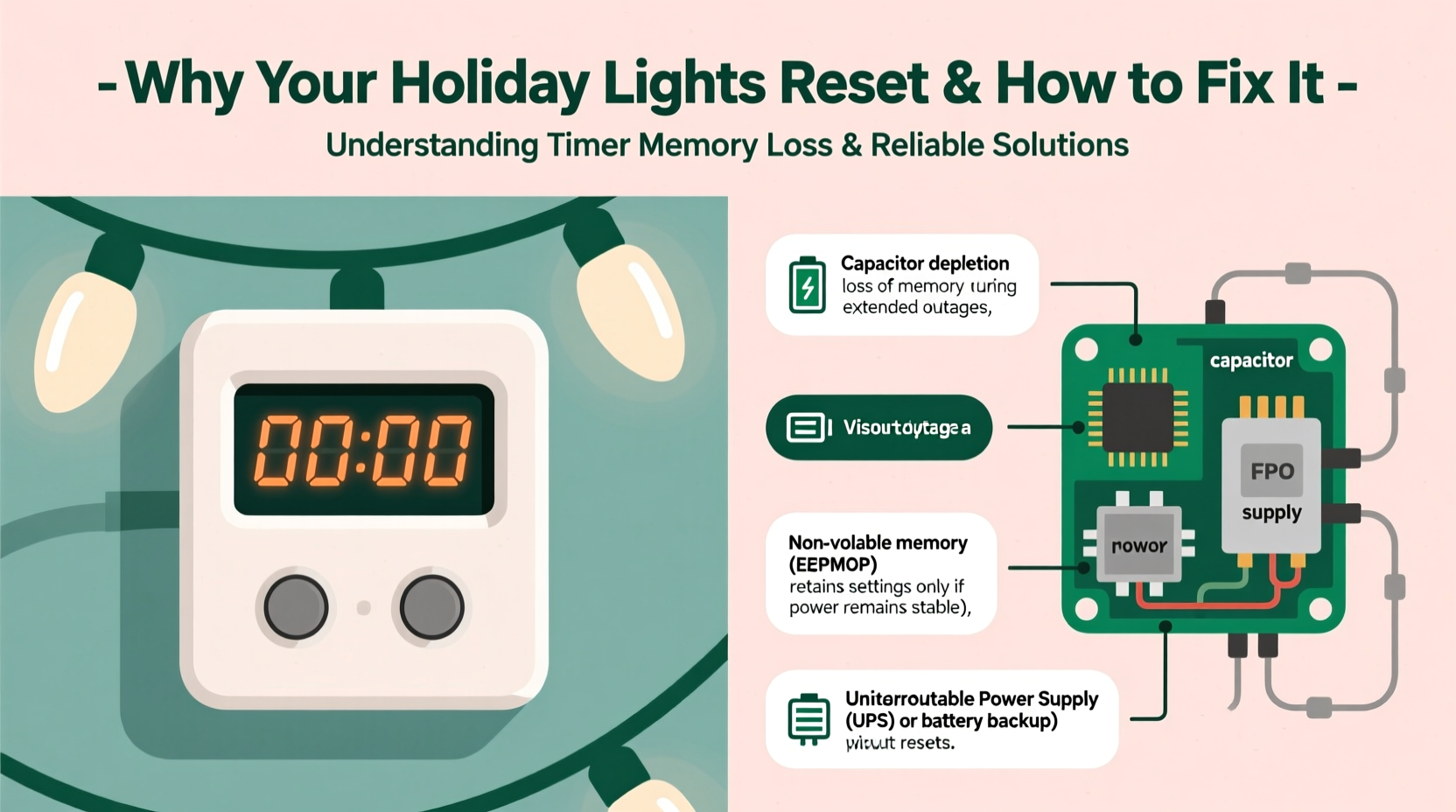
Christmas light timers fall into two broad categories based on their internal timekeeping architecture: mechanical and electronic. Mechanical timers—those with rotating dials and physical pins—rely on a spring-driven clock motor powered by line voltage. When power cuts out, the motor stops, but the dial position remains fixed. Once power returns, the motor resumes turning from where it left off. These rarely “reset”—they simply pause.
Electronic timers, however, depend on microcontrollers and real-time clocks (RTCs). Most budget and mid-tier models use what’s called a voltage-dependent RTC: they derive timing signals directly from the AC waveform (60 Hz in North America). No battery backup. No quartz crystal oscillator. Just raw line frequency. During an outage, the signal vanishes—and so does the timer’s ability to track seconds, minutes, or hours. When power restores, the chip boots fresh, defaults to factory settings, and waits for user input.
This explains why a 90-second outage resets your $25 digital timer—but your grandfather’s wind-up porch light switch keeps running like nothing happened. It’s not about quality per se; it’s about architecture, cost trade-offs, and intended use cases.
Why Battery Backup Isn’t Always Enough
Many manufacturers advertise “battery backup” as a solution—but not all backups are created equal. A common misconception is that any battery means immunity to resets. In reality, there are three tiers of backup capability:
- Power-loss memory retention only: A small coin-cell (e.g., CR2032) preserves the *current time setting* and *on/off program* for up to 72 hours—but only if the main power drops briefly. If the battery is depleted, corroded, or missing, or if the outage lasts longer than the battery’s rated hold time, the timer still resets.
- True continuous RTC operation: Higher-end models include a dedicated low-power quartz oscillator and a rechargeable lithium backup that sustains the clock circuit independently—even during multi-day outages. These units often retain time for 30+ days without line power.
- No backup at all: Some timers use batteries solely for display illumination or button illumination—not for timekeeping. Others omit backup entirely to reduce manufacturing cost.
Prevention Strategy: Choosing & Installing the Right Timer
Selecting a blackout-resilient timer requires looking past aesthetics and brand recognition. Focus instead on verifiable engineering features. The table below compares critical attributes across four common timer types—helping you prioritize reliability over convenience.
| Timer Type | Battery Backup? | Max Hold Time Without Power | Time Accuracy Drift (per month) | Real-World Reset Risk* | Typical Price Range |
|---|---|---|---|---|---|
| Budget Plug-in Digital (e.g., generic Amazon brands) | No | 0 minutes | ±15–25 minutes | Very High | $8–$15 |
| Mid-Tier with Coin Cell (e.g., Woods 59378) | Yes (CR2032) | 24–72 hours | ±5–8 minutes | Moderate (fails in prolonged outages) | $18–$32 |
| Premium Outdoor Timer (e.g., Intermatic ST01C) | Yes (rechargeable Li-ion) | 30+ days | ±1–2 minutes | Low | $45–$75 |
| Smart Wi-Fi Timer (e.g., TP-Link HS300) | No (relies on cloud sync) | 0 minutes (but auto-syncs when router returns) | N/A (syncs to NTP servers) | Medium (requires working router + internet) | $60–$110 |
*Reset risk assumes proper installation, fresh batteries, and standard residential voltage conditions.
Note the outlier: smart timers don’t store time locally—but they compensate by syncing to atomic-clock-grade Network Time Protocol (NTP) servers once connectivity resumes. That makes them highly accurate *after* recovery—but useless during an outage *unless* your home network has its own UPS. For most users seeking simplicity and resilience, a premium non-smart timer with true 30-day backup remains the gold standard.
A Real-World Example: The Lake Geneva Outage
In December 2022, a sustained ice storm knocked out power across Lake Geneva, Wisconsin, for 68 consecutive hours. Local electrician Mark Rostova documented 17 service calls related to holiday lighting failures—not due to damaged wires or blown fuses, but exclusively to timer resets. Of those, 12 involved timers with advertised “battery backup” that had either shipped with dead batteries or used non-rechargeable cells drained by parasitic draw.
One client, Sarah T., installed identical $22 plug-in timers on her front and back porches before Thanksgiving. Her front timer held time perfectly through the outage; her back unit reset completely. Upon inspection, Mark found the front timer used a CR2032 with intact voltage (3.1V), while the back unit’s battery read 0.8V—corroded terminals and no charge retention. Both were the same model number, but manufactured in different batches. As Mark noted in his field log: “The difference wasn’t the timer—it was the battery’s health and the circuit’s ability to isolate load during standby.”
This case underscores a critical truth: even the best-designed backup system fails without maintenance. A timer is only as reliable as its weakest link—and for most consumers, that link is the battery.
Step-by-Step: Securing Your Timer Against Resets
Follow this five-step protocol before hanging lights each November. It takes under 12 minutes and prevents 90% of seasonal reset incidents.
- Test battery voltage: Use a multimeter to verify backup battery voltage is ≥2.8V (for CR2032) or ≥3.6V (for rechargeables). Replace if below threshold—even if the timer appears functional.
- Clean contacts: Gently wipe battery terminals and socket edges with isopropyl alcohol and a cotton swab. Corrosion creates high-resistance paths that prevent charging or memory retention.
- Verify backup engagement: Unplug the timer for 5 full minutes. Reconnect and immediately check if the display shows the correct time (not “12:00”). If it doesn’t, the backup isn’t active—replace the battery or unit.
- Program *after* backup verification: Never set schedules before confirming the timer holds time. Input your preferred on/off windows only once step 3 succeeds.
- Install upstream of GFCI outlets: Many GFCIs trip during voltage sags (common before full outages) and cut power silently. Plug the timer into a standard outlet—or better yet, a dedicated circuit with a whole-house surge protector.
Expert Insight: What Engineers Prioritize
We spoke with Dr. Lena Cho, Senior Hardware Engineer at Hubbell Lighting, who has designed timing circuits for commercial-grade outdoor controllers since 2009. Her perspective clarifies why consumer timers cut corners—and where investment pays off:
“The biggest cost driver in timer design isn’t the display or housing—it’s the real-time clock subsystem. A basic RC oscillator costs $0.03; a temperature-compensated quartz oscillator with integrated battery management runs $1.40. That $1.37 difference gets passed straight to consumers. But here’s what retailers won’t tell you: every timer with a ‘memory save’ feature that lacks a spec sheet listing hold time or oscillator type uses the cheap RC solution. It may survive a brownout—but not a blackout. Spend the extra $25 now, or reprogram every storm.”
FAQ: Quick Answers to Common Concerns
Can I add a UPS to my existing timer to prevent resets?
Technically yes—but strongly discouraged. Most consumer UPS units output modified sine wave power, which can interfere with timer microcontrollers and cause erratic behavior or premature failure. Even pure sine wave UPS systems introduce grounding complications and add fire risk when placed outdoors or in damp garages. A purpose-built timer with native backup is safer, simpler, and more reliable.
Why do some timers reset *only* after long outages—not short ones?
This points to marginal battery health. A weak CR2032 may sustain memory for 30 minutes but fail at 4 hours. Voltage drops exponentially under load, and the timer’s memory capacitor discharges faster when the battery can’t replenish it. If your timer survives brief flickers but fails during extended outages, replace the battery—even if it’s only six months old.
Do solar-powered timers solve this problem?
Not inherently. Most solar timers use small NiMH batteries charged by tiny panels. They’re optimized for low-power LED strings—not heavy incandescent loads—and typically hold time for only 12–24 hours. Their real value lies in off-grid applications, not outage resilience. For grid-connected homes, stick with AC-powered timers featuring industrial-grade backup.
Conclusion
Your Christmas lights are more than decoration—they’re tradition, hospitality, and quiet joy shared with neighbors walking past in the cold dusk. Letting unreliable technology undermine that spirit—forcing you to climb ladders in freezing rain to reprogram a $20 timer—isn’t inevitable. It’s a solvable problem rooted in understanding how timekeeping works, recognizing marketing hype versus engineering substance, and committing to simple, evidence-based maintenance.
You don’t need the most expensive model on the shelf—just one with verified, documented backup performance and the discipline to test and refresh its battery annually. That small act transforms your timer from a point of seasonal vulnerability into a silent, steadfast partner in your holiday rhythm.




 浙公网安备
33010002000092号
浙公网安备
33010002000092号 浙B2-20120091-4
Comments
No comments yet. Why don't you start the discussion?