
Flickering Christmas lights are more than a seasonal annoyance—they’re a signal. That erratic pulse, intermittent dimming, or rhythmic strobing isn’t just distracting; it often points to subtle but meaningful issues in your lighting setup. Unlike older incandescent strings that might glow steadily until they burn out, modern LED light sets introduce new variables: microcontrollers, rectifiers, dimming circuits, and sensitivity to electrical conditions most homeowners don’t monitor. The good news? In over 85% of residential flickering cases, the cause is neither dangerous nor permanent—and rewiring is rarely necessary. This article cuts through the myths, identifies precisely what’s happening behind the sparkle, and delivers field-tested solutions you can apply before dinner is served.
Why Flickering Happens: It’s Not Just “Bad Bulbs”
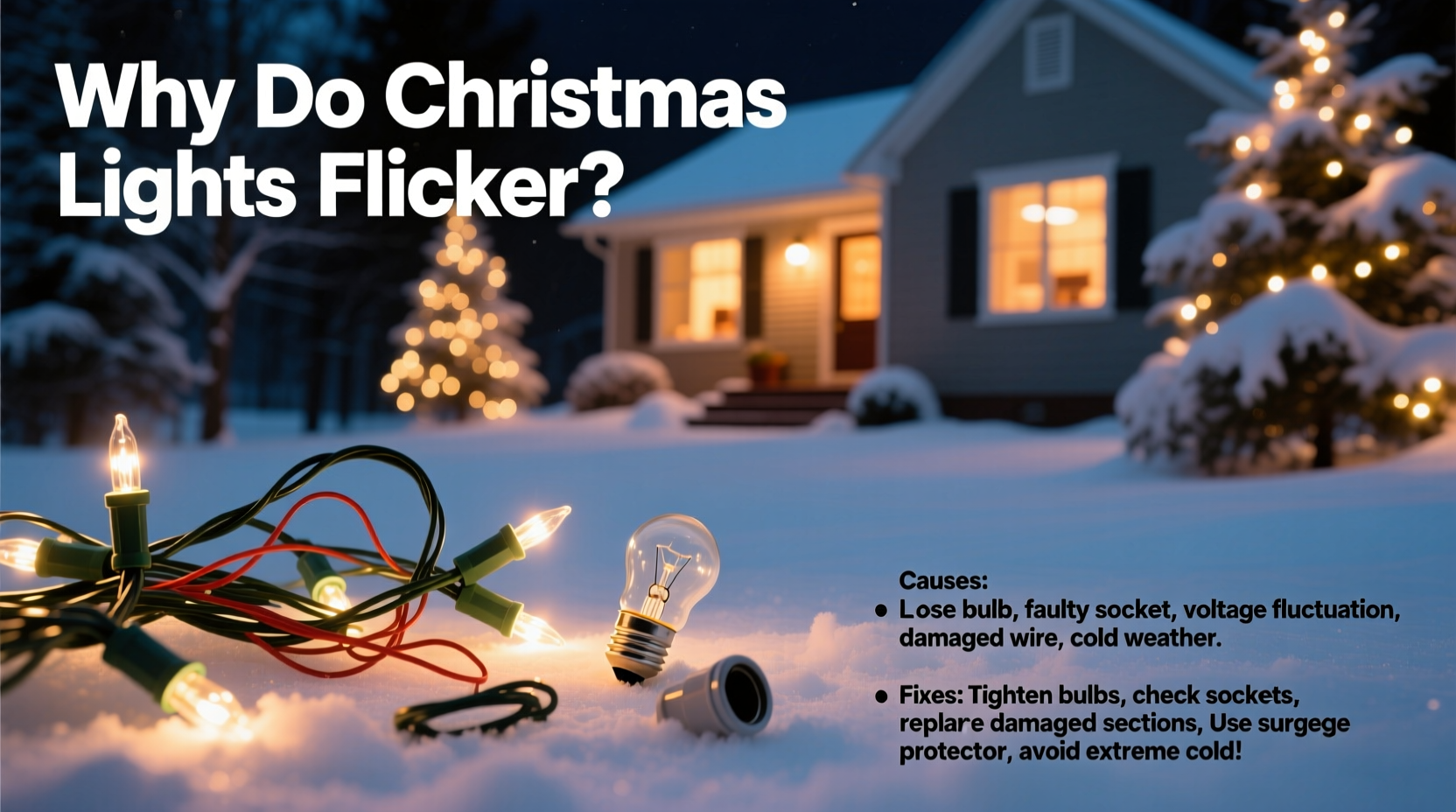
Flickering occurs when the current flowing through the light string is interrupted, reduced, or inconsistently delivered—even for milliseconds. With incandescent bulbs, minor fluctuations often go unnoticed because the filament retains heat and emits light continuously. LEDs, however, respond instantly to changes in voltage or current. A drop of just 5% below nominal voltage—or a brief interruption caused by a loose connection—can trigger visible flicker. Crucially, this behavior is rarely random. It follows patterns tied to specific components and conditions.
The root causes fall into three broad categories: power supply instability, device-level electronics, and environmental or mechanical factors. Voltage sags from shared household circuits (e.g., when the refrigerator compressor kicks on), aging outlet wiring, or overloaded extension cords all contribute. On the string itself, faulty rectifiers (which convert AC to DC for LEDs), degraded shunt wires inside bulbs, or failing controllers in programmable sets introduce timing inconsistencies. Even something as simple as cold weather stiffening insulation around a plug or causing thermal expansion/contraction in solder joints can create intermittent contact.
“LED Christmas lights operate on precision-timed current pulses. When those pulses deviate by more than 3–5%, human eyes detect it as flicker—even if the multimeter reads ‘normal’ voltage.” — Dr. Lena Torres, Electrical Engineer & Holiday Lighting Safety Advisor, UL Solutions
Top 5 Causes—and What They Really Mean
Understanding the pattern tells you where to look. Below is a diagnostic table correlating observable behavior with its most likely cause:
| Flicker Pattern | Most Likely Cause | Immediate Clue |
|---|---|---|
| Entire string pulses slowly (1–2 Hz) | Voltage fluctuation on circuit—often from large appliance cycling | Coincides with furnace blower, AC unit, or dishwasher starting |
| One section blinks independently | Faulty bulb shunt or broken wire segment (common in series-wired LEDs) | Section goes dark when one bulb is removed; flickers only when adjacent bulbs are present |
| Random, rapid strobing (5–15 Hz) | Failing controller or incompatible dimmer switch | Only happens on dimmed outlets or smart switches; stops when plugged into a standard outlet |
| Flicker worsens in cold/damp weather | Moisture ingress or thermal contraction at plug/socket interface | Worse near gutters, under eaves, or after rain; improves indoors or in dry warmth |
| Intermittent flicker only when wind blows | Loose connection at outlet, adapter, or between string segments | Stops immediately when you gently hold plugs in place; audible “tick” sometimes heard |
Easy Fixes You Can Do in Under 5 Minutes—No Tools Required
Before reaching for wire strippers or calling an electrician, try these proven interventions. Each targets a specific failure mode and requires zero disassembly or rewiring.
- Swap the outlet—and avoid GFCI/dimmer circuits. Plug the lights into a different circuit entirely, preferably one not shared with refrigerators, HVAC units, or garage door openers. Avoid GFCI outlets outdoors unless specifically rated for holiday use (many trip unnecessarily under LED load). Never use dimmer switches—even “LED-compatible” ones—unless the light packaging explicitly states compatibility with dimming.
- Re-seat every connection firmly. Unplug the entire setup. Then, one by one, unplug and reinsert each connector: the male end into the outlet, any extension cord couplings, and every inter-string connector (especially the female-to-male junctions). Press straight in—not at an angle—and listen for a firm “click.” Thermal expansion and vibration loosen these over time.
- Rotate the plug 180 degrees. Many LED strings have polarized plugs with a wider neutral blade. If the internal rectifier is marginal, flipping the plug reverses AC phase alignment and may stabilize output. Try it before discarding the set.
- Warm the controller or first bulb housing. For programmable or color-changing strings, briefly cup your hands around the control box or first bulb base for 30 seconds on cold days. Condensation inside the housing disrupts microcontroller timing; gentle warmth restores function.
- Use a dedicated 15-amp circuit—no sharing. Run a heavy-duty (12-gauge) extension cord directly from an indoor outlet on its own breaker. Do not daisy-chain multiple light strings beyond manufacturer limits—even if they “fit” physically, cumulative load stresses controllers.
Mini Case Study: The Porch Light That Pulsed with the Furnace
Mark in Minneapolis noticed his front-porch LED icicle lights flickered rhythmically every 7–9 minutes—always coinciding with his high-efficiency furnace cycling on. He assumed the lights were defective and replaced two sets before testing voltage with a $25 multimeter. At the outlet, he measured 120V steady-state—but dropped to 108V for 1.2 seconds each time the furnace blower engaged. His home’s 1950s wiring couldn’t handle the simultaneous load. The fix? He moved the lights to an outlet on a separate circuit (the living room, fed by a different leg of the panel) and added a 10-foot, 12-gauge outdoor-rated extension cord. Flickering stopped immediately. No rewiring, no new lights—just strategic circuit isolation.
What NOT to Do (and Why)
Some well-intentioned fixes actually worsen reliability or create hazards:
- Don’t wrap connections in aluminum foil. While it may temporarily bridge a corroded contact, foil oxidizes quickly, increases resistance, and creates a fire risk under load.
- Don’t cut off the polarized plug to fit a non-grounded outlet. Modern LED strings rely on proper grounding for EMI suppression and surge protection. Removing it invites controller failure and increases shock risk.
- Don’t “test” bulbs by twisting them while powered. This can arc across contacts, damaging the shunt wire inside the bulb and causing cascading failures down the string.
- Don’t use indoor-rated lights outdoors—even under eaves. Humidity and temperature swings degrade insulation and connectors not designed for exterior use, leading to intermittent shorts and flicker.
- Don’t overload power strips. A single 6-outlet strip rated for 15A cannot safely run six 100-bulb LED strings (each drawing ~0.07A) *plus* other devices. Cumulative heat buildup in the strip’s internal bus bar causes voltage droop and flicker.
FAQ: Quick Answers to Real Questions
Can flickering lights damage my home’s wiring?
Not typically—but persistent flickering *caused by* underlying wiring issues (e.g., loose neutral connections at the panel) can be hazardous. If flickering affects multiple unrelated appliances—not just lights—or intensifies when you turn on high-wattage devices, consult a licensed electrician immediately. That’s a sign of serious infrastructure problems.
Why do brand-new LED lights flicker right out of the box?
Manufacturing variances in driver ICs, especially in budget lines, mean some units ship with marginal timing tolerances. Cold storage during shipping or factory calibration drift can also trigger early flicker. Try the “plug rotation” and “warm controller” fixes first—many resolve within 24 hours of continuous operation as components stabilize.
Do I need special testers for LED Christmas lights?
No—but a basic $15 non-contact voltage tester helps confirm power is reaching each segment. More useful is a $30 digital multimeter with continuity and diode-test modes. Use it to check for open shunts: remove one bulb, set meter to continuity, and touch probes to the two metal contacts inside the socket. A working shunt will beep; silence means the shunt failed and the bulb must be replaced.
When Replacement Is the Smarter Choice
Not every flicker warrants troubleshooting. Consider replacing the string outright if:
- It’s over 5 years old and uses first-generation LED drivers (recognizable by bulky, warm-to-touch controllers and lack of “UL Listed” or “ETL Verified” marks);
- You’ve tried all quick fixes and flickering persists across multiple outlets and circuits;
- Physical damage is evident: cracked housings, brittle wire insulation, or corrosion on plug blades;
- The string lacks a reset button or has no visible controller—indicating minimal built-in protection against surges or voltage spikes.
Modern replacements solve many legacy issues: look for strings labeled “constant-current drivers,” “IC-protected,” or “with integrated surge suppression.” These cost slightly more upfront but deliver stable output for 8+ seasons.
Conclusion: Flicker Is Feedback—Not Failure
Flickering Christmas lights aren’t a flaw in your holiday spirit—they’re precise, real-time diagnostics from a system operating at its design edge. Every pulse, blink, or dim reflects an interaction between physics, engineering, and environment. By learning to read those signals—not just endure them—you reclaim control over your display’s reliability, safety, and longevity. You don’t need specialized tools or electrical training to restore steady light. You need observation, a few deliberate adjustments, and the confidence to treat flicker as information rather than frustration. This season, let your lights shine consistently—not because they’re perfect, but because you understood what they were trying to tell you.




 浙公网安备
33010002000092号
浙公网安备
33010002000092号 浙B2-20120091-4
Comments
No comments yet. Why don't you start the discussion?