
Christmas lights are meant to evoke warmth, nostalgia, and quiet celebration—not confusion or concern. Yet every holiday season, homeowners across North America and Europe report the same puzzling behavior: strings that flicker unpredictably—some bulbs blazing while others dim or blink out entirely, even when the rest of the string appears intact. This isn’t just an aesthetic nuisance. Random flickering often signals underlying electrical issues that range from minor connection faults to potentially hazardous overloads. Unlike steady blinking (a design feature in many LED sets), random, erratic flickering is rarely intentional—and almost always fixable. Understanding what causes it—and how to methodically isolate and resolve the problem—is essential for safety, longevity, and seasonal peace of mind.
What Causes Random Flickering? The Core Electrical Principles
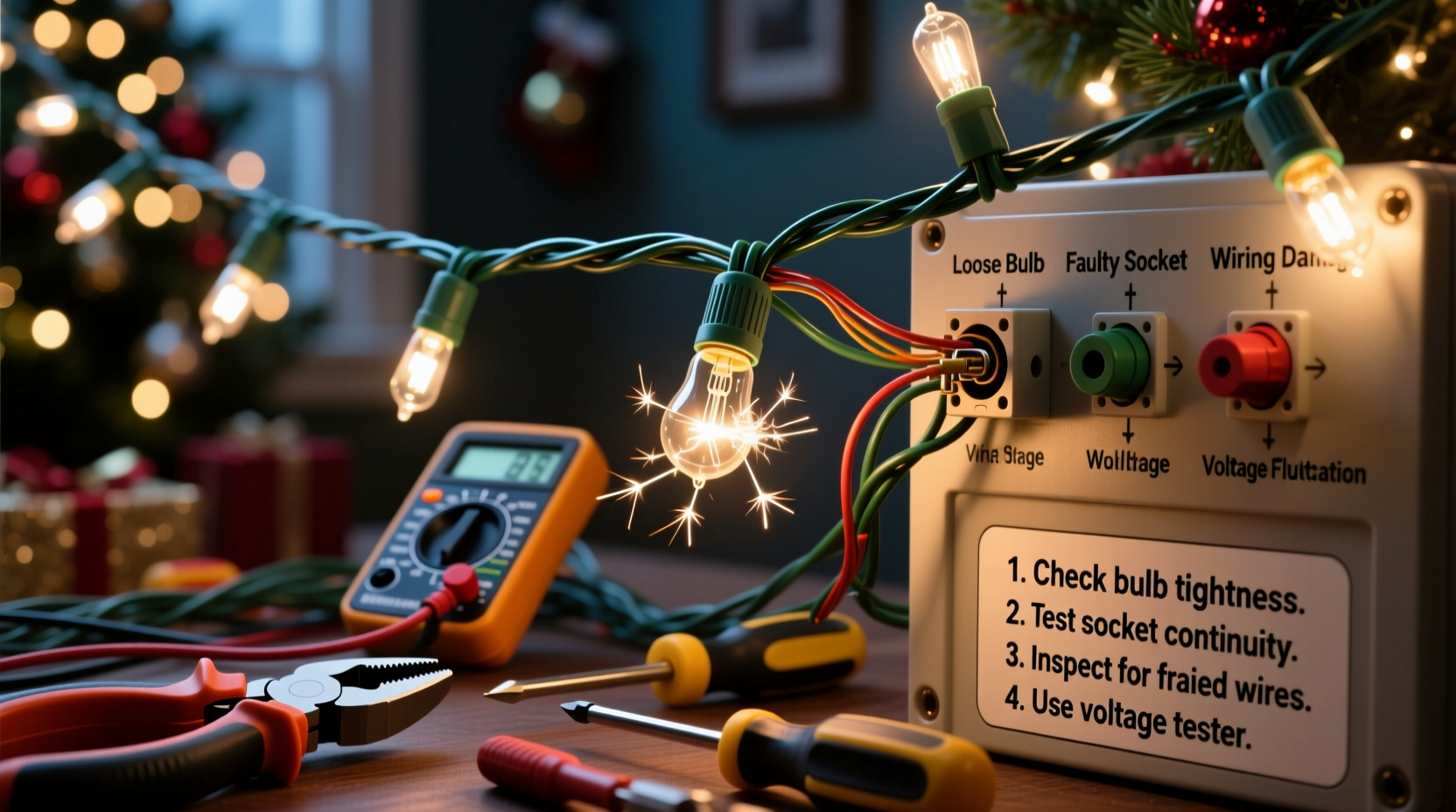
Flickering occurs when current flow to one or more bulbs is intermittently interrupted. In traditional incandescent mini-light strings wired in series, a single failed bulb breaks the entire circuit—causing all downstream lights to go dark. But modern light strings—especially those using LEDs—are typically wired in a hybrid configuration: groups of LEDs in parallel within a series-wired segment. This design improves reliability but introduces new failure modes. When voltage fluctuates, connections degrade, or components age unevenly, the result is inconsistent illumination—not total failure.
The most common root causes fall into three categories: connection integrity, power supply stability, and component degradation. Loose or corroded plug connections, frayed wires at the male end, or moisture ingress inside sockets all introduce resistance that varies with temperature, vibration, or humidity—leading to sporadic current drops. On the supply side, overloaded circuits, undersized extension cords, or shared outlets with high-draw appliances (like refrigerators or space heaters) cause voltage sags that LEDs interpret as signal instability. Finally, aging diodes, failing rectifiers, or degraded current-limiting resistors in LED strings lose their ability to regulate power smoothly—especially under thermal stress.
Step-by-Step Circuit Troubleshooting Protocol
Effective troubleshooting requires eliminating variables in order of likelihood and accessibility—not guesswork. Follow this sequence precisely before replacing any components or strings.
- Unplug everything. Safety first: disconnect all light strings and extension cords from outlets and from each other.
- Inspect the outlet and circuit breaker. Check if other devices on the same circuit behave normally. If a lamp dims when the fridge compressor kicks on, you’re likely dealing with voltage fluctuation—not faulty lights.
- Test the outlet with a plug-in voltage tester. Confirm stable 110–120V (U.S./Canada) or 220–240V (EU/UK). Fluctuations beyond ±5% indicate wiring or panel issues requiring an electrician.
- Isolate one string only. Plug in a single string directly into the outlet—no extensions, no splitters. Observe for 5 minutes. If flickering persists, the issue lies within that string or its plug.
- Check the male plug prongs and socket contacts. Look for discoloration (brown/black oxidation), bent tines, or visible corrosion. Gently clean prongs with a dry microfiber cloth; avoid abrasives.
- Swap positions in the outlet. Rotate the plug 180°. Some older outlets have worn neutral slots—reversing polarity can restore contact pressure.
- Test with a different outlet on a separate circuit. If flickering stops, your original circuit is overloaded or compromised.
This protocol eliminates external variables first—preventing unnecessary replacement of functional strings and directing attention where it matters most.
Do’s and Don’ts: Safe Handling & Power Management
How you connect and manage your lights dramatically affects stability. Below is a concise reference for maintaining consistent performance and preventing avoidable flickering.
| Action | Do | Don’t |
|---|---|---|
| Extension Cords | Use 14-gauge or heavier outdoor-rated cords ≤ 50 ft long. Limit to two strings per cord. | Chain multiple lightweight indoor cords or exceed 100 ft total run length. |
| Circuit Loading | Calculate total wattage: add all string labels (e.g., 4.8W × 10 strings = 48W). Keep load ≤ 80% of circuit capacity (1,440W max on 15A circuit). | Plug 12+ strings plus a tree light controller and outdoor projector into one 15A outlet. |
| Connection Points | Use UL-listed, weatherproof outlet boxes with built-in GFCI protection for outdoor use. | Force plugs into outlets with loose-fitting sockets or use tape to hold connections. |
| Storage & Reuse | Coil gently without kinking; store in climate-controlled, low-humidity spaces. | Leave strings balled up in damp garages or attics where moisture corrodes copper traces. |
| LED-Specific | Verify compatibility when mixing brands—especially with controllers or smart hubs. Use only manufacturer-recommended adapters. | Power 12V DC LED strings with unregulated wall warts or repurpose laptop chargers. |
Mini Case Study: The Porch Light Puzzle
In December 2023, Sarah K., a homeowner in Portland, Oregon, installed six 200-light LED net lights along her front porch railing. For three evenings, they worked flawlessly. On night four, the rightmost two strings began flickering violently—sometimes flashing rapidly, sometimes fading to half-brightness—while the left four remained steady. She tried swapping strings, checking fuses, and cleaning plugs with no improvement.
Following the step-by-step protocol above, she discovered the issue wasn’t the lights—but the outlet. Her porch GFCI had tripped silently after overnight rain, then reset incompletely. Voltage readings showed 102V fluctuating to 118V. A licensed electrician found water intrusion in the outlet box’s weather seal and replaced both the box and GFCI unit. After reinstallation, all strings performed uniformly. Crucially, the flickering hadn’t damaged the lights—the root cause was environmental and infrastructural, not component-based.
Sarah’s experience underscores a critical truth: flickering is rarely about the lights alone. It’s about the interface between lighting, power delivery, and environment.
Expert Insight: What Electricians See Behind the Sparkle
Residential electricians routinely diagnose holiday lighting issues during pre-winter service calls. Their observations align closely with field data from the National Fire Protection Association (NFPA), which reports that 44% of Christmas-related home fires originate from electrical distribution or lighting equipment—often preceded by warning signs like flickering, buzzing, or warm cords.
“Flickering is electricity’s early-warning system. It tells you something is resisting, leaking, or starving for voltage—long before smoke appears. I’ve replaced dozens of ‘mystery’ flickering strings only to find the real culprit was a 30-year-old aluminum branch circuit feeding the garage outlet. Always rule out the infrastructure first.” — Marcus Delaney, Master Electrician & NFPA Code Consultant, 27 years in residential diagnostics
Delaney emphasizes that modern LED strings draw less current but are far more sensitive to voltage noise and waveform distortion than incandescents. A tiny ripple from a nearby dimmer switch or variable-speed HVAC motor can disrupt LED drivers—making flickering both more common and more informative than ever before.
Comprehensive Troubleshooting Checklist
Before calling a professional—or discarding a string—run through this actionable checklist. Mark each item as completed or resolved.
- ☑ Verified outlet voltage stability with a multimeter or plug-in tester
- ☑ Confirmed no other high-load appliances share the same circuit
- ☑ Inspected male plug prongs for bending, corrosion, or carbon tracking
- ☑ Checked female socket on first string for melted plastic or loose contacts
- ☑ Tested string on a known-good outlet (different circuit, preferably indoors)
- ☑ Examined wire insulation near plug entry for cracks, kinks, or rodent damage
- ☑ For LED strings: confirmed controller/dimmer compatibility and firmware updates applied
- ☑ For multi-string setups: unplugged all except one, then added back one at a time while monitoring
- ☑ Measured total connected wattage against circuit rating (15A × 120V = 1,800W → 80% = 1,440W safe load)
- ☑ Ruled out ambient interference (e.g., wireless doorbell transmitters, Wi-Fi routers near controllers)
FAQ: Addressing Common Concerns
Can a bad ground cause flickering?
Yes—especially outdoors. An improper or corroded ground path increases impedance and allows stray voltage to interfere with low-voltage LED drivers. GFCI outlets may also trip intermittently under such conditions, causing repeated on/off cycling that mimics flickering. Test ground continuity with a multimeter: resistance between ground pin and a known earth ground (like a cold water pipe) should be <1 ohm.
Why do only some bulbs flicker on a single string?
This usually indicates a failing shunt in an incandescent string or a weak solder joint on an LED PCB. In older mini-lights, each bulb contains a shunt wire that bypasses current when the filament breaks—if the shunt degrades, it creates intermittent contact. In LEDs, microscopic cracks in printed circuit board traces expand/contract with temperature, causing momentary opens. Both manifest as localized, irregular flickering—not full-string failure.
Is it safe to keep using flickering lights?
Not without investigation. While occasional brief flicker due to a loose plug may pose minimal risk, persistent or worsening flickering—especially accompanied by warmth, buzzing, or burning smells—signals dangerous resistance heating. NFPA advises immediate disconnection and inspection. Do not wrap flickering cords in tape or use them near flammable materials like dried pine boughs or curtains.
Conclusion: Turn Flicker Into Function
Flickering Christmas lights aren’t a holiday inevitability—they’re a solvable puzzle rooted in basic electrical principles. By understanding the physics behind the flash, applying systematic diagnostics instead of trial-and-error replacements, and respecting circuit limits, you reclaim control over your display’s reliability and safety. Most flickering stems not from defective products, but from overlooked infrastructure: aging outlets, overloaded breakers, incompatible controllers, or environmental stressors like moisture and temperature swings. Each flicker is data—not distraction. Treat it as such, and you’ll spend less time troubleshooting and more time enjoying the quiet glow of well-powered light.
Start tonight: unplug one problematic string, walk through the step-by-step protocol, and document what you find. Share your results—not just the solution, but the process—in the comments below. Your experience could help a neighbor avoid a preventable hazard or save hours of frustration. Because the best holiday lights don’t just shine brightly—they shine consistently, safely, and without mystery.




 浙公网安备
33010002000092号
浙公网安备
33010002000092号 浙B2-20120091-4
Comments
No comments yet. Why don't you start the discussion?