
As the holiday season approaches, twinkling Christmas lights bring warmth and cheer to homes around the world. But nothing disrupts the festive mood faster than a string of lights that flickers unpredictably—some bulbs glowing brightly while others dim or blink erratically. While a gentle twinkle can be intentional, random or persistent flickering is often a sign of an underlying issue. Understanding the root causes and knowing how to address them ensures your display remains reliable, safe, and visually appealing throughout December.
Flickering isn’t just annoying—it can signal electrical inefficiencies, safety hazards, or failing components. Whether you're using traditional incandescent strands or modern LED sets, multiple factors can contribute to inconsistent lighting behavior. From loose bulbs to incompatible dimmer switches, the reasons vary widely in complexity and risk level. The good news is that most issues are diagnosable and fixable with basic tools and a methodical approach.
Understanding How Christmas Lights Work
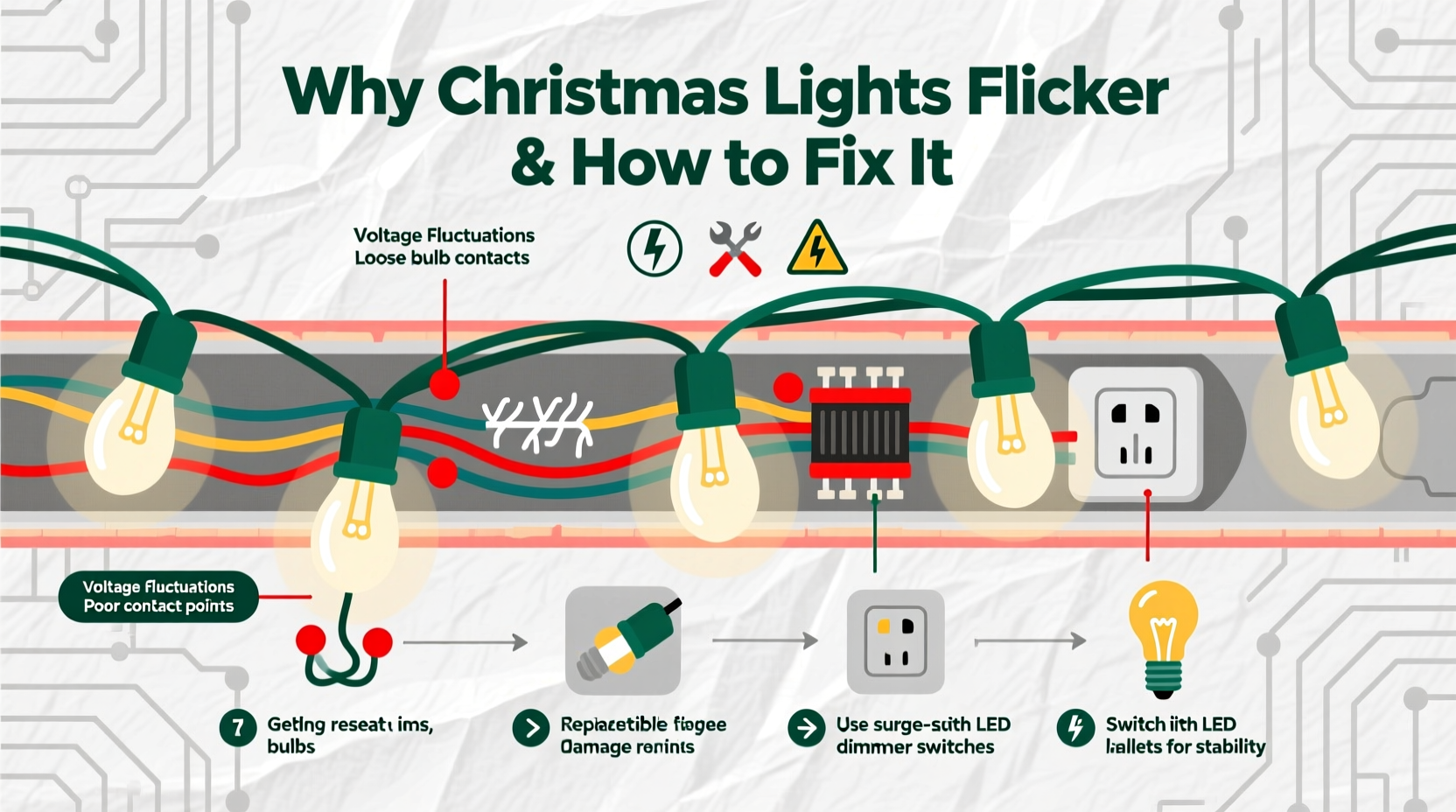
To troubleshoot flickering effectively, it helps to understand the two primary types of Christmas lights: incandescent and LED. Each operates differently, which influences both performance and failure modes.
Incandescent lights use a small filament inside a glass bulb. When electricity flows through the filament, it heats up and emits light. These bulbs are more prone to flickering due to physical wear, heat fluctuations, and sensitivity to voltage changes. Because they’re typically wired in series (especially older sets), a single faulty bulb can interrupt the entire circuit.
LED (light-emitting diode) lights, on the other hand, are energy-efficient and long-lasting. They produce light when electrons move through a semiconductor material. LEDs usually operate on lower voltage and are often arranged in parallel circuits, meaning one failed bulb doesn’t necessarily kill the whole strand. However, their internal drivers—small electronic components that regulate power—can malfunction, leading to flickering even if all bulbs appear intact.
The way lights are wired significantly affects performance. In a series circuit, current must pass through each bulb sequentially. If one connection breaks, the circuit fails. In a parallel circuit, each bulb has its own path to the power source, making the system more resilient. Most modern light strings use a hybrid design—groups of series-connected bulbs wired in parallel—to balance cost and reliability.
Common Causes of Unexpected Flickering
Flickering rarely happens without reason. Identifying the cause is the first step toward a lasting solution. Below are the most frequent culprits behind erratic Christmas light behavior.
Loose or Poorly Seated Bulbs
In incandescent strings, especially those with screw-in mini bulbs, a bulb that isn’t fully seated can break the circuit intermittently. Vibration from wind or handling may cause momentary disconnections, resulting in flickering. This is one of the easiest issues to check and resolve.
Faulty or Burned-Out Bulbs
A single dead bulb in a series circuit can cause partial or total flickering as the current struggles to maintain flow. Many light sets include shunt wires designed to bypass burned-out bulbs, but these don’t always work reliably, especially in older strands.
Overloaded Circuits
Plugging too many light strings into a single outlet or power strip can overload the circuit. Voltage drops under high load lead to inconsistent power delivery, causing lights to dim or flicker. This is particularly common with older home wiring or outdoor circuits not designed for heavy seasonal use.
Damaged Wires or Connectors
Wear and tear—especially in lights stored improperly or used outdoors—can damage insulation or connector pins. Frayed wires create intermittent connections, leading to flickering that comes and goes. Moisture ingress can also corrode contacts over time.
Incompatible Dimmer Switches or Controllers
If your lights are connected to a dimmer switch or smart controller not rated for low-wattage LED loads, flickering is almost guaranteed. Traditional dimmers rely on phase-cutting technology that doesn’t play well with the electronic drivers in LED strings.
Power Supply Issues
Voltage fluctuations in your home’s electrical system—caused by large appliances cycling on and off—can affect sensitive light sets. LED strings, despite being efficient, are more vulnerable to minor surges and sags than incandescent bulbs.
Aging Light Sets
Christmas lights degrade over time. After several seasons of use and storage, solder joints weaken, plastic becomes brittle, and internal components fail. Older sets, particularly those over five years old, are more likely to exhibit flickering due to cumulative stress.
Step-by-Step Guide to Diagnose and Fix Flickering Lights
Follow this systematic troubleshooting process to identify and resolve the cause of flickering. Most problems can be fixed in under 30 minutes with simple tools.
- Unplug the light string and inspect it for visible damage—frayed wires, cracked sockets, or corroded plug prongs. Discard any set with exposed copper or melted insulation.
- Check each bulb by gently pressing it into its socket. For incandescent sets, remove and reseat each bulb to ensure proper contact. Use a bulb tester or multimeter to verify functionality.
- Test for continuity using a multimeter set to resistance mode. Place probes at both ends of the string. A reading of “OL” (open loop) indicates a broken circuit—likely due to a bad bulb or wire.
- Replace faulty bulbs with exact-match replacements. Using bulbs with different wattages or voltages can worsen flickering or create fire risks.
- Inspect connectors between light strings. Clean corrosion with isopropyl alcohol and a cotton swab. Ensure male and female ends fit snugly.
- Reduce load on the circuit. Unplug other devices sharing the same outlet. Use a dedicated circuit for lights, especially for outdoor displays.
- Try a different outlet to rule out power supply issues. If flickering stops, the original circuit may be overloaded or faulty.
- Bypass dimmer switches temporarily. Plug lights directly into a standard outlet. If flickering stops, the dimmer is incompatible.
- Use an LED-compatible controller if dimming is required. Look for trailing-edge dimmers or PWM (pulse-width modulation) controllers designed for low-wattage LEDs.
- Consider replacing old sets. If flickering persists across multiple tests, the internal wiring or driver may be failing. Modern LED strings are affordable and safer.
Do’s and Don’ts When Handling Flickering Lights
| Action | Do | Don't |
|---|---|---|
| Bulb Replacement | Use manufacturer-recommended bulbs with matching voltage and base type | Substitute with higher-wattage bulbs or mismatched sizes |
| Connecting Strings | Follow the max connectable length listed on the packaging (usually 3–5 sets) | Daisy-chain more than recommended—this risks overheating |
| Storage | Coil lights loosely around a cardboard reel; store in a dry, cool place | Crush lights into boxes or expose to moisture and extreme temperatures |
| Cleaning | Wipe plugs and connectors with isopropyl alcohol before use | Use water or household cleaners on electrical components |
| Outdoor Use | Use only lights rated for outdoor use; elevate plugs off the ground | Leave connections exposed to rain or snow |
Real Example: A Troubled Porch Display
Sarah in Portland had been using the same set of white LED Christmas lights on her porch for six years. Last season, she noticed the top half of the strand would flicker wildly during rainy evenings. She replaced a few bulbs, but the problem returned. After consulting an electrician, she discovered that moisture had seeped into the end connector, corroding the metal contacts. The fluctuating conductivity caused erratic current flow, triggering the flicker.
The fix was simple: she cut off the damaged end cap, installed a new waterproof connector (available at hardware stores), and sealed it with silicone tape. She also upgraded to a GFCI-protected outdoor outlet. Since then, her display has remained steady—even during winter storms.
Expert Insight: What Professionals Recommend
“Many people overlook compatibility between lighting technology and control systems. Using non-dimmable LEDs on a dimmer circuit is a leading cause of flicker—and it can shorten the lifespan of the entire string.” — Mark Reynolds, Electrical Systems Technician with 18 years in residential lighting
“When troubleshooting, start simple. 70% of flickering cases are due to loose bulbs or overloaded circuits. Don’t jump to complex solutions before checking the basics.” — Lena Choi, Home Safety Inspector at NorthStar Residential Audits
Prevention Checklist: Keep Your Lights Steady Year After Year
- ✅ Inspect all light strings annually for damage before installation
- ✅ Replace frayed wires or cracked sockets—don’t attempt DIY repairs on damaged insulation
- ✅ Use only bulbs specified by the manufacturer
- ✅ Avoid daisy-chaining beyond the manufacturer’s limit
- ✅ Store lights on reels or in compartmentalized bins to prevent tangling and stress
- ✅ Keep connectors clean and dry; apply dielectric grease for outdoor sets
- ✅ Use surge protectors for indoor and outdoor displays
- ✅ Upgrade to smart, app-controlled LED strings with built-in stability features
- ✅ Install outdoor lights on GFCI outlets to reduce shock and short-circuit risks
- ✅ Retire light sets older than 7 years, especially if flickering becomes frequent
Frequently Asked Questions
Can LED Christmas lights be repaired if they flicker?
Yes, in some cases. If flickering is due to a loose bulb, dirty connector, or external power issue, it can be fixed. However, if the internal driver or circuit board is damaged, repair is often impractical. Most consumers opt to replace the string, as modern LEDs are inexpensive and come with longer warranties.
Why do my lights flicker only when it’s cold outside?
Temperature affects both conductivity and material expansion. Cold weather can cause metal contacts to contract slightly, creating poor connections. Additionally, battery-powered lights or older transformers may deliver less consistent voltage in low temperatures. Using cold-rated lights and ensuring tight connections helps mitigate this.
Is flickering dangerous?
Occasional flickering due to a loose bulb is usually not hazardous. However, persistent flickering caused by damaged wires, overloaded circuits, or arcing connections can generate heat and pose a fire risk. If lights buzz, emit a burning smell, or flicker violently, unplug them immediately and inspect or replace the set.
Conclusion: Shine Bright Without the Flicker
Christmas lights should enhance your holiday spirit, not test your patience. By understanding the technical reasons behind unexpected flickering—whether it’s a loose bulb, incompatible dimmer, or aging wiring—you gain the power to fix it quickly and safely. Regular maintenance, proper storage, and smart upgrades go a long way in preserving both the beauty and safety of your display.
Don’t wait until next year to address recurring issues. Take action now: inspect your lights, replace what’s worn, and upgrade to modern, reliable options where needed. A little effort today ensures a seamless, sparkling holiday season tomorrow.




 浙公网安备
33010002000092号
浙公网安备
33010002000092号 浙B2-20120091-4
Comments
No comments yet. Why don't you start the discussion?