
Walk down a suburban street in December, and you’ll notice something striking: not all holiday displays are created equal. Some houses glow with steady, warm white light—elegant and timeless. Others pulse, chase, fade, or dance in perfect rhythm to music. These aren’t random flickers. They’re the result of deliberate design, evolving technology, and increasing accessibility in home lighting control. Blinking patterns—whether gentle twinkle, rapid strobe, or full-motion animation—are no longer exclusive to commercial displays or theme parks. Today, homeowners across North America and Europe use programmable controllers, Wi-Fi-enabled strings, and open-source software to transform their porches into synchronized spectacles. Understanding *why* these patterns exist—and *how* they’re made—reveals a convergence of aesthetics, electronics, and digital literacy that’s reshaping seasonal traditions.
The Why: Purpose, Psychology, and Practicality Behind Blinking Patterns
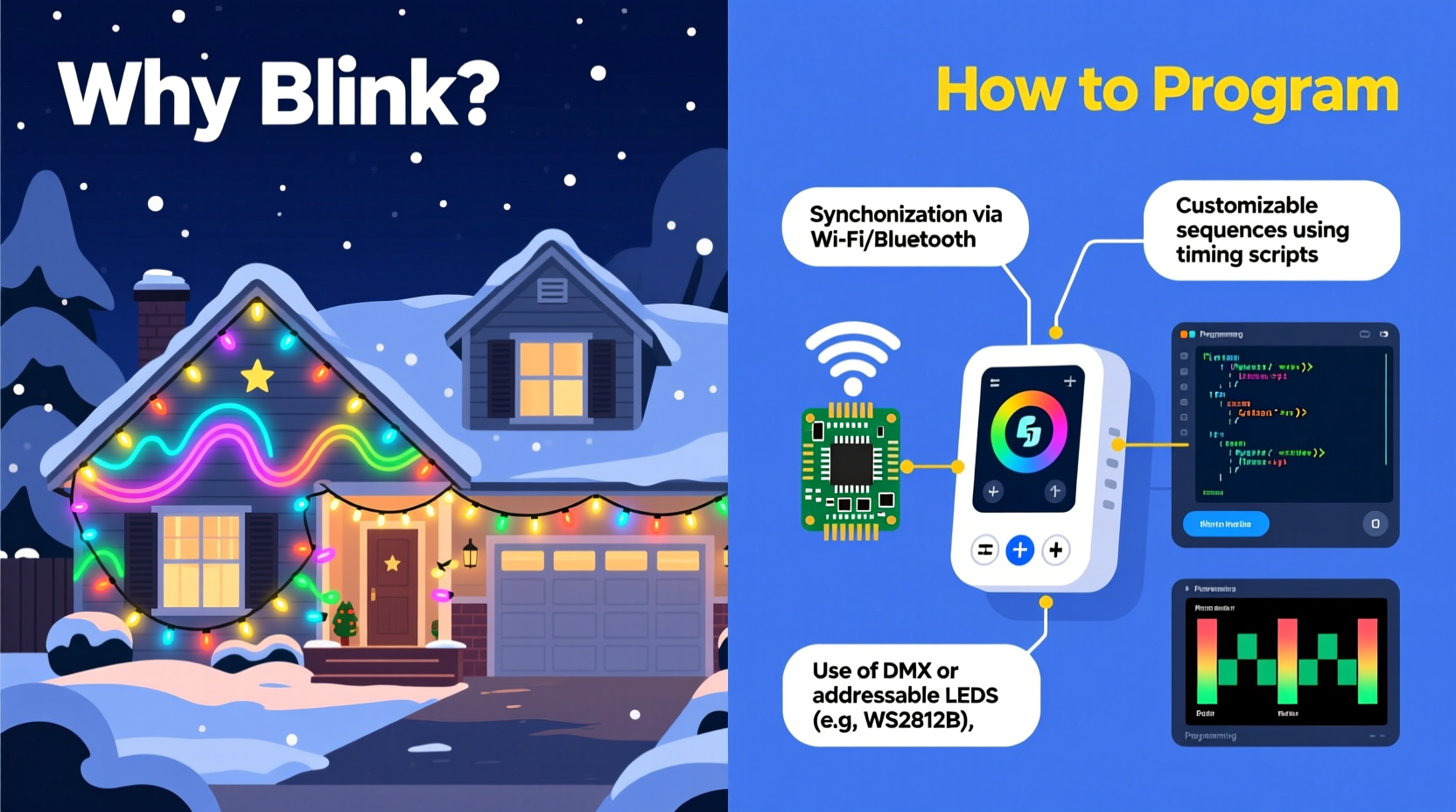
Blinking isn’t just decorative—it serves functional, perceptual, and cultural roles. First, human visual perception is wired to detect motion before static detail. A blinking or moving light pattern draws attention more effectively than a constant glow, making displays more visible from greater distances and at higher speeds (think: passing cars on neighborhood streets). Second, rhythmic variation evokes emotion. Studies in environmental psychology show that slow, pulsing light correlates with calmness and wonder; fast, staccato sequences suggest energy and celebration—aligning perfectly with the dual spirit of Christmas: reverence and revelry.
From a practical standpoint, blinking reduces perceived heat buildup in incandescent strings (though less critical with modern LEDs) and extends bulb lifespan by cycling power. More importantly, blinking patterns signal intentionality. A homeowner who invests time in programming lights communicates care, creativity, and community engagement. In neighborhoods where light displays become informal attractions—drawing visitors, boosting local morale, or even raising funds for charities—the dynamic element transforms decoration into storytelling.
“Static light says ‘I decorated.’ Animated light says ‘I invited you in.’ That subtle shift changes how neighbors experience the season.” — Dr. Lena Torres, Environmental Design Researcher, University of Minnesota
How It Works: The Hardware Ecosystem Behind Programmable Lights
Modern programmable Christmas lights rely on three core hardware layers: addressable LEDs, controllers, and power management. Unlike traditional “dumb” strings—where every bulb receives the same voltage and blinks only if the entire circuit is interrupted—addressable LED strings (like WS2811, WS2812B, or APA102) contain individual microchips embedded in each bulb or pixel. Each chip can receive unique color (RGB or RGBW), brightness, and timing instructions via a data line.
Controllers translate user input into those instructions. Entry-level options include simple IR remotes with preset modes (twinkle, chase, fade). Mid-tier setups use USB- or Bluetooth-connected controllers like the Falcon F16v3 or PixLite M4, which run firmware supporting DMX512 or E1.31 (sACN) protocols. High-end installations integrate Raspberry Pi or ESP32-based controllers running open-source platforms such as xLights or Vixen Lights.
Programming Your Own Patterns: A Step-by-Step Guide
Creating custom blinking patterns doesn’t require an electrical engineering degree—but it does demand methodical planning. Here’s how experienced hobbyists approach it, whether building a 50-pixel porch railing display or a 2,000-pixel roofline sequence.
- Map Your Physical Layout: Sketch your house outline and label every light segment (e.g., “Front eaves – 120 pixels,” “Garage door frame – 48 pixels”). Note orientation (left-to-right vs. top-down) and physical spacing.
- Select & Test Hardware: Purchase compatible controllers and test one short string first. Verify power injection points—every 5–10 meters for 5V strips, or every 15–20 meters for 12V/24V systems—to prevent voltage drop and color shift.
- Install Control Software: Download xLights (free, cross-platform) or Vixen 3 (Windows-only, free). Import your layout using built-in wizards or manual pixel mapping tools.
- Create a Sequence: In xLights, define timing (e.g., 30 BPM for a gentle waltz-like pulse), then build effects layer-by-layer: background wash, accent chases, spotlight highlights. Use the waveform editor to sync flashes to audio peaks if adding music.
- Export & Deploy: Compile the sequence into a show file (.xseq), transfer it to your controller’s SD card or network storage, and schedule playback via the controller’s web interface or companion app.
This process typically takes 4–12 hours for a modest 300-pixel setup—most of it spent refining timing and transitions, not coding. Modern software abstracts low-level programming: users drag sliders, adjust curves, and preview in real time.
Comparison: Programming Methods for Different Skill Levels
| Method | Best For | Setup Time | Customization Depth | Learning Curve |
|---|---|---|---|---|
| Smart Plug + App-Controlled Strings (e.g., Philips Hue, Govee) | Beginners; renters; small indoor trees | Under 30 minutes | Low (preset animations only) | Very Low |
| IR Remote + Controller Box (e.g., Light-O-Rama CTB16PC) | Hobbyists upgrading from basic sets | 2–4 hours | Moderate (timed channel switching) | Moderate |
| xLights + Raspberry Pi + Addressable LEDs | Advanced users; large outdoor displays; musical synchronization | 8–20+ hours | High (per-pixel, per-frame control) | Steep (but well-documented) |
| ESP32-Based DIY Controller (e.g., WLED + FastLED) | Tech-savvy makers comfortable with Arduino IDE | 6–15 hours | Very High (code-level animation logic) | High |
| Commercial Show Services (e.g., HolidayCoro pre-programmed kits) | Time-constrained homeowners wanting pro results | 1–3 hours | Low-Moderate (editable timing, limited effect types) | Low |
Real-World Example: The Miller Family’s Neighborhood Transformation
In Portland, Oregon, the Millers installed their first programmable display in 2019—a modest 300-pixel roofline using a $45 ESP32 controller and WLED firmware. Their goal was simple: replace the “blinking white” string that had hung since 2007. What began as a single fading rainbow wave evolved over four years. By 2023, their display included synchronized snowfall simulations on the front windows, a rotating starburst above the garage, and a 90-second musical sequence synced to “Carol of the Bells” that drew over 1,200 visitors during December. Crucially, they didn’t outsource programming. Sarah Miller, a high school physics teacher, learned WLED’s JSON API to script custom weather effects; her husband Mark, a retired HVAC technician, handled wiring and power distribution. Their secret? Starting small, documenting every change in a shared Notion log, and joining the r/ChristmasLighting subreddit for troubleshooting. Their display now anchors the neighborhood’s annual “Light Walk”—a self-guided tour that raises funds for the local food bank. The blinking patterns aren’t just festive; they’re civic infrastructure.
Do’s and Don’ts of Safe, Sustainable Programming
- Do calculate total wattage before connecting strings—exceeding controller limits risks overheating or shutdown.
- Do use weatherproof enclosures for all outdoor controllers and power supplies (IP65 rating minimum).
- Do stagger animation start times across segments to avoid simultaneous current surges (“inrush”) that trip breakers.
- Don’t daisy-chain more than the manufacturer’s specified maximum pixels without active signal repeaters.
- Don’t assume all “RGB” strings support white balance adjustment—many cheap variants render poor off-whites or muddy pastels.
- Don’t ignore firmware updates: newer versions often add smoother interpolation, better audio analysis, or improved Wi-Fi stability.
Frequently Asked Questions
Can I program lights without a computer?
Yes—but with trade-offs. Standalone controllers like the Light-O-Rama MiniDirector or the Falcon Player (FPP) allow scheduling and basic effect editing via mobile apps or web browsers. However, complex sequencing (e.g., multi-layer animations or audio syncing) still requires desktop software for precision editing and preview.
Why do my programmed lights flicker or freeze mid-sequence?
Most often, this stems from insufficient power delivery or data corruption. Check for loose connections at pixel junctions, verify power injection points, and ensure your SD card (if used) is Class 10 or higher. If using Wi-Fi control, interference from other 2.4 GHz devices (microwaves, baby monitors) can disrupt commands—switching to 5 GHz for your network or using Ethernet fallback resolves 90% of cases.
Is it possible to reuse last year’s sequence on new lights?
Yes—if the new strings use the same protocol (e.g., WS2812B) and pixel count per channel. xLights and Vixen allow layout import/export, so you can re-map last year’s .xseq file to a new physical configuration. Just remember to recalibrate timing if pixel density or spacing changed significantly.
Conclusion: Light as Language, Programming as Participation
Blinking Christmas light patterns are more than eye candy. They’re a language—one that speaks of patience, technical curiosity, and communal joy. Every programmed fade, every precisely timed chase, every note-perfect musical sequence represents hours of quiet focus in a noisy world. You don’t need a million pixels or a $500 controller to join this tradition. Start with a single 5-meter strip, learn how to make it breathe like candlelight, then expand outward—layer by layer, season by season. The technology continues to democratize: today’s $20 ESP32 board offers capabilities that cost thousands a decade ago. What remains unchanged is the human impulse behind it—to mark time, share warmth, and say, in light and motion, “We are here, together, celebrating.” Your porch doesn’t need to outshine the next block’s. It just needs to mean something—to you, and to the person slowing down to watch it blink.




 浙公网安备
33010002000092号
浙公网安备
33010002000092号 浙B2-20120091-4
Comments
No comments yet. Why don't you start the discussion?