
Smart lighting has transformed the way we interact with our homes, offering remote control, automation, and energy efficiency at our fingertips. But when these systems are deployed outdoors—on porches, patios, or garden pathways—many users report a frustrating issue: intermittent disconnections or complete signal loss during cold weather. While it may seem like a software glitch or Wi-Fi problem, the root cause often lies in the physical limitations of electronic components under low temperatures. Understanding the science behind this phenomenon is key to maintaining reliable performance year-round.
Outdoor smart lighting systems are expected to function in diverse climates, yet not all devices are built to withstand extreme cold. From battery chemistry to signal propagation, multiple factors come into play when temperatures drop below freezing. This article explores the technical and environmental reasons behind cold-weather connectivity failures, offers practical mitigation strategies, and provides actionable insights for homeowners and tech enthusiasts alike.
The Physics of Electronics in Cold Environments
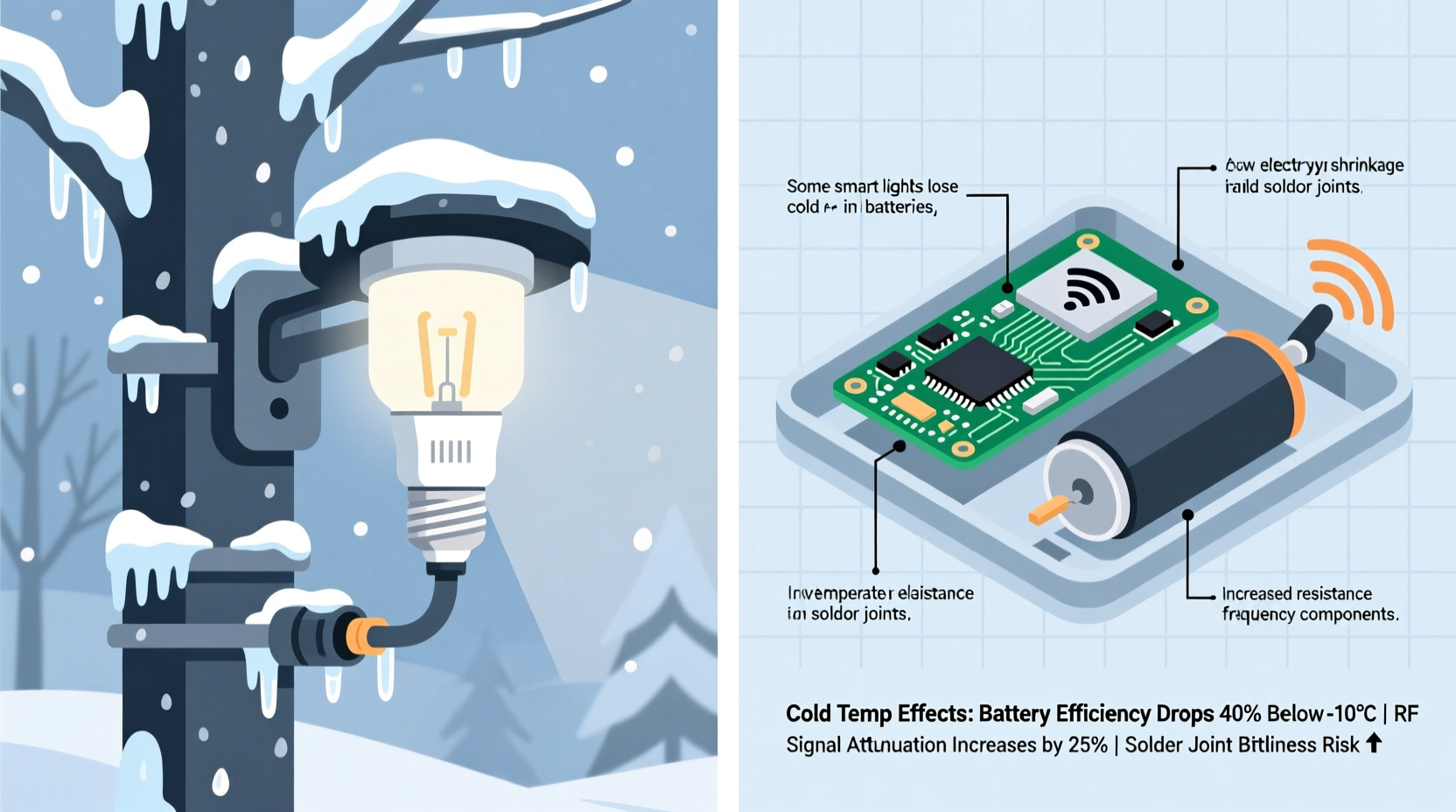
Electronics behave differently in cold conditions due to fundamental changes in material properties. As temperature decreases, the kinetic energy of electrons drops, slowing down electrical processes. While this might sound beneficial (less heat, better performance), the reality is more complex—especially for consumer-grade smart lighting systems designed primarily for indoor use.
Batteries, commonly used in wireless smart bulbs or sensors, are particularly vulnerable. Lithium-ion batteries, which power many smart lighting remotes and standalone fixtures, experience reduced ion mobility at low temperatures. Below 0°C (32°F), their internal resistance increases significantly, leading to voltage drops that can trigger false \"low battery\" signals or sudden shutdowns—even if the charge level appears adequate.
Semiconductors and microcontrollers inside smart bulbs also suffer from thermal stress. Although silicon-based chips typically operate efficiently in cold environments, abrupt temperature shifts can cause condensation or microfractures in solder joints over time. These subtle physical changes degrade signal integrity and increase the likelihood of communication failure between the bulb and its hub or router.
“Cold doesn’t just slow electronics—it exposes design compromises. Many outdoor-rated smart bulbs aren’t truly engineered for sub-zero operation.” — Dr. Alan Zhou, Electrical Engineer & IoT Systems Analyst
How Wireless Signals Degrade in Winter Conditions
Wireless communication protocols such as Wi-Fi, Zigbee, and Bluetooth are essential for smart lighting functionality. However, these radio signals face additional challenges in winter beyond device-level hardware issues.
Cold air itself does not block radio waves; in fact, lower atmospheric noise in winter can slightly improve signal clarity. The real problem arises from environmental side effects:
- Frozen moisture buildup: Snow accumulation or frost on fixture housings can absorb or reflect wireless signals, especially at 2.4 GHz—the frequency used by most smart home networks.
- Increased indoor interference: During colder months, people close windows and doors, adding layers of insulation that weaken outdoor-to-indoor signal penetration.
- Network congestion: More devices run indoors during winter, increasing competition for bandwidth and reducing available channels for outdoor nodes.
A smart light installed under an eave may work perfectly in summer but fail repeatedly in January—not because the bulb froze, but because snowpack on the roof attenuates the Zigbee signal between the bulb and its central hub located in the basement.
Design Limitations in Consumer Smart Lighting
Not all “outdoor-rated” smart lights are created equal. Manufacturers often label products as suitable for outdoor use based solely on water resistance (e.g., IP65 rating), while omitting critical information about operational temperature ranges.
Reviewing product specifications reveals a telling gap: many popular brands list operating temperatures between 0°C and 40°C (32°F–104°F). This means any sustained exposure below freezing pushes the device outside its tested performance envelope. Yet, these bulbs are marketed for porch and landscape use in regions where winter temperatures regularly fall to -10°C (14°F) or lower.
In contrast, industrial-grade LED systems used in street lighting or commercial signage are built with extended-range components, conformal-coated circuit boards, and wide-temperature drivers capable of functioning reliably down to -40°C (-40°F). These features add cost and bulk—trade-offs most consumer manufacturers avoid to keep prices competitive.
The result? A market flooded with smart lights that meet basic weatherproofing standards but lack the robustness needed for true all-season reliability.
Smart Light Temperature Tolerance Comparison
| Brand/Model | Water Resistance | Operating Temp Range | Suitable for Sub-Zero? |
|---|---|---|---|
| Philips Hue Outdoor Bulb | IP44 | -10°C to 40°C (14°F–104°F) | Limited (borderline) |
| LIFX Beam (Outdoor) | IP54 | -20°C to 45°C (-4°F–113°F) | Yes |
| TP-Link Kasa LB200 (non-outdoor) | Not rated | 0°C to 40°C (32°F–104°F) | No |
| Commercial LED Pro Series X3 | IP67 | -40°C to 60°C (-40°F–140°F) | Yes |
This table illustrates that only select models are genuinely engineered for cold climates. Always verify temperature ratings before installation—don’t assume \"outdoor\" means \"cold-proof.\"
Step-by-Step: Preparing Smart Lights for Winter
Maintaining reliable smart lighting performance through winter requires proactive planning. Follow this timeline to ensure stability before cold weather sets in:
- September – Audit Your Setup: Identify which smart lights are exposed to outdoor elements. Check manufacturer specs for minimum operating temperature.
- October – Test Connectivity: Simulate low-load conditions by turning off non-essential devices. Use a network analyzer app to measure signal strength to each outdoor node.
- November – Upgrade or Relocate: Replace borderline units with cold-tolerant models. Install mesh repeaters indoors near exterior walls to boost signal reach.
- December – Weatherproof Connections: Apply dielectric grease to screw-base connections to prevent corrosion. Ensure fixture seals are intact and free of debris.
- January–March – Monitor and Adjust: Track disconnection logs via your smart home app. If outages occur, temporarily switch affected zones to local control (e.g., motion sensor override).
By addressing vulnerabilities early, you reduce dependency on real-time troubleshooting during harsh conditions.
Real-World Example: The Minnesota Porch Problem
Dan R., a homeowner in Duluth, MN, installed four Philips Hue White Ambiance outdoor recessed lights under his covered front porch in May. The system worked flawlessly through summer and early fall. But when temperatures dipped below -12°C (10°F) in December, two of the four lights began dropping offline daily.
After ruling out router issues and checking firmware updates, Dan contacted Hue support. He learned that while the bulbs were rated for outdoor use, their lower temperature limit was -10°C (14°F)—just above his average winter lows. The repeated freeze-thaw cycles caused intermittent resets in the internal driver circuits.
His solution? He replaced the malfunctioning units with LIFX Beam Z bars, which have a stated operating range down to -20°C (-4°F), and added a Zigbee range extender inside a nearby closet. Since then, he’s had no further disconnections—even during a -28°C (-18°F) cold snap in February.
Dan’s case highlights a common oversight: assuming regional climate compatibility without verifying engineering limits.
Actionable Checklist for Cold-Weather Smart Lighting
To prevent connectivity loss in cold outdoor temperatures, follow this verified checklist:
- ✅ Verify the operating temperature range of each smart light model
- ✅ Ensure fixtures are fully sealed and gaskets are intact
- ✅ Install mesh network extenders indoors near outdoor zones
- ✅ Avoid placing hubs in basements or far interior rooms
- ✅ Use cold-rated lithium batteries in remote sensors (if applicable)
- ✅ Clean snow and ice from fixture lenses after storms
- ✅ Set up automation fallbacks (e.g., sunrise/sunset schedules) in case of temporary disconnection
Frequently Asked Questions
Can cold weather permanently damage smart lights?
Yes, prolonged exposure below the rated temperature can cause permanent damage. Repeated thermal cycling may crack solder joints or degrade capacitors. Moisture ingress followed by freezing can expand and rupture internal components. Devices operating outside their specified range risk shortened lifespans even if they appear functional initially.
Will using a weatherproof cover help my smart lights stay connected?
A well-ventilated, insulated cover can moderate temperature swings and shield against snow accumulation, potentially improving performance. However, avoid sealing the fixture completely—trapped moisture could condense and freeze internally. Only use covers specifically designed for electrical fixtures to prevent overheating when the light is on.
Are certain smart lighting protocols better in cold weather?
Zigbee and Thread generally perform better than Wi-Fi in distributed outdoor setups due to mesh networking capabilities. Each active device boosts the signal, creating redundancy. Wi-Fi-only bulbs rely on a single access point, making them more vulnerable to path obstruction. For cold climates, choose systems with native mesh support and decentralized routing.
Expert Recommendations for Long-Term Reliability
Industry professionals emphasize that resilience starts with selection, not improvisation. “The best fix is choosing the right tool for the job,” says Maria Lin, senior IoT consultant at HomeGrid Labs. “If you live in a region with hard winters, invest in smart lighting explicitly rated for sub-zero operation. It’s cheaper than replacing failed units every spring.”
“Reliability isn’t just about connectivity—it’s about consistency. A smart light that works 90% of the time in winter fails its core purpose.” — Maria Lin, IoT Integration Specialist
She also recommends segmenting outdoor lighting onto a dedicated 2.4 GHz SSID to minimize interference and enabling Quality of Service (QoS) settings on compatible routers to prioritize smart home traffic.
Conclusion: Build Smarter, Not Colder
Smart lights losing connection in cold outdoor temperatures isn’t inevitable—it’s often the result of mismatched expectations and inadequate hardware. By understanding the interplay of battery chemistry, wireless physics, and product design, homeowners can make informed decisions that ensure year-round performance.
Don’t wait until the first winter outage to assess your setup. Review your current system, upgrade weak links, and implement preventive measures now. With the right components and configuration, your outdoor smart lighting can shine brightly—even in the deepest freeze.




 浙公网安备
33010002000092号
浙公网安备
33010002000092号 浙B2-20120091-4
Comments
No comments yet. Why don't you start the discussion?