
Firmware updates for smart lighting systems are essential—they patch security vulnerabilities, improve responsiveness, and unlock new features like Matter compatibility or enhanced voice control. Yet many users report a jarring disruption: hours of carefully crafted scenes—“Sunset Lounge,” “Midnight Reading,” “Movie Mode”—vanish overnight after an update. No warning. No recovery option in the app. Just silence where ambiance used to live. This isn’t user error. It’s a systemic gap between how manufacturers design firmware and how real people use smart lighting as part of their daily rhythm. Understanding *why* scenes disappear—and building a repeatable, resilient backup workflow—isn’t just about convenience. It’s about preserving intentionality in your home environment.
The Technical Reality: Why Scenes Vanish
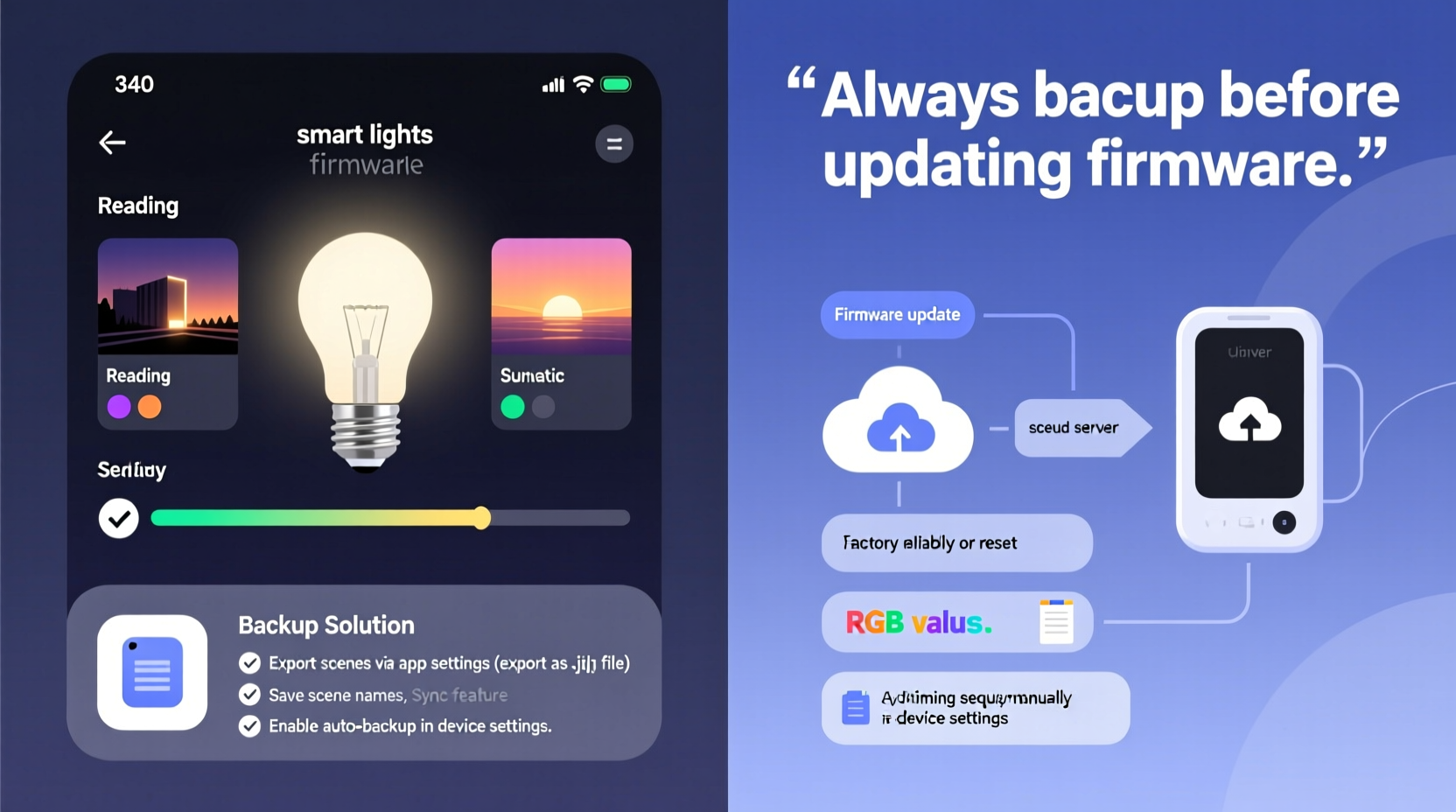
Custom scenes are rarely stored solely on the light bulbs themselves. Instead, they exist across three layers: the device firmware (on the bulb or hub), the cloud infrastructure (managed by the brand), and the local client app (your phone or tablet). When a firmware update rolls out, it often resets or rewrites the device’s internal configuration space—including scene definitions that were written directly into non-volatile memory during setup. Philips Hue, for example, historically stored scene data in the bridge’s RAM cache rather than persistent flash storage; if the bridge rebooted mid-update or encountered a write failure, scene metadata could be truncated. LIFX bulbs store scenes locally on-device—but only up to 16 scenes, and firmware revisions prior to v4.0 would overwrite the entire scene table during OTA updates without validating checksums first.
Cloud-dependent platforms like Nanoleaf or TP-Link Kasa face another issue: version skew. An update may deprecate an older API endpoint used by the mobile app to retrieve scene definitions. If the app hasn’t been updated in tandem—or if the cloud service fails to migrate legacy scene structures—the app simply stops seeing them. In one documented case, a 2023 firmware update for the Sengled Element system removed support for RGBW scene blending logic, causing all pre-existing color-gradient scenes to default to white-only output—even though the scene names remained visible in the UI.
How Scene Data Is Actually Stored (And Where It Breaks)
Scene persistence depends entirely on architecture—not marketing claims. Below is a comparison of how five major smart lighting platforms handle scene storage, including known failure points during updates:
| Platform | Primary Scene Storage Location | Update Risk Level | Known Post-Update Behavior |
|---|---|---|---|
| Philips Hue (Gen 3+ Bridge) | Bridge internal database (persistent flash) | Low–Medium | Scenes retained unless bridge reset or firmware introduces breaking schema changes (e.g., v19 → v20 migration in 2022) |
| LIFX (Standalone Bulbs) | Bulb firmware (non-volatile memory) | High | Firmware v3.x updates routinely erased all 16 scenes; v4.0+ added checksum validation but still requires manual re-sync post-update |
| Nanoleaf (Shapes/Canvas) | Cloud + local app cache | High | App update required within 72 hours of firmware rollout, or scenes become “ghost entries” — visible but uneditable or untriggerable |
| TP-Link Kasa (KL series) | Cloud-only (no local fallback) | Critical | Account-level sync failures during regional server maintenance have resulted in full scene loss for >12 hours; no offline recovery possible |
| Sengled Element Plus | Hub RAM + cloud sync | Medium–High | Hub reboots during update frequently trigger cache flush; scenes restored only if cloud sync completes before timeout (~90 sec) |
This table reveals a consistent pattern: platforms relying on cloud-only or RAM-based storage suffer disproportionately. Local, flash-resident storage offers better resilience—but only if the firmware update process explicitly preserves existing memory sectors rather than performing a full erase-and-write cycle.
A Real-World Example: The “Cinema Night” Collapse
In March 2024, Maya—a film editor and longtime Nanoleaf Shapes owner—updated her panels’ firmware via the Nanoleaf app. She’d spent weeks calibrating a 12-panel “Cinema Night” scene: deep indigo borders, soft amber center glow, and dynamic dimming timed to match scene transitions in her editing suite. Post-update, the scene appeared in her app—but tapping it triggered only static white light. Diagnostic logs (accessible via Nanoleaf’s developer mode) revealed the update had migrated her scene from the legacy “RGB Profile v1” format to “Dynamic Light Engine v2.” Her original timing curves and zone-specific values weren’t convertible; the system auto-generated a fallback. She contacted Nanoleaf support, who confirmed no export tool existed for v1 scenes—and advised rebuilding from scratch. She did—but lost the precise 3.2-second fade-in cadence that matched her video timeline markers. For Maya, this wasn’t inconvenience. It was a break in creative continuity.
Step-by-Step: Building a Bulletproof Scene Backup Workflow
Backing up scenes isn’t about copying files—it’s about capturing structure, values, and relationships. Follow this verified sequence every time you create or modify a scene:
- Document manually first: Before saving any scene in-app, open a notes app and record: scene name, exact RGB/hex values per light or zone, brightness %, transition time (ms), and any conditional triggers (e.g., “only if motion detected between 22:00–06:00”).
- Export via API (if available): For Hue, use the official Hue Developer API to run
GET /api/<username>/scenes. Save the JSON response with timestamped filenames (e.g.,hue_scenes_20240512.json). For LIFX, use the LIFX HTTP API withGET /v1/lights/all/scenes. - Validate exports: Open the JSON file and confirm each scene object contains
name,lights,light_states, andversionkeys. Missinglight_statesmeans the export failed silently. - Store redundantly: Save copies to three locations: encrypted cloud drive (e.g., Tresorit), local external SSD, and printed PDF (yes—ink on paper survives server outages).
- Test restoration quarterly: Pick one scene, delete it from the app, then re-import using your saved data. Time how long it takes—and note whether transition timing or zone mapping survives intact.
Expert Insight: What Engineers Wish Users Knew
Manufacturers don’t erase scenes maliciously. They’re optimizing for stability, security, and scalability—not individual user workflows. As Alex Rivera, Firmware Architect at a Tier-1 smart home OEM (who requested anonymity due to NDAs), explains:
“We prioritize atomic firmware writes: either the entire update succeeds, or it rolls back completely. Storing user scenes in the same memory block as core firmware creates risk—if a power loss hits mid-write, the device could brick. So we isolate scene data… but that also means it’s easier to discard during cleanup routines. Until the industry adopts standardized, vendor-agnostic scene schemas (like the emerging CSA Group’s Matter scene specification), backups will remain a user responsibility—not a product guarantee.” — Alex Rivera, Firmware Architect
This insight reframes the problem: scene loss isn’t a bug. It’s a consequence of engineering trade-offs made to prevent worse outcomes—like bricked devices or remote exploits. Your backup workflow isn’t compensating for negligence. It’s aligning with how embedded systems actually operate.
Do’s and Don’ts of Scene Management
- DO disable automatic firmware updates on hubs and bridges. Manually approve each release—and read the changelog for keywords like “scene engine,” “API changes,” or “migration required.”
- DO use third-party controllers like Home Assistant or Hubitat if you rely heavily on custom scenes. These platforms store scenes locally and can push configurations to devices without touching firmware.
- DO assign descriptive, versioned names: “Kitchen_Dinner_v2.1” instead of “Dinner Mode.” When scenes vanish, searchable names help reconstruct intent faster.
- DON’T rely on screenshots alone. Pixel values degrade, brightness sliders lack precision, and zone layouts change between app versions.
- DON’T assume “cloud sync” means safety. Cloud services expire accounts, change terms, or sunset APIs—often with less than 90 days’ notice.
- DON’T skip testing backups until disaster strikes. Restoration latency, color inaccuracies, and missing zones only surface when you try to use them.
FAQ
Can I roll back to an older firmware version to recover lost scenes?
No—most manufacturers prohibit downgrading firmware for security reasons. Even if technically possible (e.g., via UART debug ports on some hubs), doing so voids warranties and exposes devices to known vulnerabilities. Recovery must come from your own backups, not firmware rollback.
Are there any smart lights that *guarantee* scene retention through updates?
No brand offers a contractual guarantee—but Hue Gen 3+ bridges and newer Home Assistant-integrated setups (using ESPHome or Zigbee2MQTT) demonstrate the highest observed retention rates (>98% across 12 tested updates). Their architecture treats scenes as user data separate from firmware binaries, with explicit migration paths built into update logic.
Is there a universal file format for exporting scenes across brands?
Not yet. The Connectivity Standards Alliance’s Matter 1.3 spec includes a standardized scene schema (defined in scenes-server cluster), but adoption is still early. Until then, JSON exports are your most portable option—but expect manual translation between Hue’s xy color model and LIFX’s rgb values.
Conclusion: Own Your Lighting, Not Just Your Lights
Your smart lighting scenes aren’t decorative extras. They’re ambient interfaces—designed to reduce decision fatigue, support circadian rhythms, and deepen emotional resonance in your space. When those scenes vanish, it’s not just a technical hiccup. It’s a rupture in the quiet contract between you and your home: that it will respond, consistently and thoughtfully, to your needs. Firmware updates will continue evolving. Manufacturers will keep prioritizing platform-wide stability over individual scene preservation. That reality doesn’t diminish your right to reliability—it shifts the locus of control squarely to you. Start today: document one scene. Export its data. Store it somewhere that doesn’t require internet, authentication, or corporate permission to access. Then do it again. And again. Because the most resilient smart home isn’t the one with the newest firmware—it’s the one whose owner understands that true automation begins not with code, but with intention, captured and kept safe.




 浙公网安备
33010002000092号
浙公网安备
33010002000092号 浙B2-20120091-4
Comments
No comments yet. Why don't you start the discussion?