
In the past few years, video conferencing has become a staple of professional and personal communication. Whether for team meetings, client check-ins, or catching up with family, platforms like Zoom, Microsoft Teams, and Google Meet have reshaped how we connect. Yet, despite their convenience, many people report feeling unusually drained after even short video calls. This phenomenon—commonly known as “Zoom fatigue”—is more than just a buzzword; it’s a real psychological and physiological response rooted in how our brains process digital interactions. Understanding why video calls are so mentally taxing is the first step toward reducing their toll on energy, focus, and emotional health.
The Hidden Cognitive Load of Video Communication
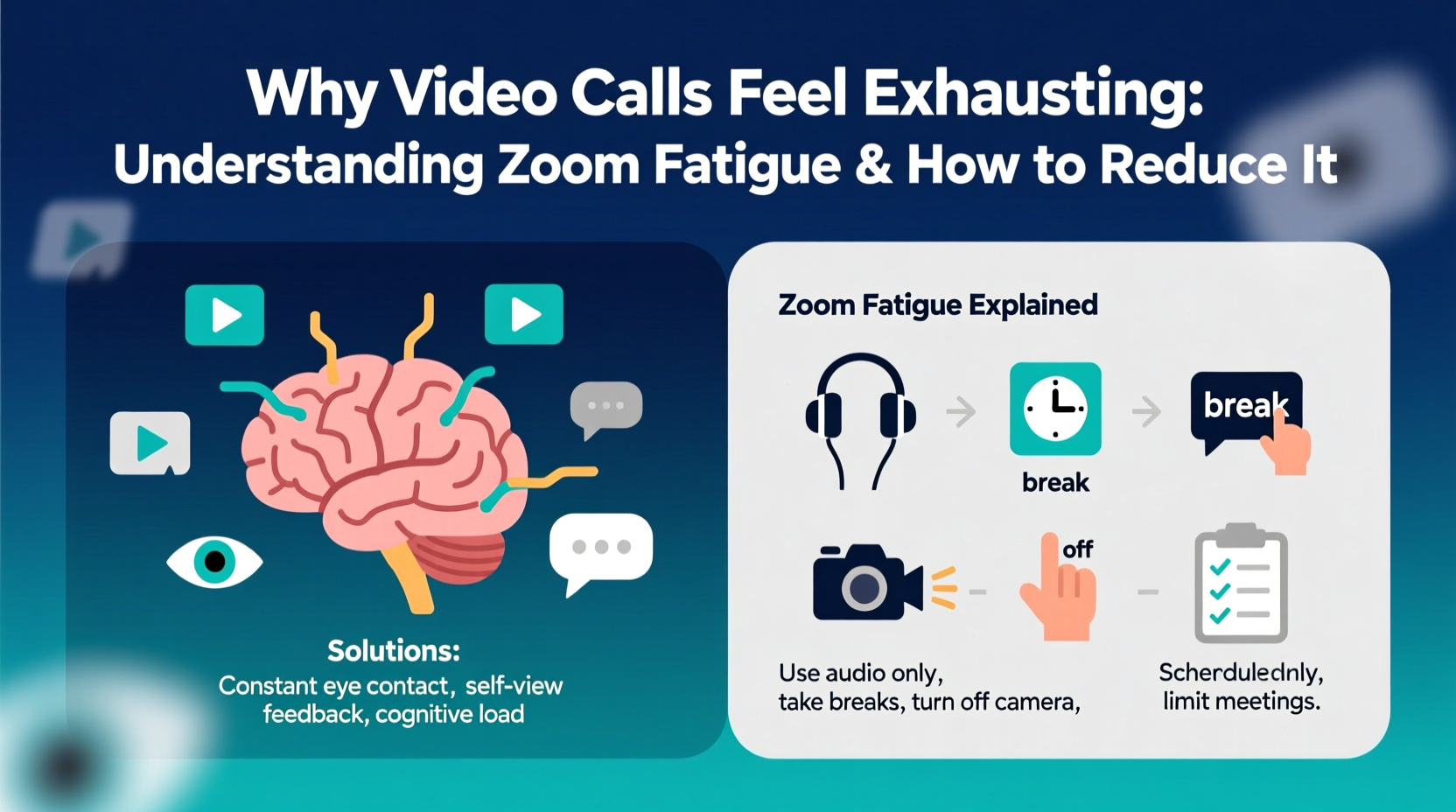
Face-to-face conversations rely on a complex network of nonverbal cues: subtle shifts in posture, eye contact, hand gestures, tone variations, and micro-expressions. In person, these signals are processed effortlessly by the brain, helping us interpret meaning, intent, and emotion without conscious thought. On video calls, however, this natural flow is disrupted. Cameras capture only a fraction of body language, often flattening expressions and distorting timing due to lag or frozen screens.
As a result, the brain must work harder to fill in the gaps. You’re constantly interpreting pixelated faces, delayed audio, and unnatural silences, which increases cognitive load. Unlike in-person meetings where attention can shift fluidly between speakers and surroundings, video calls force sustained, high-intensity focus on a grid of faces—often your own reflection. This hyper-vigilance mimics social performance anxiety, keeping stress hormones like cortisol elevated over time.
Four Key Reasons Video Calls Drain Energy
Researchers at Stanford University identified several distinct factors contributing to Zoom fatigue. These aren’t merely technological inconveniences—they reflect deeper mismatches between human psychology and digital interface design.
1. Excessive Close-Up Eye Contact
In real life, constant direct eye contact is rare and often interpreted as aggressive. But video platforms force participants into unnaturally close, fixed gazes. When multiple faces appear large on-screen, it triggers the brain’s threat-detection system, interpreting the environment as socially intense or confrontational—even when the meeting is routine.
2. Limited Mobility
Physical movement supports cognitive function. In face-to-face meetings, you might pace, gesture, or shift positions—all of which aid concentration and reduce restlessness. During video calls, staying within camera frame restricts movement, leading to physical stiffness and reduced blood flow, both of which impair mental clarity.
3. Delayed Feedback Loops
Conversations depend on smooth turn-taking. In-person, we use micro-cues like head nods or breath inhales to signal when someone is about to speak. On video, audio delays and frozen frames disrupt this rhythm, causing awkward overlaps or long pauses. The brain struggles to predict speech patterns, increasing mental effort and frustration.
4. Multitasking Pressure and Self-Presentation
Unlike in-office interactions, video calls often happen in personal spaces, making users hyper-aware of their background, lighting, and appearance. The pressure to look engaged while simultaneously reading chat messages, checking emails, or taking notes creates a multitasking burden that depletes attention reserves quickly.
“Video calls demand continuous monitoring of oneself and others in a way that doesn’t happen naturally in physical settings. It’s like being ‘on’ all the time.” — Dr. Jeremy Bailenson, Founding Director, Stanford Virtual Human Interaction Lab
How to Reduce Zoom Fatigue: Practical Strategies
Mitigating video call exhaustion isn’t about eliminating digital meetings—it’s about redesigning them to align with human cognitive limits. Small adjustments can significantly improve mental comfort and productivity.
Optimize Your Setup for Lower Cognitive Demand
- Adjust camera distance: Position your camera so faces appear at a conversational distance (about arm’s length). Avoid extreme close-ups.
- Use speaker view instead of gallery view: Seeing fewer faces reduces visual clutter and lowers processing strain.
- Turn off self-view: Eliminating your own image minimizes self-evaluation and frees attention for listening.
- Improve audio quality: Use headphones or an external mic to reduce echo and ensure clear sound, minimizing the need to strain to hear.
Rethink Meeting Design
Many video meetings follow outdated norms that don’t suit virtual environments. Reassess frequency, duration, and structure.
| Meeting Habit | Problem | Better Alternative |
|---|---|---|
| Hour-long daily standups | Excessive screen time with low value | Rotate days or switch to async updates via chat/email |
| All-agenda meetings | No breaks for reflection or movement | Limit to 45 minutes with built-in stretch breaks |
| Mandatory cameras-on policy | Increases performance pressure | Make cameras optional unless presenting |
| Back-to-back virtual meetings | No recovery time between sessions | Schedule 10–15 minute buffers between calls |
Incorporate Movement and Sensory Breaks
Physical activity counteracts the stagnation of video calls. Try these techniques:
- Stand or walk during portions of the call when you’re not speaking.
- Use a standing desk or balance board to engage core muscles subtly.
- After each call, step away from the screen for 2–5 minutes—look out a window, stretch, or breathe deeply.
- Hydrate before and after calls to support circulation and alertness.
A Real-World Example: Transforming Team Meetings
Consider the case of a mid-sized marketing agency in Portland that shifted to remote work in 2020. Initially, leadership scheduled five daily video meetings across departments, averaging six hours of screen time per employee. Within months, burnout rates climbed, and engagement dropped. Employees reported headaches, irritability, and difficulty concentrating post-meeting.
The HR team partnered with a workplace wellness consultant to audit meeting practices. They implemented three changes:
- Reduced mandatory video meetings from five to two per week.
- Replaced status updates with shared documents updated asynchronously.
- Introduced “camera-free Wednesdays” where teams communicated via voice or chat only.
Within eight weeks, employee surveys showed a 40% reduction in self-reported fatigue and a 27% increase in perceived productivity. One team member noted, “I used to dread Tuesdays because of back-to-back Zooms. Now I actually retain what was discussed because I’m not mentally wiped.”
Step-by-Step Guide to Building Sustainable Video Habits
Adopting long-term solutions requires intentional planning. Follow this six-step process to reduce Zoom fatigue systematically:
- Assess your weekly meeting load: Track every video call, noting duration, purpose, and how you felt afterward. Identify low-value or redundant meetings.
- Set boundaries: Define which meetings truly require video versus audio-only or asynchronous alternatives.
- Optimize your environment: Adjust lighting, seating, and tech setup to minimize distractions and physical strain.
- Introduce meeting hygiene rules: Advocate for agendas, time limits, and camera-off options in team policies.
- Schedule recovery time: Block 10-minute breaks between calls for stretching, hydration, or mindful breathing.
- Review monthly: Reevaluate your schedule and energy levels. Adjust based on what’s working.
FAQ: Common Questions About Zoom Fatigue
Is Zoom fatigue real, or is it just stress?
Zoom fatigue is a scientifically documented phenomenon. Studies from institutions like Stanford and the University of Chicago confirm that prolonged video calling leads to measurable increases in cognitive load, eye strain, and emotional exhaustion—distinct from general work stress.
Can audio-only calls be more effective than video?
Yes, in many cases. For brainstorming, check-ins, or discussions requiring deep listening, audio-only calls reduce visual distraction and performance pressure, allowing greater focus on content. A 2021 study published in the Journal of Applied Psychology found that participants generated more creative ideas in audio-only settings compared to video.
Why do I feel worse after a 30-minute call than a full day of in-person meetings?
In-person interactions include natural breaks—walking between rooms, informal chats, changes in posture—that give your brain intermittent rest. Video calls compress social intensity into a single, unbroken stream of stimuli without these recovery moments, leading to faster depletion of mental resources.
Conclusion: Reclaim Your Energy in the Digital Age
Video calls are here to stay, but exhaustion doesn’t have to be the price we pay. By recognizing the unique demands they place on our minds and bodies, we can make informed choices that protect our well-being. Simple changes—like turning off self-view, shortening meetings, or embracing audio-only conversations—can dramatically reduce mental strain. Employers and individuals alike have a role in normalizing healthier virtual communication habits.
You don’t need to eliminate video conferencing to feel better. You just need to use it more wisely. Start small: adjust one setting, skip one unnecessary call, or introduce a post-meeting pause. Over time, these actions compound into greater clarity, resilience, and presence—both online and off.




 浙公网安备
33010002000092号
浙公网安备
33010002000092号 浙B2-20120091-4
Comments
No comments yet. Why don't you start the discussion?