
Anyone who has played a modern video game has likely witnessed it: an enemy soldier suddenly phases through a concrete wall, a friendly vendor walks straight into a mountain, or a quest-giving NPC floats mid-air, trapped in geometry. These moments break immersion and can disrupt gameplay—yet they remain surprisingly common even in high-budget titles. The phenomenon of non-player characters (NPCs) glitching through walls stems from the complex interplay between artificial intelligence, physics systems, and 3D environments. While it may seem like a simple oversight, the root causes are deeply technical, and fixing them requires sophisticated tools, careful design, and extensive testing.
This article explores the underlying reasons why NPCs pass through solid objects, the technologies that contribute to such glitches, and the practical methods developers use to detect, prevent, and resolve them during game development and post-launch updates.
The Anatomy of an NPC Glitch
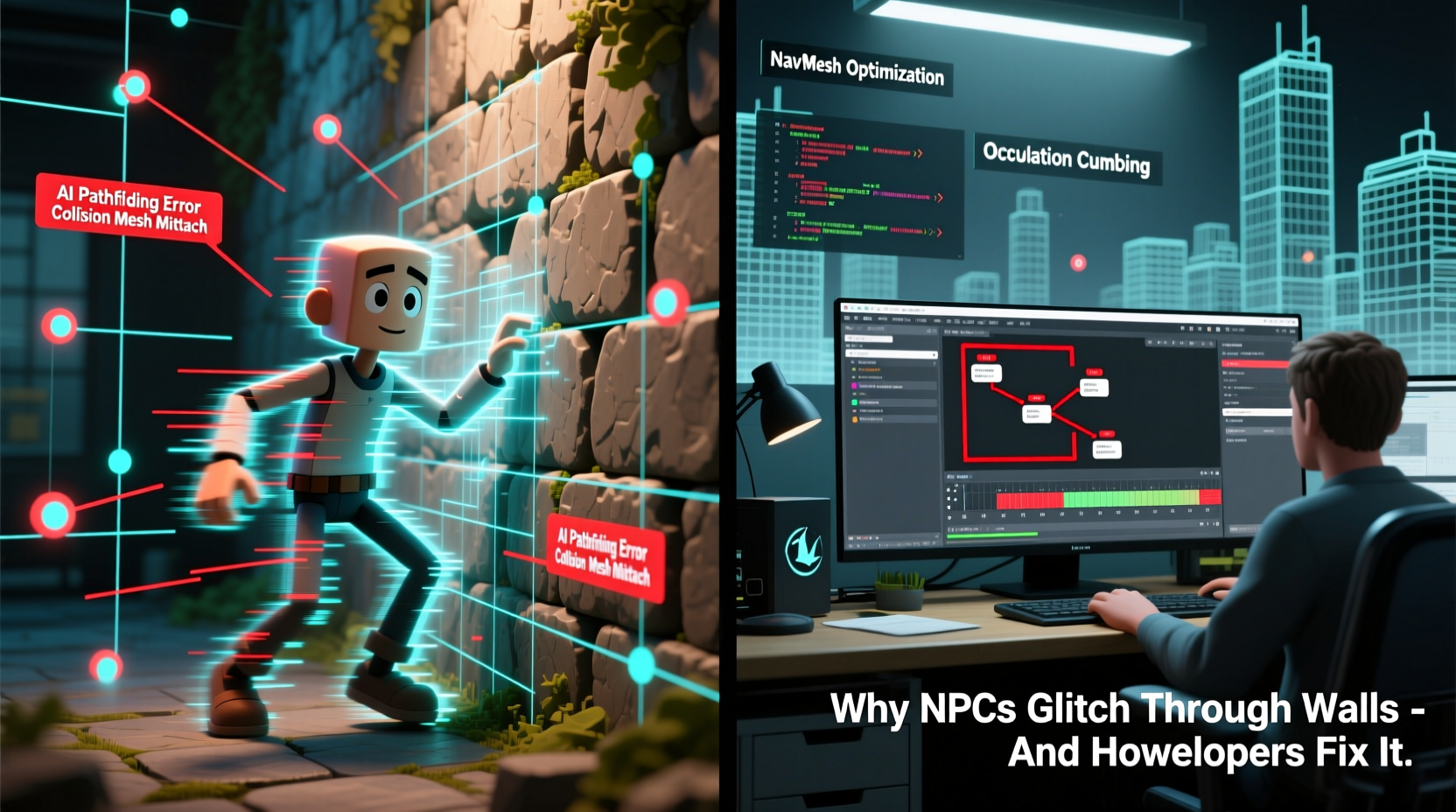
NPCs are controlled by artificial intelligence routines designed to simulate human-like behavior—patrolling, reacting to threats, following paths, or engaging in dialogue. However, unlike real people, NPCs don’t “see” the world. Instead, they rely on data structures and algorithms to navigate virtual spaces. When something goes wrong in this system, the result is often a visual anomaly like walking through walls.
At its core, an NPC glitch occurs when there’s a mismatch between what the game engine perceives as navigable space and what players see on screen. This disconnect arises from several key components:
- Navigation meshes (navmeshes): Surfaces where NPCs are allowed to walk.
- Collision detection: Systems that determine if two objects occupy the same space.
- AI pathfinding algorithms: Code that calculates routes from point A to B.
- Animation blending and physics simulation: How movement is rendered over time.
When any one of these systems fails or misinterprets data, the NPC may attempt to move somewhere it shouldn’t—or worse, succeed.
Common Causes of Wall-Phasing Glitches
Understanding why NPCs glitch requires examining specific failure points in game architecture. Below are the most frequent culprits:
1. Incomplete or Poorly Baked Navmeshes
A navigation mesh defines which areas of a game world are traversable by AI. During development, artists and designers create 3D models, but the AI doesn’t interpret those directly. Instead, a process called “baking” generates a simplified mesh overlay used exclusively for pathfinding. If this bake misses certain regions—due to overlapping geometry, hidden seams, or dynamic changes—the AI might treat walls or voids as valid paths.
For example, if a doorframe model slightly overlaps with a wall, the navmesh generator may exclude both surfaces, leaving a gap in coverage. An NPC trying to reach a target behind that wall could then choose a route through what should be solid matter.
2. Collision Detection Failures
Collision detection relies on invisible shapes—called colliders—assigned to both NPCs and environmental objects. These are usually simplified versions of the actual 3D models (e.g., boxes, capsules, spheres) for performance reasons. When collider alignment is off—even by a few centimeters—an NPC might clip through a wall during fast movement or animation transitions.
This issue worsens with ragdoll physics or knockback effects. A powerful explosion might launch an NPC so quickly that the physics engine skips intermediate positions, effectively teleporting the character past barriers in a single frame—a problem known as tunneling.
3. Pathfinding Errors Under Stress
Pathfinding algorithms like A* (A-star) calculate optimal routes based on cost, distance, and obstacles. But under complex conditions—such as rapidly changing environments, multiple moving agents, or incomplete data—these calculations can produce invalid paths. If the destination lies just outside the navmesh boundary, some AI implementations will still attempt to reach it, leading the NPC toward impassable zones.
In open-world games, procedural generation can compound this issue. Roads, buildings, or terrain features generated at runtime may not align perfectly with pre-baked navmeshes, creating ghost pathways through walls or underground tunnels.
4. Animation and Movement Desynchronization
Modern games use animation-driven movement, where character motion is tied to pre-recorded animations rather than pure physics. While this enhances realism, it can cause positional drift. For instance, an NPC performing a dodge roll might have its animation push the hitbox forward faster than the navigation system can validate collisions, resulting in unintended penetration of walls.
This desync becomes more pronounced in networked multiplayer games, where latency affects position updates across clients.
“Even with perfect code, environmental complexity guarantees edge cases. Our job isn’t to eliminate all glitches—but to make them rare enough that players forgive them.” — Lena Torres, Senior AI Engineer at Horizon Interactive
How Developers Prevent and Fix NPC Glitches
While eliminating every possible glitch is unrealistic, professional studios employ layered strategies to minimize their frequency and impact. These solutions span design, engineering, and quality assurance workflows.
1. Rigorous Navmesh Validation
Before release, developers conduct thorough reviews of navigation meshes using specialized editor tools. These allow visualization of walkable surfaces, identification of gaps, and manual correction of problematic zones. Some engines, like Unreal Engine and Unity, offer automated diagnostics that flag thin corridors, floating islands, or disconnected regions.
In addition, teams implement runtime checks that monitor NPC positions relative to the navmesh. If an agent strays too far off-grid, it can be gently nudged back or reset to a safe location without breaking immersion.
2. Layered Collision Systems
To reduce tunneling and clipping, developers often use hybrid collision approaches:
- Swept collision detection: Instead of checking only final positions, the system traces movement over time to detect intersections along the path.
- Continuous collision detection (CCD): Enabled selectively for fast-moving objects to prevent frame-skipping through walls.
- Multiple collider layers: Separate collision profiles for AI, player, projectiles, and environment ensure precise interaction rules.
These techniques increase computational load but are essential for maintaining spatial integrity in action-heavy scenes.
3. AI Behavior Constraints and Fallback Logic
Smart AI doesn’t just follow paths—it monitors its own behavior. Developers embed safeguards within AI state machines to detect anomalies:
- If an NPC fails to reach a destination after several attempts, it abandons the path.
- If position data suggests the character is inside geometry, it triggers a recovery routine (e.g., repositioning or respawning).
- Behavior trees include “sanity checks” that validate line-of-sight, proximity to cover, and terrain type before executing actions.
Such fallback logic prevents cascading failures where one error leads to increasingly bizarre behavior.
4. Automated Testing and AI Stress Simulations
Modern QA pipelines include AI stress tests that simulate hundreds of NPCs navigating complex maps simultaneously. These simulations expose bottlenecks, dead ends, and collision hotspots long before human testers would encounter them.
Some studios use machine learning to train AI bots to actively seek out glitches—essentially turning the NPCs themselves into bug-finding agents. By rewarding behaviors that lead to invalid states (like wall penetration), these systems help uncover edge cases that traditional testing might miss.
Checklist: Preventing NPC Glitches During Development
Follow this actionable checklist to reduce the risk of NPCs passing through walls:
- ✅ Bake navmeshes after every major level edit.
- ✅ Visually inspect navmesh coverage in all playable areas.
- ✅ Align colliders precisely with 3D models; avoid oversized or undersized shapes.
- ✅ Enable continuous collision detection for fast-moving NPCs.
- ✅ Implement AI fallback behaviors for unreachable destinations.
- ✅ Run automated pathfinding validation across diverse scenarios.
- ✅ Test in multi-agent environments to simulate crowd congestion.
- ✅ Monitor logs for repeated navigation failures during playtests.
Real-World Example: The Case of Redfall’s Early Access Release
When Arkane Studios released *Redfall* in May 2023, players quickly reported numerous AI glitches. Enemy vampires regularly walked through houses, became stuck in terrain, or failed to respond to player presence. Post-mortem analysis revealed several contributing factors:
- Dynamic weather and lighting affected navmesh visibility during baking.
- Certain destructible elements didn’t regenerate colliders properly after explosions.
- Co-op synchronization caused AI to receive conflicting movement commands across clients.
In response, Bethesda deployed a series of patches that improved navmesh consistency, added server-side path validation, and introduced client-side correction scripts. Subsequent updates reduced reported glitches by over 70%, demonstrating how even experienced teams must iterate post-launch to stabilize AI behavior.
This case underscores a crucial truth: no amount of pre-release testing can fully predict how thousands of players will interact with a living world. Ongoing monitoring and responsive patching are now standard practice in live-service games.
Comparison Table: Common Fixes vs. Their Trade-offs
| Solution | Effectiveness | Performance Cost | Best Used For |
|---|---|---|---|
| Navmesh baking + manual review | High | Low (offline) | Static environments |
| Continuous collision detection | Very High | High | Faster NPCs, combat zones |
| AI fallback/respawn logic | Moderate | Low | All games with mobile NPCs |
| Runtime navmesh updates | High | Very High | Destructible or dynamic worlds |
| Automated stress testing | Very High | Medium (during dev) | Late-stage development |
Frequently Asked Questions
Can NPCs glitch through walls on purpose?
Rarely. Some horror or stealth games intentionally allow limited phasing for supernatural enemies (e.g., ghosts). However, this is tightly scripted and visually cued to avoid confusion. Unintentional glitches are never acceptable in shipped products.
Why don’t developers just block all invalid movements?
Overly restrictive collision rules can cause new problems—like NPCs getting stuck in loops or failing to climb stairs. Balance is key. The goal is to allow natural movement while preventing catastrophic errors.
Do PC mods make NPC glitches worse?
Yes. Third-party modifications often alter geometry, textures, or AI scripts without updating navmeshes or colliders. This mismatch frequently results in increased clipping and navigation failures, especially in mod-heavy games like *Skyrim* or *Fallout 4*.
Conclusion: Building Smarter, More Resilient NPCs
NPCs walking through walls may seem like a minor quirk, but it reflects deep challenges in game development: balancing realism with performance, managing complex systems, and anticipating unpredictable interactions. As games grow larger and more dynamic, the potential for glitches increases—but so do the tools to prevent them.
By combining robust navigation systems, intelligent AI design, and rigorous testing, developers can create immersive experiences where NPCs behave believably, even under pressure. While perfection remains elusive, each generation of games brings us closer to seamless virtual worlds.




 浙公网安备
33010002000092号
浙公网安备
33010002000092号 浙B2-20120091-4
Comments
No comments yet. Why don't you start the discussion?