
Addressable LED strips like WS2812B, SK6812, or APA102 models offer dynamic lighting control, allowing each LED to display unique colors and effects. However, when one segment of the strip begins showing incorrect colors—such as green instead of red, flickering hues, or reversed RGB values—it disrupts the entire visual experience. This behavior is more common than users assume and typically stems from hardware, signal, or software issues rather than a faulty product outright. Understanding the root causes enables precise diagnosis and long-term resolution.
Understanding Addressable LED Strip Architecture
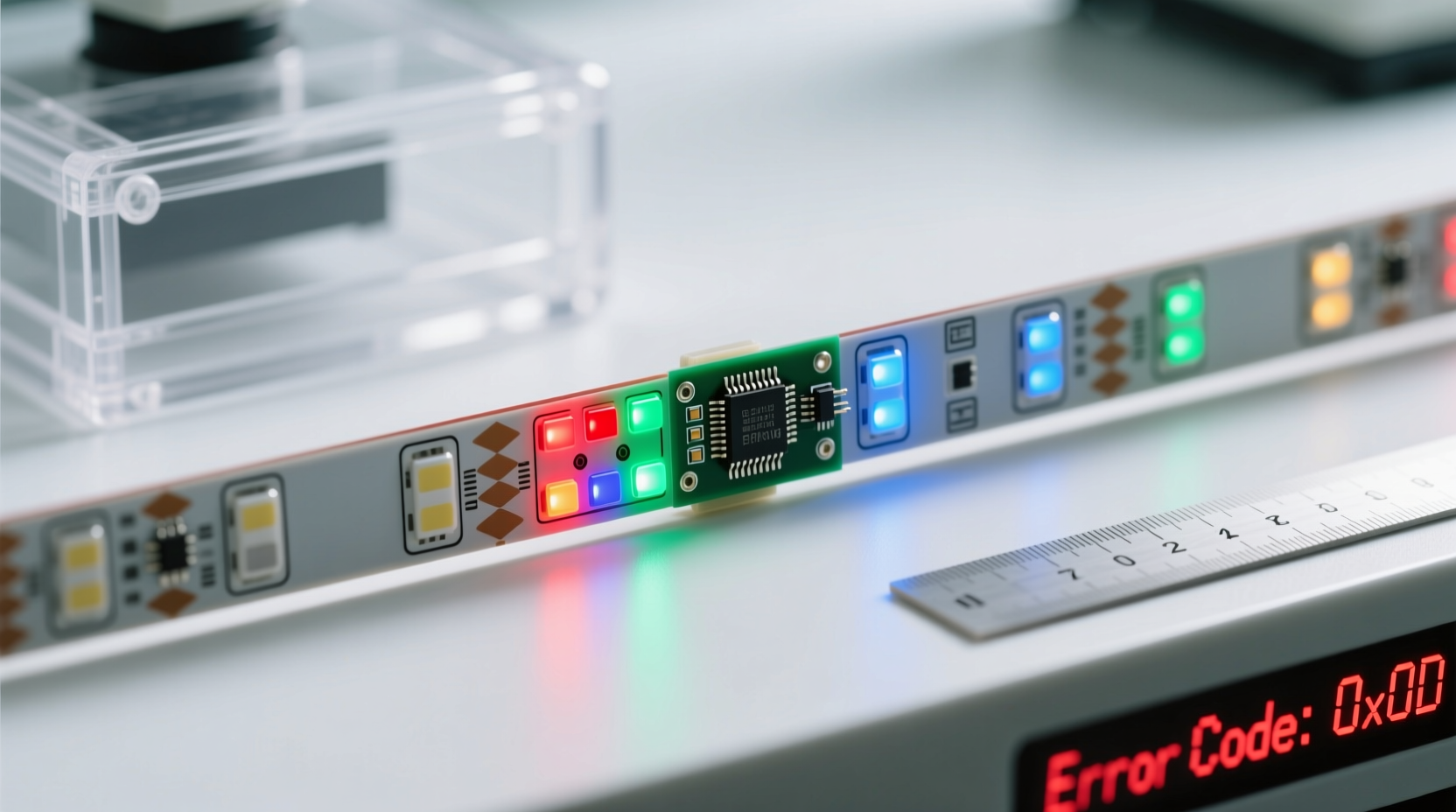
Unlike standard LED strips that operate uniformly, addressable strips contain integrated driver chips (commonly referred to as \"smart LEDs\") embedded behind each diode. These chips receive digital signals sequentially from a controller—usually an Arduino, ESP32, Raspberry Pi, or dedicated lighting board. The first LED processes its assigned color data and forwards the remaining instructions down the line to the next LED, forming a daisy chain.
This serial communication method means that if one LED malfunctions or receives corrupted data, every subsequent LED may display errors—even if they are physically intact. A single damaged chip or poor connection can distort the timing and content of the signal, resulting in segments showing unexpected colors, shifted patterns, or complete failure.
“Signal integrity is everything in addressable LEDs. A microsecond delay or voltage dip can scramble color data across dozens of LEDs.” — Jordan Lin, Embedded Systems Engineer at LightForm Dynamics
Common Causes of Incorrect Color Display in One Segment
When only part of your LED strip misbehaves while others function normally, the problem usually lies within a localized fault zone. Below are the most frequent culprits:
1. Damaged or Failed LED Chip
If a single LED chip in the middle of the strip fails due to overheating, physical stress, or manufacturing defect, it can corrupt outgoing data signals. Even if power passes through, the internal logic may no longer forward accurate instructions, causing downstream LEDs to interpret garbage data as color commands.
2. Voltage Drop Across Long Runs
As current travels along copper traces in the strip, resistance leads to gradual voltage loss—especially beyond 2–3 meters without reinforcement. When voltage dips below ~4.5V for 5V strips, chips begin malfunctioning, often displaying dimmer whites, incorrect hues (typically favoring green or blue), or erratic blinking. This effect worsens with higher brightness settings.
3. Poor Data Signal Quality
The data line requires clean, noise-free transmission. Common interferences include:
- Using unshielded wires longer than 30 cm between controller and strip
- Routing data lines parallel to high-current power cables
- Lack of a series resistor (e.g., 220–470Ω) on the data input pin
- Insufficient grounding between controller and LED strip
4. Incorrect LED Type Configuration in Software
Many controllers rely on libraries like FastLED or NeoPixel, which require specifying the exact model and color order (e.g., GRB vs RGB). If your code defines the wrong chipset (e.g., WS2812B instead of SK6812) or incorrect color byte sequence, only certain sections may appear off-color—particularly noticeable when using white or pastel shades.
5. Physical Damage or Moisture Intrusion
Bending, cutting in the wrong place, or exposure to moisture can compromise solder joints or chip encapsulation. Corrosion or short circuits on the PCB alter electrical behavior, potentially reversing color channels or locking LEDs into default states.
Troubleshooting Workflow: Step-by-Step Diagnosis
To isolate and resolve the issue efficiently, follow this logical progression:
- Verify the full strip under minimal load: Power down, reconnect all components, and run a simple test pattern (like chasing red dots) at low brightness (20%) using known-good code.
- Isolate the affected segment: Note exactly which LEDs deviate. Are they clustered? Sequential? Does the error start after a visible cut mark?
- Check wiring continuity: Inspect connections at power injection points, splices, and end caps. Wiggle test wires to catch intermittent breaks.
- Test with different code: Upload a solid white pattern. If colors still appear tinted (e.g., pinkish or bluish), suspect voltage drop or color order mismatch.
- Bypass suspected sections: Disconnect the strip just before the faulty segment and connect a short known-working piece directly to the controller. If it displays correctly, the original segment likely has a hardware fault.
- Measure voltage at multiple points: Use a multimeter to check voltage across +V and GND pads at the beginning, middle, and end of the strip under operation. Readings below 4.7V at the far end indicate significant drop.
- Inspect for physical damage: Look closely at the PCB near the anomaly for discoloration, lifted traces, or cracked chips.
Do’s and Don’ts: Best Practices Table
| Do’s | Don’ts |
|---|---|
| Use a logic level shifter when connecting 3.3V microcontrollers (ESP32, Raspberry Pi) to 5V LED strips | Run long data lines without shielding or a pull-up resistor |
| Inject power every 2–3 meters for 5V strips over 60 LEDs | Daisy-chain more than 500 LEDs without signal regeneration |
| Confirm the correct color order (GRB, RGB, BRG, etc.) in your code library | Assume all “WS2812B” strips use the same color mapping |
| Include a 470µF capacitor across the power input and a 220–470Ω resistor on the data line | Power the strip and controller from separate, ungrounded supplies |
| Cut only at designated cut marks (between copper pads) | Bend the strip sharply or install under tension |
Real-World Case Study: Fixing a Kitchen Under-Cabinet Lighting Issue
A homeowner installed a 4-meter WS2812B strip beneath kitchen cabinets for ambient lighting. While the first 2.5 meters displayed vibrant, accurate colors, the final section consistently showed purple instead of red and failed to reach full brightness.
Initial inspection revealed:
- No visible damage or water exposure
- Single power feed at the start of the strip
- Data line routed alongside 12AWG power cable
Diagnosis followed these steps:
- Voltage measurement at the end of the strip showed 3.9V under load—well below operational threshold.
- Separate testing of the rear segment on a bench supply confirmed normal function when powered locally.
- After installing a second power injection point at the midpoint and rerouting the data wire away from the main power line, both segments operated correctly.
The root cause was dual-fold: severe voltage drop compounded by electromagnetic interference on the data line. Simple corrections restored full functionality without replacing any components.
Preventive Checklist for Reliable LED Strip Operation
- ✅ Always match the LED type and color order in your firmware (e.g.,
FastLED.addLeds) - ✅ Install a 470µF electrolytic capacitor across the power input terminals to buffer sudden current draws
- ✅ Add a 220–470Ω resistor in series with the data line within 10 cm of the first LED
- ✅ Ground the microcontroller and power supply together to eliminate ground loops
- ✅ Use thick gauge wire (18AWG or lower) for power injection runs over 50 cm
- ✅ Limit continuous runs to 500 LEDs; use signal repeaters or separate controllers for longer installations
- ✅ Seal cut ends and splices with silicone to prevent moisture ingress
Frequently Asked Questions
Why does only the last third of my LED strip show wrong colors?
This is typically caused by voltage drop. As current travels down the strip, resistance in the thin copper traces reduces available voltage. Chips at the end receive insufficient power, leading to incorrect color interpretation. Solution: Inject power at the far end or midway point.
Can I fix a segment showing reversed colors without replacing it?
Sometimes. Reversed colors (e.g., red appearing as green) often stem from incorrect color order configuration in code. Verify your library settings match the actual strip type. If hardware damage is confirmed, replacement of the faulty segment or bypassing it may be necessary.
Does using a stronger power supply solve color issues?
Adequate amperage helps, but voltage stability matters more. Even a 10A supply won’t fix voltage drop over distance unless power is injected at multiple points. Ensure proper distribution, not just total capacity.
Conclusion: Restore Accuracy and Confidence in Your Lighting Setup
Seeing one segment of your addressable LED strip display incorrect colors doesn’t mean the whole project is compromised. In most cases, the solution lies in correcting signal integrity, ensuring uniform power delivery, or updating software configuration. By systematically evaluating each potential cause—from data line quality to firmware settings—you can restore pixel-perfect color accuracy and enjoy the full potential of programmable lighting.
Whether you're building mood lighting, architectural accents, or interactive art, reliable performance starts with attention to detail. Apply these diagnostics and best practices to eliminate guesswork and build systems that work flawlessly from the first LED to the last.




 浙公网安备
33010002000092号
浙公网安备
33010002000092号 浙B2-20120091-4
Comments
No comments yet. Why don't you start the discussion?