
If you’ve noticed that your AirPods case starts the day at 100% but wakes up with significantly less charge—sometimes even dead—you’re not alone. Many users report their charging case mysteriously losing power while sitting idle on a nightstand or in a drawer. This isn’t normal behavior for a well-functioning device, and while it may seem minor, repeated overnight drain can shorten the lifespan of your case’s battery and disrupt your daily routine.
The issue stems from a mix of design limitations, usage habits, environmental factors, and sometimes undetected hardware or software problems. The good news is that most causes are fixable with simple troubleshooting steps. Understanding why this happens—and what you can do about it—is key to preserving both convenience and longevity.
Understanding How the AirPods Case Charges and Holds Power
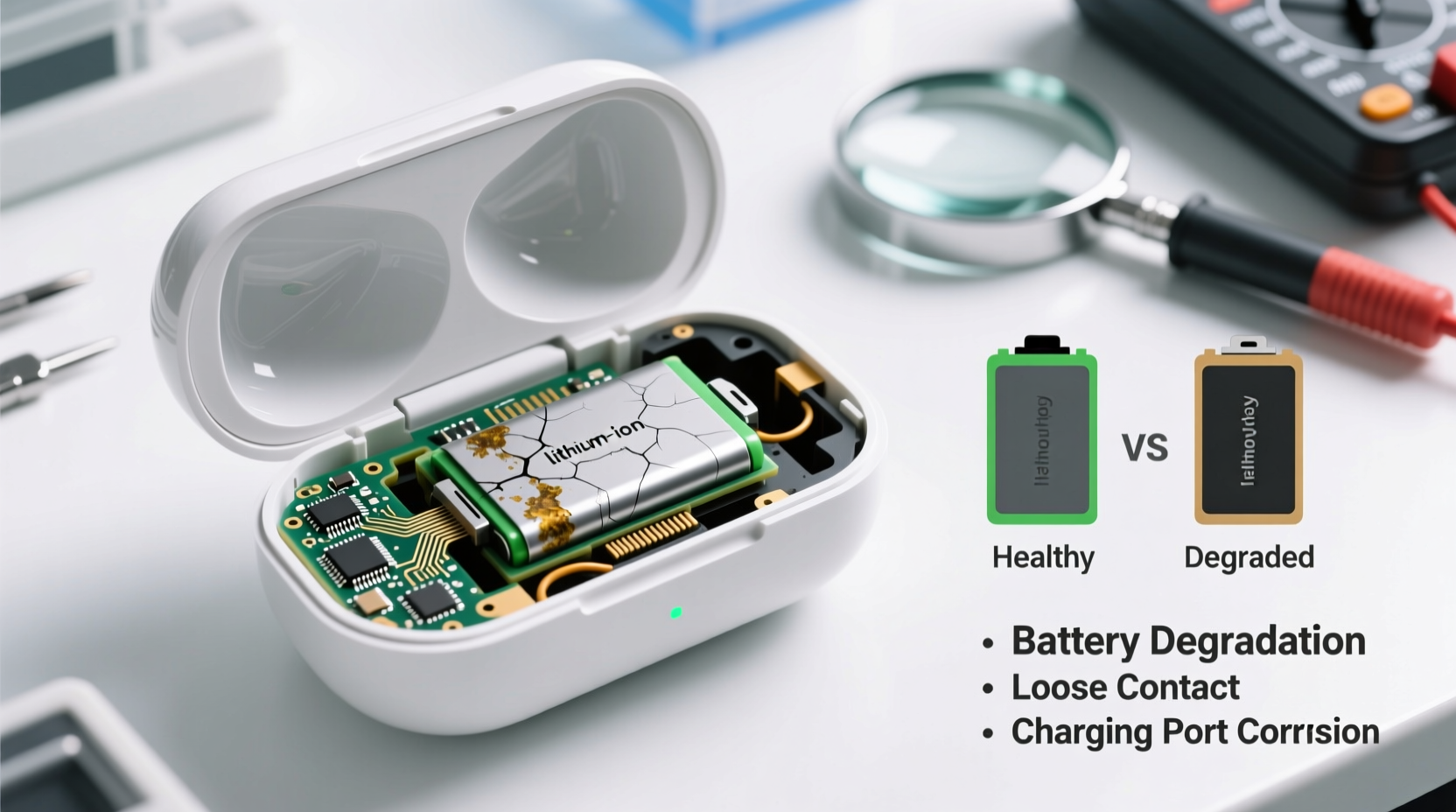
The AirPods charging case acts as a portable battery bank for your earbuds. When closed, it should consume minimal energy, maintaining its own charge unless actively charging the AirPods inside. However, certain internal processes continue even when the case appears inactive:
- Bluetooth beacon signals: The case periodically communicates with nearby Apple devices to maintain connection readiness.
- LED indicator activity: Opening the lid triggers a brief power draw to illuminate the status light.
- Internal circuitry monitoring: A small amount of power is used to track battery levels and manage charging cycles.
These functions normally use negligible energy. But when something goes wrong—like a firmware glitch or a failing battery—the background drain becomes significant enough to deplete the case overnight.
“Even in standby mode, inefficient power management in compact electronics can lead to noticeable battery loss over time.” — Dr. Lena Park, Electronics Engineer & Battery Systems Specialist
Common Causes of Overnight Battery Drain
Several factors can contribute to unexpected discharge. Identifying the root cause is essential before applying fixes.
Faulty or Aging Battery
Like all lithium-ion batteries, the one inside your AirPods case degrades over time. After approximately 500 full charge cycles, capacity drops below 80%. An older case (2+ years) may struggle to hold a charge even under ideal conditions.
Software Glitches or Firmware Bugs
Apple occasionally rolls out updates that introduce unintended bugs. Some users have reported increased battery drain after iOS or AirPods firmware updates due to mismanaged Bluetooth signaling or background processes.
Exposure to Extreme Temperatures
Lithium-ion batteries are sensitive to heat and cold. Leaving your case in a hot car, near a radiator, or in freezing conditions accelerates degradation and increases self-discharge rates—even when not in use.
Damaged or Dirty Charging Port
Corrosion, lint buildup, or physical damage in the Lightning port can create micro-short circuits or inefficient charging, leading to poor retention and phantom drain.
Interference from Connected Devices
If your AirPods are frequently switching between multiple Apple devices (iPhone, iPad, Mac), the case may experience higher-than-normal signaling activity, which indirectly affects power conservation.
Step-by-Step Guide to Fix Overnight Charge Loss
Follow this systematic approach to diagnose and resolve the issue:
- Reset your AirPods: Place them in the case, close the lid for 30 seconds, then open it. Press and hold the setup button on the back for 15 seconds until the status light flashes amber, then white. Re-pair to your device.
- Update firmware: Ensure your connected iPhone is updated to the latest iOS version. Firmware updates for AirPods are delivered automatically when connected to an updated device.
- Clean the charging port: Use a dry, soft-bristled brush (like a clean toothbrush) to gently remove debris from the Lightning port. Do not insert metal objects.
- Check battery health: On your iPhone, go to Settings > Bluetooth, tap the “i” next to your AirPods, and view the case’s current charge level. If it consistently shows inaccurate readings or drops rapidly, the battery may be failing.
- Test charging with different cables and adapters: Use an Apple-certified cable and power source to rule out faulty charging equipment.
- Leave AirPods out overnight: To test if the case itself is draining, charge it fully, remove the AirPods, and leave it closed for 8–12 hours. Check the charge in the morning. Less than 5% loss is normal; more indicates a problem.
Do’s and Don’ts: Best Practices for Preserving Case Battery Life
| Do’s | Don’ts |
|---|---|
| Charge the case regularly before it hits 0% | Let the case fully drain often |
| Store in a cool, dry place away from direct heat | Leave it in a hot car or near heating vents |
| Use only Apple-certified charging accessories | Use cheap third-party chargers with unstable output |
| Keep the case closed when not in use | Leave the lid open for extended periods |
| Update your iPhone and connected devices regularly | Ignore system or firmware update notifications |
Real-World Example: Sarah’s AirPods Case Was Draining Daily
Sarah, a freelance designer in Seattle, noticed her AirPods Pro case was losing nearly 40% of its charge every night. She charged it each evening, yet by morning, it would barely have enough power to top off her earbuds once.
After trying several solutions, she discovered that her case had accumulated lint in the Lightning port from being kept in her pocket. Using a wooden toothpick (not metal), she carefully cleaned the port. She also reset her AirPods and updated her iPhone to iOS 17.4. The next night, the case lost only 3%. The combination of physical cleaning and software refresh resolved the issue without needing a replacement.
This case highlights how a seemingly complex electrical problem can stem from something as simple as debris interfering with proper charging contact.
When to Consider Replacement or Repair
If troubleshooting fails, the battery may be nearing end-of-life. Apple offers out-of-warranty battery service for AirPods cases. As of 2024, the cost ranges from $49 to $79 depending on model and region.
You should consider replacement if:
- The case loses more than 20% charge overnight with no AirPods inside.
- It takes significantly longer to charge than before.
- The status light behaves erratically (e.g., flashing without reason).
- You own a first-generation AirPods case older than three years.
For newer models (AirPods 2nd gen and later), Apple’s battery service includes a refurbished case with a new battery. Alternatively, third-party repair shops offer lower-cost options, though they may void any remaining warranty.
Preventative Checklist for Long-Term Battery Health
Use this checklist weekly to maintain optimal performance:
- ✅ Clean the Lightning port gently with a dry brush
- ✅ Check firmware status via iPhone Bluetooth settings
- ✅ Avoid exposing the case to moisture or extreme temperatures
- ✅ Keep the case charged between 20% and 80% when possible
- ✅ Reset AirPods monthly if experiencing connectivity or battery issues
- ✅ Store the case in a protective pouch when traveling
Frequently Asked Questions
Is it normal for an AirPods case to lose charge overnight?
A small drop (1–5%) is normal due to background operations. Anything above 10% indicates a potential issue with the battery, software, or environment.
Can I replace just the battery in my AirPods case?
Apple does not sell standalone batteries. Instead, they replace the entire case with a rebuilt unit. Third-party technicians may offer battery-only replacements, but success varies by model and skill level.
Does keeping AirPods in the case drain it faster?
No—when AirPods are fully charged, the case stops sending power. However, frequent partial recharges throughout the day increase overall load on the case battery, contributing to long-term wear.
Final Thoughts: Take Control of Your AirPods’ Battery Life
Overnight charge loss in your AirPods case isn’t inevitable. With regular maintenance, smart storage habits, and timely updates, you can preserve battery efficiency for years. Most issues stem from avoidable factors like dirt buildup, outdated software, or environmental stress—not inherent flaws.
Start with simple fixes: clean the port, reset the device, and verify firmware. Track changes over a few nights. If the problem persists, consider professional service. Remember, lithium-ion batteries thrive on consistency—moderate charging, stable temperatures, and gentle handling go a long way.




 浙公网安备
33010002000092号
浙公网安备
33010002000092号 浙B2-20120091-4
Comments
No comments yet. Why don't you start the discussion?