
If you've ever been deep into a run, lifting session, or HIIT workout only for your music to suddenly stop—again—it’s more than frustrating. That split-second pause can break your rhythm, disrupt your focus, and ruin your momentum. You're not imagining it: many AirPod users report their earbuds cutting out mid-exercise. But why?
The good news is that this issue isn’t random—and in most cases, it’s fixable. Whether you’re using first-gen AirPods or the latest AirPods Pro, understanding the root causes behind unwanted pauses can help you maintain a seamless audio experience throughout your training.
This guide dives into the technical, environmental, and behavioral factors that trigger automatic playback interruptions. More importantly, it offers practical, tested solutions so you can reclaim your flow and keep moving without distraction.
Sensor Sensitivity: The Double-Edged Sword of Smart Design
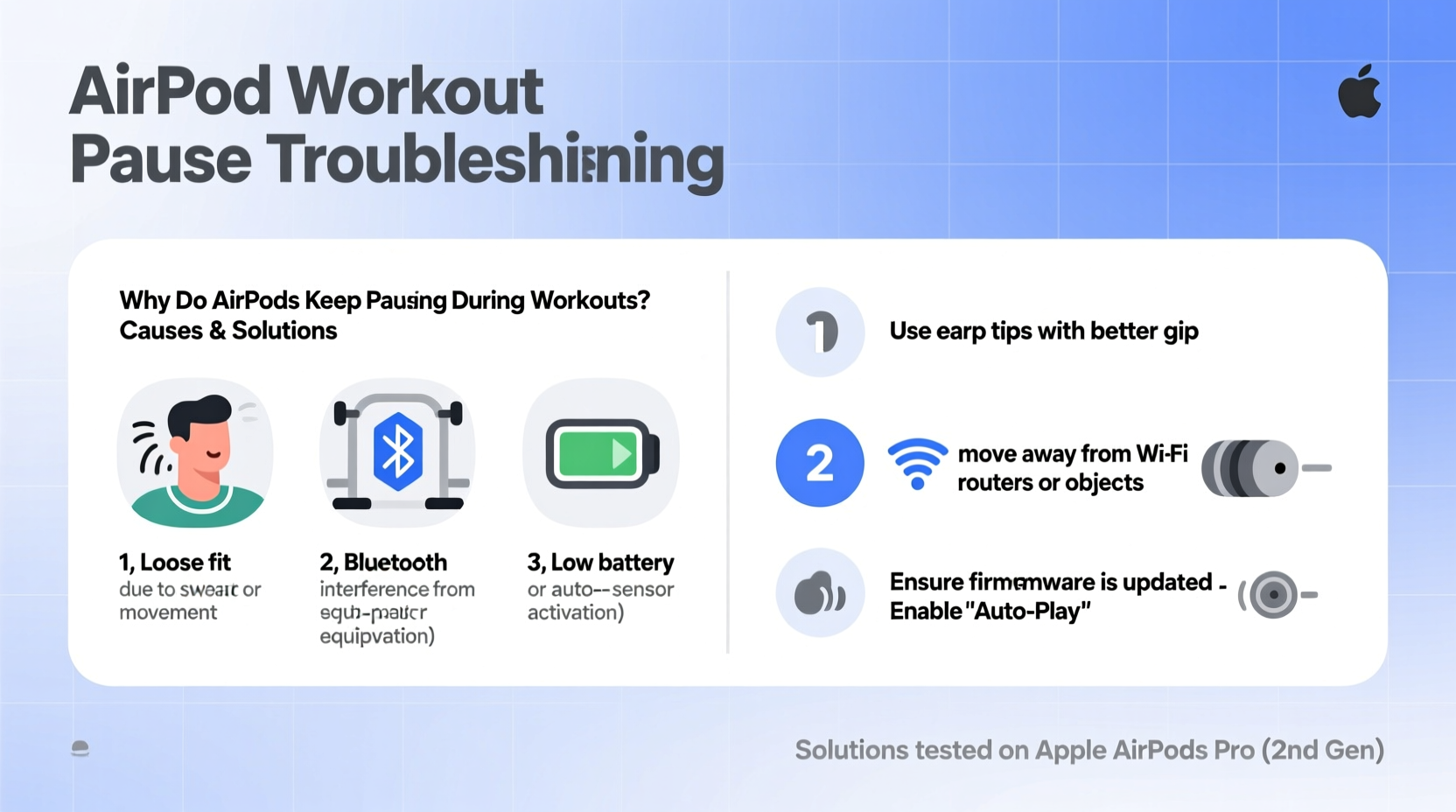
AirPods use optical sensors and motion accelerometers to detect when they’re in your ears. When removed—even briefly—the sensors interpret this as a cue to pause playback. While useful in daily life, this feature becomes problematic during intense physical activity.
During workouts, rapid head movements, sweat-induced slippage, or even adjusting your headphones with a sweaty hand can trick the sensors into thinking the AirPod has been taken out. This results in an unintended pause. The effect is especially pronounced with models like AirPods (3rd gen) and AirPods Pro, which are designed for maximum responsiveness.
“Smart sensors improve user convenience but can misfire under dynamic conditions like high-intensity movement.” — Dr. Alan Zhou, Wearable Technology Researcher at MIT Media Lab
The sensors rely on proximity detection. If moisture builds up around the earbud stem or if the fit loosens due to muscle contraction, the signal may be interrupted. Even minor shifts from jumping jacks or sprinting uphill can cause temporary disconnection.
Poor Fit and Movement-Induced Dislodging
No matter how advanced the technology, if the earbuds don’t stay securely in place, performance suffers. A poor fit is one of the leading reasons AirPods pause during workouts. As your body heats up and muscles expand slightly, earbuds that were snug at rest may become loose.
Unlike dedicated sports earbuds with wingtips or over-ear hooks, standard AirPods rely solely on silicone tips and ear canal shape for retention. For people with smaller or uniquely shaped ears, this often leads to gradual shifting or partial ejection during vigorous motion.
How to Test Your Fit
- Put on your AirPods and play music at low volume.
- Perform a series of workout-like movements: shake your head side-to-side, jump lightly, tilt forward.
- Listen for any momentary cutouts or changes in sound quality.
If you notice interruptions, your AirPods are likely shifting enough to trigger the pause function—even if you don’t feel them coming out.
Solutions for Better Retention
- Use third-party accessories: Products like EarBuddyz or PodGrips add stability and prevent slippage.
- Switch to custom-molded ear tips: Brands like SpinFit offer flexible, secure alternatives that conform better to individual anatomy.
- Try different insertion angles: Rotate the AirPods slightly forward or backward upon insertion to find the most locked-in position.
Bluetooth Interference and Connectivity Drops
Your AirPods rely on a stable Bluetooth connection to your device. During workouts, especially in gyms or crowded spaces, wireless interference can cause brief disconnections—leading to automatic pauses.
Gyms are particularly challenging environments due to multiple active Bluetooth devices (treadmills, TVs, other wearables), Wi-Fi routers, and metal equipment that reflect signals. Additionally, carrying your phone in a back pocket or gym bag increases distance and obstruction between device and earbuds.
Common Sources of Interference
| Source | Impact on Connection | Mitigation Strategy |
|---|---|---|
| Other Bluetooth Devices | Signal congestion causes packet loss | Forget unused devices in Bluetooth settings |
| Physical Obstruction (body, walls) | Weakens signal strength | Keep phone in front pocket or armband |
| Wi-Fi Routers & Microwaves | Operate on 2.4GHz band, same as Bluetooth | Minimize proximity to large electronics |
| Low Battery (on either end) | Reduces transmission power | Charge both AirPods and iPhone before workouts |
Distance matters. Apple recommends keeping your connected device within 30 feet (about 10 meters) for optimal performance. However, real-world range shrinks significantly in electrically noisy environments.
Software Glitches and Firmware Bugs
Even well-designed hardware can fall victim to software quirks. Some users report persistent pausing issues after iOS updates or following firmware upgrades to the AirPods themselves. These bugs may affect sensor logic, Bluetooth stack behavior, or app-level media controls.
For example, certain versions of iOS have exhibited erratic behavior where background apps (like fitness trackers or messaging services) send conflicting audio commands. Similarly, outdated AirPod firmware might misinterpret motion data during repetitive movements.
Step-by-Step Guide to Reset and Update
- Check AirPods firmware version: Go to Settings > General > About > AirPods. Latest firmware ensures bug fixes.
- Update iOS: Navigate to Settings > General > Software Update. Install any available updates.
- Forget and re-pair AirPods:
- Go to Settings > Bluetooth.
- Tap the “i” icon next to your AirPods.
- Select “Forget This Device.”
- Place AirPods in case, close lid, wait 15 seconds, then reopen.
- Hold setup button on case until light flashes white.
- Reconnect via prompt on iPhone.
- Reset network settings (if needed): Settings > General > Transfer or Reset iPhone > Reset > Reset Network Settings. Note: This erases saved Wi-Fi passwords.
This process clears corrupted pairing data and forces a clean sync between devices, often resolving phantom pausing.
Workout-Specific Triggers: Sweat, Motion, and App Behavior
Exercise introduces unique variables not present in everyday use. Let’s examine three key triggers tied specifically to workout conditions.
1. Sweat Accumulation Around Sensors
Sweat conducts electricity and can create false contact between the optical sensor and skin. In some cases, moisture forms a bridge that mimics removal, tricking the system into pausing playback.
To reduce this risk:
- Wipe down your AirPods before and after each workout.
- Avoid touching the stem area with wet hands during use.
- Consider using water-resistant covers (though not officially recommended by Apple).
2. Automatic Ear Detection Misfires
This feature, enabled by default, uses infrared sensors to determine if an earbud is in your ear. During high-motion activities, repeated micro-shifts can cause intermittent detection failures.
You cannot disable Automatic Ear Detection independently per earbud, but turning it off entirely may help:
- Open Settings on your iPhone.
- Navigate to Bluetooth > AirPods > Info (next to the “i” icon).
- Toggle off “Automatic Ear Detection.”
Note: This means playback won’t pause when removing one bud—but it also eliminates accidental pauses.
3. Fitness App Conflicts
Some workout apps automatically pause media when detecting inactivity or syncing heart rate data. Others may take audio focus unexpectedly. For instance, voice prompts from Strava or Peloton could interrupt your playlist momentarily.
Test by playing music through Apple Music or Spotify, then launching your fitness app. If pauses coincide precisely with app interactions, review its audio settings or try an alternative platform.
Mini Case Study: Solving the Spin Class Problem
Jessica, a regular spin class attendee, noticed her AirPods Pro paused every time she leaned forward on the bike. Initially, she assumed it was Bluetooth interference from studio speakers. After trying various positions and resetting her devices, the issue persisted.
She recorded a video of herself during class and reviewed it frame by frame. She observed that each time she bent forward, her right AirPod shifted slightly outward—just enough to break sensor contact. The pause wasn’t due to signal loss, but physical displacement.
Solution: She switched to SpinFit CP100 tips, which provided deeper insertion and better grip. She also turned off Automatic Ear Detection. Result: zero interruptions over the next five sessions.
Her experience underscores the importance of isolating the actual cause rather than assuming technical failure.
Prevention Checklist: Stop Pauses Before They Start
Before your next workout, run through this quick checklist to minimize disruption risks:
- Charge AirPods and charging case fully
- Clean sensor areas with dry microfiber cloth
- Ensure iOS and AirPods firmware are up to date
- Position phone in front pocket or armband
- Test fit with head movement simulation
- Disable Automatic Ear Detection (optional)
- Close unused Bluetooth-connected apps
- Use secure-fit accessories if needed
Frequently Asked Questions
Can sweat damage my AirPods?
AirPods Pro (1st and 2nd gen) have IPX4 sweat and water resistance, meaning they can withstand splashes and light perspiration. However, prolonged exposure to heavy sweat, especially salt-laden, can degrade internal components over time. Always dry them thoroughly after use.
Why do my AirPods pause only on one side?
This usually indicates that one earbud is shifting more than the other. It could be due to asymmetrical ear shape, uneven pressure from glasses or hats, or dirt buildup on a single sensor. Try cleaning both buds and testing each ear separately during movement.
Do AirPods work better with Apple Watch during workouts?
Yes. Streaming audio directly from your Apple Watch (e.g., synced playlists on Spotify or Apple Music) reduces reliance on your iPhone’s Bluetooth signal. Since the watch stays on your wrist—closer to your head—you maintain stronger connectivity, especially if leaving your phone behind.
Final Thoughts: Take Control of Your Audio Experience
Your workout should be about progress, not frustration. Frequent AirPod pausing isn’t inevitable—it’s a solvable problem rooted in design limitations, environmental factors, and usage patterns. By addressing fit, connectivity, software health, and sensor behavior, you can eliminate most interruptions.
Start with the basics: ensure a secure fit, keep sensors clean, and optimize device placement. Then move to advanced steps like firmware updates or disabling sensitive features. Small adjustments make a dramatic difference in reliability.
Remember, AirPods weren’t engineered exclusively for athletes—but with smart modifications, they can perform admirably in demanding conditions. Don’t settle for broken beats. Tune in, lock in, and push forward—uninterrupted.




 浙公网安备
33010002000092号
浙公网安备
33010002000092号 浙B2-20120091-4
Comments
No comments yet. Why don't you start the discussion?