
If you’ve noticed that your AirPods case loses charge much faster than the earbuds themselves, you’re not alone. Many users report this frustrating issue — the case, meant to recharge the AirPods multiple times on a single charge, suddenly dies after just a few uses. This imbalance can disrupt your listening experience and raise concerns about long-term reliability. The truth is, while the AirPods themselves are engineered for efficiency, the charging case is often the weak link in the chain. Understanding why this happens — and how to fix it — can save you time, money, and unnecessary replacements.
Understanding AirPods Battery Design
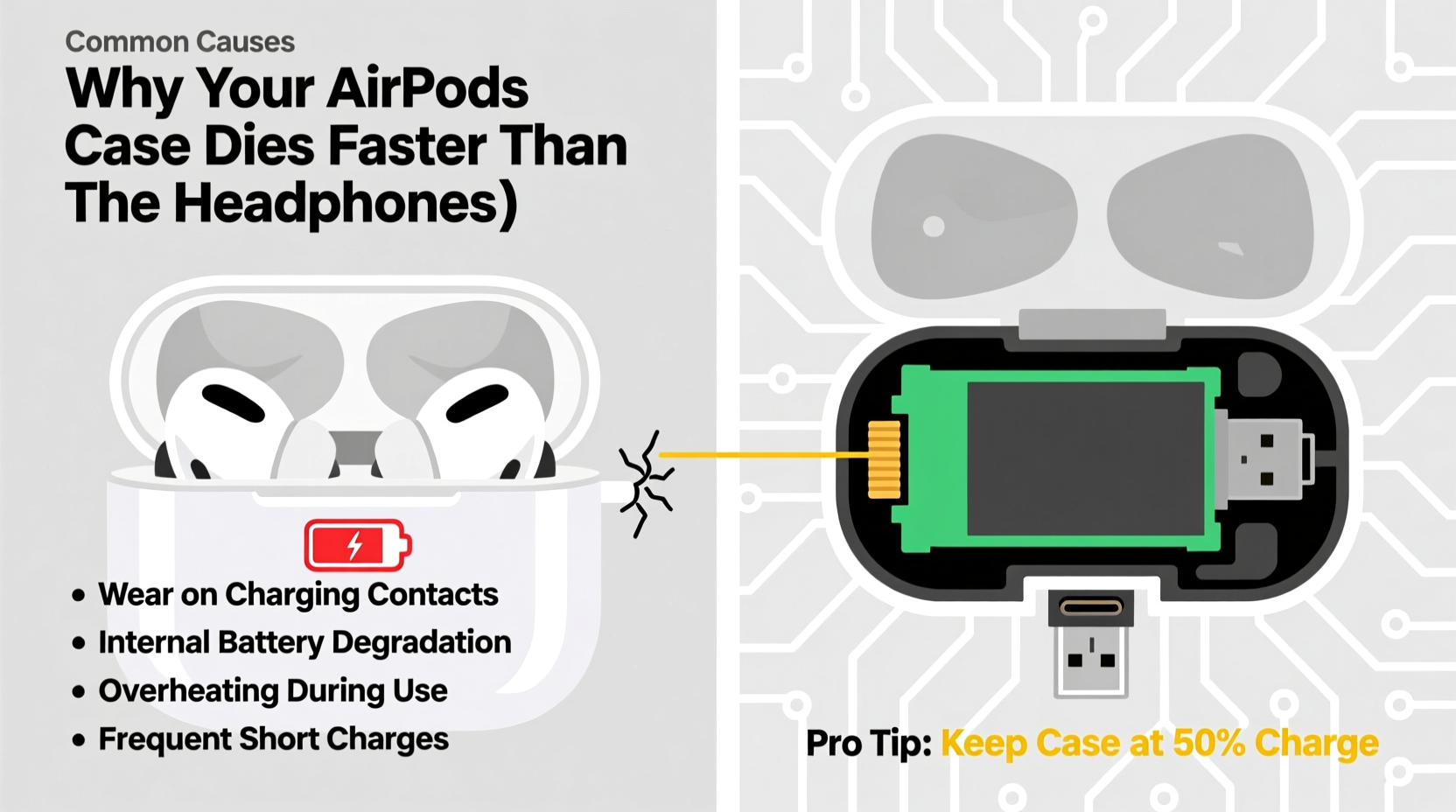
Apple designs its AirPods with separate battery systems: one inside each earbud and another inside the charging case. The case’s battery powers both itself (for status light and pairing functions) and recharges the AirPods when stored. Under normal conditions, a fully charged case should provide multiple full charges to the AirPods — typically up to 24 hours of total listening time depending on the model.
However, the case’s battery capacity is smaller than the sum of the earbuds’ batteries over time, especially as degradation occurs. More importantly, the case performs more background tasks than most users realize:
- Powering the LED indicator during charging
- Maintaining Bluetooth connectivity for Find My tracking
- Running internal circuitry that manages charging cycles
- Supporting wireless charging (on compatible models)
These functions consume energy even when the AirPods aren’t actively being used. Over time, repeated charging cycles, exposure to heat, and usage patterns accelerate wear on the case’s lithium-ion battery — often faster than the earbuds, which are used intermittently and spend more time in low-power states.
“Battery longevity isn't just about capacity — it's about workload distribution. The AirPods case does more behind the scenes than people assume.” — Dr. Lena Tran, Battery Technology Researcher at MIT Energy Initiative
Common Causes of Fast Case Drain
The premature depletion of your AirPods case battery usually stems from a combination of hardware limitations, software inefficiencies, and user habits. Below are the most frequent culprits:
1. Background Power Consumption
The case remains partially active even when idle. If “Find My” is enabled, the case emits periodic Bluetooth signals to help locate lost devices. While useful, this feature continuously draws power, especially if the case is left unattended for days.
2. Battery Degradation
Lithium-ion batteries degrade with every charge cycle. Apple estimates that after 500 full charge cycles, a battery retains about 80% of its original capacity. Frequent daily charging adds up quickly — within two years, many cases operate at significantly reduced efficiency.
3. Temperature Exposure
Leaving your AirPods case in hot environments — like a car dashboard or direct sunlight — accelerates chemical aging in the battery. High temperatures increase internal resistance and reduce overall lifespan, leading to faster discharge rates.
4. Charging Habits
Constantly topping off the case throughout the day, using non-certified chargers, or leaving it plugged in overnight contributes to stress on the battery. Partial charges are fine, but erratic voltage input can reduce long-term health.
5. Firmware Glitches
Occasionally, bugs in AirPods firmware cause abnormal power management. For example, a failed update or corrupted pairing data may result in the case drawing more power than necessary during standby.
Troubleshooting Guide: Step-by-Step Fixes
Before considering a replacement, try these proven solutions to restore balance between your AirPods and their case.
- Reset the AirPods and Case
Place both AirPods in the case, close the lid, and wait 30 seconds. Open the lid, press and hold the setup button on the back for 15 seconds until the status light flashes amber, then white. Re-pair to your device via Bluetooth settings. - Update Firmware
Ensure your connected iPhone or iPad is updated to the latest iOS version. AirPods receive firmware updates automatically when connected and charging. Check the revision number in Settings > Bluetooth > AirPods (i icon) — current versions should be 6.9.0 or higher. - Disable Find My (Temporarily)
Go to iCloud.com or the Find My app, select your AirPods, and remove them from your account. This stops background location pings. Re-enable only if needed for tracking. - Check Charging Equipment
Use an Apple-certified cable and adapter. Test with different USB ports and power sources. A weak charger may not fully replenish the case, creating a false impression of fast drain. - Monitor Battery Health
On iPhone: Settings > Bluetooth > tap the (i) next to your AirPods. View individual battery levels for each bud and the case. Consistently low case readings indicate degradation. - Clean the Charging Contacts
Gently wipe the metal contacts inside the case and on the AirPods with a dry, lint-free cloth. Dust or debris can interfere with charging efficiency, causing incomplete top-offs. - Limit Wireless Charging (if applicable)
If you own a wireless charging case, switch to wired charging temporarily. Some users report better battery consistency with Lightning cables due to stable voltage delivery.
Battery Performance Comparison: AirPods vs. Case
The following table outlines typical battery behavior across different AirPods models under standard usage conditions.
| Model | AirPods Battery Life (per charge) | Case Total Recharge Capacity | Typical Case Drain Issue? |
|---|---|---|---|
| AirPods (1st Gen) | Up to 5 hours | ~20 full recharges | Yes – older batteries degrade faster |
| AirPods (2nd & 3rd Gen) | Up to 6 hours | ~24 hours extended playback | Moderate – firmware issues common |
| AirPods Pro (1st & 2nd Gen) | Up to 6 hours (active noise cancellation on) | ~30 hours with case | Rare – but case still degrades first |
| AirPods Max | Up to 20 hours | Smart Case uses minimal power | No – different design, less drain |
Note: All cases will eventually degrade faster than earbuds because they undergo more cumulative charge cycles and perform additional system tasks.
Real-World Example: Sarah’s AirPods Case Dilemma
Sarah, a freelance graphic designer based in Portland, relied on her AirPods Pro daily for client calls and music. After 18 months of use, she began noticing that her case would go from full to empty overnight — despite the AirPods themselves lasting all day. Initially, she assumed she was using them too much.
She tried replacing the charging cable and resetting her phone’s Bluetooth, but the problem persisted. Then, she checked the battery health in her iPhone settings and saw that while each AirPod showed 87% health, the case reported only 62%. She also discovered that “Find My” was constantly pinging her case’s location since it spent time in her bag away from her phone.
After disabling Find My temporarily and performing a factory reset on the AirPods, the case’s standby time improved dramatically. She now manually enables Find My only when traveling and avoids leaving the case in hot areas. Her case has stabilized, and she expects another year of reliable use.
Prolonging Your AirPods Case Battery Life
Prevention is key. Once a battery degrades, it cannot be restored. However, adopting smart practices early can double the effective lifespan of your case.
Do’s and Don’ts for Long-Term Case Health
| Do | Don’t |
|---|---|
| Charge the case regularly before it hits 0% | Leave the case completely drained for weeks |
| Store in a cool, dry place away from sunlight | Keep in a hot car or near radiators |
| Use Apple-certified charging accessories | Use cheap third-party chargers with unstable output |
| Turn off Find My when not needed | Assume the case is “dumb” — it runs active processes |
| Update iOS and AirPods firmware promptly | Ignore software updates or skip backups |
“The best way to preserve any lithium-ion battery is consistent, moderate use — avoid extremes of temperature and charge level.” — TechRadar Battery Longevity Report, 2023
Frequently Asked Questions
Can I replace just the AirPods case battery?
Apple does not sell standalone case batteries, but you can purchase a replacement case directly from Apple or authorized resellers. Third-party repair shops may offer battery swaps, though this voids any remaining warranty and risks damage to the casing or electronics.
Why does my case show 100% but die in an hour?
This is a sign of advanced battery degradation. The battery management system may incorrectly report charge levels due to internal cell wear. Even if it reads full, the actual energy storage is minimal. Consider a case replacement if this occurs frequently.
Is it safe to leave my AirPods case plugged in overnight?
Modern cases have overcharge protection, so it’s generally safe. However, habitual overnight charging increases thermal stress and shortens overall battery life. Unplug once fully charged for optimal longevity.
Final Checklist: Optimize Your AirPods Case Today
- ✅ Reset your AirPods and re-pair them to your device
- ✅ Update your iPhone and ensure AirPods firmware is current
- ✅ Clean the charging contacts with a dry microfiber cloth
- ✅ Disable Find My if you don’t need location tracking
- ✅ Monitor battery health in Bluetooth settings
- ✅ Switch to wired charging if using wireless
- ✅ Store the case in a temperature-controlled environment
- ✅ Replace the case if battery health falls below 70%
Conclusion: Take Control of Your AirPods’ Longevity
The AirPods case dying faster than the headphones isn’t a flaw — it’s a consequence of design trade-offs and natural battery wear. But with informed care, you can significantly delay the decline and maintain balanced performance. By understanding what drains the case, applying targeted fixes, and adopting preventive habits, you extend not just functionality but value.
Don’t wait until the case fails completely. Act now: check your battery health, optimize settings, and treat your AirPods case like the sophisticated electronic device it is. Small changes today can add years to your listening experience.




 浙公网安备
33010002000092号
浙公网安备
33010002000092号 浙B2-20120091-4
Comments
No comments yet. Why don't you start the discussion?