
It’s unsettling when your Amazon Echo device suddenly activates without warning—especially if you weren’t speaking to it. The blue light ring spins, a chime plays, and Alexa responds to something you didn’t say. While these moments might seem like glitches or even breaches of privacy, most cases have logical explanations rooted in how voice assistants process sound, interpret commands, and interact with smart home ecosystems. Understanding the triggers behind unexpected activations and knowing which privacy controls to review can restore confidence in your device.
Common Reasons Alexa Turns On Unexpectedly
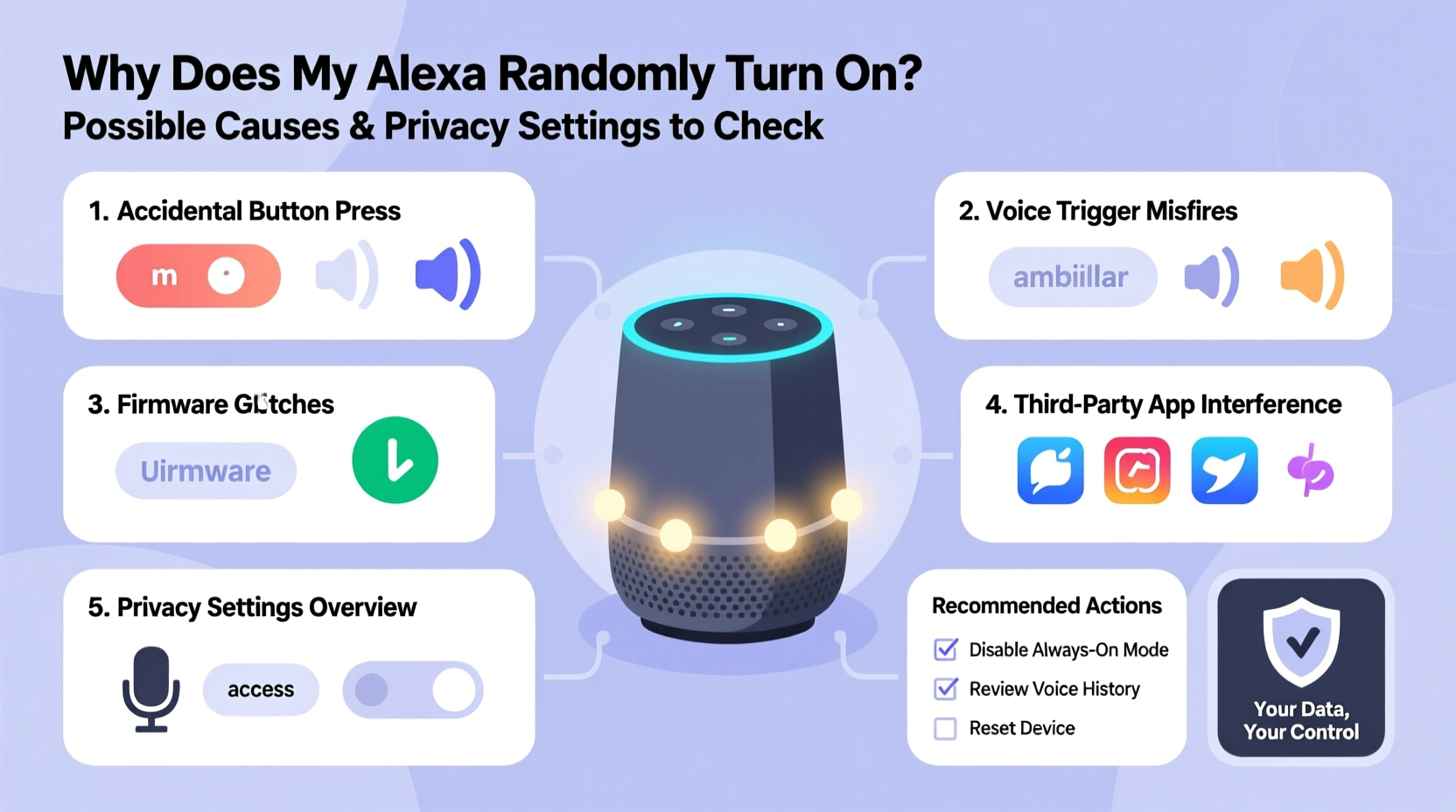
Alexa is designed to listen for its wake word—typically “Alexa,” though users can change it to “Echo,” “Computer,” or “Amazon.” Once detected, the device begins recording and processing the following audio. However, false triggers are more common than many realize. These occur when background noise, speech patterns, or device malfunctions mimic the wake word.
- Background noise resembling the wake word: Sounds like clinking dishes, TV dialogue, or even certain music tracks can unintentionally activate Alexa.
- Voice similarity: If someone in your household has a vocal tone similar to the primary user, their speech may trigger the device.
- Poor microphone sensitivity: Over time, dust or debris near the mic array can distort input, increasing misinterpretations.
- Firmware bugs: Software updates occasionally introduce quirks that affect voice detection accuracy.
- Connected smart devices sending signals: Some routines or automations from other smart home gadgets may prompt Alexa to respond unexpectedly.
How Alexa Processes Voice Input: A Closer Look
To understand why false triggers happen, it helps to know what happens behind the scenes. When ambient sound reaches your Echo device, local algorithms analyze the audio in real time to detect whether the wake word was spoken. This processing occurs on the device itself—not in the cloud—for speed and efficiency. Only after the wake word is recognized does the device begin streaming audio to Amazon’s servers for interpretation.
However, no system is perfect. According to internal testing data released by Amazon, Alexa's wake word engine achieves about 95% accuracy under ideal conditions. That still leaves room for five false triggers per 100 hours of operation in noisy environments. Factors such as echo-prone rooms, overlapping conversations, and low-frequency sounds increase error rates.
“Voice assistants operate in dynamic acoustic environments. Even subtle variations in pronunciation or environmental noise can lead to unintended activation.” — Dr. Lena Patel, Senior Researcher in Human-Computer Interaction, MIT Media Lab
Privacy Settings You Should Review Immediately
If Alexa keeps turning on uninvited, it’s wise to audit your privacy configurations. These settings determine what gets recorded, stored, and used to improve services. More importantly, they give you control over your data.
1. Review Voice History and Delete Recordings
Alexa stores every interaction unless you disable this feature. To see what’s been captured:
- Open the Alexa app or visit Alexa Privacy Hub.
- Navigate to Settings > Alexa Privacy > Review Voice History.
- Browse recordings labeled with timestamps and device names.
- Select entries to play back or delete individually—or choose “Delete All” for a fresh start.
2. Disable Voice Recording Storage
You can prevent future recordings from being saved:
- Go to Manage Your Alexa Data in the privacy section.
- Toggle off Automatically Delete My Voice Recordings and set it to erase every 3 months or 18 months.
- Alternatively, switch off Help Improve Alexa, which stops Amazon from using your voice snippets to refine speech recognition.
3. Adjust Microphone Sensitivity (if available)
Some newer Echo models allow fine-tuning of wake word sensitivity:
- In the Alexa app, select your device under Devices.
- Tap Wake Word Sensitivity.
- Choose between Low, Medium, or High based on your environment. In quiet homes, lower sensitivity reduces false triggers.
4. Turn Off Drop In and Announcements
These features let others initiate live audio or video connections to your Echo. If enabled, external pings can cause sudden activations:
- Disable Drop In and Announcements under Device Settings.
- Restrict access to specific contacts only if you use them selectively.
| Setting | Action | Impact on Random Activation |
|---|---|---|
| Store Voice Recordings | Turn off or auto-delete | Reduces data exposure; doesn't stop triggers but limits retention |
| Help Improve Alexa | Disable | Lowers risk of voice data reuse; minor effect on activation frequency |
| Wake Word Sensitivity | Set to Low/Medium | Directly reduces false positives in quiet spaces |
| Drop In Permissions | Disable or restrict | Prevents remote-triggered activations |
| Routines with Voice Triggers | Audit and simplify | Eliminates chain reactions from custom commands |
Real-Life Example: The Case of the Midnight Chime
Sarah, a teacher from Portland, noticed her bedroom Echo would activate around 2:17 a.m. almost every night. It wasn’t responding to anything she said—just lighting up and sometimes saying, “I didn’t catch that.” Concerned about privacy and sleep disruption, she began investigating.
She first reviewed her voice history and found dozens of early-morning recordings with no clear wake word. After disabling “Help Improve Alexa,” the issue persisted. Then, she checked her routines and discovered an automated weather update set to trigger via voice command at 2:15 a.m.—intended for weekends only, but misconfigured to run daily.
Upon deleting the flawed routine and lowering her device’s wake word sensitivity, the random activations stopped completely. Sarah later shared her experience in an online forum, noting, “I assumed it was a bug or someone listening. It turned out to be my own oversight in setup.”
Step-by-Step Guide to Troubleshoot Unwanted Activations
If Alexa keeps turning on without reason, follow this structured approach to identify and resolve the root cause:
- Document the pattern: Note the time, location, and what Alexa says. Is it responding to something? Or just lighting up?
- Check recent routines: Open the Alexa app > Routines. Look for any automation involving voice triggers, scheduled actions, or smart home integrations.
- Review connected devices: Smart plugs, cameras, or thermostats with voice alerts could be prompting responses. Temporarily disable non-essential integrations.
- Test in silence: Mute TVs, radios, and appliances. Speak normally near the device to see if it reacts inappropriately.
- Adjust wake word sensitivity: Lower the setting if you're in a quiet home or frequently hear false triggers.
- Reboot the device: Unplug your Echo for 30 seconds, then restart. This clears temporary glitches.
- Update firmware: Ensure your device is running the latest software (found in Device Settings).
- Delete old voice history: Clear past interactions to remove potential training data contributing to misrecognition.
- Contact Amazon Support: If problems persist, request a diagnostic report through the app or website.
Frequently Asked Questions
Can someone remotely activate my Alexa without permission?
No. Alexa cannot be remotely activated by third parties unless they have access to your Amazon account or have been granted Drop In permissions. Always use strong passwords and enable two-factor authentication to protect your login.
Does Alexa record everything I say?
No. Alexa only begins recording after detecting the wake word. Before that, audio is processed locally and immediately discarded. However, once activated, the full phrase and response are stored unless you disable voice history.
Why does Alexa turn on when no one is home?
This can happen due to external noises—like delivery knocks, pet movements, or HVAC systems creating vibrations that mimic speech. It may also result from scheduled routines, smart device alerts, or Wi-Fi disruptions causing reboots and status announcements.
Final Thoughts: Regaining Control Over Your Smart Speaker
Random Alexa activations are rarely malicious—but they do highlight the importance of proactive device management. By understanding how voice recognition works, reviewing privacy settings regularly, and auditing automations, you maintain both functionality and trust in your smart home ecosystem.
Technology should serve you, not unsettle you. Taking just 15 minutes to walk through your Alexa settings can eliminate unwanted behaviors and reinforce your digital boundaries. Whether it’s adjusting sensitivity, renaming the wake word, or clearing old voice logs, each step brings greater clarity and control.




 浙公网安备
33010002000092号
浙公网安备
33010002000092号 浙B2-20120091-4
Comments
No comments yet. Why don't you start the discussion?