
If you’ve woken up in the middle of the night to Alexa suddenly playing music, you’re not alone. Thousands of users report their Amazon Echo devices activating unexpectedly after bedtime, disrupting sleep and raising concerns about privacy and device reliability. While it may feel like a glitch or even a security issue, most cases stem from unintended voice triggers—moments when Alexa misinterprets ambient sounds as a wake command. Understanding why this happens and how to prevent it is essential for maintaining peace of mind—and a quiet bedroom.
Alexa’s always-on microphone listens continuously for its wake word (typically “Alexa,” but also customizable to “Echo,” “Amazon,” or “Computer”). When it detects a sound pattern that matches the wake word, it activates and processes what follows. But because no speech recognition system is perfect, background noise, similar-sounding phrases, or even dreams can trick the device into thinking it was called upon. The result? Music starts playing at 2:37 a.m., and you're left wondering if someone—or something—triggered it.
How Voice Activation Works (and Why It Fails)
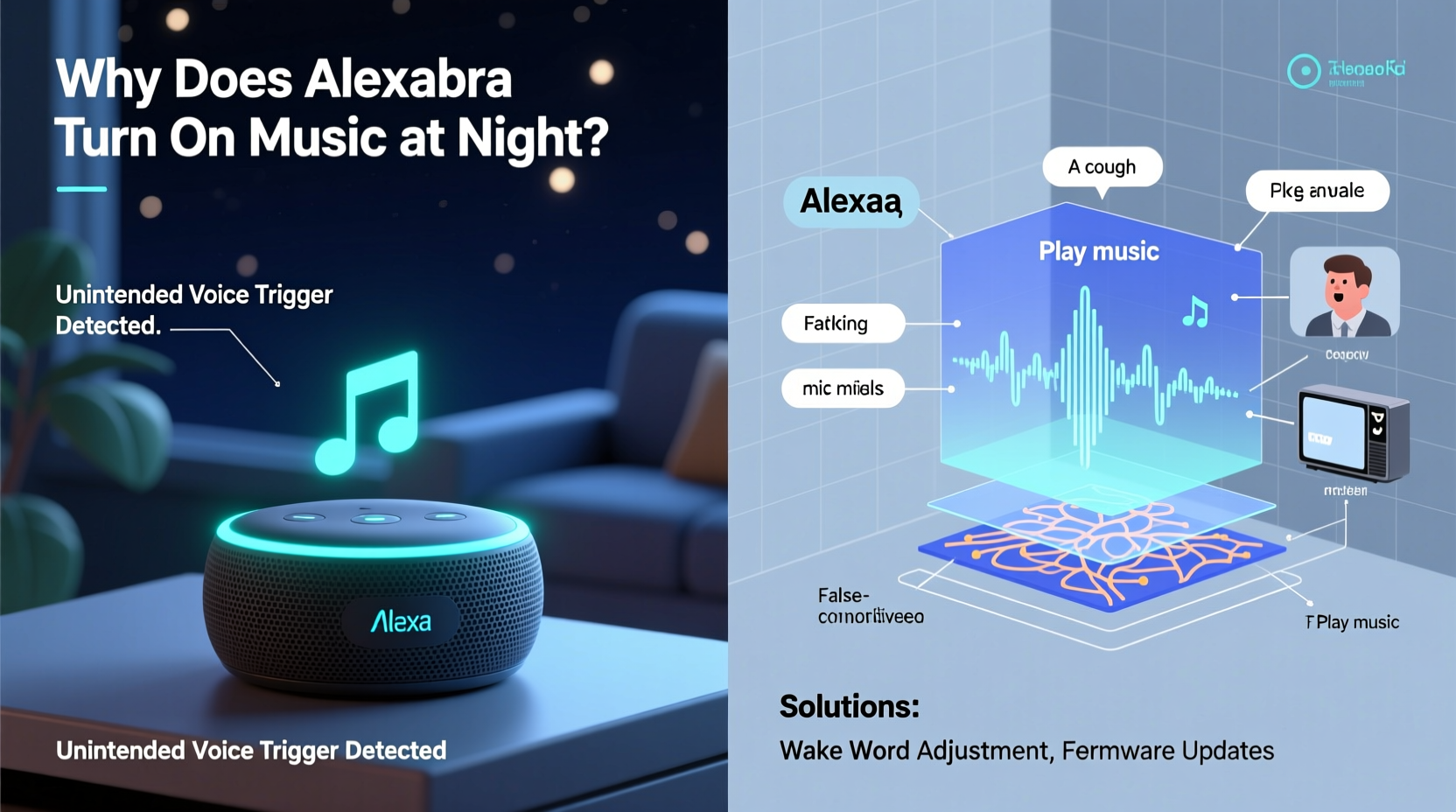
Alexa uses a two-stage detection process. First, a local algorithm on the device listens for the wake word using minimal processing power. If it detects a potential match, the device \"wakes up,\" lights up, and begins streaming audio to Amazon’s cloud servers for full interpretation. This design balances responsiveness with efficiency, but it also introduces the risk of false positives.
The problem isn’t that Alexa is “listening all the time” in the traditional sense—it’s not recording or transmitting audio until it thinks it hears the wake word. However, everyday sounds can resemble the wake word closely enough to trigger activation. Examples include:
- A partner saying “I’ll check the weather tomorrow” (the word “check” sounding like “Alexa”)
- A TV commercial featuring someone with a similar vocal tone
- Snoring, coughing, or sleep talking
- Noise from pets, plumbing, or appliances
- Music with lyrics that phonetically mimic the wake word
According to Dr. Sarah Lin, a senior researcher in human-computer interaction at MIT Media Lab:
“Voice assistants operate in unpredictable acoustic environments. Even small variations in pronunciation, background noise, or speaker accent can lead to misinterpretations. These systems are trained on vast datasets, but real-world conditions often fall outside those models.” — Dr. Sarah Lin, MIT Media Lab
This mismatch between training data and real-life usage explains why some households experience frequent false triggers while others never do. Factors like room acoustics, microphone sensitivity, and language patterns all play a role.
Common Causes of Nighttime Alexa Activations
Nighttime incidents are particularly common due to unique environmental conditions. Here are the top culprits:
1. Sleep Talking or Snoring
Sleep talking often includes fragmented words or syllables that resemble “Alexa.” A groggy “uh-lex…” during a dream can be enough to activate the device, especially if followed by a phrase like “play music” in the same breath.
2. Background Audio from TVs or Radios
Even if the TV is off, recordings or smart home routines might play audio late at night. Commercials, movie dialogues, or podcasts containing names like “Alexander” or phrases such as “access now” can inadvertently trigger Alexa.
3. Poor Wake Word Choice
“Alexa” is one of the easiest wake words to accidentally trigger because it starts with a vowel and contains soft consonants commonly found in speech. Users who haven’t changed the default setting are more prone to false activations.
4. Device Placement Near Beds or Windows
An Echo Dot on a nightstand picks up every whisper, snore, and creak. Placing it near a window can also expose it to external noises like car alarms, sirens, or neighbors’ conversations—any of which might contain Alexa-like sounds.
5. Scheduled Routines Gone Wrong
Some users set up bedtime routines like “Play white noise at 10 p.m.” If the routine is misconfigured or duplicated across multiple devices, it may trigger unexpectedly—or repeat without cause.
Step-by-Step Guide to Prevent Unwanted Activations
Follow this systematic approach to eliminate nighttime disruptions:
- Change the Wake Word
Go to the Alexa app → Settings → [Your Device] → Wake Word. Choose “Computer” or “Echo,” which are less likely to be triggered by casual speech. - Relocate the Device
Move the Echo away from the bed, ideally at least six feet. Avoid placing it near walls or corners that amplify sound reflections. - Lower Microphone Sensitivity (if available)
While Alexa doesn’t offer a direct volume slider for voice detection, newer firmware updates allow limited tuning via voice feedback. Say, “Alexa, lower your microphone sensitivity,” and observe changes in responsiveness. - Disable Drop In and Announcements
These features allow other household members or devices to connect automatically. Turn them off unless actively used: Alexa App → Communications → Manage Drop In & Announcements. - Review Recent Voice History
In the Alexa app, go to Settings → History. Look for entries around the time of the incident. Was there a clear command? Or did it activate with no follow-up? This helps determine whether the trigger was internal or external. - Set a Do Not Disturb Schedule
Enable DND during sleeping hours. This silences notifications and prevents visual cues, though it won’t stop audio playback if already triggered. Still, it reduces disturbances.
Steps: Alexa App → Devices → [Your Echo] → Do Not Disturb → Set Schedule (e.g., 10 PM – 7 AM). - Turn Off Music After Inactivity
Use a routine: “When I say ‘Goodnight,’ turn off all speakers after 15 minutes.” This limits prolonged playback if a false start occurs.
Tips and Best Practices for Long-Term Prevention
Beyond immediate fixes, adopt habits that reduce risk over time:
- Create a Quiet Zone Rule: Designate bedrooms as low-interaction zones. Only keep essential devices active, and disable non-critical skills.
- Update Firmware Regularly: Amazon rolls out improvements to voice recognition accuracy. Ensure automatic updates are enabled.
- Avoid Using Alexa in Noisy Environments: Kitchens with running appliances or living rooms with loud TVs increase false trigger risks.
- Train Alexa with Your Voice: Use the “Improve Alexa’s Recognition” feature under Voice Profile settings so it learns your specific pronunciation patterns.
Checklist: Secure Your Alexa Against Nighttime Triggers
Use this checklist weekly or after any new device setup:
- ✅ Changed wake word to “Echo” or “Computer”
- ✅ Moved device away from bed or high-noise areas
- ✅ Enabled Do Not Disturb schedule (10 PM – 7 AM)
- ✅ Reviewed voice history for suspicious activations
- ✅ Disabled unused skills (especially music-related ones)
- ✅ Muted device manually before sleep (if necessary)
- ✅ Verified no overlapping routines are scheduled
- ✅ Updated all Echo devices to latest firmware
Real Example: How One Family Solved Their Midnight Music Mystery
The Thompson family in Portland, Oregon, began experiencing nightly Alexa activations in their master bedroom. Every few days, classical music would start playing around 1:30 a.m. They initially suspected a neighbor hacking their Wi-Fi or a faulty device.
After checking the Alexa app history, they noticed a consistent pattern: activation occurred only when both parents were asleep, and no voice command appeared in the log. Further investigation revealed that their dog, a golden retriever named Max, liked to jump onto the foot of the bed around midnight. The thud of his landing, combined with the creak of the box spring, created a sound wave that mimicked the “A-lek-sa” syllable.
The solution? They moved the Echo Dot from the nightstand to a shelf across the room and changed the wake word to “Echo.” No further incidents occurred. As Mr. Thompson noted, “We never thought a dog jump could fool artificial intelligence—but it did.”
Do’s and Don’ts: Managing Alexa Responsibly
| Do | Don't |
|---|---|
| Customize the wake word to something less common | Keep “Alexa” as the default without testing sensitivity |
| Place devices centrally, away from beds and windows | Install Echos in every bedroom without managing settings |
| Use Do Not Disturb schedules consistently | Assume voice history is private—review it regularly |
| Mute microphones overnight when not needed | Ignore firmware update notifications |
| Limit connected music services to one primary account | Enable guest access or open Drop In freely |
Frequently Asked Questions
Can Alexa be hacked to play music at night?
While rare, unauthorized access is possible if your Amazon account lacks two-factor authentication or if someone gains physical access to your network. However, most cases of nighttime playback are due to accidental triggers, not breaches. To stay safe, enable 2FA, review login activity monthly, and avoid sharing your Wi-Fi password.
Why does Alexa turn on and say nothing, then play music?
This usually means the initial wake word was detected, but the subsequent command wasn’t clear. Alexa defaults to previous actions—like resuming a playlist—if it thinks it heard “play music” or “resume.” Check your voice history to see if a partial command was recorded.
Will covering the microphone stop false triggers?
Covering the mic with fabric may dampen sound but won’t fully block input and could damage the device. Instead, use the physical mute button (top of most Echo devices). When red, the mic is off and cannot activate.
Final Thoughts and Action Plan
Unintended Alexa activations at night are frustrating but solvable. By understanding how voice recognition works and taking proactive steps—changing the wake word, repositioning devices, using Do Not Disturb, and leveraging mute functions—you regain control over your smart home environment.
Start tonight: pick one action from the checklist above and implement it. Whether it’s switching the wake word or scheduling downtime, small changes yield big results. Over time, combine multiple strategies for maximum reliability.




 浙公网安备
33010002000092号
浙公网安备
33010002000092号 浙B2-20120091-4
Comments
No comments yet. Why don't you start the discussion?