
If you've noticed that your animated nativity scene starts over at midnight each day—regardless of where it left off the night before—you're not alone. This behavior can be puzzling, especially when the display appears to function perfectly otherwise. The issue is rarely a defect in the figurines or storytelling mechanism. Instead, it's typically rooted in how the device receives and manages time-based commands, power cycles, and internal memory retention. Understanding the underlying causes allows you to troubleshoot effectively and ensure your holiday display runs smoothly throughout the season.
Animated nativity scenes have evolved from simple mechanical movements to sophisticated programmable displays featuring synchronized music, lighting sequences, and timed animations. Many now include digital controllers, remote operation, and even Wi-Fi connectivity. While these advancements enhance realism, they also introduce new points of failure—especially when it comes to maintaining accurate timing across days.
How Animated Nativity Scenes Track Time
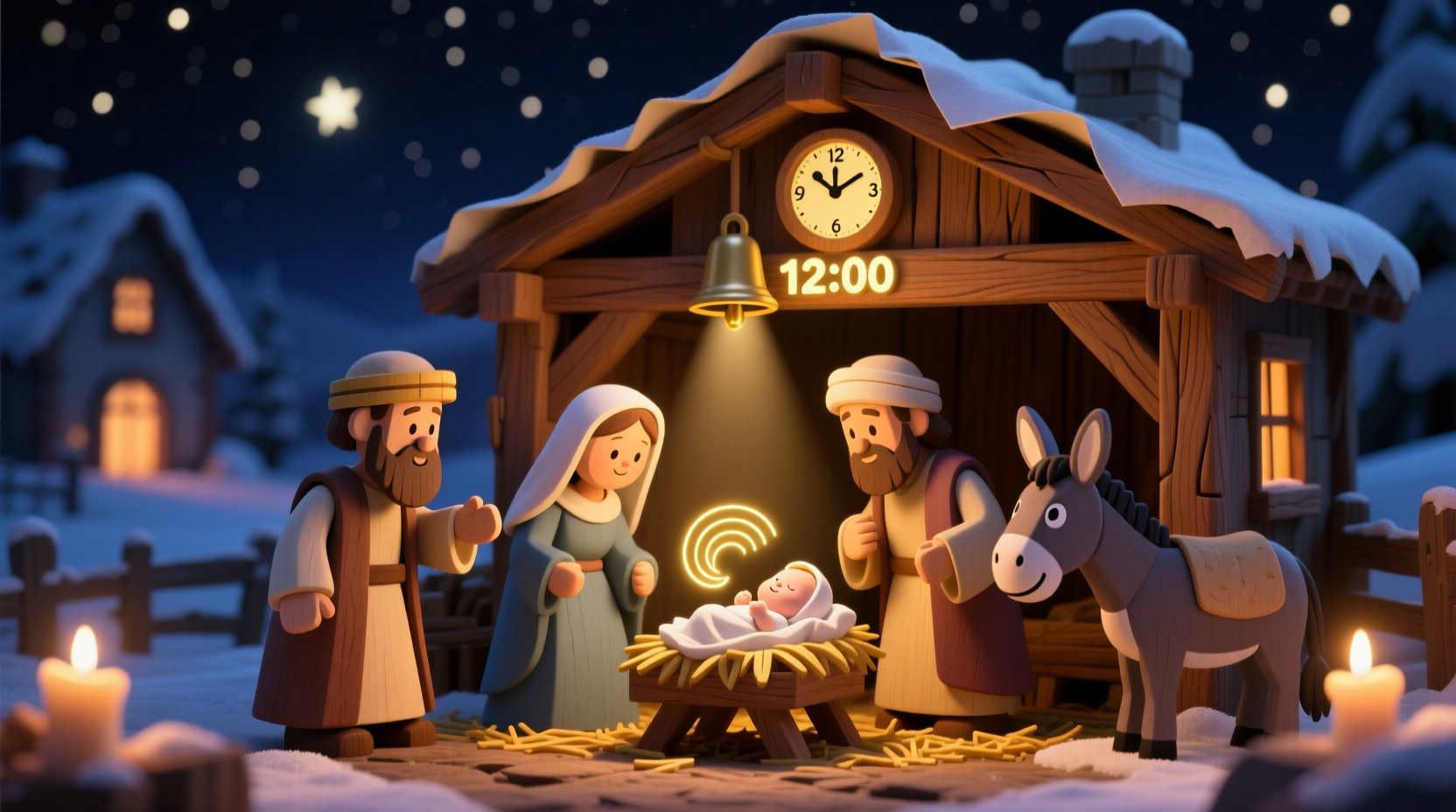
Most modern animated nativity sets use an internal timer or microcontroller to coordinate movement sequences. These timers rely on consistent power and proper configuration to “remember” their position in the daily cycle. When power is interrupted—even briefly—the controller may lose its current state and revert to a default setting, often midnight.
The sequence usually follows a 24-hour timeline, mimicking the progression of the Nativity story from evening preparations through the birth of Christ and visitations by shepherds and wise men. Some models are designed to run continuously, while others are programmed to activate only during specific hours (e.g., 5 PM to 10 PM). If the unit resets each morning, it’s likely because the system isn’t retaining its progress overnight.
This behavior is similar to how older VCRs would blink \"12:00\" after a power outage. Without a backup power source or persistent memory, the device has no way to know what time it is—or where it left off—when power returns.
Common Causes of Midnight Reset Behavior
The root cause of a daily reset typically falls into one of several categories: power instability, lack of memory retention, incorrect timer settings, or firmware limitations.
1. Power Interruptions or Cycling
Even momentary power dips—too brief for lights to flicker visibly—can disrupt the internal clock. If your outdoor outlet is on a circuit shared with other holiday lighting or automated systems, scheduled shutoffs could be triggering the reset. Timers, smart plugs, or GFCI outlets that trip easily contribute to this issue.
2. No Real-Time Clock (RTC) or Battery Backup
Many budget-friendly animated displays lack a real-time clock module. Without a small internal battery (like those in computers), the controller cannot maintain time during power loss. Once unplugged or powered down, all temporal data is erased.
3. Factory Default Settings
Some units are programmed to begin their sequence at midnight regardless of actual runtime. This design choice simplifies programming but ignores real-world usage patterns. For example, even if you manually start the show at 6 PM, the next day it may still attempt to sync back to a midnight-origin timeline.
4. Firmware or Software Limitations
In smart-enabled nativity scenes connected via Wi-Fi or Bluetooth, outdated firmware may prevent proper scheduling logic. Updates might resolve bugs related to time persistence or event sequencing.
5. Incorrect User Configuration
Misconfigured timers or misunderstood instructions can lead users to inadvertently set the scene to restart daily at midnight. Double-check the manual to confirm whether this behavior is intentional or adjustable.
“Many holiday animatronics are built for simplicity, not sophistication. They assume users want a clean start every day rather than continuous storytelling.” — Daniel Reeves, Consumer Electronics Holiday Specialist
Step-by-Step Guide to Prevent Daily Resets
Follow this structured approach to diagnose and correct the resetting behavior in your animated nativity scene.
- Verify Power Source Stability
Ensure the display is plugged into a reliable outlet. Avoid using extension cords that may degrade voltage. Test the outlet with another device to rule out intermittent power cuts. - Check for Built-in Timer or Scheduler
Consult the user manual to determine if your model includes programmable features. Look for buttons labeled “Clock,” “Set Time,” or “Schedule.” You may need to manually input the current time so the unit can track progression. - Look for a Memory Retention Battery
Inspect the control box for a small compartment—often a coin-cell battery (like CR2032). If present, test or replace the battery. A dead battery prevents time retention during outages. - Bypass External Timers Temporarily
If using a smart plug or mechanical timer, disconnect it and run the scene directly from the wall for 24 hours. Observe whether the reset still occurs. If not, the external device is likely causing the interruption. - Update Firmware (if applicable)
For Wi-Fi-connected models, open the companion app and check for available updates. Manufacturers occasionally release patches to improve timekeeping accuracy. - Reprogram the Sequence Start Time
Some advanced models allow you to define when the narrative begins. Set this to your preferred evening activation time instead of accepting midnight as default. - Contact Manufacturer Support
If none of the above steps work, reach out to customer service with your model number. Ask specifically: “Does this unit retain its animation position after power loss?” Their answer will clarify whether the behavior is by design or a fault.
Tips for Maintaining Continuous Animation Flow
To keep your nativity scene running seamlessly without daily interruptions, consider these proactive strategies.
- Use a UPS (Uninterruptible Power Supply): A small battery backup unit keeps the controller powered during short outages, preserving both time and sequence position.
- Avoid GFCI Outlets Unless Necessary: Ground-fault outlets outdoors may trip due to moisture, cutting power unexpectedly. If safety codes permit, use a protected indoor outlet with an outdoor-rated extension cord.
- Label Your Setup: Mark cables and controllers clearly so you can quickly identify components during troubleshooting.
- Test Before Full Deployment: Run the scene indoors for two full days before installing it outside. This helps catch timing issues early.
Comparison: Common Controller Types and Time Retention Features
| Controller Type | Time Retention? | Battery Backup? | Smart Features? | Likely to Reset at Midnight? |
|---|---|---|---|---|
| Basic Mechanical Timer | No | No | No | Yes – always |
| Digital On/Off Programmer | Limited | Sometimes | No | Possible, if power cycled |
| Microcontroller-Based (Standalone) | Yes, with battery | Yes (coin cell) | No | No, unless battery dead |
| Wi-Fi Smart Controller | Yes | No (uses network time) | Yes | Rarely, unless offline |
Real Example: Fixing a Repeating Midnight Reset
Martha from Ohio purchased a mid-range animated nativity set in 2022. Each evening, her display began with the Annunciation to Mary at exactly midnight—despite being turned off during daylight hours. Confused, she assumed the timer was broken.
After reading the manual closely, she discovered a small button labeled “Clock” on the control box. Holding it for five seconds allowed her to set the current time using adjacent +/– buttons. She synchronized it to 7:00 PM, her intended start time. However, the next morning, it had reset again.
She then noticed a tiny battery compartment. Opening it revealed a corroded CR2032 cell. After replacing the battery and re-setting the time, the unit remembered its position. Now, when activated each evening, it resumes the story from where it left off, creating a more immersive experience for her neighborhood viewers.
Her solution combined hardware maintenance (battery replacement) with correct configuration—a reminder that both aspects matter.
Frequently Asked Questions
Can I stop my nativity scene from resetting without a battery?
Not reliably. Without memory retention, any power break will erase the timeline. Your best option is to minimize power interruptions using a stable outlet or uninterruptible power supply.
Is it normal for these displays to start at midnight?
It’s common, especially in entry-level models. However, it’s not ideal for viewing. Higher-end units offer customizable start times and better timekeeping. Check your model’s capabilities before assuming it’s unavoidable.
Will using a smart plug solve the problem?
A smart plug can help with consistent scheduling, but it won’t prevent resets unless the nativity controller itself retains time. In fact, using a smart plug that cuts power nightly may worsen the issue. Instead, use the smart plug to trigger the scene while keeping the main unit powered continuously.
Final Checklist: Stop the Midnight Reset
- ✅ Confirm the display has a working power source without interruptions.
- ✅ Check for and replace the internal memory battery if present.
- ✅ Manually set the current time on the controller, if supported.
- ✅ Disable external timers or smart plugs temporarily to test.
- ✅ Update firmware via app or manufacturer tools.
- ✅ Consult the manual for “continuous mode” or “sequence resume” options.
- ✅ Consider upgrading to a model with better timekeeping for future seasons.
Conclusion: Take Control of Your Holiday Display
Your animated nativity scene should tell a coherent, evolving story—not repeat the first chapter every day. The midnight reset is a technical limitation, not a holiday inevitability. With the right setup, you can preserve the narrative flow and deliver a more meaningful experience to visitors and passersby.
Start by diagnosing your specific model’s capabilities. Invest in simple upgrades like a battery replacement or UPS if needed. Small adjustments today can transform your display from frustrating to flawless. Share your success with fellow holiday decorators and inspire others to fine-tune their traditions with modern solutions.




 浙公网安备
33010002000092号
浙公网安备
33010002000092号 浙B2-20120091-4
Comments
No comments yet. Why don't you start the discussion?