
If you’ve ever glanced at your phone or laptop and noticed the battery percentage suddenly drop from 60% to 45%, only to bounce back to 58% a few minutes later, you’re not imagining things. This erratic behavior—common across smartphones, tablets, and laptops—is more than just a minor annoyance. It reflects the complex interplay between hardware, software, and electrochemistry that governs modern battery systems.
Battery percentage fluctuations are usually normal, but they can also signal underlying issues such as aging cells, calibration errors, or inefficient power management. Understanding why this happens helps users make informed decisions about charging habits, device maintenance, and when to consider battery replacement.
The Science Behind Battery Percentage Calculation
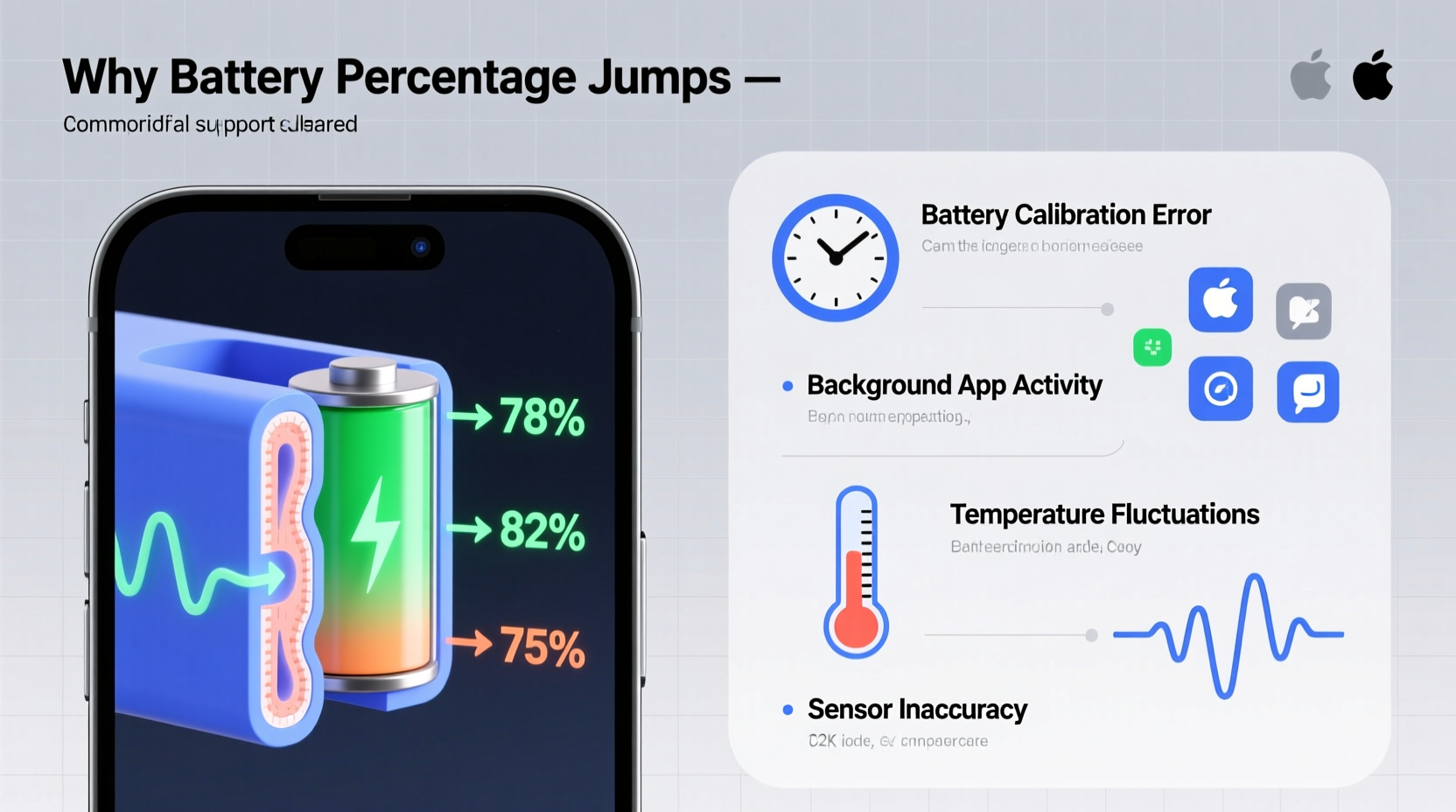
Unlike a fuel gauge in a car, which measures physical volume, your device’s battery percentage is an estimate. There is no direct sensor that “reads” how much charge remains. Instead, the system relies on algorithms that interpret voltage, current draw, temperature, and historical usage patterns to predict remaining capacity.
This estimation process involves a component called the gas gauge IC (integrated circuit), which monitors real-time energy flow into and out of the battery. Over time, these readings accumulate to form a state-of-charge (SoC) model. However, lithium-ion batteries—the standard in most consumer electronics—do not discharge linearly. Their voltage drops slowly during most of the discharge cycle, then plunges rapidly near depletion. This non-linear behavior makes accurate measurement especially challenging at mid-range levels, where small voltage changes can imply large shifts in percentage.
For example:
| Voltage Range (V) | Estimated Charge Level | Behavior |
|---|---|---|
| 4.20 V | 100% | Fully charged |
| 3.90–4.00 V | 70–80% | Stable voltage plateau |
| 3.70 V | 50% | Hard to distinguish precise level |
| 3.50 V | 20% | Voltage begins steep decline |
| 3.20 V | 0–5% | Near cutoff; rapid drop-off |
Because voltage fluctuates with load (e.g., screen brightness, app usage, network activity), the gas gauge must constantly adjust its estimate. When you switch from browsing to playing a graphics-heavy game, the sudden increase in power demand causes a temporary voltage sag. The system may interpret this as a significant loss of charge—even if the actual energy depletion is minimal—leading to a sudden drop in displayed percentage.
Common Causes of Battery Percentage Jumps
Several factors contribute to unstable battery readings. Some are inherent to battery technology, while others stem from usage patterns or software behavior.
1. Dynamic Power Consumption
Modern devices shift between high and low power states dozens of times per minute. Launching a navigation app, receiving a video call, or even background syncing can spike power draw. These transient loads cause voltage dips that temporarily distort the SoC calculation.
2. Temperature Variability
Lithium-ion batteries are sensitive to temperature. Cold environments reduce ion mobility, lowering effective voltage and making the battery appear weaker than it is. Conversely, overheating during fast charging or gaming can trigger protective throttling, altering discharge curves and confusing the gas gauge.
3. Aging Battery Cells
As batteries age, their internal resistance increases and total capacity diminishes. The gas gauge’s original calibration becomes less accurate because it was designed for a newer, healthier cell. This leads to larger discrepancies between predicted and actual performance, often manifesting as sudden drops—especially below 40%.
“Battery estimation algorithms work best when the battery is new. After 300–500 charge cycles, even slight degradation can throw off the calibration significantly.” — Dr. Lena Torres, Power Systems Engineer at Mobile Energy Labs
4. Software Glitches and OS Updates
Operating system updates sometimes reset or modify battery calibration data. A poorly optimized app may also report incorrect power usage statistics, skewing the overall model. In rare cases, bugs in the firmware can cause the battery meter to freeze, jump erratically, or fail to update until the device is restarted.
5. Incomplete Calibration
Like any predictive system, the battery gauge benefits from periodic recalibration. If a device is frequently charged before reaching low levels (e.g., kept between 30% and 80%), the system never gets a chance to observe full discharge behavior. Over time, this leads to drift in the estimated capacity versus real-world performance.
Real-World Example: The Morning Commute Anomaly
Consider Sarah, a daily commuter who uses her smartphone for GPS navigation, music streaming, and messaging. She leaves home with her phone at 68%. Within ten minutes, the battery drops to 59%. Alarmed, she closes all apps, but five minutes later, it jumps back to 64%.
What happened?
- Initial drop: Turning on GPS and cellular data caused a surge in power consumption. The battery voltage dipped under load, prompting the gas gauge to lower its estimate.
- Recovery: Once the initial burst stabilized, the system re-evaluated the average drain rate. It realized the drop wasn’t sustainable and adjusted the prediction upward.
- Underlying factor: Sarah’s two-year-old phone has a battery that’s lost about 18% of its original capacity. The software hasn’t fully adapted to this change, leading to overcorrections.
This scenario illustrates how dynamic usage interacts with aging hardware to produce misleading percentage changes. The jump isn’t fake—it’s the system correcting itself based on new data.
How to Improve Battery Percentage Accuracy
You can’t eliminate all fluctuations—some are built into the physics of battery operation—but you can minimize erratic behavior and maintain better long-term accuracy.
Step-by-Step Guide to Recalibrate Your Battery Gauge
Recalibration helps the system relearn your battery’s true capacity and discharge curve. Follow these steps every 2–3 months, especially if you notice increasing inaccuracies.
- Drain the battery completely. Use the device until it shuts down automatically. Keep it off for at least 2 hours to allow residual charge to stabilize.
- Charge to 100% uninterrupted. Plug in the device and let it charge fully without turning it on. For best results, use the original charger and avoid using the device during charging.
- Keep charging for an additional hour. Even after reaching 100%, leave it plugged in to ensure the battery is truly saturated.
- Power on and verify. Turn the device back on. The battery should read exactly 100%. Use it normally and observe whether percentage decay appears smoother over the next few days.
Best Practices for Stable Battery Readings
Beyond recalibration, adopting consistent charging habits improves both battery longevity and percentage reliability.
| Do’s | Don’ts |
|---|---|
| Charge between 20% and 80% for daily use | Let the battery drop to 0% regularly |
| Use manufacturer-approved chargers | Use cheap third-party cables that may deliver unstable voltage |
| Enable optimized charging features (iOS/Android) | Leave the device plugged in overnight frequently |
| Keep the device cool during heavy use | Play games or stream video while fast-charging |
| Update your OS regularly | Ignore software updates that include battery fixes |
Monitor Battery Health Regularly
On iPhones, go to Settings > Battery > Battery Health to see maximum capacity. On Android, dial *#*#4636#*#* or check under Battery > Health (varies by brand). If capacity falls below 80%, consider a battery replacement. A degraded cell will always struggle with accurate reporting, no matter how well it's calibrated.
FAQ: Common Questions About Battery Jumps
Is it bad if my battery percentage drops suddenly?
Not necessarily. Sudden drops—especially from 50% to 30%—are often due to voltage sag under load and not an actual loss of energy. However, if this happens frequently or is accompanied by unexpected shutdowns, it may indicate a failing battery that needs replacement.
Can I fix battery percentage errors without replacing the battery?
Yes, in many cases. Recalibrating the battery, updating the operating system, and closing power-hungry background apps can restore accuracy. If the battery is still above 80% health, software fixes are usually sufficient. Below that threshold, hardware replacement becomes necessary.
Why does my battery stay at 1% for a long time before shutting down?
This is a safety buffer built into the system. At very low charge levels, the device reduces functionality (dimming screen, disabling radios) to conserve just enough power to allow you to save work or find a charger. The 1% reading may represent several minutes of actual runtime, depending on usage.
Conclusion: Take Control of Your Device’s Battery Behavior
The jumping battery percentage is not magic or malfunction—it’s the result of sophisticated estimation systems working under imperfect conditions. While some variability is unavoidable, understanding the causes empowers you to respond wisely rather than react anxiously.
By recalibrating periodically, monitoring battery health, and adjusting your charging habits, you can achieve more predictable readings and extend the usable life of your device. Don’t ignore persistent issues, but don’t panic over occasional jumps either. Like a heartbeat monitor in a hospital, the battery gauge shows real-time fluctuations that reflect deeper processes at work.




 浙公网安备
33010002000092号
浙公网安备
33010002000092号 浙B2-20120091-4
Comments
No comments yet. Why don't you start the discussion?