
Bluetooth technology has transformed the way we communicate, offering wireless freedom during phone calls, music playback, and hands-free driving. Yet, nothing disrupts the experience more than a sudden disconnect in the middle of an important conversation. If you’ve found yourself asking, “Why does my Bluetooth connection keep dropping during calls?” you’re not alone. Millions of users face intermittent Bluetooth audio issues—especially when on voice calls through headsets, earbuds, or car systems. While frustrating, most causes are diagnosable and often fixable with targeted adjustments. This guide dives into the technical, environmental, and device-specific factors behind call disconnections and provides practical solutions to restore stable performance.
Understanding How Bluetooth Works During Calls
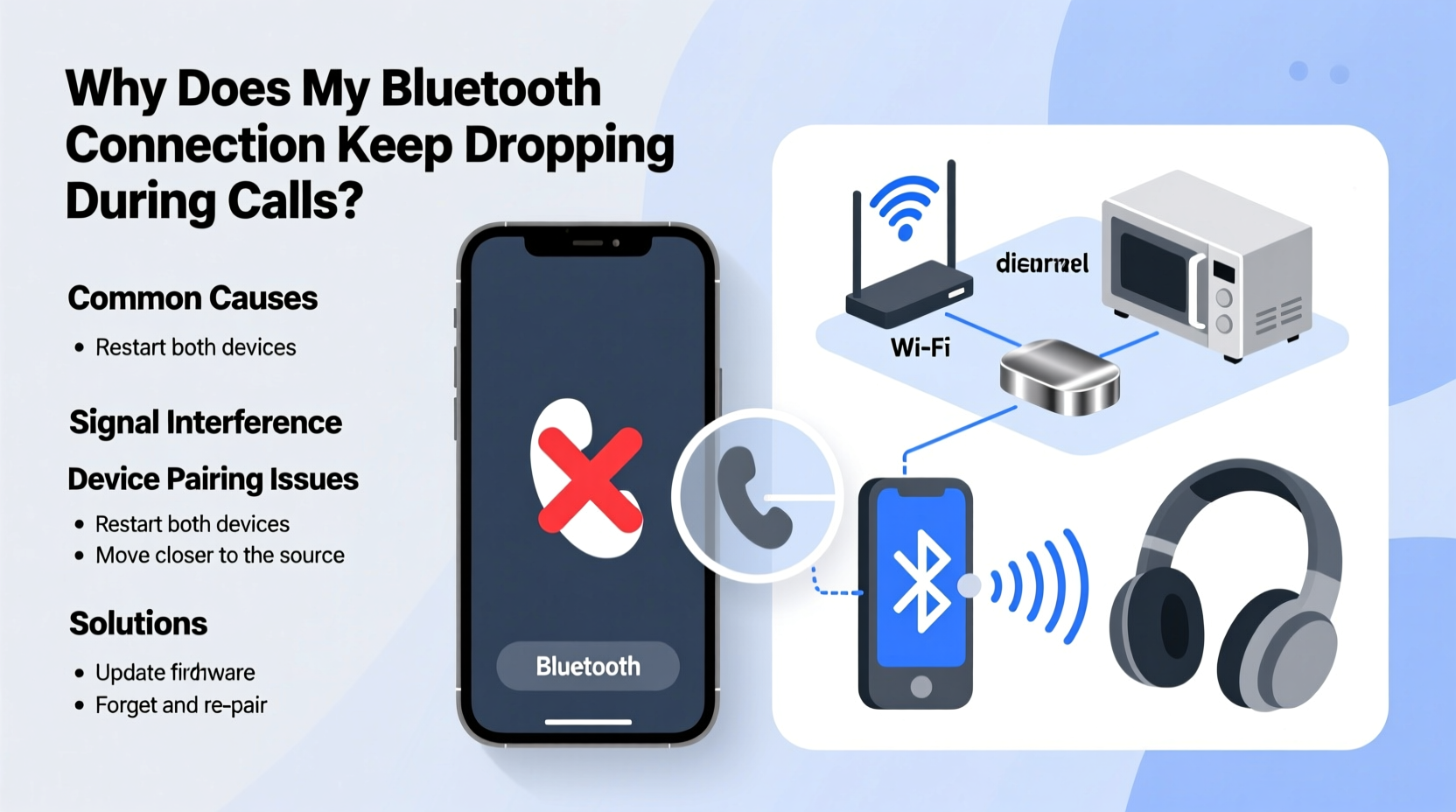
Unlike streaming music, which primarily uses the A2DP (Advanced Audio Distribution Profile) for high-quality stereo sound, voice calls rely on a different protocol: the Hands-Free Profile (HFP). HFP is optimized for two-way communication but operates at lower bandwidth and reduced audio quality to support microphone input and real-time responsiveness. This shift in profile can expose instability in older or poorly implemented Bluetooth stacks.
When you initiate a call, your smartphone switches from A2DP to HFP mode. If the headset or phone doesn’t handle this transition smoothly—or if signal interference occurs—the connection may drop entirely. Additionally, Bluetooth 4.x and earlier versions are more prone to latency and range limitations compared to Bluetooth 5.0 and above, which offer better range, speed, and coexistence with other wireless signals.
Common Causes of Bluetooth Call Disconnections
Several interrelated factors contribute to dropped Bluetooth calls. Identifying the root cause is essential before attempting fixes.
1. Signal Interference
Bluetooth operates on the 2.4 GHz frequency band, shared with Wi-Fi routers, microwaves, cordless phones, and even baby monitors. When multiple devices transmit on overlapping frequencies, signal collisions occur, leading to packet loss and audio cutouts. This is especially common in dense urban environments or offices with numerous wireless networks.
2. Distance and Obstructions
Bluetooth has a limited effective range—typically 30 feet (10 meters) in open space. Physical barriers like walls, furniture, or even your body can weaken the signal. Moving too far from your phone or placing it in a bag or pocket may break the link, particularly with Class 2 Bluetooth devices (most common in smartphones and earbuds).
3. Low Battery Levels
Both your phone and Bluetooth accessory reduce transmission power when batteries are low. This conservation mode can destabilize the connection. Earbuds with partial charge or aging batteries may disconnect intermittently, especially under processing load during calls.
4. Outdated Firmware or Software
Manufacturers regularly release firmware updates for headphones, earbuds, and car kits to improve compatibility and fix bugs. Similarly, outdated phone operating systems may lack optimizations for newer Bluetooth profiles or suffer from driver issues that affect stability.
5. Poorly Designed Hardware or Compatibility Issues
Not all Bluetooth implementations are equal. Budget devices may use lower-tier chipsets with weak antennas or incomplete profile support. Some phones also have known Bluetooth stack bugs—particularly certain Android models—that cause frequent disconnections despite strong signals.
“Even high-end devices can suffer from poor RF design. Antenna placement and chipset quality matter as much as the Bluetooth version.” — Rajiv Mehta, Wireless Systems Engineer at CommLink Labs
Troubleshooting Checklist: Fixing Bluetooth Call Drops
Before replacing hardware, work through this comprehensive checklist to isolate and resolve the issue.
- Restart both your phone and Bluetooth device.
- Ensure both devices are fully charged.
- Move closer to your phone and remove physical obstructions.
- Forget the device in Bluetooth settings and re-pair it.
- Disable Wi-Fi or switch to 5 GHz to reduce 2.4 GHz congestion.
- Check for firmware updates for your earbuds/headset via the manufacturer’s app.
- Update your phone’s operating system to the latest version.
- Test with another phone to determine if the issue is device-specific.
- Disable battery-saving modes that may throttle Bluetooth performance.
- Reset network settings on your phone (this clears saved Wi-Fi and Bluetooth data).
Comparative Analysis: Do’s and Don’ts for Stable Bluetooth Calls
| Do | Don’t |
|---|---|
| Keep your phone and earbuds within 3–6 feet during calls | Place your phone in a metal-lined bag or back pocket across the room |
| Use devices with Bluetooth 5.0 or higher | Rely on older Bluetooth 4.1 accessories for critical calls |
| Update firmware regularly using official apps (e.g., Sony Headphones Connect, Samsung Wearable) | Ignore update notifications or assume firmware is current |
| Turn off unused wireless features like NFC or hotspot when on calls | Run multiple high-bandwidth apps simultaneously during a call |
| Use one earbud at a time if dual-mode causes instability | Assume both earbuds must be used for mono calls |
Step-by-Step Guide to Diagnose and Resolve Connection Loss
Follow this structured diagnostic process to pinpoint and eliminate the cause of dropped calls.
- Isolate the Problem Device
Pair your Bluetooth headset with a different phone. If the issue persists, the problem likely lies with the headset. If calls remain stable, your original phone may be the culprit. - Eliminate Environmental Interference
Move to a quiet area away from routers, microwaves, and large metal objects. Turn off nearby wireless devices temporarily to test signal clarity. - Re-Pair the Device Properly
Go to Settings > Bluetooth, select your device, and tap \"Forget.\" Power off the headset, then turn it back on in pairing mode. Reconnect and test with a short call. - Update All Software Components
Check your phone’s OS updates under Settings > System. For the headset, download the companion app (e.g., Jabra Sound+, Bose Connect) and install any pending firmware upgrades. - Adjust Bluetooth Audio Settings (Android)
Navigate to Developer Options (enable via tapping Build Number 7 times in About Phone), then find “Bluetooth Audio Codec.” Try switching from aptX to SBC or vice versa. Lower-quality codecs like SBC are sometimes more stable for HFP calls. - Test Microphone Usage
Some headsets disconnect when the microphone activates due to power spikes. Use a voice memo app to simulate a call and observe if disconnection occurs only when speaking. - Factory Reset the Accessory
Refer to the user manual for reset instructions (usually involves holding buttons for 10+ seconds). This clears corrupted pairing data stored on the device itself.
Real-World Example: Sarah’s Commute Calls
Sarah, a project manager in Chicago, relied on her wireless earbuds for daily Zoom and client calls during her train commute. She frequently experienced mid-call disconnections, especially when entering subway tunnels or passing through stations. Initially blaming her phone, she tested with a colleague’s iPhone—same issue. After reading about interference and Bluetooth handoff delays, she realized the constant movement between signal zones was overwhelming her earbuds’ reconnection logic.
She followed the step-by-step guide: updated firmware via the manufacturer’s app, disabled Wi-Fi during transit, and began using only the right earbud for calls (reducing power demand). She also started carrying her phone in her jacket pocket instead of her briefcase. These changes reduced disconnections by over 90%. The final fix? Switching to a model with Bluetooth 5.2 and multipoint connectivity allowed smoother transitions between environments.
“Stability isn’t just about signal strength—it’s about how quickly and reliably a device recovers from disruption.” — Dr. Lena Torres, RF Communications Researcher, MIT Media Lab
Frequently Asked Questions
Why do my Bluetooth earbuds disconnect only during calls but not while playing music?
This typically happens because calls use the HFP (Hands-Free Profile), which requires bidirectional communication and operates at lower bandwidth. Music uses A2DP, which is unidirectional and more stable. If your earbuds or phone struggle with HFP implementation, disconnections occur during calls. Updating firmware often resolves this mismatch.
Can a phone case cause Bluetooth disconnection?
Yes, cases with metal components or magnetic closures (common in wallet-style or auto-wakeup cases) can interfere with Bluetooth and NFC signals. Try removing the case during calls to see if stability improves.
Will resetting my phone fix Bluetooth issues?
A full factory reset can resolve deep-seated software conflicts affecting Bluetooth drivers. However, try less drastic steps first—like resetting network settings or clearing Bluetooth cache (on Android: Settings > Apps > Show System Apps > Bluetooth > Storage > Clear Cache). Reserve a factory reset as a last resort.
Conclusion: Achieving Reliable Wireless Communication
Dropped Bluetooth calls are a common but solvable frustration. The key lies in understanding that voice calling places unique demands on wireless connections—demands that go beyond simple range or battery life. By addressing interference, updating software, optimizing placement, and choosing compatible hardware, you can achieve consistent, professional-grade call quality without reverting to wired solutions.
Start by applying the troubleshooting checklist today. Monitor improvements over several calls in different environments. Share your experience or challenges in the comments below—your insight could help others overcome similar hurdles. With the right approach, seamless Bluetooth calling isn’t just possible; it’s expected.




 浙公网安备
33010002000092号
浙公网安备
33010002000092号 浙B2-20120091-4
Comments
No comments yet. Why don't you start the discussion?