
There’s nothing more frustrating than setting up the perfect party atmosphere—lights, snacks, playlist on point—only to have your Bluetooth speaker start cutting out every few minutes. The music stutters, pauses, or disconnects entirely, breaking the vibe and leaving guests confused. This issue is more common than you think, especially in dynamic environments like parties where multiple devices, people, and signals compete for space. The good news is that most causes are fixable with a few strategic adjustments. Understanding why your Bluetooth speaker cuts out—and how to prevent it—is essential for anyone who relies on wireless audio for entertainment.
Understanding Bluetooth Signal Behavior
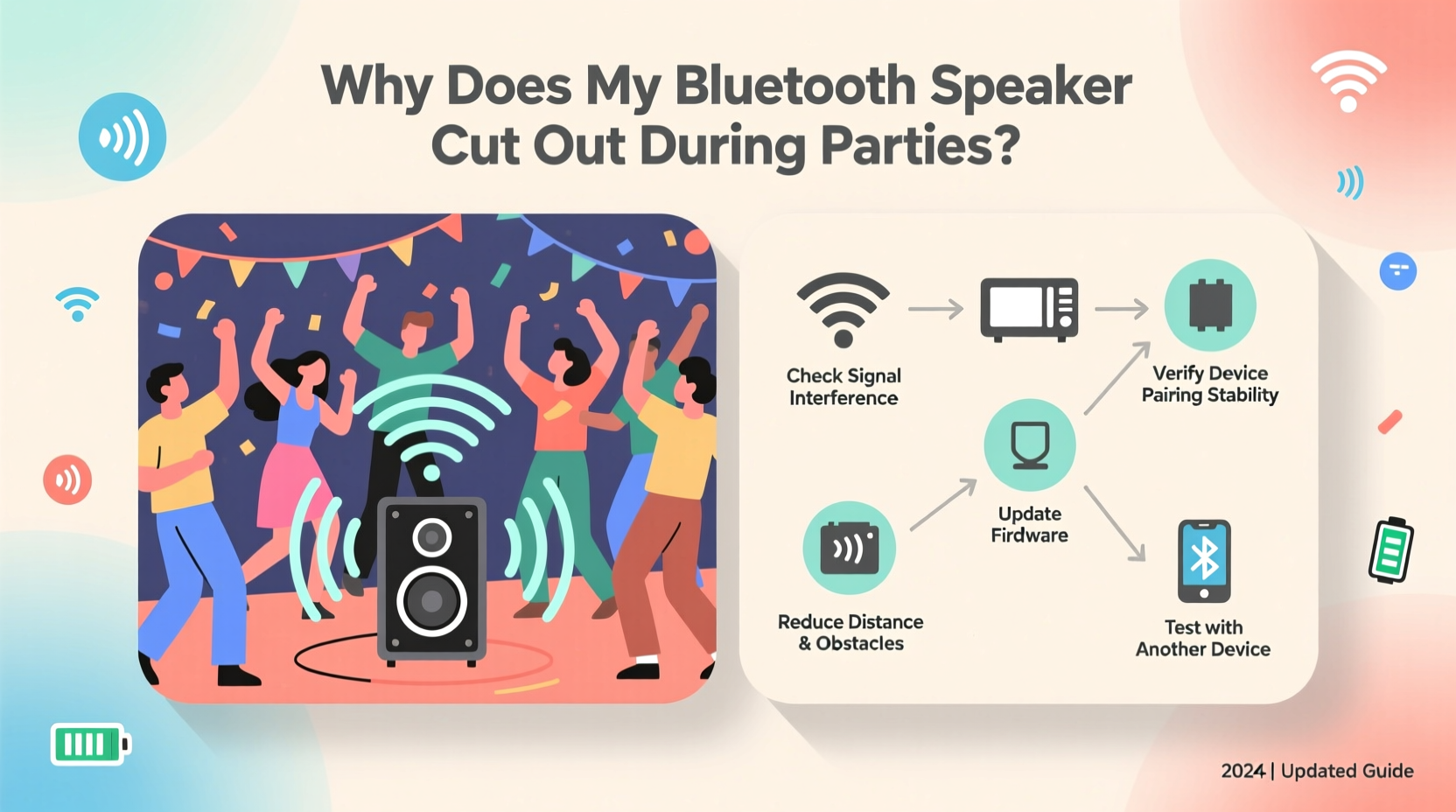
Bluetooth technology uses short-range radio waves in the 2.4 GHz frequency band to transmit data between devices. While convenient, this band is also used by Wi-Fi routers, microwaves, cordless phones, and even baby monitors. When multiple devices operate on the same frequency, they can interfere with one another, leading to signal degradation or dropouts. During a party, the number of active devices increases dramatically: smartphones connecting to Wi-Fi, smart speakers streaming music, and guests using their own Bluetooth headphones or speakers. All of these contribute to network congestion.
Additionally, Bluetooth has limited range—typically around 30 feet (10 meters) in ideal conditions. Obstacles like walls, furniture, and large groups of people absorb or reflect the signal, reducing its strength. Human bodies, which contain a lot of water, are particularly effective at blocking radio waves. So when a crowd gathers near or between your phone and speaker, the connection can weaken significantly.
“Bluetooth was designed for convenience, not high-fidelity performance under stress. In crowded environments, expect interference and plan accordingly.” — Dr. Alan Reyes, Wireless Communication Engineer
Common Causes of Bluetooth Speaker Dropouts at Parties
The root cause of intermittent audio isn’t always obvious. Sometimes it's a single factor; other times, it's a combination of issues compounding each other. Below are the most frequent culprits behind Bluetooth disconnections during social gatherings.
- Signal Interference: Other wireless devices operating on the 2.4 GHz band disrupt the connection.
- Physical Obstructions: Walls, furniture, or dense crowds block or weaken the signal path.
- Distance Overload: The speaker is too far from the source device, exceeding reliable range.
- Low Battery: A weak battery can impair transmission stability, especially in power-intensive modes like loud volume playback.
- Outdated Firmware: Older software may lack optimizations for handling interference or maintaining stable pairing.
- Overloaded Source Device: Your phone or tablet might be struggling with background apps, notifications, or poor processing power.
- Multiple Connected Devices: Some speakers allow dual pairing, but managing multiple inputs can strain internal resources.
Step-by-Step Troubleshooting Guide
When your speaker starts cutting out mid-party, follow this logical sequence to identify and resolve the issue quickly.
- Check the Distance – Move closer to the speaker and see if the audio stabilizes. If it does, the problem is likely range-related. Bring the source device nearer or consider relocating the speaker.
- Reduce Physical Barriers – Ensure there’s a clear path between the speaker and your phone. Avoid placing the speaker behind furniture or in enclosed spaces like cabinets.
- Restart Both Devices – Power cycle your phone and speaker. This clears temporary glitches and resets the Bluetooth stack.
- Forget and Re-Pair the Device – Go to your phone’s Bluetooth settings, “forget” the speaker, then re-pair it. This often resolves corrupted connections.
- Disable Other Wireless Devices Temporarily – Turn off nearby Bluetooth accessories or ask guests to disable unused Bluetooth functions on their phones.
- Switch Wi-Fi Channels – If your router supports it, switch your Wi-Fi network from channel 6 or 11 to a less congested one (e.g., channel 1 or 13), reducing overlap with Bluetooth frequencies.
- Lower Audio Quality Settings – In some music apps, reduce streaming quality (e.g., from 320kbps to 160kbps) to decrease data load and improve connection stability.
- Update Firmware – Check the manufacturer’s app or website for firmware updates. Many brands release patches specifically for connectivity improvements.
Environmental Optimization: Setting Up for Success
Prevention is better than repair. Before the next event, take time to optimize your setup environment to minimize disruptions.
Start by choosing the right location for your speaker. Central placement with minimal obstructions ensures broader coverage and stronger signal retention. Avoid corners or areas surrounded by metal objects, which reflect and distort signals. If you're hosting outdoors, keep the speaker elevated off the ground—on a table or stand—to avoid interference from grass, soil moisture, or foot traffic.
Power is another critical factor. Always ensure your speaker is fully charged before use. Running on low battery forces internal components to throttle performance, including the Bluetooth module. If possible, plug the speaker into a power outlet using its charging cable during extended events. This eliminates battery concerns and maintains consistent output.
| Factor | Do | Avoid |
|---|---|---|
| Placement | Centered, elevated, line-of-sight to source | Corners, behind furniture, inside bags |
| Power | Fully charged or plugged in | Operating below 20% battery |
| Wi-Fi Environment | Use 5 GHz Wi-Fi where possible | Running heavy downloads on same network |
| Device Management | Close unused apps on source device | Streaming video while playing music |
Real-World Example: The Backyard BBQ Breakdown
Jamal hosted a summer cookout for 25 friends. He brought his premium portable Bluetooth speaker, placed it on a picnic table at the far end of the yard, and connected it from his kitchen window—about 40 feet away through two walls. Initially, the music played fine, but as more guests arrived and started using their phones, the audio began cutting out every 30 seconds.
He tried restarting the speaker, but the issue persisted. After reading a quick guide online, he realized the distance and structural barriers were too great. He moved the speaker closer to the center of the yard and brought his phone outside with him. He also asked a friend to pause a large file download happening over Wi-Fi. Within minutes, the connection stabilized and stayed strong for the rest of the evening.
This scenario illustrates how easily environmental factors combine to degrade performance—and how simple changes can restore functionality without needing new equipment.
Proactive Checklist for Reliable Party Audio
To ensure uninterrupted music at your next gathering, run through this pre-event checklist:
- ✅ Fully charge the speaker or connect it to power
- ✅ Update the speaker’s firmware via the manufacturer’s app
- ✅ Test the connection in the actual event space beforehand
- ✅ Position the speaker centrally with minimal obstructions
- ✅ Keep your music source device nearby (within 15–20 feet)
- ✅ Disable unnecessary Bluetooth devices in the area
- ✅ Use a wired auxiliary connection as backup if available
- ✅ Consider switching your Wi-Fi to the 5 GHz band to free up 2.4 GHz space
Frequently Asked Questions
Can Wi-Fi really affect my Bluetooth speaker?
Yes. Both Bluetooth and most Wi-Fi networks operate in the 2.4 GHz frequency band. When multiple devices transmit simultaneously, they interfere with each other. High-bandwidth activities like video streaming or large downloads can overwhelm the spectrum, causing Bluetooth audio to stutter or disconnect. Using a 5 GHz Wi-Fi network for internet access frees up the 2.4 GHz band for Bluetooth.
Does the number of guests impact Bluetooth performance?
Indirectly, yes. More people mean more smartphones, smartwatches, and Bluetooth earbuds—all emitting signals in the same range. Additionally, human bodies absorb radio waves, so a dense crowd between your phone and speaker can block the signal. Even if guests aren’t actively using Bluetooth, their devices may still scan for connections, adding noise to the environment.
Is it better to use one powerful speaker or multiple smaller ones?
For reliability, a single high-quality speaker is often better than daisy-chained or multi-speaker setups. Pairing multiple Bluetooth speakers (e.g., stereo mode or party mode) doubles the data transmission load and increases the chance of sync errors or dropouts. If you need wider coverage, consider using one main speaker and supplementing with wired passive speakers or using a non-Bluetooth solution like a home audio system.
Final Thoughts: Mastering Wireless Audio in Dynamic Spaces
Bluetooth speaker dropouts during parties are rarely due to faulty hardware. Instead, they stem from predictable challenges: interference, distance, congestion, and suboptimal setup. By understanding the limitations of wireless technology and planning accordingly, you can enjoy seamless audio even in lively environments. The key is preparation—testing your setup in advance, minimizing competing signals, and having a backup plan.
Technology should enhance your gatherings, not hinder them. With the right knowledge and a few small adjustments, you can keep the music flowing and the energy high all night long.




 浙公网安备
33010002000092号
浙公网安备
33010002000092号 浙B2-20120091-4
Comments
No comments yet. Why don't you start the discussion?