
It’s a familiar frustration: you're enjoying music through your Bluetooth speaker in the kitchen when suddenly, the sound stutters, drops, or cuts out completely—especially when the microwave starts humming. This isn’t a coincidence. The disruption is caused by electromagnetic interference between devices sharing the same wireless frequency band. Understanding the science behind this clash—and knowing how to minimize it—can restore seamless audio in even the busiest households.
The Science Behind the Signal Drop
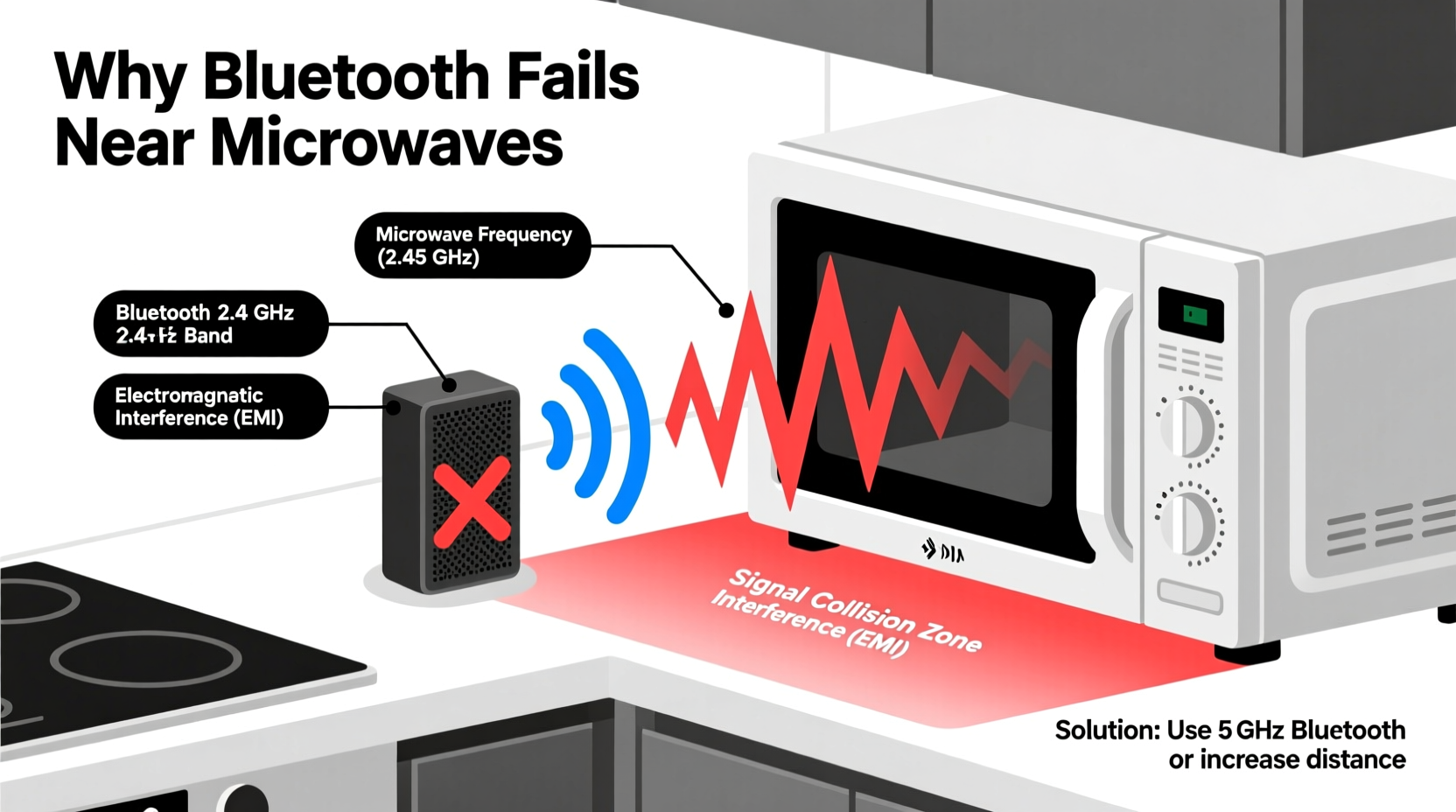
Bluetooth speakers communicate with smartphones, tablets, or laptops using radio waves in the 2.4 GHz frequency band. This band is unlicensed, meaning it's freely available for consumer electronics like Wi-Fi routers, cordless phones, baby monitors, and yes—microwave ovens. While convenient, this shared spectrum creates potential for interference.
Microwave ovens generate intense electromagnetic radiation at around 2.45 GHz to heat food by agitating water molecules. Though shielded, no microwave is perfectly sealed. Small leaks—within legal safety limits—still emit enough energy to flood nearby wireless signals. When your Bluetooth speaker attempts to receive data during microwave operation, the signal-to-noise ratio plummets, causing audio dropouts or disconnections.
“Microwaves are essentially high-powered radio transmitters operating in the same neighborhood as Bluetooth and Wi-Fi. Even minor shielding inefficiencies can disrupt low-power receivers.” — Dr. Alan Reyes, RF Engineer and Wireless Systems Consultant
This issue isn’t unique to Bluetooth—it also affects older Wi-Fi networks (802.11b/g/n) that operate on 2.4 GHz. However, because Bluetooth streams real-time audio with minimal buffering, interruptions are more immediately noticeable than a slight internet slowdown.
How Microwave Interference Actually Works
When a microwave runs, its magnetron produces oscillating electromagnetic fields. These fields are contained within a metal cavity, but imperfections in door seals or aging components allow leakage. This leakage radiates outward, creating a localized zone of electromagnetic noise.
Bluetooth uses frequency-hopping spread spectrum (FHSS) technology, which rapidly switches across 79 channels within the 2.4 GHz band to avoid interference. In theory, this should help it dodge noisy frequencies. But microwaves don’t just target one channel—they emit broad-spectrum noise that drowns out multiple channels simultaneously. When the Bluetooth signal can't find a clean path, the connection degrades.
The severity depends on several factors:
- Proximity: The closer the speaker is to the microwave, the stronger the interference.
- Shielding quality: Older or damaged microwaves leak more radiation.
- Speaker sensitivity: Some Bluetooth receivers have weaker antennas or less robust error correction.
- Signal strength: A weak Bluetooth link due to distance or obstacles is more vulnerable.
Effective Strategies to Reduce Bluetooth Interference
While you can’t eliminate microwave emissions entirely, you can significantly reduce their impact on your Bluetooth speaker with smart placement, device upgrades, and network management.
1. Increase Physical Distance
The simplest fix is relocating either the speaker or the microwave. Electromagnetic field strength decreases rapidly with distance—doubling the separation typically reduces exposure by a factor of four. Even moving the speaker from countertop to shelf or across the room can make a dramatic difference.
2. Use Obstacles Strategically
Materials like metal, concrete, and brick attenuate radio waves more effectively than wood or drywall. Positioning a metal appliance (like a refrigerator) between the microwave and speaker can act as a partial Faraday cage, blocking some interference. Avoid placing both devices on opposite sides of a thin cabinet wall with no shielding.
3. Upgrade to 5 GHz Wi-Fi and Dual-Band Devices
If your home network supports it, switch your phone or tablet to a 5 GHz Wi-Fi network. This frees up the 2.4 GHz band for Bluetooth and reduces overall congestion. Additionally, newer Bluetooth speakers with Bluetooth 5.0+ support better coexistence algorithms and improved range, making them more resilient to brief interference.
4. Minimize Concurrent 2.4 GHz Device Usage
Limit the number of active 2.4 GHz devices during critical listening. Turn off unused smart home gadgets, disconnect idle Wi-Fi clients, or schedule microwave use during breaks in playback.
5. Consider Audio Buffering or Wired Alternatives
Some high-end Bluetooth speakers include larger audio buffers that temporarily store incoming data, allowing short dropouts to be masked. Alternatively, use an auxiliary cable when permanent placement near a microwave is unavoidable. Wired connections are immune to RF interference.
Checklist: How to Stop Bluetooth Speaker Cutouts
Follow this actionable checklist to diagnose and resolve microwave-related Bluetooth interference:
- ✅ Confirm the issue occurs only when the microwave is running.
- ✅ Move the Bluetooth speaker at least 6–10 feet away from the microwave.
- ✅ Place dense or metallic objects between the two devices if relocation isn’t possible.
- ✅ Ensure your microwave door seal is intact and undamaged.
- ✅ Update your speaker’s firmware—manufacturers often release stability improvements.
- ✅ Connect your source device (phone/tablet) to a 5 GHz Wi-Fi network to reduce 2.4 GHz load.
- ✅ Test with a different Bluetooth speaker to isolate whether the issue is device-specific.
- ✅ As a last resort, use a wired connection (AUX or optical) for uninterrupted audio.
Comparative Table: Common Sources of 2.4 GHz Interference
| Device | Interference Level | Typical Range | Mitigation Strategy |
|---|---|---|---|
| Microwave Oven | High (during operation) | 3–10 feet | Distance, shielding, timing usage |
| Wi-Fi Router (2.4 GHz) | Medium (constant) | 30–50 feet | Switch to 5 GHz, optimize channel |
| Cordless Phone | Low–Medium | 10–20 feet | Replace with DECT 6.0 or VoIP |
| Wireless Mouse/Keyboard | Low | 3–6 feet | Minimal impact; usually not disruptive |
| Smart Home Hubs | Low (unless clustered) | 15–30 feet | Spread devices across space |
Note: Interference levels assume standard household conditions. Older or poorly maintained microwaves may emit higher-than-average leakage.
Real-World Example: The Kitchen Sound System Dilemma
Sarah, a freelance designer, installed a compact Bluetooth speaker under her kitchen cabinets for background music while cooking. Every time she reheated lunch, the audio would crackle and cut out for 30 seconds. Initially, she assumed the speaker was faulty and considered returning it.
After researching online, she realized her 12-year-old microwave might be the culprit. She tested the theory by playing music and turning the microwave on without food inside. The audio dropped instantly. She then placed a Wi-Fi analyzer app on her phone near the speaker and observed the 2.4 GHz band spiking to full saturation during microwave cycles.
Instead of replacing the speaker, Sarah moved it to a shelf across the kitchen, added a small bookshelf between the appliances, and updated her phone’s OS (which included Bluetooth stack improvements). The dropouts stopped entirely. She later replaced the microwave with a newer model bearing a “low-emission” label, further stabilizing her setup.
Sarah’s experience highlights how environmental factors—not device quality—are often responsible for perceived performance issues.
Preventive Maintenance and Long-Term Solutions
Interference isn’t always preventable, but long-term habits can minimize recurring problems:
- Inspect your microwave regularly: Check for visible damage to the door, hinges, or seal. Clean grime from the seal edge monthly to maintain conductivity.
- Test for leakage: Affordable microwave leakage detectors ($20–$40) can verify if your oven exceeds safe emission levels.
- Invest in Bluetooth 5.2+ devices: Newer standards offer better power efficiency, range, and interference resistance through features like LE Audio and improved adaptive frequency hopping.
- Use mesh networks: Modern Wi-Fi systems with intelligent band steering automatically route devices to less congested bands, indirectly helping Bluetooth stability.
Frequently Asked Questions
Can a microwave permanently damage my Bluetooth speaker?
No. Microwave radiation in the amounts leaking from household ovens is not strong enough to cause physical damage to electronic components. The effect is temporary interference, not hardware degradation.
Why doesn’t this happen with all Bluetooth devices?
Differences in antenna design, receiver sensitivity, firmware optimization, and transmission power affect susceptibility. High-end speakers often include better shielding and signal processing to handle noisy environments.
Is it dangerous if my microwave interferes with Bluetooth?
Not necessarily. All microwaves emit some level of radiation, but regulatory agencies limit leakage to safe levels (e.g., FDA limits in the U.S. are 5 mW/cm² at 2 inches). If your microwave is undamaged and less than 10 years old, it’s likely safe. Excessive interference may indicate aging seals, warranting inspection.
Final Recommendations and Pro Tips
To consistently enjoy uninterrupted audio near kitchens or utility areas, adopt a layered approach:
- Diagnose first: Rule out other causes like low battery, software bugs, or poor source signal.
- Reposition strategically: Even small shifts in speaker location can yield big improvements.
- Upgrade selectively: Prioritize newer Bluetooth versions and dual-band capable devices.
- Monitor environment: Be aware of cumulative RF noise from multiple sources.
“Think of your wireless environment like an ecosystem. Every device plays a role. Managing interference isn’t about eliminating tech—it’s about harmony.” — Lena Park, Smart Home Integration Specialist
Conclusion: Take Control of Your Wireless Experience
Your Bluetooth speaker cutting out near a microwave is a common but solvable problem rooted in physics, not malfunction. By understanding how 2.4 GHz devices interact and applying practical fixes—from repositioning equipment to upgrading outdated appliances—you can reclaim smooth, reliable audio anywhere in your home.
Don’t let interference dictate where you enjoy music. Assess your space, implement one or two key changes from this guide, and experience the difference. Have a tip that worked for you? Share your solution in the discussion—your insight could help others tune into uninterrupted sound.




 浙公网安备
33010002000092号
浙公网安备
33010002000092号 浙B2-20120091-4
Comments
No comments yet. Why don't you start the discussion?