
There’s nothing more frustrating than cranking up your favorite track on a Bluetooth speaker, only to be met with crackling, buzzing, or muffled audio. Distortion at high volumes is a common complaint among users of portable speakers—whether they’re budget-friendly models or premium brands. While it might seem like a sign of hardware failure, the root causes are often more nuanced and sometimes preventable. Understanding why distortion occurs allows you to make smarter usage decisions, extend your speaker’s lifespan, and enjoy cleaner sound even at higher output levels.
How Sound Distortion Occurs in Bluetooth Speakers
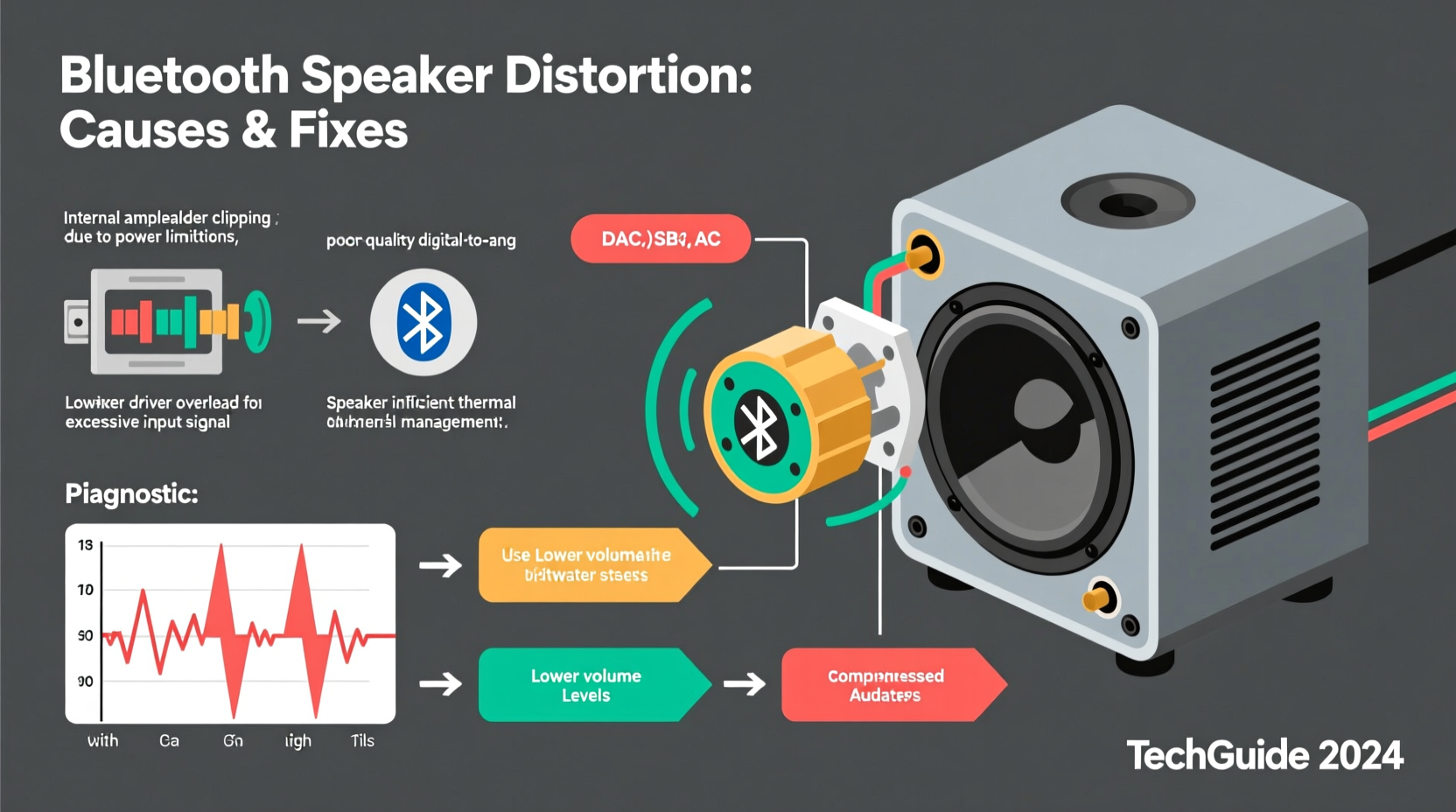
Sound distortion happens when the audio signal being played back deviates from the original recording. In technical terms, this is called \"non-linear reproduction.\" For Bluetooth speakers, distortion typically becomes noticeable when the speaker attempts to produce louder sounds than its components can accurately handle. This strain leads to audible artifacts such as crackling, clipping (a harsh, chopped-off sound), or rattling.
The primary culprit is usually the speaker driver—the component responsible for converting electrical signals into sound waves. When pushed beyond its physical limits, the driver cannot move air efficiently, causing the cone to vibrate erratically. Additionally, digital compression used in Bluetooth transmission can reduce audio fidelity, especially if the source file is low quality or the codec is inefficient.
Another factor is amplifier saturation. Most Bluetooth speakers have built-in amplifiers that boost the signal to drive the drivers. At high volumes, these small amps may not deliver clean power consistently, leading to signal clipping and audible distortion.
Common Causes of High-Volume Distortion
Several interrelated factors contribute to distortion when turning up the volume. Identifying which applies to your situation is the first step toward resolution.
1. Overdriving the Speaker
Every speaker has a maximum output capacity, measured in watts (W) or decibels (dB). Exceeding this limit forces the internal components to operate outside their optimal range. The driver may bottom out (hit the back of the enclosure), or the voice coil may overheat, both resulting in distorted sound.
2. Poor Audio Source Quality
If the music file being streamed is compressed (e.g., low-bitrate MP3s), there's less audio data available. When amplified, these deficiencies become exaggerated, making distortion more likely. High-bitrate files (such as FLAC or 320kbps MP3) preserve more detail and respond better to volume increases.
3. Bluetooth Codec Limitations
Bluetooth uses various codecs—SBC, AAC, aptX, LDAC—to transmit audio wirelessly. SBC, the default codec, has lower bandwidth and compression efficiency. If your device and speaker don’t support advanced codecs like aptX HD or LDAC, audio quality degrades faster at higher volumes due to data loss during transmission.
4. Insufficient Power Supply
Battery-powered speakers rely on stable voltage to maintain consistent performance. As the battery drains, power delivery becomes unstable, especially under high load. This inconsistency affects amplifier stability and can cause dynamic distortion even before reaching maximum volume.
5. Physical Damage or Wear
Dropped speakers, exposure to moisture, or prolonged use at extreme volumes can degrade internal components. A torn speaker cone, loose mounting, or damaged suspension will result in mechanical noise and distortion regardless of volume level—but the effect worsens as output increases.
“Many people assume distortion means the speaker is broken, but often it’s simply being asked to do something beyond its design limits.” — Dr. Alan Reeves, Acoustic Engineer at Sonance Labs
Step-by-Step Guide to Diagnose and Reduce Distortion
Before replacing your speaker, follow this systematic approach to identify and potentially resolve the issue.
- Test with Different Audio Sources
Play high-quality audio files (320kbps MP3 or lossless) from multiple apps (Spotify, Apple Music, local files). If distortion persists across all sources, the issue is likely hardware-related. - Check Bluetooth Connection Stability
Move closer to the speaker and remove obstacles. Interference from Wi-Fi routers or microwaves can weaken the signal, forcing retransmission and introducing latency or dropouts that affect clarity. - Lower the Volume on the Source Device
Set your phone or tablet volume to around 75%, then adjust loudness using the speaker’s controls. This prevents digital clipping in the output stage of your device. - Inspect for Physical Damage
Look for dents, tears in the speaker grille, or visible damage to the driver. Gently press the center of the speaker cone—if it feels stiff or makes a scratching sound, internal damage may be present. - Charge the Speaker Fully
Use a known-good charger and let the speaker reach 100% charge. Test again at high volume while plugged in. If distortion improves, the battery or power management system may be failing. - Reset the Speaker
Refer to the manual for reset instructions. Clearing paired devices and restarting the Bluetooth module can resolve firmware glitches affecting audio processing. - Compare with Wired Playback (if possible)
Some Bluetooth speakers accept auxiliary input. Connect via 3.5mm cable to bypass wireless transmission entirely. If distortion disappears, the issue lies in the Bluetooth stack or codec handling.
Tips to Prevent Future Distortion
Even well-designed speakers have limitations. Respecting those boundaries ensures longevity and consistent performance.
- Avoid placing the speaker near walls or corners unless designed for bass enhancement; reflections can cause phase cancellation and perceived distortion.
- Don’t cover the speaker grille or block ventilation ports—overheating reduces driver efficiency and increases distortion risk.
- Use EQ settings wisely. Boosting bass or treble excessively through software amplifies weak frequencies and strains drivers.
- Store the speaker in a dry, temperature-controlled environment. Extreme heat or cold affects material flexibility and adhesives inside the driver.
- Update firmware regularly. Manufacturers often release patches to improve audio processing algorithms and stability.
Comparison: Speaker Features That Impact High-Volume Performance
| Feature | High-Impact Benefit | Low-End Tradeoff |
|---|---|---|
| Dedicated Amplifiers per Driver | Precise control over tweeters and woofers reduces crosstalk and clipping | Rare in sub-$100 models; most use shared amp circuits |
| Passive Radiators or Bass Ports | Enhances low-end response without driver overextension | Poorly tuned ports can cause chuffing noise at high volumes |
| Advanced Bluetooth Codecs (aptX, LDAC) | Higher data throughput preserves audio detail | Only effective if both source and speaker support them |
| Thermal Protection Circuitry | Prevents voice coil burnout by limiting power during overheating | May reduce maximum output temporarily |
| Robust Enclosure Design | Minimizes resonance and vibration-induced distortion | Heavier build; less common in ultra-portable designs |
Real-World Example: Fixing Distortion in a Popular Portable Speaker
Consider the case of Mark, a frequent camper who purchased a mid-range waterproof Bluetooth speaker two years ago. Initially satisfied, he noticed increasing distortion when playing music at outdoor gatherings. He assumed water damage was the cause, given his speaker’s frequent exposure to rain and humidity.
After testing with different phones and audio files, he discovered the distortion occurred only when streaming from a specific app that defaulted to low-bitrate audio. Switching to offline, high-bitrate tracks eliminated much of the harshness. He also realized he had been maxing out both his phone’s volume and the speaker’s simultaneously—a double overload scenario.
By reducing the source volume to 70% and using the speaker’s own volume control, Mark restored clean audio even at high output. He later updated the speaker’s firmware via the manufacturer’s app, which included an audio stabilization patch. The combination of behavioral changes and software updates resolved the issue without needing repairs or replacement.
When to Accept Limitations vs. Seek Repair
Not all distortion can be fixed. Some speakers are inherently limited by size, materials, and cost constraints. A palm-sized speaker simply cannot reproduce deep bass cleanly at concert-like volumes—it would require larger drivers and more power than its form factor allows.
However, if you notice a sudden change in sound quality—especially after an incident like a fall or liquid exposure—it may indicate hardware failure. Signs include:
- One channel cutting out intermittently
- Constant buzzing even at low volumes
- Physical rattling from inside the unit
- Inability to pair or erratic behavior alongside audio issues
In such cases, contact the manufacturer or authorized service center. Attempting DIY repairs on sealed units can void warranties and risk further damage.
Frequently Asked Questions
Can I permanently damage my Bluetooth speaker by playing it too loudly?
Yes. Consistently driving a speaker beyond its rated output can overheat the voice coil, degrade adhesives, or deform the diaphragm. This leads to permanent distortion or complete driver failure. Thermal protection helps, but it’s not foolproof.
Does Bluetooth version affect sound quality at high volumes?
Indirectly. Newer versions like Bluetooth 5.0+ offer more stable connections and support better codecs (e.g., aptX Adaptive), which maintain audio integrity under load. However, both transmitting and receiving devices must support the same codec for benefits to apply.
Will using a speaker in stereo pair mode reduce distortion?
Potentially. Pairing two speakers distributes the audio load, allowing each to operate at a lower individual volume. This reduces strain and can yield clearer sound at higher overall output, provided the pairing technology is well-implemented.
Final Thoughts and Action Plan
Distorted sound at high volumes isn’t always a defect—it’s often a warning sign that your speaker is being pushed too hard. By understanding the technical limits of your device and adjusting how you use it, you can significantly improve audio quality and prolong its life.
Start by auditing your current habits: Are you using high-quality audio files? Is your Bluetooth connection stable? Are you over-amplifying at the source? Small adjustments often yield dramatic improvements.
If problems persist despite troubleshooting, consider whether your expectations align with the speaker’s capabilities. Sometimes, upgrading to a model with better drivers, dedicated amplification, and robust build quality is the most effective long-term solution.




 浙公网安备
33010002000092号
浙公网安备
33010002000092号 浙B2-20120091-4
Comments
No comments yet. Why don't you start the discussion?