
Chargers are essential lifelines for our digital lives, yet they often fail without warning. One day, your phone is charging normally; the next, the connection flickers or stops entirely. While it’s easy to blame manufacturing defects or wear and tear, the truth is that many charging issues stem from preventable causes. Understanding why chargers fail—and how to fix them—can save time, money, and frustration. This guide breaks down the most frequent reasons behind erratic charger behavior, offers actionable solutions, and helps you make smarter decisions about cable care and replacement.
Common Causes of Charger Failure
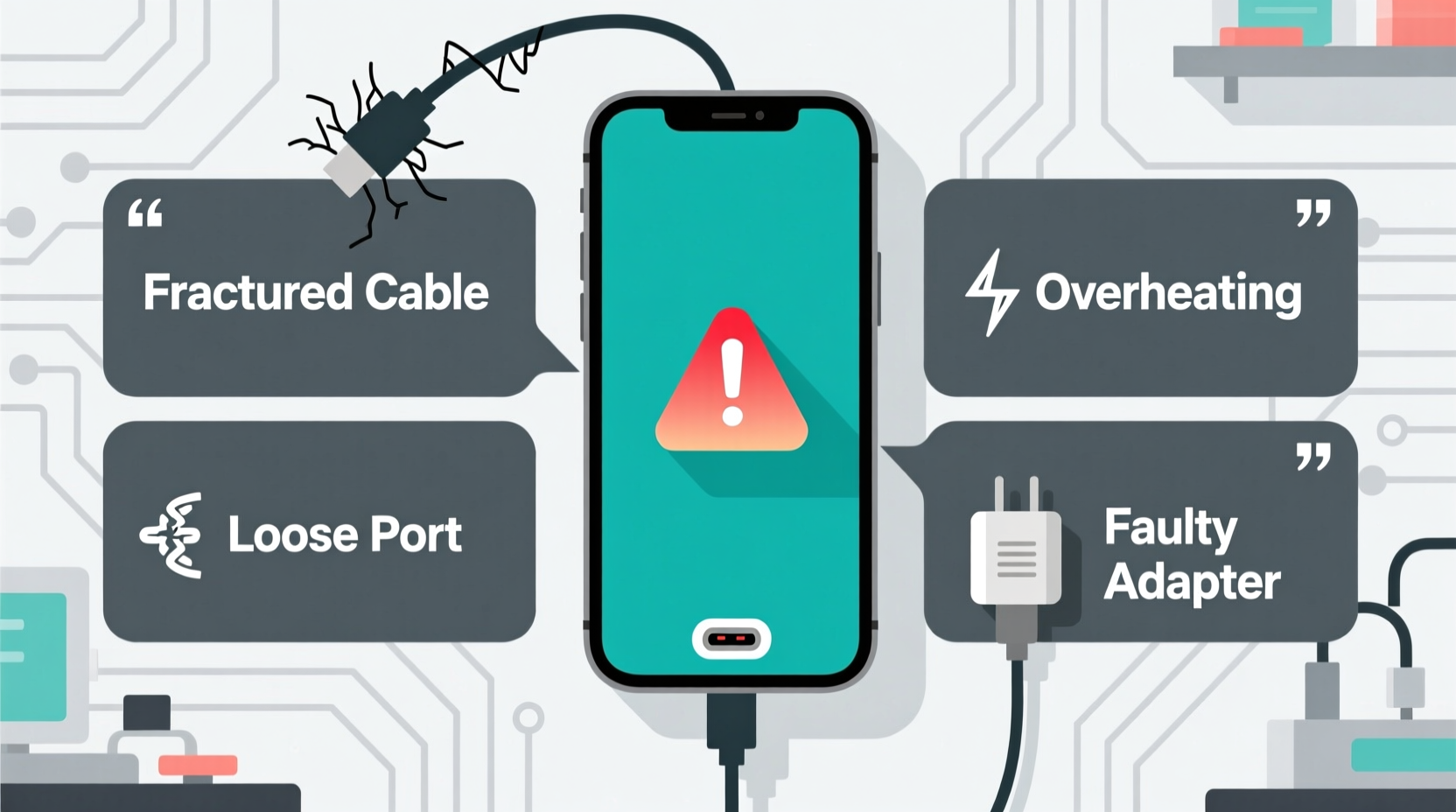
Most people assume their charger died suddenly, but failure is usually a gradual process influenced by physical stress, electrical issues, and environmental factors. Recognizing the root cause is the first step toward finding a reliable fix.
Frayed or Damaged Cables
The most visible sign of charger deterioration is fraying at the ends or along the length of the cable. This occurs due to repeated bending, twisting, or being caught in doors or under furniture. Over time, internal wires break, leading to intermittent connectivity. USB-C and Lightning cables are especially vulnerable because of their compact connectors.
Loose or Dirty Charging Ports
It’s not always the charger at fault. Dust, lint, and pocket debris accumulate in device charging ports, creating poor contact between the plug and pins. This leads to slow charging, random disconnections, or no charging at all. Phones kept in pockets or bags are particularly prone to this issue.
Poor-Quality Chargers
Third-party or counterfeit chargers may look identical to originals but use substandard materials. Thin gauge wiring, weak solder joints, and lack of overcurrent protection contribute to premature failure. These chargers often deliver inconsistent voltage, which stresses both the cable and the device battery.
Overheating and Voltage Spikes
Leaving a charger plugged in for extended periods, especially in hot environments like direct sunlight or near radiators, can degrade internal components. Similarly, power surges from unstable outlets or faulty adapters can damage circuitry inside the charger brick.
Bent or Broken Connector Pins
The small metal pins inside USB or Lightning connectors are delicate. Forcing the plug into the port at an angle or using excessive pressure can bend these pins, reducing conductivity. Once bent, even slightly, the connection becomes unreliable.
Step-by-Step Guide to Diagnosing Charger Issues
Before replacing your charger, confirm whether the problem lies with the cable, the adapter, the device, or the outlet. Follow this logical sequence to isolate the fault:
- Test with another device: Plug the charger into a different phone or tablet. If it works, the issue may be with your original device’s port or battery.
- Use a different cable: Swap in a known-working cable. If charging resumes, your original cable is likely damaged.
- Try a different power source: Plug the charger into another wall outlet or USB port on a computer. Faulty outlets or low-power USB ports can mimic charger failure.
- Inspect the charging port: Use a flashlight to check for lint or debris. Gently clean if necessary (see cleaning tips below).
- Check for heat buildup: Feel the charger brick and cable during use. Excessive warmth indicates inefficiency or internal damage.
If the charger fails all tests across multiple devices and outlets, it’s time to replace it—preferably with a certified model.
Practical Fixes and Maintenance Tips
Not every charging issue requires a new cable. Some problems can be resolved with simple tools and careful handling.
Cleaning the Charging Port
Lint buildup is a silent killer of charging reliability. To clean your device’s port safely:
- Power off the device.
- Use a wooden toothpick or plastic floss pick to gently scrape out debris.
- Avoid metal tools, which can short-circuit internal components.
- For stubborn dust, use a small brush (like a clean makeup brush) or compressed air.
Reinforcing Weak Cable Joints
If your cable still works intermittently, reinforce the strain points where the wire meets the plug. Heat-shrink tubing, electrical tape, or silicone sleeves can prevent further fraying. For a more permanent solution, consider using braided nylon cables, which resist wear better than rubber-coated ones.
Using Surge Protectors
Plug your charger into a surge-protected power strip instead of directly into the wall. This protects against voltage spikes during storms or power grid fluctuations, extending the life of the adapter.
Proper Coiling Technique
Never wrap your cable tightly around your hand or twist it into knots. Instead, loosely coil it in a figure-eight pattern or use a velcro tie. This reduces internal wire stress and prevents microfractures.
“Cable longevity isn’t just about brand—it’s about usage habits. A $20 cable treated well will outlast a $50 one yanked from pockets daily.” — Rajiv Mehta, Electronics Durability Analyst at TechLife Labs
Do’s and Don’ts of Charger Care
| Do’s | Don’ts |
|---|---|
| Unplug by gripping the plug, not pulling the cord | Pull the cable sharply from the port |
| Store in a cool, dry place away from pets | Leave it coiled in direct sunlight or heat sources |
| Use manufacturer-certified or MFi/Lightning-approved accessories | Use unbranded, no-name chargers from unknown sellers |
| Replace frayed cables immediately | Continue using a cable that sparks or overheats |
| Clean ports regularly with non-conductive tools | Insert metal objects like paperclips into the charging port |
Mini Case Study: The Office Worker’s Charging Woes
Sarah, a marketing executive, noticed her iPhone stopped charging halfway through the day. She replaced the cable twice in three months, assuming she’d bought defective ones. After consulting a technician, she discovered the real culprit: her bag’s zipper had been rubbing against the cable every time she packed her phone, causing invisible internal breaks near the connector. The fix? She started using a padded cable sleeve and switched to a sturdier braided cable. Her current charger has lasted over ten months—three times longer than her previous ones.
This case highlights how everyday habits, not just product quality, determine charger lifespan. Small changes in storage and handling can have outsized impacts.
When to Replace vs. Repair
While minor issues can be fixed, some failures require full replacement. Here’s a checklist to help decide:
✅ Replace Your Charger If:
- The cable exposes bare wires.
- The adapter feels excessively hot after 10 minutes of use.
- You see burn marks, melting, or a burning smell.
- The plug doesn’t stay securely in the device or outlet.
- Charging speed drops significantly despite a clean port.
🔧 Consider Repair or Reinforcement If:
- The cable only fails when bent at a specific angle (indicating a partial break).
- The outer insulation is cracked but wires are intact.
- The issue resolves temporarily with wiggling (a sign of loose internal connection).
Note: Internal repairs on sealed adapter bricks are not recommended due to safety risks. Only replace the entire unit.
FAQ
Can a damaged charger harm my phone?
Yes. Poor-quality or damaged chargers can deliver unstable voltage, which stresses the battery and charging circuitry. In extreme cases, this can lead to battery swelling, data corruption, or fire hazards. Always use certified chargers and replace damaged ones promptly.
Why does my phone charge only when I hold the cable a certain way?
This usually means either the cable’s internal wires are broken near the connector or the device’s charging port has debris or bent pins. Try cleaning the port first. If the issue persists, replace the cable.
Are wireless chargers more reliable than cables?
Wireless chargers eliminate cable wear but introduce other risks, such as overheating and slower charging speeds. They also depend on precise alignment. While they reduce physical wear, they aren’t inherently more durable—especially cheaper models with poor thermal management.
Conclusion
Random charger failure is rarely random. It’s the result of cumulative stress, poor handling, or low-quality components. By understanding the common causes—from frayed wires to dirty ports—and applying simple fixes, you can dramatically extend the life of your charging accessories. Invest in certified equipment, adopt better habits, and perform regular maintenance to avoid the daily frustration of a dead charger.




 浙公网安备
33010002000092号
浙公网安备
33010002000092号 浙B2-20120091-4
Comments
No comments yet. Why don't you start the discussion?