
As holiday seasons approach, millions of homes come alive with vibrant displays of programmable Christmas lights. While modern LED strings offer dazzling color transitions and dynamic effects, many users report a common frustration: noticeable lag when switching between colors or patterns. This delay—sometimes just a fraction of a second, sometimes several seconds—can disrupt the rhythm of synchronized light shows and diminish the visual impact. Understanding the root causes behind this lag is essential to optimizing your setup and ensuring a seamless experience.
The issue isn’t always due to faulty hardware. Instead, it stems from a combination of technical factors including signal transmission delays, controller processing limitations, network congestion in smart systems, power fluctuations, and compatibility mismatches. By diagnosing the specific cause affecting your system, you can implement targeted solutions that restore responsiveness and elevate your display’s performance.
Understanding How Programmable Christmas Lights Work
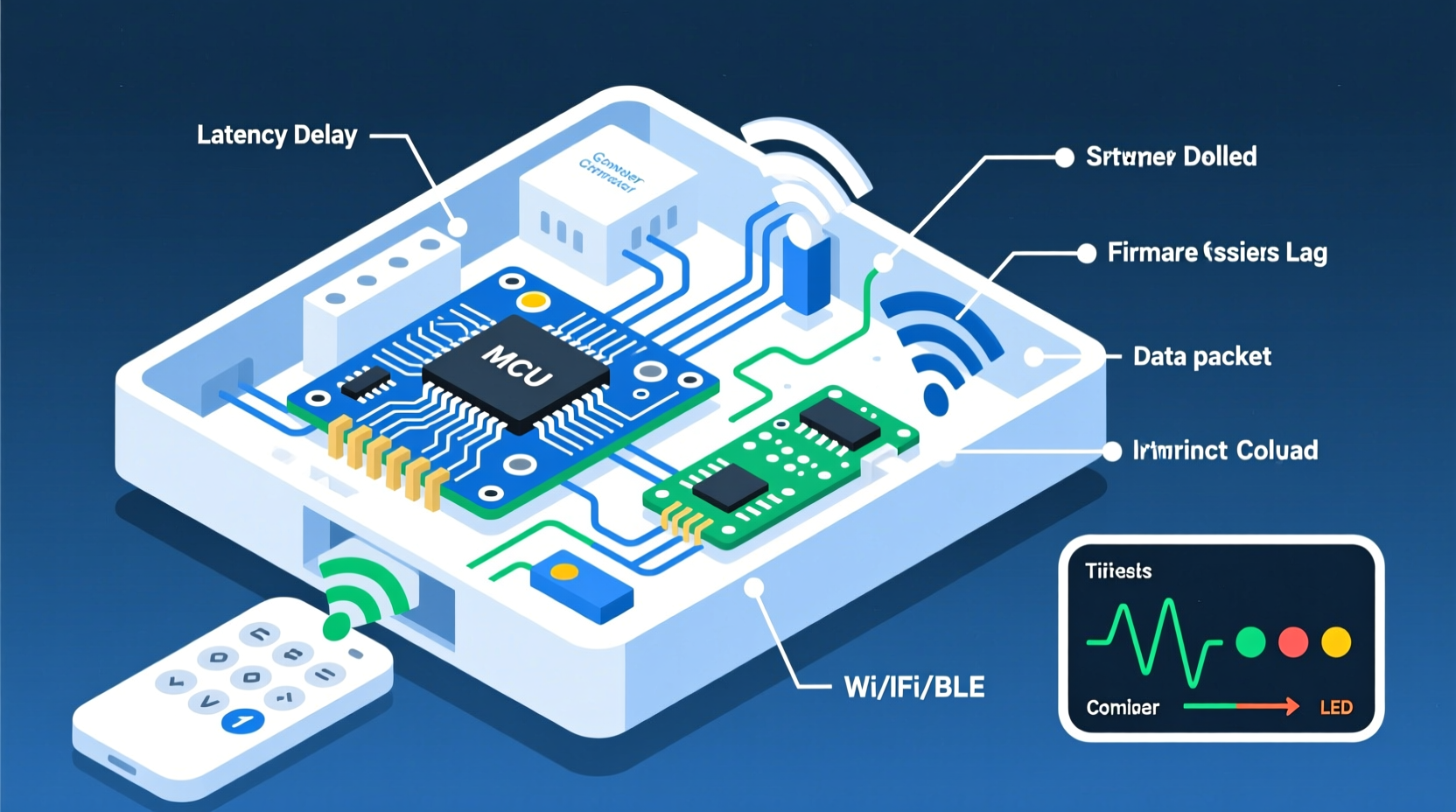
Modern Christmas light controllers operate by sending digital signals to individual LEDs or groups of LEDs along a string. These signals are typically based on protocols such as DMX, SPI, or more commonly for consumer-grade products, WS2811 or WS2812B chipsets. Each LED contains a tiny integrated circuit that interprets incoming data and adjusts brightness, color, and timing accordingly.
When you press a button on your remote or select a new pattern via an app, the controller sends a command packet through the data line. The first LED reads its instruction, then passes the remaining data down the chain to the next LED. This daisy-chain method works efficiently under ideal conditions but introduces potential bottlenecks—especially in longer strands or complex configurations.
Processing these commands takes time. Even high-speed microcontrollers require microseconds to decode instructions and update each pixel. Multiply this by hundreds or thousands of LEDs, and small delays accumulate into visible lag. Additionally, wireless remotes introduce another layer: infrared (IR) or radio frequency (RF) signals must be received, interpreted, and acted upon—all contributing to response time.
Signal Propagation Delay in LED Strands
One primary reason for lag is inherent in how data travels across the LED strip. In addressable lights like those using WS2812B chips, data moves serially—one bit at a time—from one LED to the next. A strand of 500 LEDs will naturally take longer to refresh than one with 100 LEDs because the signal has farther to travel.
This phenomenon is known as propagation delay. While each LED processes data in about 300 nanoseconds, the cumulative effect becomes perceptible during rapid changes. For example, if all pixels need to switch from red to blue simultaneously, the last LED may change up to 150 milliseconds after the first—a delay easily noticed by the human eye.
Wireless Communication Issues
Many modern Christmas light controllers rely on wireless technology—either infrared (IR) or 2.4GHz RF—for remote operation. IR remotes, while inexpensive, require line-of-sight and are prone to interference from ambient light sources like sunlight or indoor lamps. RF-based systems offer better range and penetration but can suffer from signal crowding, especially in urban areas where Wi-Fi networks, Bluetooth devices, and other RF emitters compete for bandwidth.
Lag often occurs when the receiver fails to interpret the signal correctly on the first try. The controller may wait for checksum validation or retry transmission, adding latency. In some cases, weak batteries in the remote reduce transmission strength, further degrading responsiveness.
Smart lighting systems connected via Wi-Fi or Bluetooth add additional complexity. Commands sent from a smartphone app must travel over your home network to a hub or directly to the controller. Network congestion, router latency, or poor signal strength can result in delayed execution—even if the controller itself is capable of instant updates.
“Even a 200ms delay in command delivery can make a light show feel disjointed, especially when synced to music.” — Daniel Reeves, Smart Lighting Engineer at Lumos Dynamics
Network Overload in Multi-Zone Setups
If you're running multiple zones or large installations with dozens of controllers, synchronization issues become more pronounced. Many budget-friendly smart controllers don't support true real-time broadcasting. Instead, they poll for updates periodically or process commands sequentially, leading to staggered responses.
For instance, pressing \"next effect\" might send the same command to five different controllers—but if each responds at slightly different times due to internal buffering or network jitter, the overall effect appears sluggish or uncoordinated.
Controller Processing Power and Firmware Limitations
Not all controllers are created equal. Entry-level models often use low-cost microcontrollers with limited RAM and clock speeds. When tasked with rendering complex animations or handling frequent input changes, these units struggle to keep up, resulting in dropped frames or delayed reactions.
Firmware also plays a crucial role. Outdated firmware may lack optimizations for efficient command parsing or contain bugs that increase response time. Some manufacturers release updates to improve performance, but users rarely check for them unless prompted.
In addition, certain controllers buffer input commands to prevent accidental repeats (debouncing). While useful for avoiding double-taps, excessive buffering can create artificial lag between user action and visual feedback.
Power Supply Instability
Insufficient or unstable power is another overlooked contributor to controller lag. Addressable LEDs require consistent voltage—typically 5V or 12V DC—to function properly. Voltage drops caused by undersized wires, overloaded circuits, or long cable runs can lead to erratic behavior, including delayed responses and flickering.
When power sags, the controller's microprocessor may reset momentarily or enter a low-power state, interrupting ongoing operations. Similarly, LEDs themselves may fail to update instantly if they aren’t receiving enough current to drive immediate color shifts.
Common Causes and Solutions Summary
| Cause | Symptoms | Solutions |
|---|---|---|
| Long LED runs without signal boosting | Noticeable wave-like color change; trailing effect | Add signal amplifiers every 5–10 meters; split into shorter segments |
| Weak remote battery or interference | Delayed response; requires multiple button presses | Replace remote batteries; relocate receiver away from noise sources |
| Wi-Fi/Bluetooth congestion | App commands take seconds to register | Use wired control; switch to less crowded network bands |
| Underpowered supply | Flickering, dimming, or partial updates | Upgrade to regulated power supply; inject power at multiple points |
| Outdated or inefficient firmware | General sluggishness; crashes during transitions | Check manufacturer website for updates; consider upgrading controller |
Step-by-Step Guide to Diagnose and Fix Lag
- Test with direct input: Bypass the remote or app by using physical buttons on the controller, if available. If response improves, the issue lies in wireless communication.
- Inspect power quality: Measure voltage at both ends of the LED strip using a multimeter. A drop greater than 0.5V indicates inadequate wiring or supply.
- Reduce strand length: Disconnect half the lights and test responsiveness. Improved performance suggests signal degradation over distance.
- Check for interference: Turn off nearby electronics (routers, microwaves, cordless phones) and observe whether lag decreases.
- Update firmware: Visit the manufacturer’s support page to see if newer firmware versions are available for download.
- Segment your setup: Divide long runs into independently powered and controlled sections to minimize data load per channel.
- Use a signal amplifier: Install an active repeater between long spans to regenerate the data signal and maintain integrity.
Mini Case Study: Resolving Lag in a Neighborhood Light Display
Tom R., a homeowner in Denver, installed a 1,200-LED Christmas display across his roofline and trees. He used a single RF-controlled 12V WS2811 system managed via a mobile app. Despite strong Wi-Fi coverage, he noticed a half-second delay when changing modes—unacceptable for his music-synced shows.
After testing, Tom discovered two key issues: first, his 60-foot LED run lacked intermediate power injection, causing voltage sag at the far end. Second, his controller was located inside the garage, shielded by concrete walls, weakening the Wi-Fi signal.
He resolved the problem by relocating the controller outdoors in a weatherproof box near the display, adding a secondary power feed halfway down the strip, and installing a Wi-Fi extender dedicated to the lighting network. The combined changes eliminated lag entirely, allowing precise synchronization with holiday playlists.
FAQ
Can I fix lag without buying new equipment?
Yes, in many cases. Simple steps like replacing remote batteries, shortening LED runs, improving power delivery, or reducing wireless interference can significantly reduce or eliminate lag without additional cost.
Do cheaper controllers always lag more?
Generally, yes. Budget controllers often use slower processors and basic firmware. However, proper setup—including good power management and minimized signal distance—can mitigate performance gaps between low-end and premium units.
Is there a way to sync multiple controllers perfectly?
True synchronization requires controllers that support master-slave configuration or external triggering via protocols like Art-Net or sACN. Consumer-grade remotes rarely offer this, but advanced platforms like Falcon F16 or xLights can coordinate dozens of zones with sub-millisecond accuracy.
Preventative Maintenance Checklist
- ✅ Test all controllers and remotes before installation season
- ✅ Replace remote batteries annually
- ✅ Inspect wiring for damage or corrosion
- ✅ Clean controller terminals and connectors
- ✅ Verify firmware is up to date
- ✅ Label each zone for easier troubleshooting
- ✅ Store components in dry, temperature-stable environments
Conclusion
Lag in your Christmas light controller isn’t just an annoyance—it’s a solvable engineering challenge rooted in physics, electronics, and system design. Whether caused by signal propagation, wireless interference, insufficient power, or outdated hardware, each factor can be diagnosed and corrected with the right knowledge and tools.
By applying the insights and strategies outlined here—from segmenting long runs and upgrading power supplies to optimizing network performance—you can transform a sluggish display into a responsive, professional-quality light show. The holidays deserve brilliance without delay.




 浙公网安备
33010002000092号
浙公网安备
33010002000092号 浙B2-20120091-4
Comments
No comments yet. Why don't you start the discussion?