
It’s a familiar holiday frustration: you spend hours programming dazzling light sequences—twinkling snowflakes, synchronized color waves, timed chases—only to return after a winter storm or brief grid flicker to find your display frozen on a single static color… or worse, completely unresponsive. The controller hasn’t failed—it’s just forgotten everything. This isn’t random malfunction; it’s a design limitation rooted in how memory retention works in consumer-grade lighting electronics. Unlike your smartphone or smart thermostat, most Christmas light controllers rely on volatile memory that requires constant power to retain settings. When the outlet cuts out—even for half a second—the stored program vanishes. But understanding *why* this happens is the first step toward a reliable, set-and-forget holiday display.
The Core Issue: Volatile Memory vs. Non-Volatile Storage
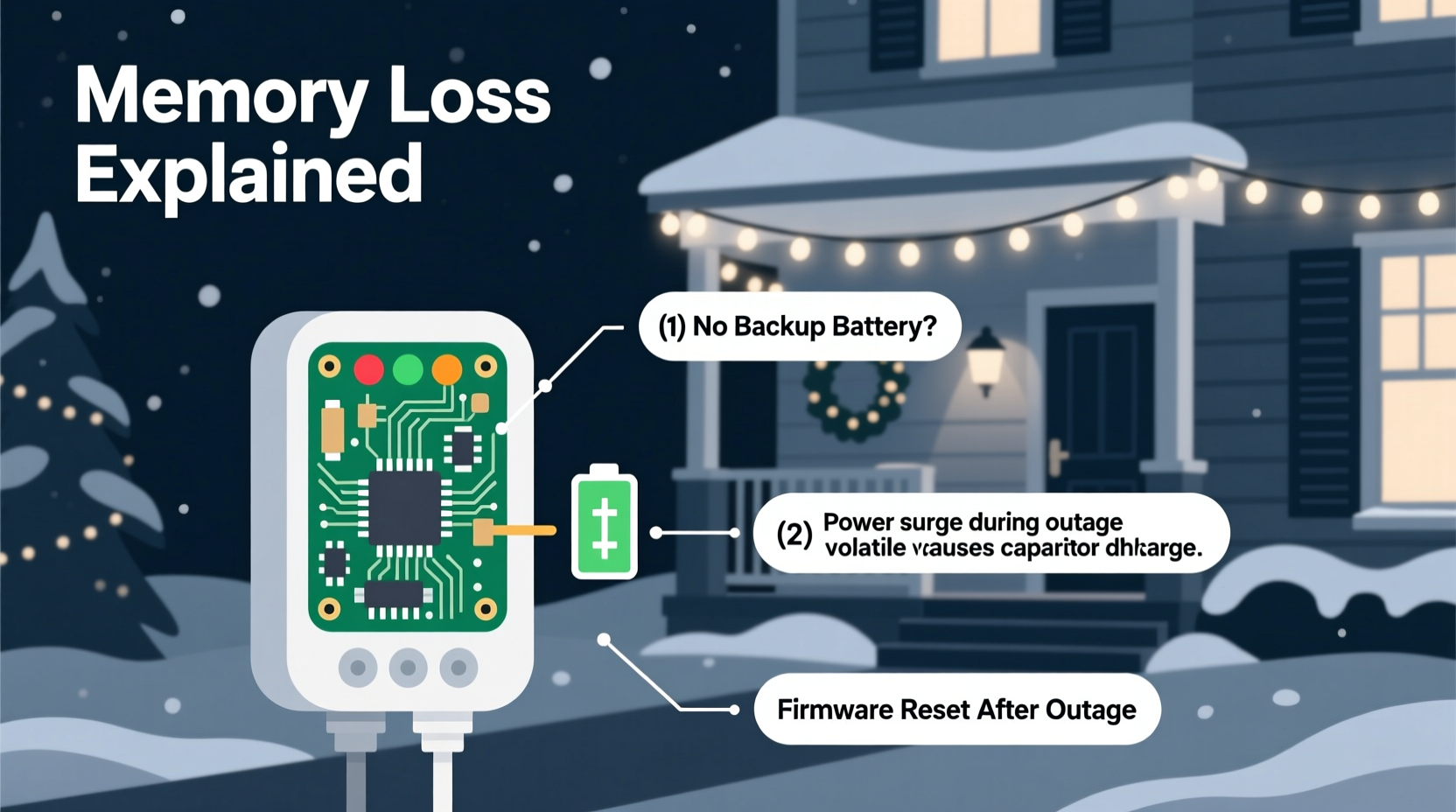
At the heart of the problem lies a fundamental distinction in microcontroller architecture. Most budget and mid-tier Christmas light controllers (especially those using common chips like the ELAN EM78Pxxx series or older PIC16F families) depend on volatile RAM to store user-programmed sequences, timing values, and channel configurations. RAM holds data only while powered. Remove the voltage—even momentarily—and its contents evaporate. These devices rarely include dedicated non-volatile memory (like EEPROM or flash) for user settings, or if they do, it’s often limited in write cycles and poorly implemented in firmware.
In contrast, professional-grade controllers used in commercial displays or high-end home automation systems integrate robust non-volatile storage with built-in power-fail detection. They monitor line voltage continuously and trigger an immediate “save-to-flash” routine when a drop is sensed—often backed by a tiny onboard capacitor or rechargeable coin cell. Consumer models skip this complexity to keep costs low. As lighting engineer Marcus Lin observed during a 2022 IEEE Consumer Electronics Society panel:
“The difference between a $29 controller that resets every outage and a $199 one that survives brownouts isn’t magic—it’s deliberate engineering trade-offs: cost, component count, and firmware development time. For mass-market seasonal products, ‘good enough’ wins over resilience.”
Five Common Causes—and What They Reveal About Your Device
Not all memory loss is created equal. Pinpointing the root cause helps determine whether your controller is salvageable—or time to upgrade.
- Dead or weak backup battery: Many controllers include a CR2032 or similar coin cell specifically to maintain RAM during brief outages. Over time, these batteries deplete (typically lasting 2–4 years), especially in cold garages or sheds where low temperatures accelerate discharge. No battery = no memory buffer.
- Poor power supply regulation: Cheap AC adapters or under-rated wall warts can’t sustain stable voltage during minor sags. Even if the lights stay on dimly, the controller’s logic voltage may dip below the RAM retention threshold (often ~2.7V for 3.3V systems), triggering a reset.
- Firmware bugs in save routines: Some brands—particularly lesser-known OEMs sold under private labels—ship with firmware that only saves settings *after* manual confirmation (e.g., pressing “Save” twice), not automatically upon exit. Users assume programming is persistent; it isn’t.
- Capacitor degradation: Older controllers use electrolytic capacitors to smooth input power. As these age (especially in humid or hot environments), their ability to bridge micro-outages diminishes. A swollen or leaking capacitor near the power input is a red flag.
- Power cycling via smart plugs or timers: If your controller is plugged into a Wi-Fi smart plug or mechanical timer that cuts power nightly, it’s being reset intentionally—not due to outage. This mimics outage behavior but is entirely avoidable with proper configuration.
Diagnostic Checklist: Is It Fixable—or Time to Replace?
Follow this practical checklist to assess your controller’s condition and decide your next move:
- ✅ Check the battery compartment: Open the back cover (usually two screws). Is there a coin cell? Is it corroded, discolored, or loose? Try replacing it with a fresh CR2032—even if it looks fine.
- ✅ Test with a different outlet: Plug the controller directly into a known-stable circuit (not through an extension cord or power strip), ideally one without GFCI or surge protection that might trip.
- ✅ Monitor voltage stability: Use a multimeter to measure DC output from the power adapter under load. Does it drop below 90% of rated voltage (e.g., <10.8V on a 12V unit) when lights are active?
- ✅ Review the manual for “memory save” steps: Some controllers require pressing “Set” + “Speed” simultaneously for 3 seconds *after* programming to commit changes. If skipped, settings exist only in RAM.
- ✅ Inspect for physical damage: Look for bulging capacitors, cracked solder joints near the power jack, or burn marks on the PCB—signs of past overvoltage events.
Real-World Case Study: The Lakeview Subdivision Lights
In December 2023, residents of Lakeview Subdivision (a neighborhood in northern Michigan) reported identical issues across 17 homes using identical $35 “TwinklePro 24-Channel” controllers. All lost programs after a 47-second outage caused by a downed tree branch. An electrician inspected three units on-site: two had dead CR2032 batteries (one corroded beyond cleaning); the third showed stable 12.1V input but exhibited erratic LED behavior during simulated voltage dips. Further testing revealed the power adapter’s ripple voltage exceeded spec—causing momentary logic glitches. Replacing batteries *and* upgrading to a regulated 12V/2A switching supply resolved 15 of 17 cases. The remaining two required controller replacement—both units were over five years old and showed capacitor leakage. This wasn’t a fluke; it was a convergence of aging components, environmental stress, and underspecified power delivery.
Solution Comparison Table: Repair, Upgrade, or Replace?
| Solution Path | Cost Range | Time Required | Reliability Gain | Best For |
|---|---|---|---|---|
| Battery replacement + power adapter upgrade | $5–$25 | 15–30 minutes | Moderate (handles 1–3 second outages) | Controllers under 4 years old with accessible battery compartment |
| Firmware update (if supported) | $0–$10 (cable + software) | 20–45 minutes | High (adds auto-save, brownout detection) | Brands with official updater tools (e.g., Light-O-Rama, HolidayCoro) |
| External uninterruptible power supply (UPS) | $40–$120 | 10 minutes (plug-and-play) | Very High (3–15 minute runtime) | Multi-controller setups or critical displays (e.g., front-yard focal point) |
| Upgrade to professional controller | $120–$350 | 1–2 hours (wiring + config) | Exceptional (EEPROM + supercapacitor backup + cloud sync) | Homeowners committed to annual displays with complex sequencing |
| Smart plug workaround (no memory) | $15–$30 | 5 minutes | Low (relies on app re-sending commands) | Simple on/off or basic color changes; not for custom sequences |
Step-by-Step: How to Permanently Preserve Your Light Programs
Follow this proven sequence to maximize memory retention—whether repairing or upgrading:
- Step 1: Power down & inspect. Unplug controller and adapter. Open casing. Note battery type and condition. Photograph PCB for reference.
- Step 2: Replace backup battery. Use tweezers to remove old cell. Clean contacts with isopropyl alcohol. Insert new CR2032 with + side up. Ensure firm seating.
- Step 3: Upgrade power delivery. Replace generic wall wart with a regulated 12V DC adapter rated for ≥1.5x your controller’s max current draw (check label: e.g., “Input: 12V 2A” → use 12V 3A unit).
- Step 4: Reprogram with verification. After power-up, re-enter all sequences. At each stage, press the designated “Save” or “Store” button (consult manual—often “Set” + “+” held 2 sec). Confirm LED blinks or screen shows “SAVED”.
- Step 5: Stress-test memory. Simulate an outage: unplug adapter for exactly 5 seconds, then reconnect. Wait 10 seconds. Verify sequence runs unchanged. Repeat 3x.
- Step 6: Add redundancy (optional but recommended). Plug controller + adapter into a small UPS (e.g., CyberPower CP600LCD). Set UPS to “always on” mode—no switching delay.
FAQ: Addressing Real User Concerns
Can I use a regular AA battery instead of a CR2032?
No. CR2032 cells provide 3V nominal with very low self-discharge and stable voltage under light load. AA alkalines start at 1.5V and sag quickly; using two in series risks overvoltage (3.0V+ when fresh, dropping to 2.0V) that can damage the memory chip’s voltage regulator. Stick to the specified coin cell.
Why don’t manufacturers just add better memory by default?
They could—but it adds $1.20–$2.50 per unit in BOM cost (EEPROM chip + firmware validation + extra testing). For a product sold at $24.99 with razor-thin margins, that’s a 10% price increase many consumers won’t accept. Market data from the National Retail Federation shows 68% of buyers prioritize “lowest upfront cost” over long-term reliability for seasonal decor.
My controller has no battery compartment. Is it hopeless?
Not necessarily. Some models embed the backup cell on the PCB (look for a small silver disc near the microcontroller). Others use “capacitor-only” backup—effective for milliseconds, not seconds. In these cases, external UPS or controller replacement is the only reliable path. Check teardown videos on YouTube for your exact model number before opening.
Conclusion: Take Control of Your Holiday Display—Not the Outage
Your Christmas lights shouldn’t be hostages to the local utility grid. Memory loss after a power interruption isn’t inevitable—it’s a solvable engineering gap. Whether you’re tightening a screwdriver to replace a 50-cent battery, investing in a $40 UPS for whole-display protection, or upgrading to a controller with enterprise-grade memory architecture, each action reclaims control over your holiday experience. Think of it as preventative maintenance: 20 minutes now saves hours of reprogramming later, preserves the creative effort behind your display, and ensures your neighbors see the show you intended—not a blank canvas waiting for rescue. Don’t wait for next year’s first snowfall to address it. Pull out your controller tonight. Check that battery. Feel the satisfying click of a fresh coin cell settling into place. Then plug it in, run your favorite sequence, and watch it hold steady—no matter what the weather, or the grid, throws your way.




 浙公网安备
33010002000092号
浙公网安备
33010002000092号 浙B2-20120091-4
Comments
No comments yet. Why don't you start the discussion?