
There’s nothing more frustrating during the holiday season than stepping outside at dusk to admire your festive light display—only to find it dark and lifeless. You check the power, confirm the outlet works, and realize the culprit: your Christmas light timer has reset itself again. This common issue disrupts displays, wastes time, and can even shorten the lifespan of your lights due to inconsistent cycling. But why does it happen, and more importantly, how can you stop it for good?
The root causes range from simple power fluctuations to outdated hardware design. Fortunately, most issues are preventable or fixable with the right knowledge. Whether you're using a mechanical plug-in timer or a smart Wi-Fi model, understanding the mechanics behind timer resets is key to maintaining a reliable holiday lighting routine.
Understanding How Christmas Light Timers Work
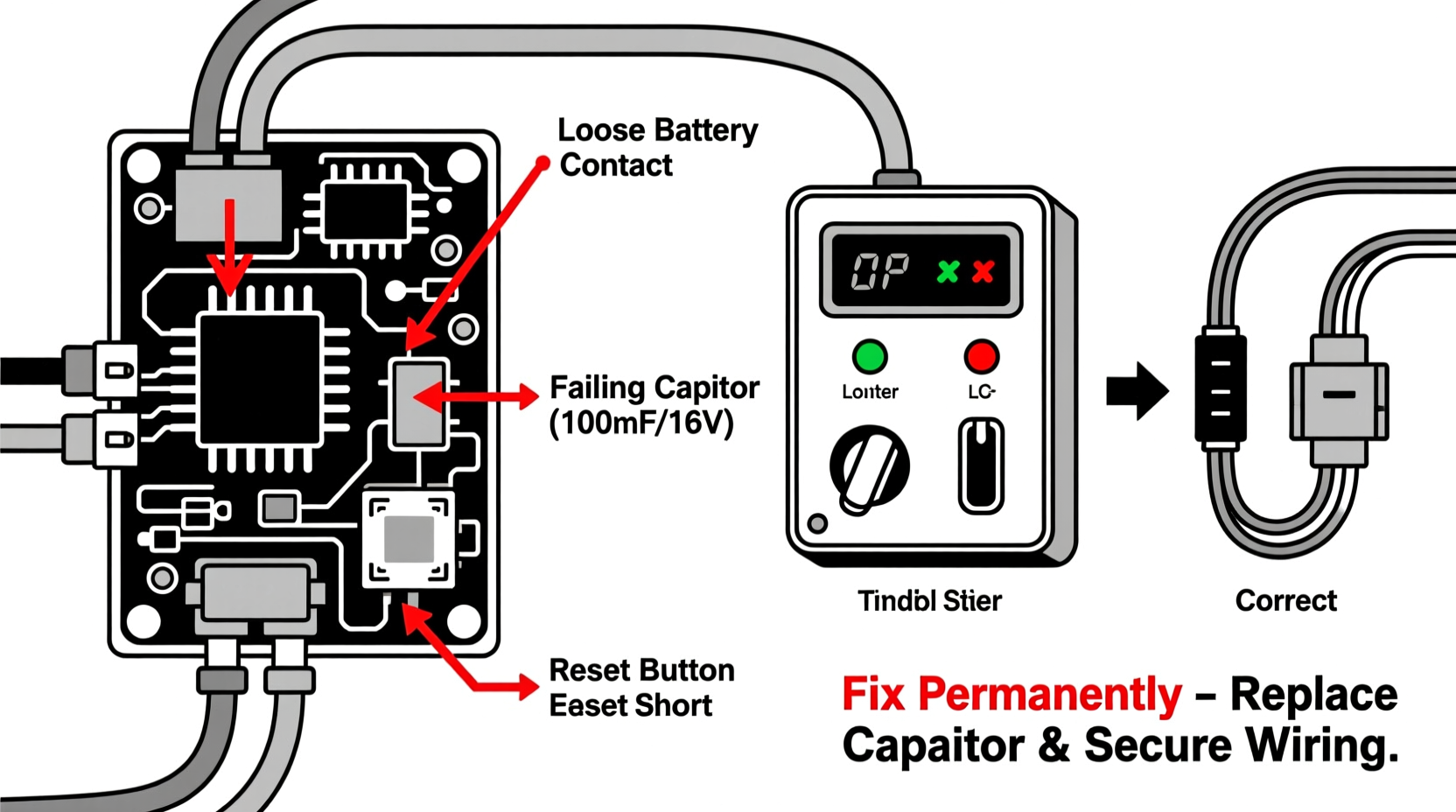
Christmas light timers come in three main types: mechanical (analog), digital (electronic), and smart (Wi-Fi or app-controlled). Each operates differently and carries its own set of vulnerabilities when it comes to unexpected resets.
- Mechanical timers use a clock motor and rotating dial to control on/off cycles. These rely on continuous power to keep the internal clock turning.
- Digital timers feature electronic circuits and LCD displays. They often have battery backups to retain settings during brief outages.
- Smart timers connect to your home network and are managed via smartphone apps. They depend on both stable power and internet connectivity.
All three can lose their programmed schedules under certain conditions. The critical difference lies in how they respond to disruptions and what safeguards they offer against data loss.
“Most consumer-grade timers aren’t designed for high electrical noise environments or frequent voltage dips—common during winter storms.” — Daniel Reeves, Electrical Systems Engineer
Common Reasons Why Your Timer Resets Itself
Timers don’t reset without cause. Identifying the underlying reason is the first step toward a permanent solution. Below are the most frequent culprits:
1. Power Outages or Voltage Fluctuations
Even a split-second power interruption can reset a timer that lacks backup power. Mechanical models are especially vulnerable—they lose track of time as soon as electricity stops flowing to the clock motor. Digital units may fare slightly better if equipped with a small internal battery, but many budget models omit this feature to cut costs.
2. Internal Battery Failure (in Digital Models)
Digital timers often include a coin-cell battery (like a CR2032) to preserve settings during outages. Over time, these batteries degrade. A weak or dead battery means no memory retention, leading to repeated resets even after minor blips in power.
3. Electrical Noise or Surges
Holiday circuits often carry multiple loads—lights, inflatables, music systems. When devices cycle on or off, they can create electrical noise or minor surges that interfere with sensitive timer circuitry. This interference may not trip a breaker but can corrupt memory chips or force a reboot.
4. Overloaded Circuits or Daisy-Chaining
Plugging too many strings into one timer—or connecting timers in series—can exceed safe amperage limits. This leads to overheating, voltage drops, and erratic behavior. Some timers shut down temporarily and restart with factory defaults when stressed.
5. Smart Timer Connectivity Issues
Wi-Fi-enabled timers depend on consistent network access. If your router reboots, signal strength drops, or the app server updates, synchronization errors can occur. In some cases, the timer reverts to default settings or loses programming entirely.
Step-by-Step Guide to Fix and Prevent Timer Resets
Follow this comprehensive process to diagnose and resolve the issue permanently.
- Unplug the timer and inspect for damage. Look for discoloration, melting, or frayed cords. Any sign of heat damage indicates an overloaded circuit or faulty unit.
- Check the outlet voltage. Use a multimeter to verify the outlet delivers steady 120V (in North America). Fluctuations beyond ±5% suggest wiring or grid issues.
- Test on a different circuit. Plug the timer into a dedicated indoor outlet known for stable power. If it stops resetting, the original circuit is likely problematic.
- For digital timers: open the battery compartment. Replace the backup battery with a fresh one, ensuring correct polarity. Clean any corrosion with a cotton swab and rubbing alcohol.
- Reduce connected load. Calculate total wattage of all lights plugged into the timer. Ensure it stays below 80% of the timer’s rated capacity (e.g., under 1440W for a 15A/120V unit).
- Use a surge protector with timer support. Plug the timer into a high-quality surge protector that includes battery backup or voltage regulation—not just spike suppression.
- Reprogram the timer carefully. After replacing batteries or moving circuits, re-enter your schedule slowly, confirming each setting saves correctly.
- For smart timers: update firmware and reconnect. Check the manufacturer’s app for updates. Re-pair the device to your Wi-Fi network and ensure it maintains a strong signal.
Comparison: Timer Types and Reset Resistance
| Timer Type | Battery Backup? | Surge Resistant? | Network Dependent? | Reset Risk Level |
|---|---|---|---|---|
| Mechanical (Analog) | No | No | No | High |
| Digital (Electronic) | Sometimes | Limited | No | Medium |
| Smart (Wi-Fi/App) | Yes (cloud-based) | Varies | Yes | Medium-High (if network unstable) |
This comparison shows that while smart timers offer convenience, they introduce new failure points. Mechanical timers are simple but fragile. Digital models with proper battery support often strike the best balance for reliability.
Real-World Example: The Neighborhood Display That Kept Failing
In suburban Ohio, homeowner Linda Martinez spent years troubleshooting her annual Christmas light show. Every few days, her meticulously timed sequence would revert to 6:00 AM on/6:00 PM off—a factory preset she never used. She replaced the timer twice, assuming defects.
After consulting an electrician, she discovered her outdoor GFCI outlet was tripping intermittently due to moisture ingress. Though the outlet reset automatically, the brief outage was enough to wipe the digital timer’s memory—its backup battery had corroded and failed silently.
The fix? She installed a weatherproof outlet cover, replaced the timer with a model featuring a sealed battery compartment, and added a line-interactive UPS (uninterruptible power supply) for the entire display controller. Since then, her lights have run flawlessly for three consecutive seasons.
Proven Checklist to Prevent Future Resets
Use this checklist annually before installing your holiday lights:
- ✅ Test all timers indoors before deployment
- ✅ Replace backup batteries in digital units
- ✅ Verify total load is within timer capacity
- ✅ Install timers in dry, protected enclosures
- ✅ Use surge-protected power strips with voltage regulation
- ✅ Label circuits and test GFCI functionality monthly
- ✅ For smart timers: confirm app notifications are enabled
- ✅ Keep spare timers and fuses on hand
Frequently Asked Questions
Can cold weather cause my timer to reset?
Extreme cold doesn’t directly reset timers, but it can exacerbate existing weaknesses. Low temperatures increase electrical resistance and may cause brittle components to crack. More importantly, winter storms bring power fluctuations that trigger resets. Protect your timer with a weatherproof housing and consider indoor placement with extension cords routed outside.
Why does my timer reset to random times instead of default?
This usually indicates corrupted memory or a failing microcontroller. In digital timers, this can result from repeated partial power cycles or static discharge. If replacing the battery doesn’t help, the unit should be retired—continued use risks damaging connected lights.
Is there a timer that never resets?
No timer is completely immune, but high-end models with dual power sources (AC + battery), surge immunity, and non-volatile memory come close. Look for industrial-grade timers certified for outdoor use, such as those made by Intermatic or Woods, which are built to withstand harsh conditions and maintain settings through extended outages.
Long-Term Solutions for Uninterrupted Holiday Lighting
For homeowners committed to a flawless display year after year, investing in a robust system pays dividends. Consider upgrading to a programmable outdoor controller with built-in surge protection and battery backup. Some advanced models even sync with GPS time signals or solar cycles, adjusting daily for perfect dusk-to-dawn operation.
Alternatively, integrate your lighting into a smart home ecosystem using Z-Wave or Zigbee-compatible relays. These systems store schedules in the hub rather than the endpoint device, so even if a node fails, the master controller restores settings automatically.
“The most reliable holiday lighting systems aren’t about fancy lights—they’re about stable control infrastructure.” — Marcus Lin, Home Automation Consultant
Conclusion: Take Control of Your Holiday Display
A Christmas light timer that resets itself isn’t just an annoyance—it’s a symptom of deeper electrical or equipment issues. By understanding the causes and applying targeted fixes, you can eliminate the problem permanently. From replacing aging batteries to upgrading your power management setup, each step brings you closer to a stress-free, consistently lit holiday display.
Don’t accept seasonal frustration as inevitable. With the right tools and knowledge, your lights can shine exactly when and how you want—year after year. Implement these solutions before the next holiday season, and enjoy the peace of mind that comes with a display that runs like clockwork.




 浙公网安备
33010002000092号
浙公网安备
33010002000092号 浙B2-20120091-4
Comments
No comments yet. Why don't you start the discussion?