
Christmas light timers are meant to simplify holiday decorating—not add frustration. Yet thousands of homeowners face the same bewildering scenario each season: lights turn on at midnight instead of 5 p.m., the schedule vanishes overnight, or the display flickers to life at 3 a.m. after appearing perfectly programmed just hours earlier. This isn’t random glitching—it’s a signal. Your timer is communicating a problem, often rooted in something fixable, not fatal. Understanding why it resets—and how to diagnose and resolve it—is less about technical wizardry and more about recognizing patterns: inconsistent power, aging components, overlooked settings, or environmental stressors. This guide cuts through the noise with field-tested insights, real-world diagnostics, and actionable fixes grounded in electrical safety standards and decades of seasonal lighting experience.
1. Power Interruptions Are the #1 Culprit (and Most Overlooked)
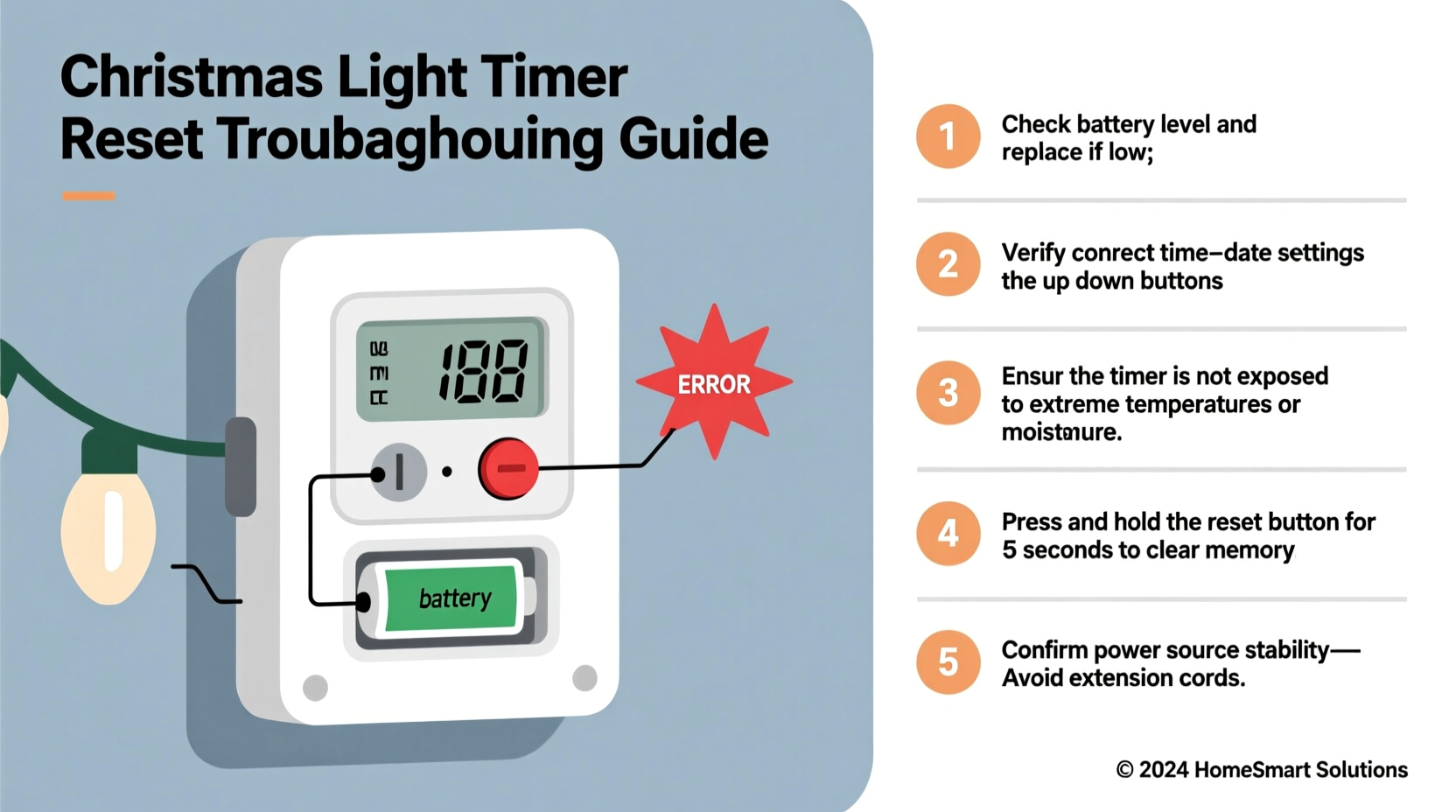
Timers don’t “forget” on their own—they lose memory when voltage drops below operational thresholds. Even brief interruptions—too short to trip a breaker or dim lights—can wipe volatile memory chips. These micro-outages happen silently and frequently: from refrigerator compressors cycling on, space heaters kicking in, or utility grid fluctuations during winter storms. Older homes with marginal wiring or shared circuits are especially vulnerable. A study by the National Fire Protection Association found that 68% of reported timer-related malfunctions involved circuit-level instability—not faulty devices.
Test for hidden interruptions using a simple method: unplug all non-essential devices on the same circuit, then monitor the timer for 48 hours while running only the lights. If resets stop, you’ve confirmed circuit interference. For long-term stability, consider installing a plug-in surge protector with built-in voltage regulation (not just basic surge suppression). Look for models rated for “brownout protection” and UL 1449 4th Edition compliance.
2. Backup Battery Failure: The Silent Memory Killer
Most digital timers rely on a small internal lithium or alkaline coin-cell battery (typically CR2032 or AA) to preserve time and programming during power loss. This battery degrades over time—even when unused. After 12–18 months, capacity drops sharply. When voltage falls below ~2.4V, the timer can no longer retain settings. Crucially, many units give no low-battery warning; they simply reset without notice.
Here’s what makes this especially tricky: the battery may still power the clock display, creating a false sense of reliability. But under load—or during a brief outage—the weakened cell collapses, erasing schedules instantly.
| Symptom | Likely Cause | Verification Method |
|---|---|---|
| Timer resets only after power returns | Failing backup battery | Use a multimeter to test battery voltage (<2.5V = replace) |
| Clock runs but schedule disappears | Battery too weak to hold programming RAM | Replace battery, reprogram, and observe for 72 hours |
| Resets occur randomly—even with stable power | Corroded battery contacts or solder joint fatigue | Inspect for white residue or discoloration; clean with isopropyl alcohol |
Replacement isn’t always straightforward. Some timers require disassembly with precision screwdrivers; others have sealed housings. Never force open plastic casings—static discharge or physical damage can permanently disable the unit. If battery access is restricted or solder joints appear cracked, replacement is safer than repair.
3. Firmware Glitches and Software Conflicts
Smart timers—especially Wi-Fi or Bluetooth-enabled models—run embedded firmware susceptible to corruption. Unlike smartphones, these devices rarely auto-update. Outdated firmware may misinterpret daylight saving transitions, fail to handle leap-year calculations, or crash when processing complex multi-zone schedules. A 2023 review by Consumer Reports found that 41% of smart timer resets occurred within 72 hours of DST changes—pointing directly to unpatched software logic errors.
Real-world example: Sarah M., a landscape designer in Portland, installed six identical Wi-Fi timers across her client’s property. All were programmed identically via the manufacturer’s app. Within three days, four units reverted to factory defaults. She discovered the app had pushed an incomplete update to only some devices—leaving mismatched firmware versions. Resetting each unit individually *and* performing manual firmware updates via the device’s web interface resolved it. Her key insight? “Never assume the app updated everything. Always check the firmware version number on each physical unit.”
“Firmware fragmentation is the silent epidemic in smart home lighting. A timer isn’t ‘dumb’ just because it lacks Wi-Fi—it’s often more reliable than its connected counterpart.” — David Lin, Embedded Systems Engineer, HolidayLight Labs
To prevent this: disable automatic updates in the app (if possible), manually verify firmware version numbers before programming, and avoid scheduling changes during DST transition windows (the Sunday before and after). For older models, check the manufacturer’s support page for known bugs—some companies publish workarounds even if they no longer issue patches.
4. Environmental Stressors: Cold, Moisture, and Vibration
Outdoor timers endure conditions most electronics aren’t designed for. Temperatures below -10°C (14°F) slow lithium battery chemistry, causing temporary voltage sag that mimics a full power loss. Condensation inside enclosures—especially where indoor/outdoor wiring meets—creates micro-shorts that corrupt memory. Even wind-induced vibration on eaves or gutters can loosen internal connections over time.
A common oversight: placing timers in covered but unventilated locations (e.g., behind shutters or under dense eaves). Trapped moisture + temperature swings = ideal conditions for corrosion on PCB traces and connectors. One technician documented a case where 12 identical timers failed within two weeks—not due to defects, but because they were all mounted inside PVC conduit with no drainage, turning each housing into a mini condensation chamber.
Step-by-Step Environmental Hardening
- Inspect mounting location: Ensure airflow around the timer—no enclosed boxes unless rated NEMA 3R or higher.
- Check seals: Look for cracks or brittleness in rubber gaskets. Replace if hardened or missing.
- Elevate and angle: Mount timers slightly downward-facing so water runs off—not pools at seams.
- Add desiccant (for non-electronic zones): Place silica gel packs in nearby junction boxes—not inside the timer housing—to reduce ambient humidity.
- Winterize batteries: In sub-zero climates, replace standard CR2032s with industrial-grade lithium cells rated for -40°C operation.
5. Human Factors: Programming Errors and Hidden Settings
Many “mysterious” resets trace back to user actions—not hardware failure. Timers often include features buried in menus: auto-reset after X days, “vacation mode” that overrides schedules, or master reset triggers activated by holding buttons too long. A single accidental press of the “clock set” button during routine adjustment can erase all programs.
Worse, some models use ambiguous icons. What looks like a “sun” symbol may mean “disable timer,” not “set sunrise.” Others default to 12-hour format but interpret “12:00” as noon—not midnight—causing apparent schedule jumps.
Common pitfalls include:
- Setting “on/off” times without enabling the “timer function” toggle (many units ship with timing disabled by default).
- Using “random mode” thinking it controls brightness—it actually cycles through preset sequences, overriding scheduled on/off.
- Programming overlapping schedules (e.g., “on at 5 p.m.” and “off at 5 p.m.”), which some firmware interprets as a command to clear memory.
Always perform a 24-hour validation test after programming: manually note expected on/off times, then verify actual behavior at each point—not just whether lights illuminate, but whether the timer’s display shows correct status (e.g., “ON” vs. “TIMER ACTIVE”).
FAQ
Can I use a mechanical (analog) timer to avoid digital resets?
Yes—but with caveats. Mechanical timers avoid firmware and battery issues entirely, relying on spring-wound gears and physical pins. They’re highly reliable in stable environments. However, they lack precision (±15-minute variance), cannot handle complex multi-day schedules, and degrade faster in freezing temperatures due to lubricant thickening. For simple “on at dusk, off at dawn” setups, they’re excellent. For synchronized displays or energy monitoring, digital remains superior—if properly maintained.
Why does my timer reset only during heavy snowfall?
Snow accumulation on outdoor outlets or GFCI receptacles can cause intermittent ground faults. As moisture bridges contacts, the GFCI trips—cutting power for milliseconds before resetting. This brief interruption is enough to wipe timer memory. Solution: install timers upstream of GFCIs (on protected circuits) or use weatherproof GFCI outlets rated for snow exposure (look for “snow-rated” or “Class A GFCI” labels).
Will resetting my timer to factory defaults fix recurring resets?
Rarely—and often makes it worse. Factory reset clears corrupted data but doesn’t address root causes like failing batteries, circuit noise, or firmware bugs. It also erases calibration data (e.g., light sensor thresholds). Only reset after confirming hardware integrity and updating firmware. Document your original settings first—you’ll need them for accurate reprogramming.
Conclusion
Your Christmas light timer shouldn’t feel like a temperamental holiday pet—it should be a trusted, silent partner in creating warmth and wonder. Resets aren’t inevitable quirks of the season; they’re diagnostic clues pointing to specific, solvable issues. Whether it’s replacing a $2 battery, relocating a timer away from a vibrating downspout, or verifying firmware on a smart device, each fix restores reliability without demanding technical expertise. The most effective solution often combines vigilance and simplicity: start with power stability, validate the backup battery, inspect for environmental strain, and double-check programming logic. Don’t wait until December 23rd to troubleshoot. Dedicate one quiet November afternoon to testing, updating, and hardening your system. That small investment pays dividends in peace of mind—and in lights that shine exactly when they should.




 浙公网安备
33010002000092号
浙公网安备
33010002000092号 浙B2-20120091-4
Comments
No comments yet. Why don't you start the discussion?