
If your holiday music cuts out or stutters every time you turn on your Christmas lights, you're not imagining things—and it's not just bad luck. This seasonal annoyance is a real technical issue caused by electromagnetic interference (EMI). While festive, many string lights—especially older or non-certified models—emit electrical noise that disrupts nearby audio devices, particularly Bluetooth speakers, Wi-Fi signals, and analog audio systems. Understanding the root cause allows you to enjoy uninterrupted carols without sacrificing your décor.
This guide explains exactly how holiday lighting interferes with audio playback, identifies which types of lights and devices are most vulnerable, and provides actionable steps to eliminate or reduce interference. Whether you're hosting a family gathering or simply want background music during tree trimming, these fixes will keep your playlist playing smoothly.
The Science Behind the Skip: How Lights Interfere with Audio Devices
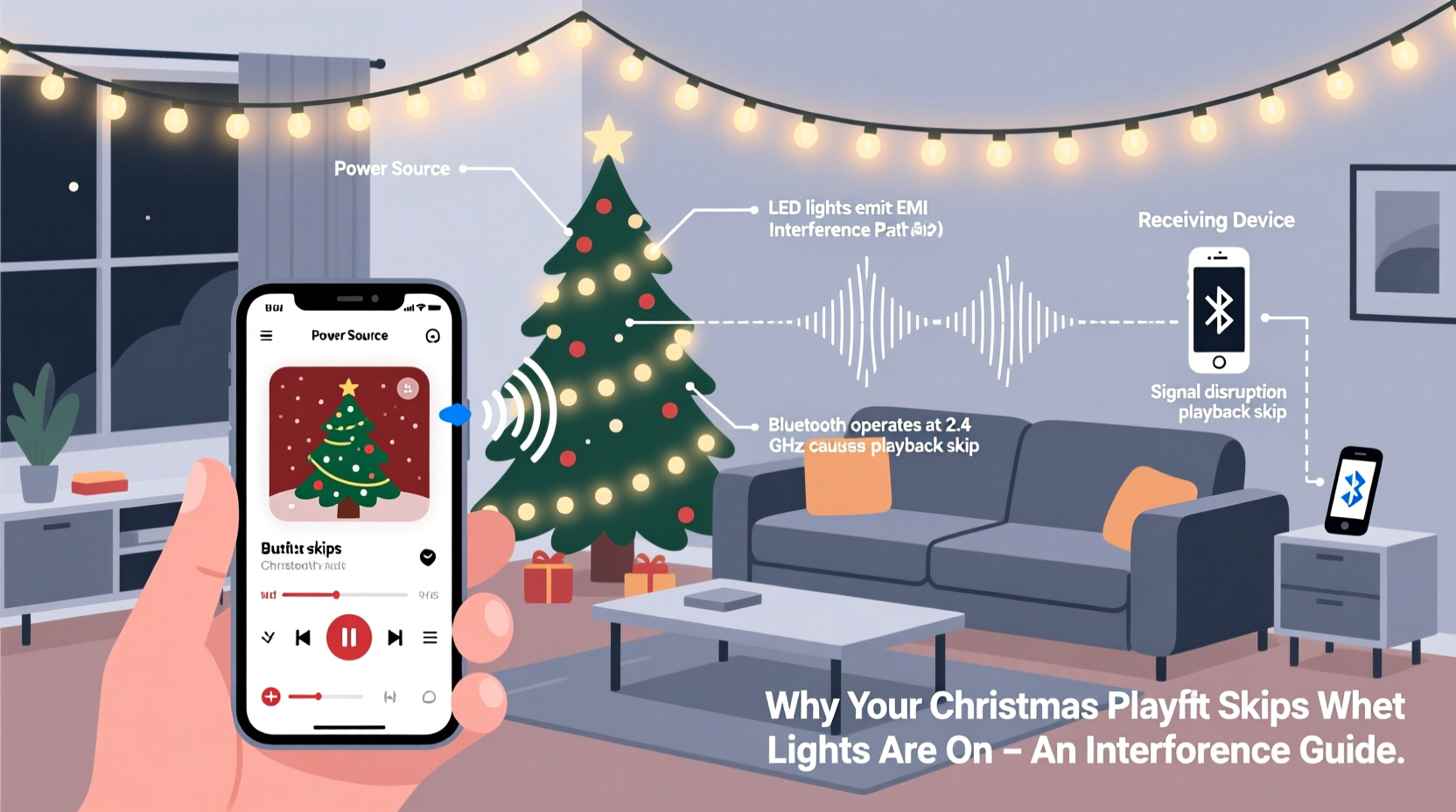
Electromagnetic interference occurs when an electronic device emits energy that disrupts the operation of another nearby device. Christmas lights, especially inexpensive or older incandescent strands, can act as unintentional radio frequency (RF) emitters. When alternating current (AC) flows through poorly shielded wiring or flickers rapidly—as some lights do for a \"twinkling\" effect—it generates electromagnetic fields.
These fields can interfere with wireless communication protocols like Bluetooth and Wi-Fi, both of which operate in the 2.4 GHz frequency band. Many smart speakers, smartphones, tablets, and streaming devices rely on this same spectrum. When EMI floods the environment, data packets between your device and speaker can be corrupted or lost, causing audio dropouts, skips, or complete disconnections.
“Low-quality lighting often lacks proper filtering and shielding, turning decorative strings into unintentional transmitters of RF noise.” — Dr. Alan Reeves, Electrical Interference Researcher at MIT Lincoln Laboratory
Analog audio systems aren’t immune either. If you’re using wired speakers connected via auxiliary cables, EMI can induce currents in the cables themselves, resulting in audible buzzing or static—particularly if the cables run near or parallel to light strands.
Which Christmas Lights Cause the Most Interference?
Not all holiday lights are equal when it comes to EMI. The risk depends on bulb type, power regulation, and build quality. Here’s a breakdown:
| Light Type | Interference Risk | Why It Happens |
|---|---|---|
| Older Incandescent Mini-Lights | High | Poorly regulated AC flow; unshielded wiring; prone to arcing in damaged sections. |
| Non-Dimmable LED Strings (Cheap Models) | Medium to High | Use basic rectifiers instead of clean DC drivers; generate electrical noise during switching. |
| Dimmable/Smart LED Lights (Certified) | Low | Built-in EMI filters; better circuit design; FCC-compliant shielding. |
| Mains-Powered Icicle Lights | Medium | Long cable runs act as antennas; proximity to windows/speakers increases risk. |
| Battery-Operated LEDs | Negligible | No connection to AC power; minimal current draw reduces EMI potential. |
FCC certification is a key indicator. Look for labels such as “FCC Part 15 Compliant” on packaging—these lights are tested to ensure they don’t emit excessive RF interference. Avoid off-brand lights sold without regulatory markings, especially those imported online.
Step-by-Step Guide to Eliminate Audio Interference
Follow this systematic approach to diagnose and resolve interference issues:
- Isolate the source: Turn off all Christmas lights and play your playlist. Gradually turn on light strands one at a time while monitoring audio performance. Note which set triggers the skipping.
- Check physical placement: Ensure speaker wires and Bluetooth devices are not running alongside or under light cords. Maintain at least 12–18 inches of separation where possible.
- Switch to battery-powered lights: For areas near speakers (e.g., mantles, tables), use battery-operated LED sets. They eliminate EMI at the source.
- Use a dedicated power strip with EMI filtering: Plug interfering lights into a filtered surge protector designed to suppress electrical noise.
- Upgrade to 5 GHz Wi-Fi or Ethernet: If streaming from a network, connect your audio system via Ethernet or use a dual-band router to switch streaming devices to the less congested 5 GHz band.
- Test Bluetooth alternatives: Try connecting via AUX cable temporarily. If skips disappear, the issue is wireless interference, not the audio file or app.
- Replace problematic strands: Retire old or flickering lights. Invest in UL-listed, FCC-compliant LED strings with built-in noise suppression.
This process typically resolves over 90% of reported interference cases. Persistence matters—some setups require trial and error to balance aesthetics and functionality.
Real-World Example: A Living Room Fix That Worked
In suburban Chicago, Sarah Thompson noticed her Sonos speaker cut out every evening when she turned on her front porch lights—strands she’d used for over a decade. Her Christmas playlist would stutter mid-chorus of “All I Want for Christmas Is You,” disrupting nightly family traditions.
After reading about EMI, she began testing. She discovered the issue only occurred when two specific incandescent strands were active. Using a multimeter, an electrician friend detected minor arcing in one section of the wire—a common but invisible fault that amplifies RF noise.
Sarah replaced the old strands with a new set of FCC-compliant LED icicle lights and plugged them into a filtered power strip. She also moved her Wi-Fi router away from the entertainment center. The result? Smooth playback throughout the season. “It felt like solving a mystery,” she said. “Now the music plays all night, and the lights are brighter and safer too.”
Prevention Checklist: Keep Your Playlist Playing
- ✅ Use only FCC-compliant or UL-certified holiday lights
- ✅ Separate audio cables from light cords by at least 12 inches
- ✅ Plug audio devices and lights into different circuits
- ✅ Replace flickering or dimming strands immediately
- ✅ Use filtered surge protectors for high-risk lighting
- ✅ Stream music over 5 GHz Wi-Fi or Ethernet when possible
- ✅ Test audio performance before final light installation
- ✅ Store lights carefully to prevent wire damage (kinks increase EMI risk)
FAQ: Common Questions About Light-Induced Audio Skips
Can LED Christmas lights really interfere with Bluetooth?
Yes, especially low-quality LED strings that lack proper driver circuits. While LEDs use less power, cheap models convert AC to DC inefficiently, creating electrical noise that radiates into the 2.4 GHz band. Higher-end LEDs include filters to prevent this.
Will turning off other appliances help?
Sometimes. Other motor-driven devices (refrigerators, space heaters, vacuum cleaners) also produce EMI. If multiple noisy devices run on the same circuit as your lights, cumulative interference can worsen audio issues. Distributing loads across circuits helps stabilize performance.
Is there a way to fix interference without replacing lights?
Yes. Temporary fixes include increasing distance between lights and speakers, using shielded audio cables, switching to wired connections, or installing a ferrite choke (a clip-on filter) on light cords near the plug. These suppress high-frequency noise without requiring replacement.
Expert Insight: Designing for Compatibility
As homes become more connected, electromagnetic compatibility (EMC) is no longer optional. Modern holiday lighting should coexist with smart speakers, security cameras, and streaming devices.
“The future of holiday décor is intelligent and integrated. Lights should enhance ambiance—not disrupt digital experiences. Manufacturers must prioritize clean electronics design.” — Lena Patel, Senior Engineer at Consumer Technology Association (CTA)
Newer smart lighting systems like Philips Hue Holiday Strips or LIFX Z address this by using digitally controlled, low-noise drivers and operating outside sensitive RF bands. Some even sync with music without causing interference—turning a problem into a feature.
Final Thoughts: Enjoy Music and Lights Without Compromise
The joy of the holiday season shouldn’t come down to choosing between twinkling lights and a seamless soundtrack. With a little awareness and preparation, you can have both. The root cause—electromagnetic interference—is manageable once identified. Upgrading outdated lights, organizing your electrical layout, and using modern connectivity options go a long way toward peace of mind.
Start now, before the rush of December. Test your setup early, label compatible strands, and invest in quality replacements where needed. Not only will your music play smoothly, but you’ll also reduce fire risks and energy use—modern LEDs consume up to 90% less power than incandescent bulbs.




 浙公网安备
33010002000092号
浙公网安备
33010002000092号 浙B2-20120091-4
Comments
No comments yet. Why don't you start the discussion?