
Controller drift—when your character moves on screen without you touching the joystick—is one of the most common and maddening issues gamers face today. Whether you're playing on a PlayStation DualSense, Xbox Wireless Controller, or Nintendo Switch Joy-Con, sudden uncommanded movement ruins gameplay, breaks immersion, and raises questions about hardware reliability. The good news? In many cases, drift isn’t permanent. You don’t always need to replace your controller. With the right knowledge and tools, you can diagnose, clean, recalibrate, or even repair the issue yourself.
What Causes Controller Drift?
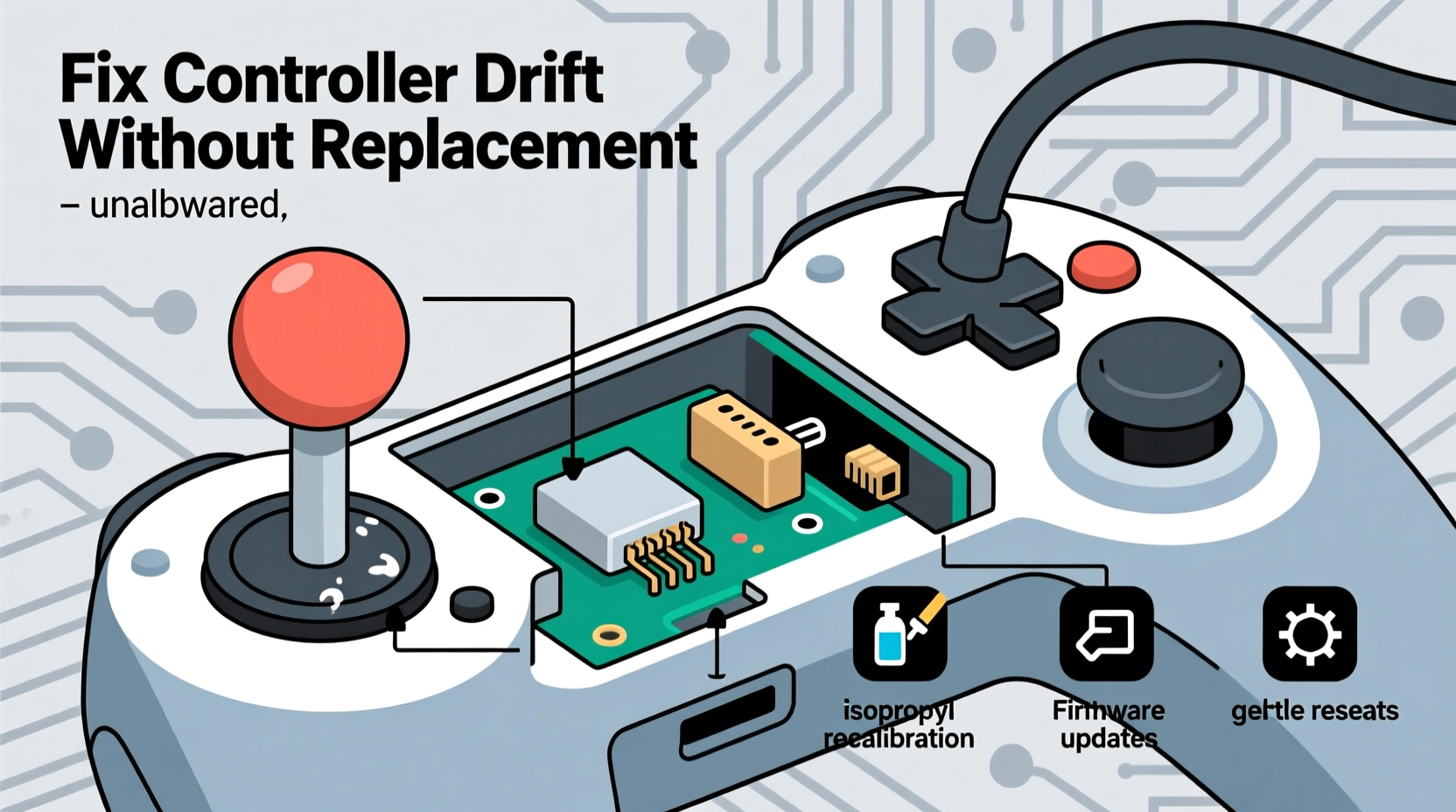
Joystick drift occurs when the analog stick sends input signals even when untouched. This happens due to physical or electrical degradation inside the joystick module. While some assume it's software-related, the root cause is almost always mechanical or material-based wear.
Analog sticks work by measuring resistance changes as a small rubber dome or conductive pad shifts under the stick’s cap. Over time, this internal mechanism wears down, collects debris, or loses calibration. Common causes include:
- Dust and debris buildup – Skin oils, pocket lint, and environmental dust infiltrate the joystick housing.
- Wear of potentiometers or contact pads – These components degrade with repeated use, especially in low-clearance joysticks like those in Joy-Cons.
- Oxidation or corrosion – Moisture or humidity exposure leads to oxidation on metal contacts.
- Manufacturing defects – Some controllers ship with misaligned or poorly sealed joysticks.
- Physical damage – Drops, over-rotation, or aggressive thumb pressure accelerate internal wear.
Can Drift Be Fixed Without Replacement?
Yes—many cases of drift are reversible with proper maintenance. Before assuming your controller is dead, consider these non-invasive and repair-based solutions. Success depends on the severity and underlying cause, but early-stage drift is often manageable at home.
The key is acting quickly. The longer you ignore drift, the more likely permanent damage becomes. Cleaning and recalibration may restore functionality for weeks or even months, especially if caught early.
Step-by-Step Guide to Diagnose and Fix Drift
- Test for drift systematically: Open a game or system menu that shows live joystick input (e.g., Nintendo’s calibration screen, Steam’s controller tester). Center the stick and observe if the cursor moves on its own.
- Recalibrate the controller: Use built-in system tools to reset joystick baseline values. On Switch: System Settings > Controllers and Sensors > Calibrate Control Sticks. On PS5: Accessories > Controllers > Adjust Stick Calibration. On Xbox: Settings > Devices & connections > Accessories > Configure.
- Clean the joystick area: Power off the device. Use compressed air to blow debris from around the base of the stick. Hold the nozzle at a 45-degree angle and fire short bursts. Avoid tilting the controller upside down unless disassembling.
- Apply isopropyl alcohol cleaning (optional): Dip a cotton swab in 90%+ isopropyl alcohol, lightly dampen (not soak) the edge of the joystick base, then rotate the stick in full circles to allow the fluid to wick inward. Let dry completely (10–15 minutes) before testing.
- Check firmware updates: Manufacturers occasionally release patches that improve input handling. Ensure your controller firmware is up to date via console or companion app.
When Cleaning Isn't Enough: Repair Options
If recalibration and cleaning fail, the next step is internal repair. This requires opening the controller, which voids warranties but can extend its life significantly. Replacement joystick modules cost between $5 and $15 online and take 20–40 minutes to install with basic tools.
Popular platforms like iFixit provide detailed teardown guides and sell repair kits. For example, replacing a Joy-Con thumbstick involves removing screws, disconnecting ribbon cables, swapping the faulty stick, and reassembling. The process is delicate but doable for beginners with patience.
“Most drift cases we see in repair shops stem from avoidable contamination. A simple cleaning or $8 part swap saves 90% of controllers.” — Carlos Mendez, Electronics Repair Technician, TechFix Labs
DIY Repair Checklist
- ✅ Power off and disconnect the controller
- ✅ Gather tools: Phillips screwdriver, plastic pry tool, tweezers, isopropyl alcohol
- ✅ Order replacement joystick module (ensure compatibility)
- ✅ Work on a clean, static-free surface
- ✅ Take photos during disassembly for reassembly reference
- ✅ Gently disconnect ribbon cables using proper technique
- ✅ Install new joystick, reconnect cables, reassemble
- ✅ Test thoroughly before closing fully
Prevention: How to Minimize Future Drift
Even after fixing drift, recurrence is common without preventive habits. Analog sticks are consumable parts—they wear out like tires. But smart usage dramatically extends their lifespan.
| Do | Don’t |
|---|---|
| Wash hands before gaming to reduce oil transfer | Use excessive thumb pressure on sticks |
| Store controllers in a dry, dust-free case | Leave controllers exposed on open shelves |
| Use silicone stick caps to limit debris entry | Blow into joystick gaps with your mouth (moisture risk) |
| Perform monthly maintenance checks | Ignore early signs of jitter or lag |
| Rotate multiple controllers if heavily used | Play for hours with sweaty hands |
Consider investing in third-party accessories designed for durability. Brands like PDP and GameStop offer ruggedized controllers with improved sealing and longer-lasting internals. High-end options like the Victrix Pro BFG or Razer Wolverine V2 feature modular, replaceable sticks right out of the box.
Real Example: Fixing a Drifting Switch Joy-Con
Jamal, a college student and avid Mario Kart player, noticed his left Joy-Con drifting during races. His kart veered left constantly, even when idle. Frustrated, he considered buying a new unit—until he found a YouTube tutorial on cleaning analog sticks.
He followed the steps: powered off the Switch, used compressed air around both sticks, then applied a tiny amount of isopropyl alcohol with a cotton swab. After letting it dry, he recalibrated via System Settings. The drift reduced significantly. Two weeks later, when it returned, he ordered a $7 replacement joystick module and replaced it himself using an iFixit guide. Total time: 30 minutes. Cost: less than 10% of a new Joy-Con. The controller has worked flawlessly for six months since.
This case illustrates that user intervention works—and often costs pennies compared to replacement.
Frequently Asked Questions
Is controller drift covered under warranty?
It depends on the manufacturer and region. Nintendo now accepts drift repairs under warranty even if outside the standard period, following a class-action lawsuit. Sony and Microsoft typically require proof of defect beyond normal wear. Contact support first—many companies will repair or replace at no cost if drift is confirmed.
Can software updates cause drift?
No. Drift is a hardware issue. However, firmware updates can sometimes improve how input anomalies are handled or add better calibration tools. Always update before concluding hardware failure.
Are third-party controllers less prone to drift?
Some are better engineered. High-end licensed controllers (e.g., SCUF, AimControllers) use hall-effect joysticks, which rely on magnets instead of physical contact, eliminating wear-related drift. These are more expensive but last significantly longer under heavy use.
Conclusion: Take Control of Your Controller’s Lifespan
Controller drift doesn’t have to mean immediate replacement. Understanding the mechanics behind the problem empowers you to respond proactively. From simple cleaning routines to affordable DIY repairs, there are multiple ways to restore functionality and save money. The rise of repair culture and accessible parts makes self-maintenance more viable than ever.
Instead of discarding a drifting controller, treat it as a fixable device. With care, most can be revived and returned to reliable service. Every repair reduces e-waste and supports sustainable gaming. Don’t let drift dictate your next purchase—diagnose, clean, repair, and keep playing.




 浙公网安备
33010002000092号
浙公网安备
33010002000092号 浙B2-20120091-4
Comments
No comments yet. Why don't you start the discussion?