
There’s nothing more frustrating than launching your drone, only to watch it drift uncontrollably to the side instead of hovering steadily in place. This behavior—commonly described as “flying sideways”—can compromise flight safety, ruin photo or video quality, and even lead to a crash. While it may seem like a hardware failure, the root cause is often linked to incorrect sensor readings or improper calibration. Understanding how drones maintain stability and what affects their orientation is essential for diagnosing and fixing this issue.
Drones rely on a complex network of internal sensors—including accelerometers, gyroscopes, magnetometers (compass), and barometers—to determine their position, orientation, and movement in three-dimensional space. When these sensors are miscalibrated or disrupted, the flight controller receives inaccurate data, causing the drone to behave erratically. Fortunately, most cases of sideways flight can be corrected through systematic calibration and sensor diagnostics.
Understanding Drone Stability and Sensor Roles
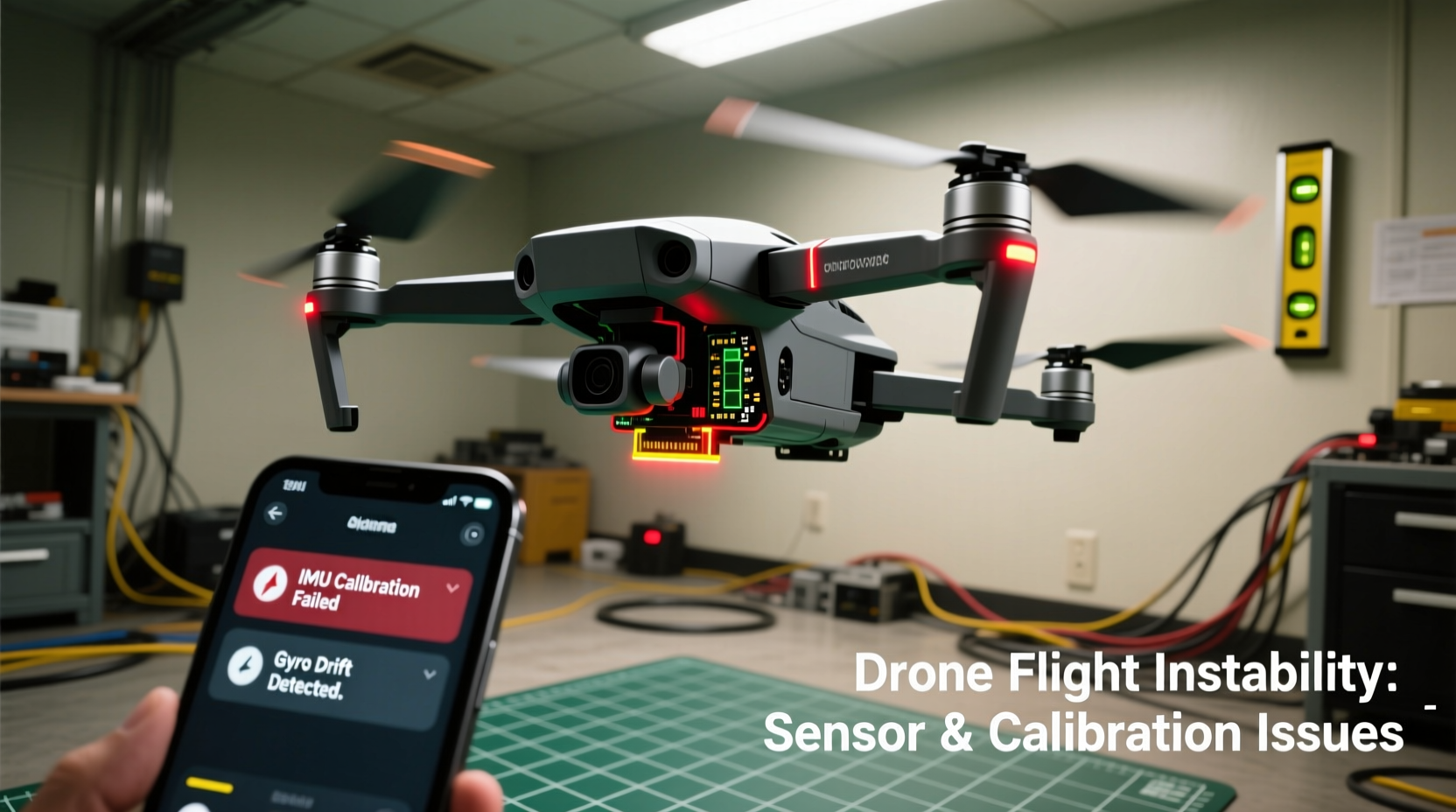
A drone maintains stable flight by constantly adjusting motor speeds based on real-time input from onboard sensors. Each sensor plays a distinct role:
- Gyroscope: Measures angular velocity and detects rotation around each axis (pitch, roll, yaw).
- Accelerometer: Detects linear acceleration and helps determine tilt relative to gravity.
- Magnetometer (Compass): Provides heading information by sensing Earth’s magnetic field.
- Barometer: Measures atmospheric pressure to estimate altitude.
- GPS Module: Assists in positioning and return-to-home functions.
When one or more of these components deliver skewed data, the flight controller compensates incorrectly. For example, if the accelerometer reports a false tilt, the drone will attempt to \"level\" itself by increasing thrust on one side—resulting in lateral drift. Similarly, a misaligned compass can confuse the drone about its forward direction, leading to unintended yaw and sideways motion during flight.
“Sensor fusion—the integration of data from multiple sensors—is what allows modern drones to hover precisely. If one sensor is off, the entire system can become unstable.” — Dr. Alan Reyes, UAV Systems Engineer
Common Causes of Sideways Flight
Sideways drifting isn’t usually due to a single fault but rather a combination of factors affecting sensor accuracy and control response. The most frequent causes include:
- Improper IMU (Inertial Measurement Unit) Calibration: The IMU combines gyroscope and accelerometer data. If not calibrated correctly after transport or impact, it may report incorrect orientation.
- Compass Misalignment: Magnetic interference from nearby metal objects, power lines, or electronic devices can throw off compass readings.
- Firmware Glitches: Outdated or corrupted firmware can impair sensor interpretation and motor response.
- Physical Damage or Imbalance: Bent propellers, unbalanced motors, or frame warping can create uneven lift, mimicking sensor issues.
- Environmental Interference: Flying near large metallic structures, bridges, or parking garages disrupts both GPS and compass signals.
It's important to differentiate between true sensor errors and mechanical problems. A drone that consistently veers left might have a damaged propeller generating less thrust, while one that drifts unpredictably likely suffers from sensor noise or calibration drift.
Step-by-Step Guide to Calibration and Sensor Checks
Resolving sideways flight begins with a structured diagnostic process. Follow these steps carefully to ensure all systems are functioning properly:
1. Power On and Check Environment
Turn on your drone and remote controller in an open area, free from metal surfaces, vehicles, or electronic devices. Avoid concrete floors with rebar, as they can distort magnetic fields.
2. Initiate Compass Calibration
Access your drone’s app or settings menu and select “Compass Calibration.” The procedure varies by brand:
- DJI Drones: Rotate the drone horizontally 360° twice, then vertically (nose down) and rotate again.
- Autel, Skydio, etc.: Follow on-screen prompts for similar rotational movements.
Ensure smooth, continuous motion without rushing. If the calibration fails repeatedly, move to a different location—magnetic interference is likely present.
3. Calibrate the IMU (Gyro & Accelerometer)
This step should be performed every few flights or after any hard landing:
- In the app, select “IMU Calibration” or “Sensor Calibration.”
- Place the drone on a perfectly level surface.
- Do not touch the drone during calibration (typically 30–60 seconds).
- Wait for confirmation before powering down.
Note: Some drones require you to keep the motors armed during this process; consult your user manual.
4. Verify Propellers and Motors
Inspect each propeller for cracks, warping, or looseness. Spin them manually to check for resistance or wobbling. Replace any damaged blades immediately. Also, confirm that motor arms are secure and ESCs (Electronic Speed Controllers) are functioning evenly.
5. Update Firmware
Outdated firmware can introduce bugs in sensor processing. Connect your drone to the manufacturer’s app and install any pending updates. Never interrupt a firmware update.
6. Test Hover in Atti Mode (Optional Advanced Step)
If available, switch to Attitude Mode (ATTI), which disables GPS and relies solely on inertial sensors. In this mode, the drone will naturally drift due to lack of positional correction. However, if it accelerates rapidly in one direction, it indicates a persistent sensor bias that needs recalibration.
Checklist: Fixing Sideways Drone Flight
Use this checklist before every flight to prevent stability issues:
- ✅ Ensure firmware is up to date
- ✅ Perform compass calibration monthly or after travel
- ✅ Calibrate IMU after impacts or long storage
- ✅ Inspect propellers for damage or debris
- ✅ Confirm battery is fully charged and balanced
- ✅ Launch in open area away from magnetic interference
- ✅ Verify GPS signal strength (at least 6 satellites)
- ✅ Test hover at low altitude before ascending
Do’s and Don’ts: Sensor Management Best Practices
| Do’s | Don’ts |
|---|---|
| Calibrate sensors regularly, especially after transport | Perform compass calibration indoors or near metal objects |
| Store your drone in a dry, temperature-stable environment | Leave the drone in a car where heat can damage sensors |
| Use the manufacturer’s official app for diagnostics | Ignore error messages related to IMU or compass |
| Clean propellers and motors after dusty or wet flights | Fly immediately after a drop without checking alignment |
| Keep spare propellers on hand | Use third-party propellers not rated for your model |
Real Example: Recovering from Persistent Drift
Mark, an aerial photographer in Denver, noticed his DJI Mavic 3 began drifting left shortly after returning from a mountain shoot. He initially assumed a motor issue and nearly ordered a replacement arm. Instead, he followed a diagnostic routine:
- He checked the propellers—none were damaged.
- Motor test showed equal responsiveness.
- Firmware was current.
- However, the app displayed a “Compass Error” warning.
Recalling that he had packed the drone near his car keys during transit, Mark suspected magnetic interference. He powered down the drone, moved to a grassy field away from vehicles, and recalibrated the compass. Afterward, the drone hovered perfectly. The issue wasn’t hardware—it was environmental contamination of sensor data.
This case highlights how easily external factors can mimic mechanical failure. A methodical approach saved Mark time, money, and potential loss of equipment.
Frequently Asked Questions
How often should I calibrate my drone’s sensors?
Compass calibration should be done every 2–3 months or after traveling to a new geographic location. IMU calibration is recommended after any significant impact, prolonged storage, or if you notice unexplained drifting. Routine calibration prevents cumulative sensor drift.
Can weather affect my drone’s ability to fly straight?
Yes. Strong winds can push your drone sideways, but this is aerodynamic, not a sensor issue. However, extreme temperatures—especially cold—can reduce battery efficiency and slow sensor response. Humidity and condensation may also temporarily affect electronic performance. Always allow your drone to acclimate to outdoor temperatures before flying.
What if calibration doesn’t fix the problem?
If repeated calibrations fail to resolve sideways flight, consider deeper issues: internal sensor damage, water exposure, or firmware corruption. Contact the manufacturer’s support team for diagnostics. Some models offer advanced tools like “Accelerometer Offset Adjustment” or factory reset options that can restore baseline performance.
Conclusion: Take Control of Your Drone’s Performance
A drone that flies sideways is not necessarily broken—it’s communicating a problem. More often than not, the solution lies in proper calibration, environmental awareness, and routine maintenance. By understanding how sensors work together to maintain stability, you gain the insight needed to troubleshoot effectively and extend your drone’s operational life.
Don’t wait for a crash to address instability. Build sensor checks into your pre-flight routine, treat your equipment with care, and stay informed about updates and best practices. With attention and consistency, you can ensure every flight is smooth, predictable, and safe.




 浙公网安备
33010002000092号
浙公网安备
33010002000092号 浙B2-20120091-4
Comments
No comments yet. Why don't you start the discussion?