
Drones have transformed how we capture aerial footage, inspect infrastructure, and explore remote areas. But one of the most frustrating experiences for any pilot—recreational or professional—is losing signal mid-flight. The sudden disconnect can lead to a forced return-to-home, erratic behavior, or even a crash. Understanding why signal loss occurs and how to prevent it is essential for maximizing flight performance while maintaining safety.
Signal degradation isn't always due to faulty hardware. Environmental factors, improper setup, and operator error often play major roles. By identifying the root causes and applying tested strategies, you can significantly extend your drone’s effective range and fly with greater confidence—even in challenging conditions.
Understanding Drone Signal Technology
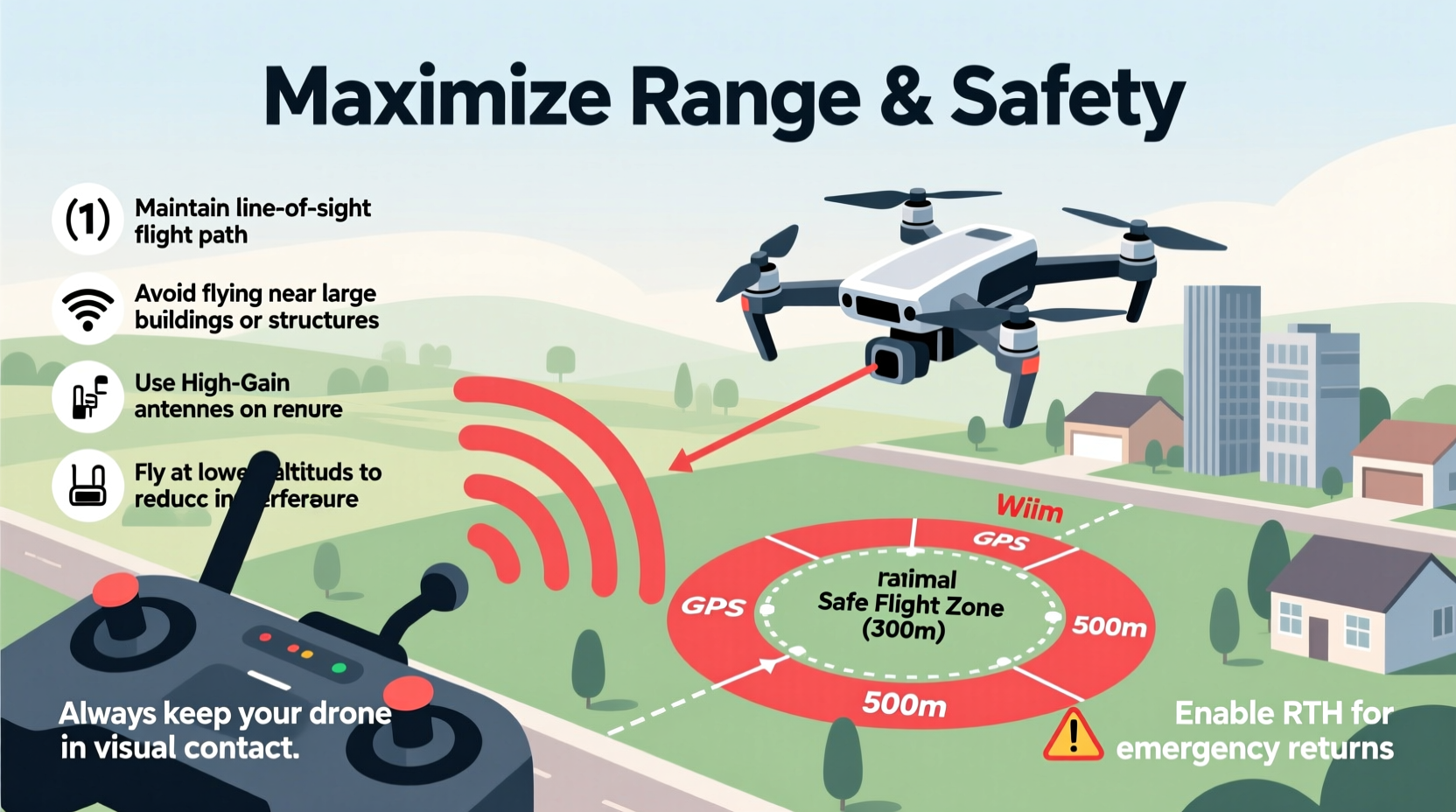
Most consumer drones use wireless communication systems such as Wi-Fi, Lightbridge (DJI), OcuSync, or other proprietary protocols to maintain a connection between the controller and the aircraft. These systems transmit both control signals from the remote and live video feed back to your mobile device or goggles.
The strength and reliability of this link depend on several variables: transmission frequency (2.4 GHz vs 5.8 GHz), antenna design, line-of-sight integrity, interference levels, and environmental absorption. For example, 2.4 GHz signals travel farther and penetrate obstacles better than 5.8 GHz, but they are more prone to congestion in urban areas where Bluetooth devices, routers, and microwaves operate on the same band.
Manufacturers advertise maximum ranges under ideal conditions—often in open fields with no obstructions. In reality, trees, buildings, hills, and even weather can reduce that range by up to 70%. Knowing how these technologies work helps you make informed decisions before takeoff.
Common Causes of Premature Signal Loss
Signal dropouts rarely happen without warning. Most result from predictable issues that can be mitigated with awareness and preparation.
- Obstructed Line of Sight: Flying behind trees, buildings, or terrain blocks direct radio waves. Even partial obstruction weakens the signal over time.
- Electromagnetic Interference: Power lines, cell towers, radar installations, and large metal structures emit electromagnetic noise that disrupts communication.
- Low Battery Levels: As battery voltage drops, transmitter power may decrease, reducing signal strength.
- Poor Antenna Orientation: Many controllers have directional antennas. Pointing them incorrectly reduces gain and coverage.
- Firmware Issues: Outdated firmware may contain bugs affecting signal stability or fail to optimize channel selection.
- Over-the-Horizon Flight: Earth curvature and atmospheric refraction limit long-distance flights regardless of equipment quality.
Urban environments are particularly problematic due to high RF noise and reflective surfaces causing multipath interference—where signals bounce off buildings and arrive at different times, confusing the receiver.
“More than half of all lost drone incidents begin with a degraded video feed. Pilots who ignore early warnings often lose control within minutes.” — Mark Tran, UAV Systems Engineer at AeroLink Dynamics
Tips to Extend Drone Range Safely
Extending your drone’s operational range doesn’t mean pushing limits recklessly. It means optimizing every aspect of your setup and environment to achieve reliable performance closer to advertised specs—without risking flyaways.
1. Maintain Clear Line of Sight
This is the single most effective way to preserve signal integrity. Avoid flying behind obstacles. If elevation is needed, climb first, then move forward—keeping the drone above tree lines or rooftops ensures uninterrupted visibility.
2. Optimize Controller Antenna Position
For DJI and similar systems, position the controller antennas vertically and point them toward the drone. Some models benefit from tilting one antenna slightly outward to improve diversity reception. Never fold or obstruct the antennas.
3. Use Dual-Band Transmission When Available
Drones equipped with dual-band systems (like OcuSync 3+) automatically switch between 2.4 GHz and 5.8 GHz based on congestion. Enable auto-switching or manually select the cleaner band depending on your location.
4. Fly During Off-Peak Hours
In cities, Wi-Fi traffic peaks during daytime and evening hours. Early morning flights typically experience less interference, especially near residential zones.
5. Update Firmware Regularly
Manufacturers frequently release updates that enhance signal processing algorithms, improve obstacle avoidance logic, and fix connectivity bugs. Check for updates monthly via the official app.
Step-by-Step Guide to Maximizing Signal Performance
Follow this pre-flight routine to ensure optimal signal strength and extended range:
- Check Local Regulations: Confirm you’re allowed to fly beyond visual line of sight (BVLOS) if attempting longer-range missions. Most countries require special permits.
- Inspect Equipment: Examine propellers, motors, batteries, and controller for damage. Clean connectors and ensure firmware is current.
- Choose the Right Location: Select an open area free of tall structures, power lines, and dense foliage. Higher ground improves horizon visibility.
- Calibrate Sensors: Perform IMU and compass calibration away from magnetic sources like cars or rebar.
- Select Frequency Band: In rural areas, use 2.4 GHz for longer reach. In cities, try 5.8 GHz for lower interference.
- Launch and Hover: Ascend to 30–50 feet and hover briefly to establish stable GPS lock and monitor initial signal bars.
- Gradually Increase Distance: Move outward slowly, watching real-time telemetry. Stop advancing when signal strength begins to decline noticeably.
- Monitor Video Feed Quality: A grainy or lagging image often precedes full signal loss. React early by turning back or ascending.
This methodical approach prevents overextension and allows you to map your drone’s true performance envelope under current conditions.
Do’s and Don’ts of Long-Range Drone Flying
| Do | Don’t |
|---|---|
| Keep the drone within visual line of sight unless authorized for BVLOS | Assume the manufacturer’s max range applies everywhere |
| Use FPV goggles with a diversity receiver for better signal capture | Fly near airports, prisons, or military bases—these areas jam signals |
| Carry spare batteries to avoid low-power-related signal drops | Ignore weather forecasts; rain and fog absorb radio waves |
| Enable Return to Home (RTH) altitude higher than surrounding obstacles | Fly with outdated firmware or untested modifications |
| Log flight data to analyze signal trends across locations | Rely solely on RTH—if signal is lost completely, it may not activate |
Real-World Example: Signal Recovery in a Forested Area
Jamal, a wildlife photographer in Oregon, regularly flies his Mavic 3 through forest clearings to capture deer and elk. On one trip, he noticed the video feed began stuttering after just 300 meters—well below the expected 8 km range. He immediately stopped advancing and hovered.
Using the telemetry screen, he saw RSSI (Received Signal Strength Indicator) dropping rapidly. Instead of panicking, he recalled a tip about elevation improving clearance. He ascended to 120 meters, rising above the treetops. Instantly, the signal stabilized and video returned to full resolution.
From that height, he was able to continue filming safely, maintaining strong connectivity even at 1.2 km distance. Jamal now makes climbing to a safe altitude part of his standard procedure when entering wooded areas.
Frequently Asked Questions
Can I legally fly my drone beyond visual line of sight to get more range?
In most countries, including the U.S. under FAA rules and EU regulations, flying beyond visual line of sight (BVLOS) requires special certification or waivers. Recreational pilots must keep the drone within unaided eyesight at all times. Commercial operators may apply for exemptions but must demonstrate risk mitigation plans, including redundant communication systems.
Does using a signal amplifier or external antenna help?
Yes, some third-party accessories like high-gain antennas or signal boosters can improve reception—but only if used correctly. Poorly designed amplifiers may cause interference or violate local RF emission laws. Always choose FCC/CE-compliant products and never exceed legal transmission power limits.
Why does my drone lose signal even when close to me?
Sudden short-range disconnections are often caused by local interference (e.g., a nearby microwave oven), poor battery health, damaged antennas, or software glitches. Restart the drone and controller, update firmware, and test in a different location. If the issue persists, contact the manufacturer for diagnostics.
Final Checklist for Reliable Long-Range Flights
- ✅ Confirm full battery charge on drone and controller
- ✅ Verify GPS satellite count (aim for 10+)
- ✅ Calibrate compass and IMU if moving to a new site
- ✅ Set RTH altitude above tallest obstacle in area
- ✅ Choose appropriate transmission band based on environment
- ✅ Keep drone visible or use spotter for distant flights
- ✅ Monitor signal strength and video latency continuously
- ✅ Land immediately if signal drops below 3 bars or video freezes
Conclusion: Fly Farther, Fly Smarter
Losing signal doesn’t have to be an inevitable part of drone ownership. With a solid understanding of radio principles, disciplined pre-flight habits, and respect for environmental limitations, you can safely push the boundaries of your drone’s range. Remember: maximum distance should never come at the cost of control.
Every flight is an opportunity to learn your equipment’s behavior under different conditions. Track what works, refine your techniques, and prioritize safety over spectacle. Whether you're capturing sweeping landscapes or conducting inspections, a stable connection is the foundation of successful aerial operations.




 浙公网安备
33010002000092号
浙公网安备
33010002000092号 浙B2-20120091-4
Comments
No comments yet. Why don't you start the discussion?